Manage NuGet packages across a whole .NET solution, from inside VS Code
Built for real solutions: Central Package Management, multi-targeting, and legacy projects side by side




Why Nuggy
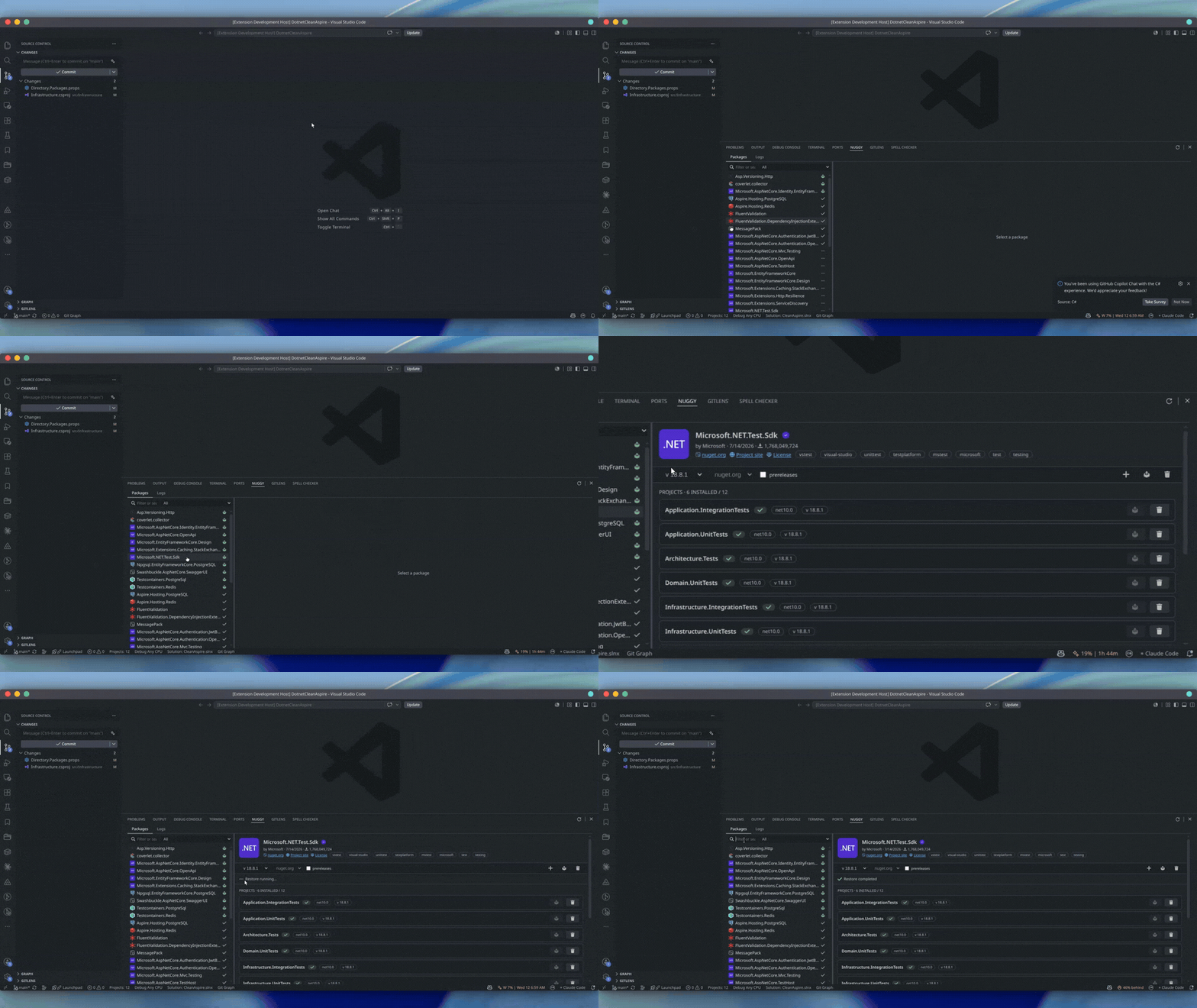
The built-in tooling shows you a flat list of packages. Real solutions are not flat:
- Central Package Management: some projects use it, others pin locally, and the two disagree
- MSBuild inheritance: target frameworks and versions scattered across
Directory.Build.props
- Mixed formats: .NET Framework projects with
packages.config next to modern SDK projects
- Invisible compatibility: a package version may suit three projects out of five, and nothing tells you which
Nuggy reads the solution the way MSBuild does, then lets you act on it. It answers the question that
actually matters on an existing codebase: what can I safely upgrade, and where?
Features
Search and install, per project
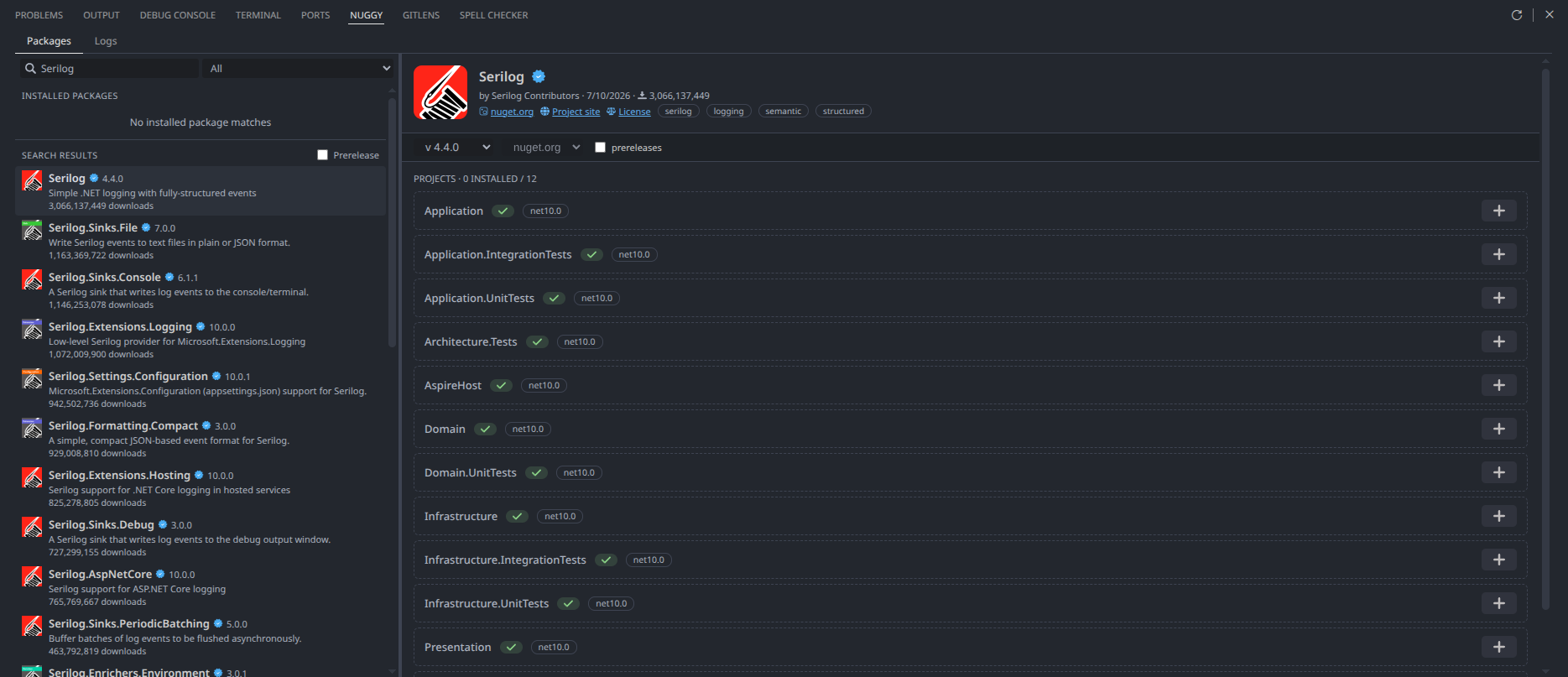
Search nuget.org straight from the package list. Type anything and the list splits in two: the
packages already in your solution, then the results from the feed. Install a package on one project
at a time. Each project card carries its own button, with the compatibility verdict next to it.
Know what you can gain, at a glance
Every installed package carries a badge that answers a single question: "is there something to gain ?"
| Badge |
Meaning |
| ⬆ green |
A newer version is compatible with every project that carries the package |
| ⬆ yellow |
A newer version fits some of your projects, not all |
| ⬆ blue |
Newer versions exist, but none for your target frameworks. Informative, not a problem |
| ✔ grey |
Up to date |
| ? grey |
Not enough data to decide, offline, or the feed answered for only some projects |
The list sorts itself with the actionable packages on top, so what you can do is never below the fold.
Central Package Management, handled natively
Under CPM, Nuggy writes where MSBuild would read. Installing adds a <PackageReference> without a
version and creates the missing <PackageVersion>; updating writes the central version once for the
whole solution; uninstalling removes the reference and cleans up the <PackageVersion> when nothing
references it any more. On a solution holding several Directory.Packages.props, each project is
matched to the one that actually governs it.
Edits that leave your files alone
Package files are edited by surgical text replacement, never by a parse-and-rewrite round trip.
Indentation, comments, attribute order, CRLF line endings and the UTF-8 BOM come out byte for byte
as they went in. Only the value you asked to change, changes.
Restore, and a real answer when it fails
Every write schedules a debounced dotnet restore, ten changes produce one restore, never two at
once. When it fails on a transitive package, Nuggy runs dotnet nuget why for you and shows which
of your direct dependencies pulls in the offending one.
A log of everything that happened
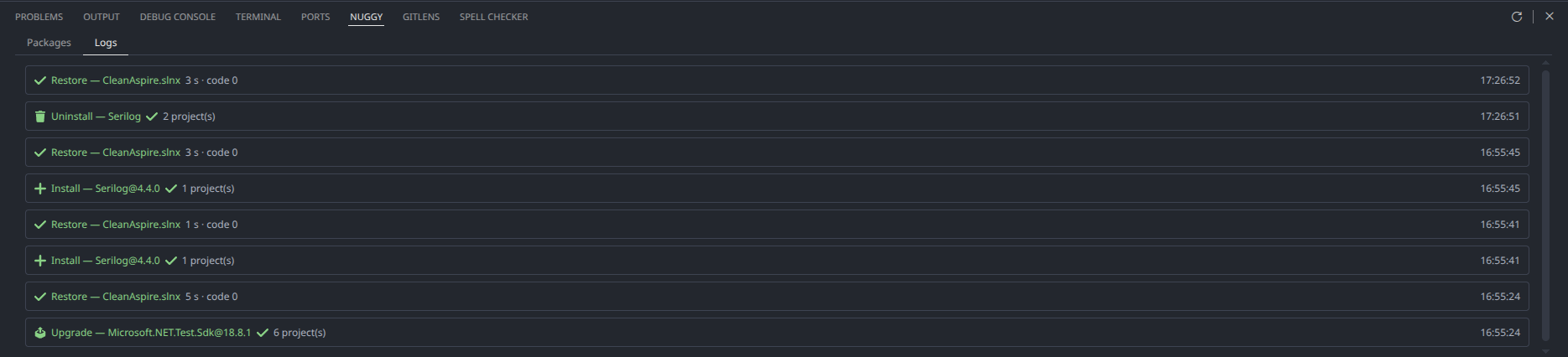
The Logs tab keeps a session journal: every restore with its full output, and every write with the
files it touched and the projects it affected. Click a failed restore in the banner and it takes you
straight to that run.
Legacy projects, read but not written
packages.config projects are detected, analysed and displayed alongside the rest, with their
write buttons disabled and the reason spelled out. Nuggy will not silently half-migrate a project.
Getting started
- Install Nuggy from the Extensions view (
Ctrl+Shift+X)
- Open a folder containing a
.sln or .slnx
- Run Nuggy: Open Panel from the Command Palette (
Ctrl+Shift+P)
The panel opens at the bottom, next to the terminal.
Requirements
- VS Code 1.106 or later
- .NET SDK on your
PATH : required for dotnet restore after a write
- Network access to nuget.org for versions and compatibility data (the solution analysis itself
works offline)
Commands and settings
| Command |
Description |
Nuggy: Open Panel |
Opens the packages panel |
Nuggy: Refresh Packages |
Re-reads the solution from disk |
| Setting |
Default |
Description |
nuggy.language |
en |
Interface language : English, French, Spanish or German |
nuggy.selectedSolution |
none |
Active solution, when the workspace holds several |
Roadmap
Available today
- [x] Solution analysis :
.sln / .slnx, SDK-style and legacy projects, Directory.Build.props
inheritance, effective TFM resolution, NuGet.Config hierarchy
- [x] Per-version, per-project compatibility verdicts
- [x] Install, update and uninstall — per project or solution-wide, with native CPM semantics
- [x] Search nuget.org and install packages absent from the solution
- [x] Debounced automatic restore, with transitive blame on failure
- [x] Session journal of restores and writes
- [x] English, French, Spanish and German
Next
- [ ] Private feeds : Azure Artifacts, GitHub Packages and self-hosted servers, behind the same
source port nuget.org already uses
- [ ] CPM migration : move a solution to Central Package Management, consolidate versions that
diverge across projects, migrate
packages.config to PackageReference
- [ ] Dependency graph impact : answer "you want EF 10, but Pomelo has no .NET 10 release yet"
- [ ] TFM upgrades : raise project frameworks on a new .NET release, together with the packages
that keep them compatible
Contributing
Issues and pull requests are welcome. The codebase is TypeScript throughout, with the Host (Node.js)
and the webview (Lit) talking over a small CQRS bus.
npm install
npm test
npm run compile   # type-check, lint and build
Press F5 in VS Code to launch an Extension Development Host with the extension loaded.
License
MIT — © CoreSync
Support

