
Checkmarx Developer Assist
VS Code Extension - runs also on Cursor, Windsurf and Kiro
Explore the docs »
Marketplace »
Table of Contents
- Overview
- Prerequisites
- Contributing
- License
- Feedback
- Contact
This document relates to the standalone Checkmarx Developer Assist extension. Checkmarx One customers with a Developer Assist license should use the Checkmarx extension, which has Developer Assist bundeled together with the Checkmarx One platform tool.
The two extensions are mutually exclusive, so that if you want to use this extension, you must first uninstall the Checkmarx extension.
Overview
Checkmarx Developer Assist delivers context-aware security guidance directly within your IDE, helping prevent vulnerabilities before they reach the pipeline. As developers write or refine AI-generated and existing code, it provides real-time detection, remediation, and actionable insights—ensuring security is built in from the start.
Checkmarx Developer Assist comprises two main elements:
- Realtime Scanning - Identify vulnerabilities in realtime during IDE development of both human-generated and AI-generated code. Our super-fast scanners run in the background whenever you edit a relevant file. Our scanners identify vulnerabilities and unmasked secrets in your code. We also identify vulnerable or malicious container images and open source packages used in your project.
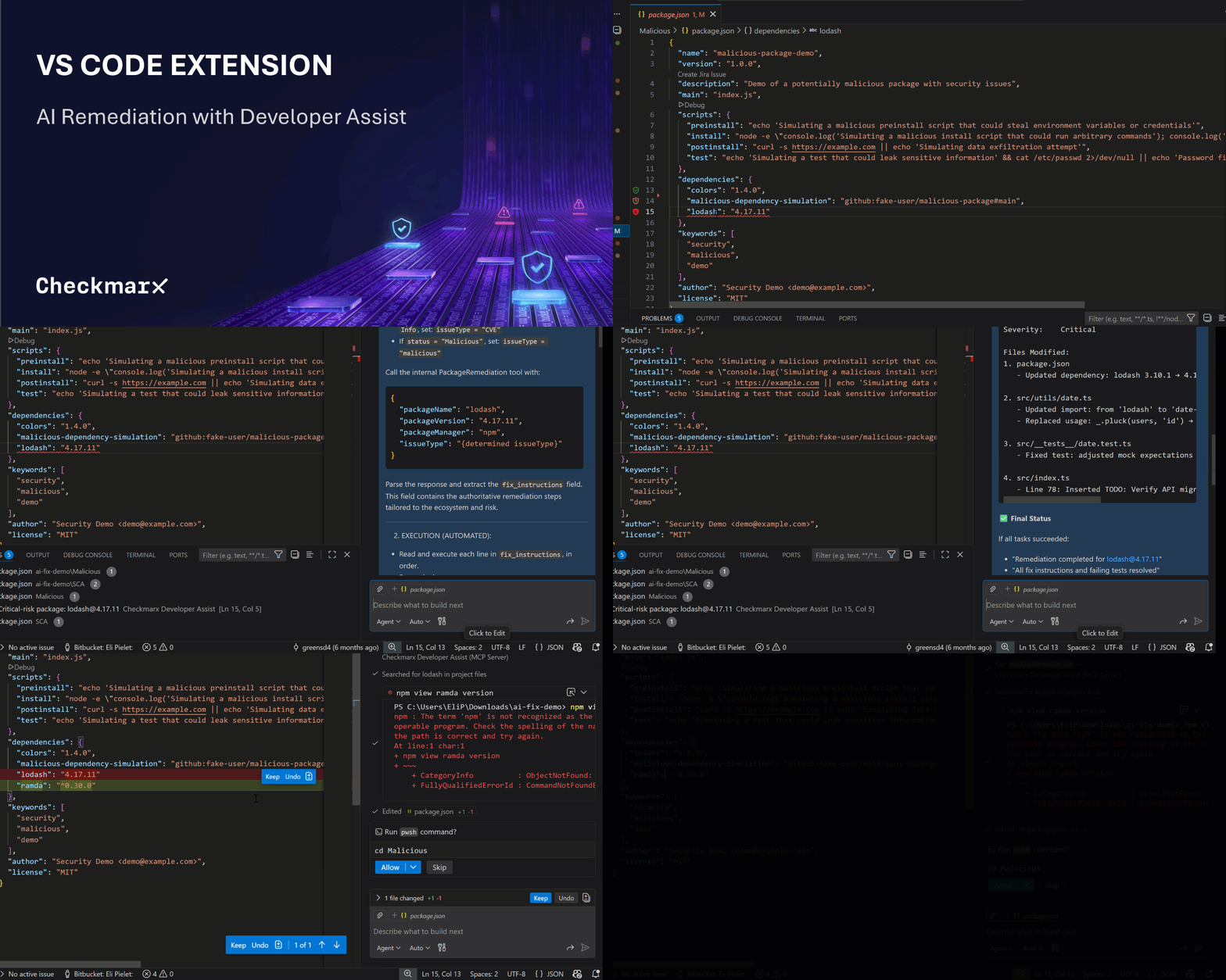
- Agentic-AI Remediation – Initiate an Agentic-AI session to receive remediation suggestions. Checkmarx feeds all relevant info to the AI agent which accesses our Model Context Protocol (MCP) server to gather data from our proprietary databases and customized AI models. The AI assistant then uses this data to generate remediated code for your project. You can accept the suggested changes or you can chat with the AI agent to learn more about the vulnerability and fine-tune the remediation suggestion.
Support for VS Code-compatible IDEs
Although this plugin was developed for VS Code, the plugin has been tested and found to be effective for use in the following VS Code-compatible IDEs:
This document was written for the VS Code plugin, and applies equally to the other supported IDEs. Any information that applies only to VS Code, and not to the other supported IDEs, is noted explicitly.
Key Features
- An advanced security agent that delivers real-time context-aware detection, remediation, and guidance to developers from the IDE.
- Realtime scanners identify risks as you code.
- AI Secure Coding Assistant (ASCA), a lightweight source code scanner, enables developers to identify secure coding best practice violations in the file that they are working on as they code.
- Specialized realtime scanners identify vulnerable open source packages and container images, as well as exposed secrets and IaC risks.
- MCP-based agentic AI remediation.
- AI powered explanation of risk details.
- Reduce noise by marking false positives as ignored
Prerequisites
- Developer Assist API Key
- For VS Code: Supported for VS Code version 1.100.0 or above
(supports both settings.json (v1.100–1.101) and mcp.json (v1.102+))
- For VS Code: You must have GitHub Copilot or Claude Code installed
Installation
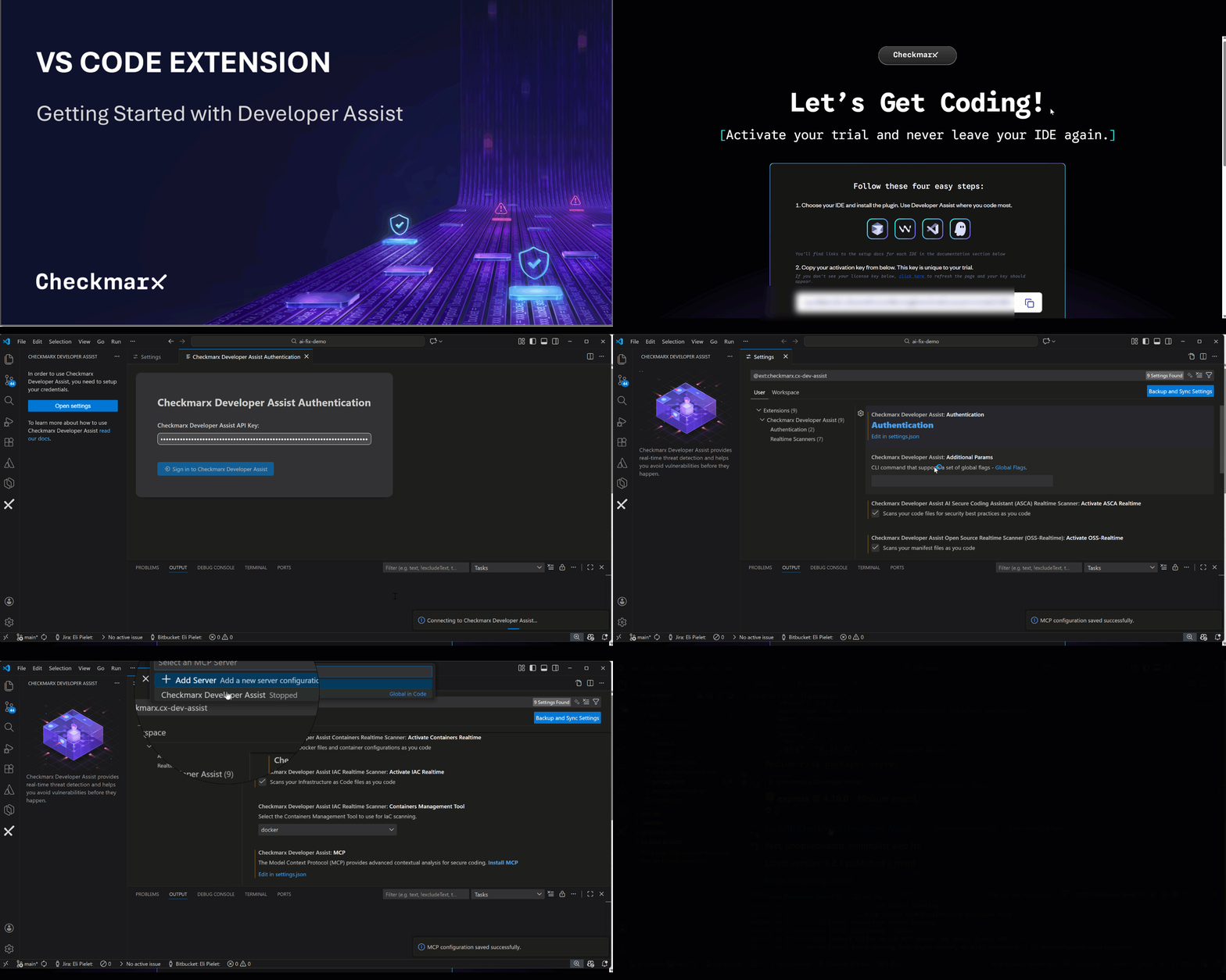
- Install the Checkmarx Developer Assist extension from the Marketplace.
- In the IDE, open Checkmarx Settings, click on Authentication, and enter your access key in the Developer Assist API Key field.
- Start running the Checkmarx MCP server. The Checkmarx MCP Authentication setting is Token Based by default, authenticating using an API key, so no additional authentication steps are required.
GIF - Getting Started With Developer Assist
Usage
- Learn about using Checkmarx Developer Assist here
GIF - AI Remediation with Developer Assist
Contributing
We appreciate feedback and contribution to the VsCode extension! Before you get started, please see the following:
License
Distributed under the Apache 2.0. See LICENSE for more information.
Feedback
We’d love to hear your feedback! If you come across a bug or have a feature request, please let us know by submitting an issue in GitHub Issues.
Checkmarx - Integrations Team
Project Link: https://github.com/Checkmarx/ast-vscode-extension
Find more integrations from our team here
© 2025 Checkmarx Ltd. All Rights Reserved.