Handlebars Preview for Visual Studio Code
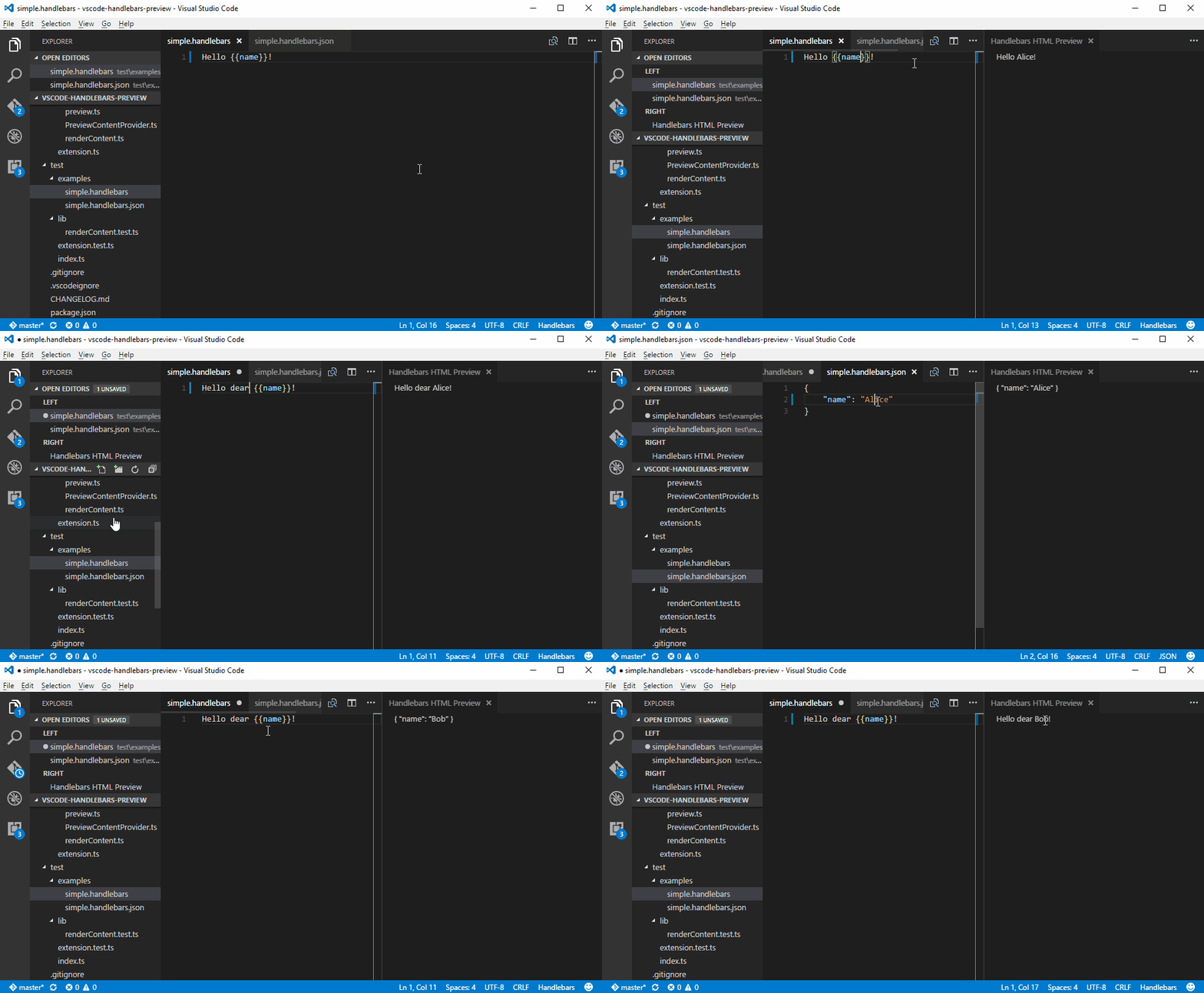
Live preview for your Handlebars templates. Extension compiles Handlebars template on the fly, apply preview data and render resulting HTML in separate window.
Requires Visual Studio Code 1.125.0 or newer.
Runs in VS Code desktop, remote workspaces, and VS Code for the Web.
Features
- Live preview for Handlebars templates. Preview updates as you type.
- Source preview for generated markup or text output with whitespace preserved.
- Support for fake data. Add file
yourtemplate.handlebars.json to be a context of the template.
- Configurable preview data suffix through
handlebarsPreview.dataFileSuffix.
- Configurable preview background color through
handlebarsPreview.backgroundColor.
- Contributes
.handlebars and .hbs language recognition.
- Support for partials selected from the command palette.
- Support for local
@font-face fonts referenced from the template directory.
- Built-in
compare, eq, and eval compatibility helpers.
- Optional custom helper support from trusted workspace JavaScript.
- Preview webviews run with scripts disabled and a restrictive content security policy.
Example
Usage
- Use the keybinding
ctrl+k h.
- To run from the command palette, use
ctrl+shift+p and type Handlebars: Open Preview.
- To inspect the generated HTML/source or preserve non-HTML text formatting, run
Handlebars: Open Source Preview.
- By default, preview data is read from the template file name plus
.json, such as email.handlebars.json.
- To register partials for preview rendering, run
Handlebars: Load Partials and select one or more partial files. Each partial is available by its file basename, and edits to selected partials refresh the active preview.
- Set
handlebarsPreview.backgroundColor to a CSS color such as #ffffff, white, or rgb(255, 255, 255) to override the preview background.
- Local font files referenced from inline styles,
<style> blocks, local stylesheet links, or local CSS imports can load when they are inside the template directory. Supported font file extensions are .woff, .woff2, .ttf, .otf, and .eot.
Built-in helpers
The preview registers a small set of compatibility helpers by default:
{{#compare left right}}...{{else}}...{{/compare}} compares with loose equality.{{#compare left ">" right}}...{{/compare}} also supports ==, ===, !=, !==, <, >, <=, >=, and typeof.{{eq left right}} returns a boolean and can be used as a block helper or subexpression.{{eval value}} returns the already-evaluated Handlebars value. It does not execute JavaScript.
Custom helpers
Custom helpers execute JavaScript from your workspace in the extension host, so they are disabled by default. Use them only in workspaces you trust.
To enable helpers, run Handlebars: Enable Unsafe Helpers or set handlebarsPreview.unsafeHelpers.enabled to true in workspace settings. VS Code Workspace Trust must also be enabled, and helper loading is available in desktop extension hosts only.
With the setting enabled, the preview looks for an adjacent helper module by default:
email.handlebars
email.handlebars.json
email.handlebars.js
The helper module can export an object of helper functions:
module.exports = {
  shout(value) {
    return String(value).toUpperCase();
  }
};
It can also export the descriptor array used by older forks:
module.exports = [
  { name: 'shout', body: value => String(value).toUpperCase() }
];
For shared helpers, set handlebarsPreview.unsafeHelpers.file to a helper module path or URI. Relative paths resolve from the workspace folder, so _preview_handlebars.js loads a workspace-root file with that name. A helper module may also export a registration function that receives the isolated Handlebars instance for the current render.
Credits
License
MIT


