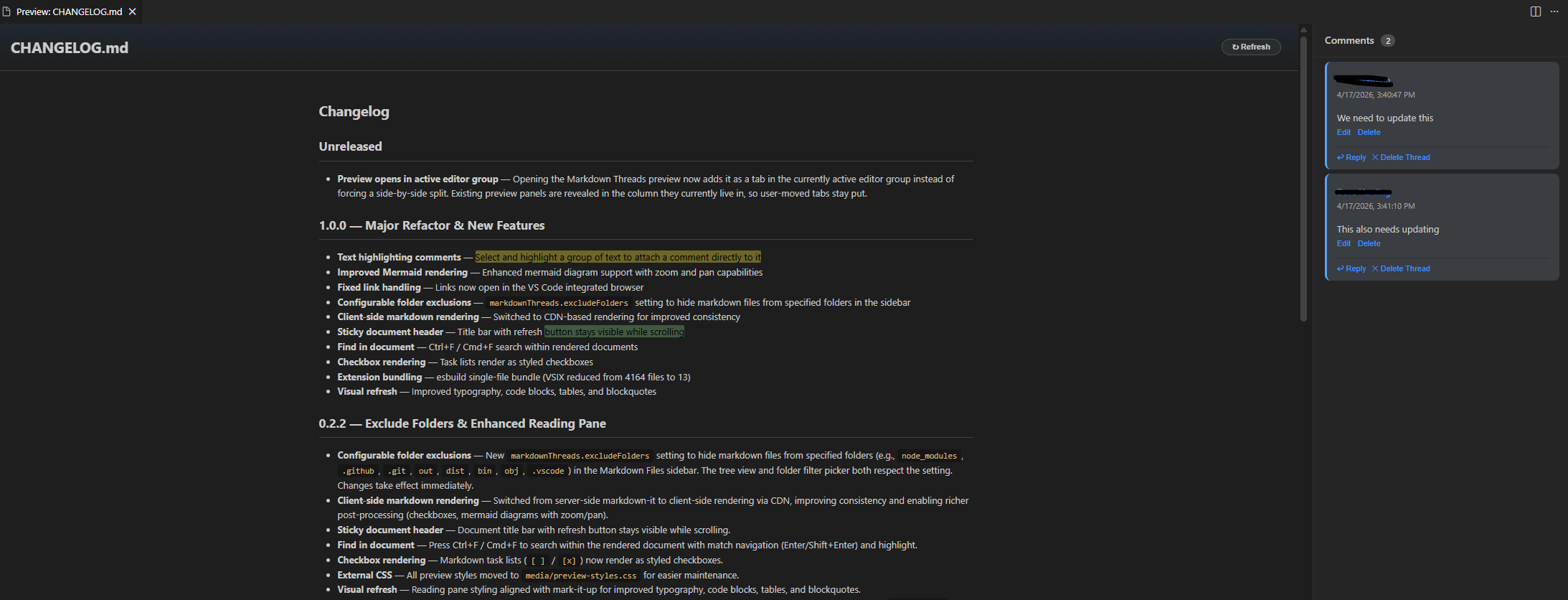
Inline review comments on markdown files in VS Code, stored in Git alongside your docs.
Features
Threaded comments anchored to highlighted text — reply, edit, delete.
Smart anchoring survives edits via surrounding-context matching; flags stale comments when the highlighted text changes and lets you reparent orphans when content is removed.
Side-by-side preview with rendered markdown (incl. Mermaid) and a comment sidebar; counts shown next to each comment.
.comments.json sidecar stored next to each doc — fully version-controlled, travels with branches and merges.
Activity Bar sidebar lists all workspace markdown files with comment counts and a folder filter.
Quick Start
Right-click any .md file → Markdown: Review and Comment (or open from the sidebar).
In the preview, highlight a span of text and click the 💬 prompt that appears to start a comment.
Configuration
Setting
Default
Description
markdownReview.excludeFolders
["node_modules", ".git", ...]
Folders hidden from the sidebar tree.
Requirements
VS Code 1.85+
Git repository (recommended, so .comments.json files are versioned with your docs)