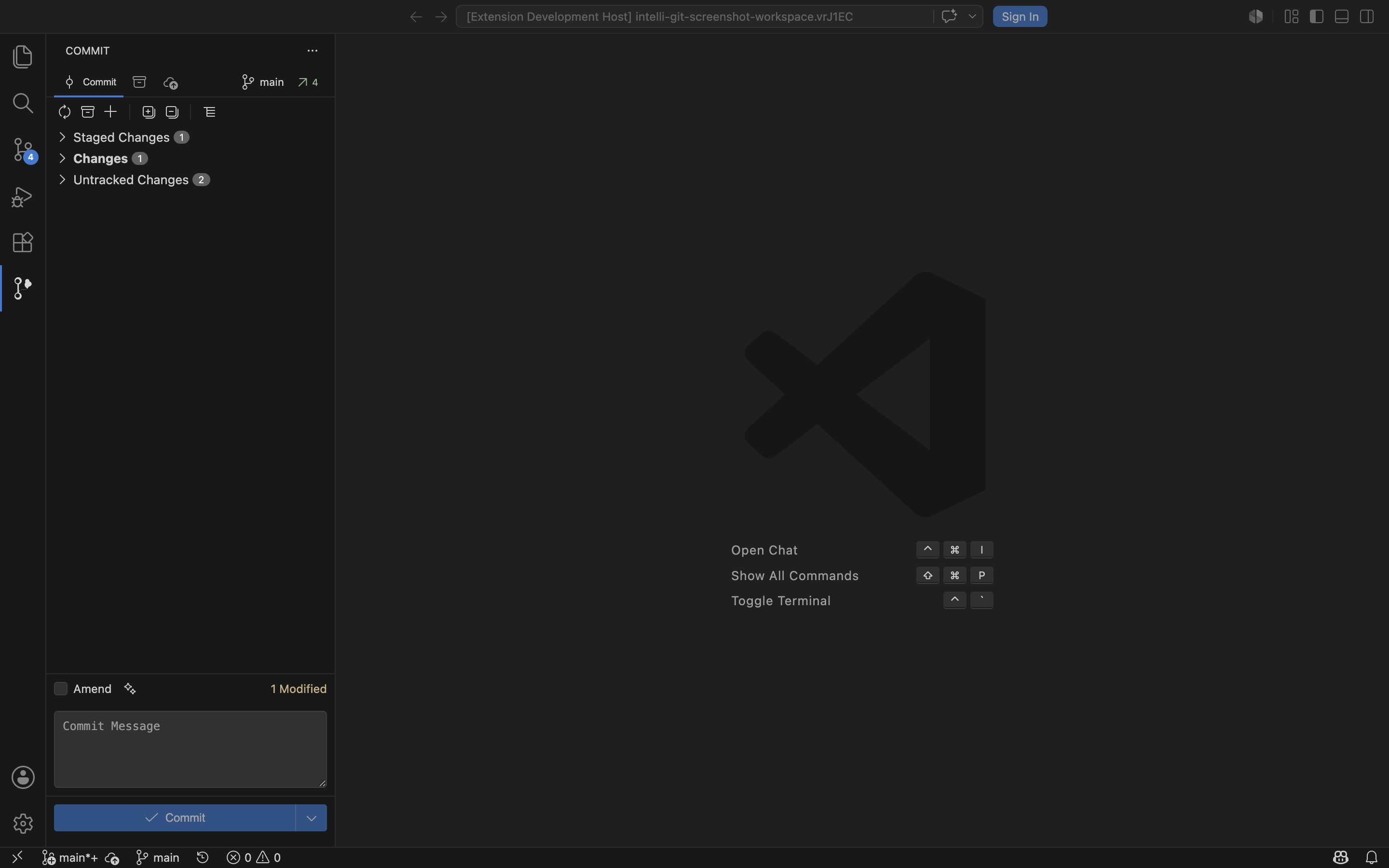
Intelli GitIntelli Git brings JetBrains-style Git workflows to Visual Studio Code. It provides a focused commit panel, changelist-style organization, stash tools, push workflows, Git Log browsing, and AI-assisted commit message generation without replacing VS Code's built-in Git support. Early AccessIntelli Git is currently free during Early Access. ScreenshotsCommit View In Staged Mode
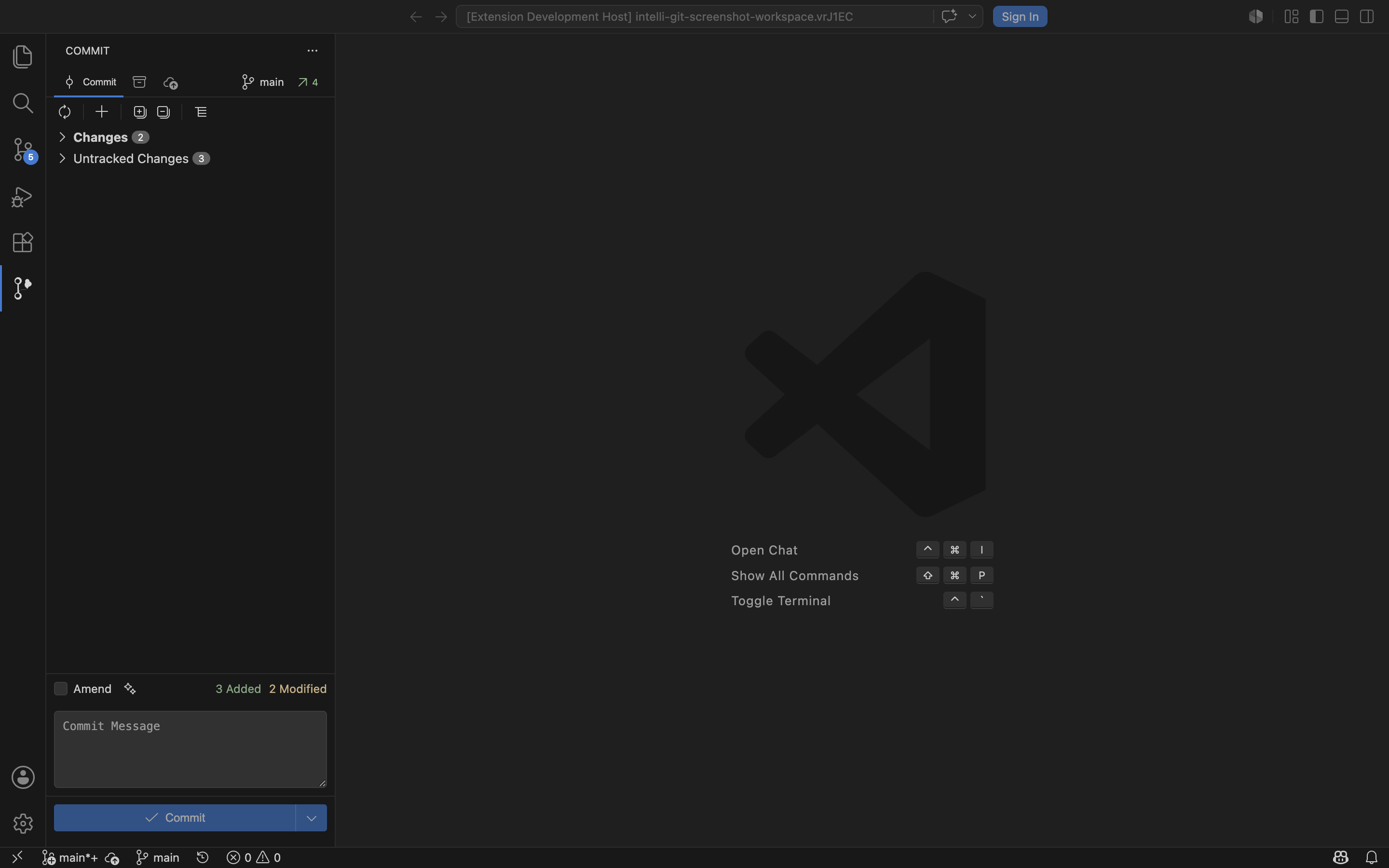
Commit View In Changes Mode
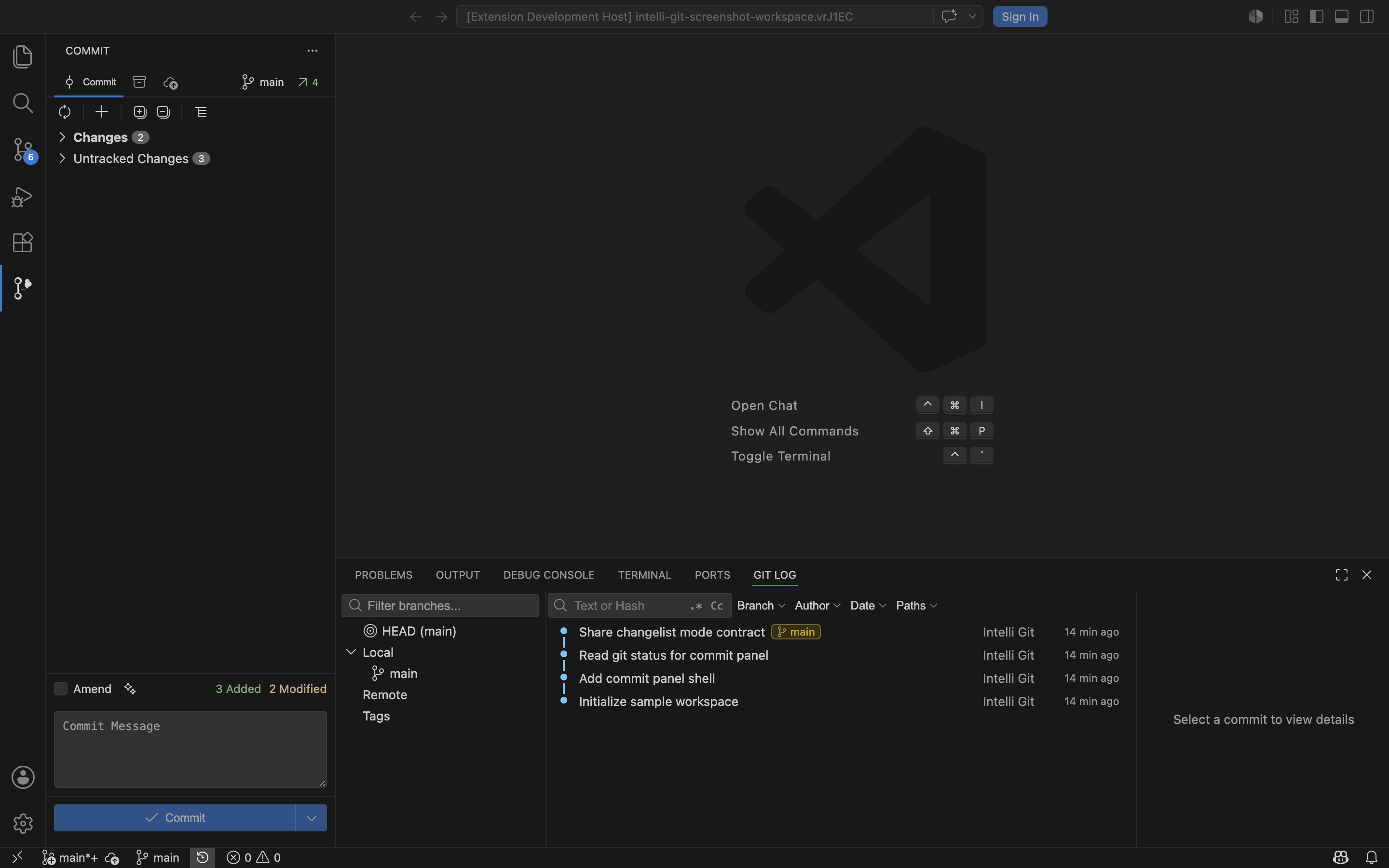
Git Log
Features
Commit Panel ModesThe extension supports two commit panel modes through
Requirements
AI features are optional. GitHub Copilot mode requires the GitHub Copilot extension. External AI providers require user-provided credentials, stored in VS Code SecretStorage when configured through Intelli Git commands. UsageOpen the Intelli Git activity bar view to review local changes, organize files, create commits, stash changes, and push to remotes. Open the Git Log panel to browse commit history, filter by branch or path, inspect commit files, and run commit-level actions. Run PrivacyIntelli Git runs locally inside VS Code and reads Git repository state from the workspace you open. When AI commit message generation is used, selected diff context may be sent to the configured AI provider. No AI request is made unless you invoke an AI action. API keys are stored with VS Code SecretStorage. Legacy settings-based API keys are migrated and cleared automatically when possible. Known Limitations
SupportFor support and issue reporting, open a report in the Intelli Git repository. LicenseProprietary License. See |