Blade for Visual Studio Code
First-party Visual Studio Code support for the Blade
build system.



中文说明 · Documentation
Install: Visual Studio Marketplace
· or run code --install-extension blade-build.vscode-blade
Demo
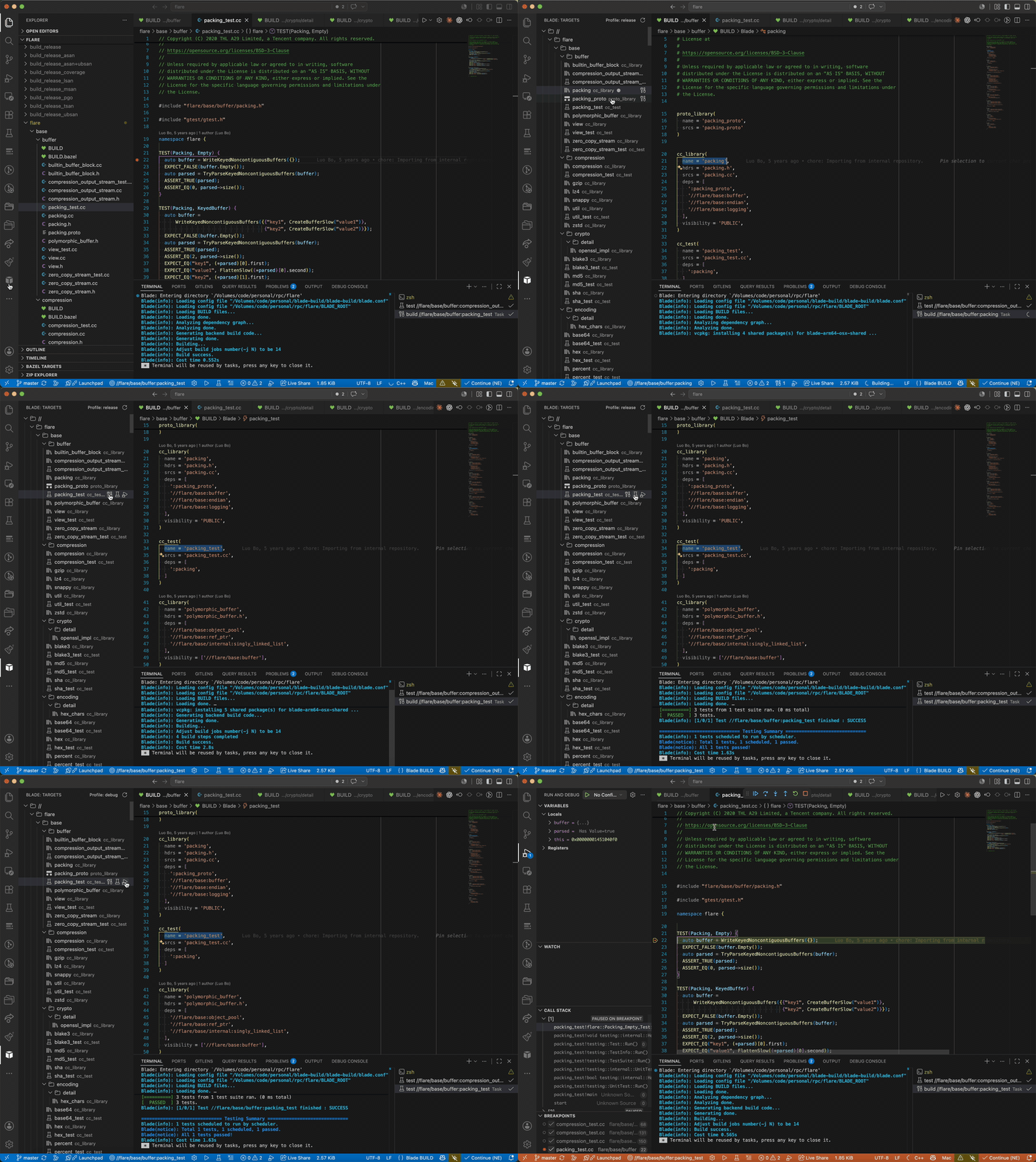
Jump to a target and its BUILD declaration, then build, test, and debug it — without leaving the editor:
Features
- Targets explorer — every target in the workspace, laid out as a directory
tree with inline build / run / test / debug actions. Hover a directory
(or the
// root) to build / test it recursively (//path/...). Expand /
collapse state is remembered across sessions; synthetic external libraries
(#pthread, …) are hidden.
- Build, run, test, clean from the status bar, the command palette, or the
explorer — executed through the VS Code Tasks API, so compiler errors land
in the Problems panel and a failed build never silently runs a stale binary.
Pass extra flags per action with
blade.buildArgs / testArgs / runArgs.
- Build profile — a release / debug selector in the targets view title
injects
-p <profile> into every build / run / test / debug (default
release, remembered per workspace).
- Multi-root — every
BLADE_ROOT in the window is discovered and shown as
its own top-level node; targets, tasks, navigation and diagnostics are each
routed to the workspace that owns them.
- BUILD-file language support — syntax highlighting, an outline of targets,
go-to-definition on dependency labels (
//path:name, :name),
completion of rule types / attributes / dependency labels, hover, and warnings
for dependencies that don't resolve to a known target.
- C/C++ IntelliSense — one click generates
compile_commands.json
(blade dump --compdb) for use with clangd.
Targets are always read from Blade itself (blade dump --targets), never by
scraping BUILD files — so every rule kind (C++, Java, Scala, Python, proto, …)
is understood accurately.
Requirements
- Blade installed and on your
PATH (or set blade.executable).
- A workspace containing a
BLADE_ROOT file.
Getting started
- Open a Blade workspace (a folder with a
BLADE_ROOT).
- The Blade view appears in the Activity Bar with your targets.
- Pick an active target from the status bar, then Build / Run / Test.
- Run Blade: Generate compile_commands.json and install clangd for C/C++
IntelliSense.
Settings
| Setting |
Default |
Description |
blade.executable |
blade |
Path to the blade executable. |
blade.jobs |
0 |
Parallel jobs (-j); 0 lets blade auto-detect CPUs. |
blade.commandPrefix |
[] |
Tokens prepended to every blade command (e.g. a wrapper). |
blade.buildArgs |
[] |
Extra options for blade build (e.g. ["-p", "debug"]). |
blade.testArgs |
[] |
Extra options for blade test (e.g. ["--full-test"]). |
blade.runArgs |
[] |
Extra options for blade run (e.g. ["-p", "release"]). |
blade.environment |
{} |
Extra environment variables for blade tasks. |
blade.generateCompdbOnRefresh |
true |
Regenerate compile_commands.json on refresh. |
blade.recommendClangd |
true |
Suggest installing clangd for C/C++ IntelliSense. |
Commands
Blade: Refresh Targets, Select Active Target, Build / Run / Test Active Target, Clean, Generate compile_commands.json.
Acknowledgements
Inspired by, and superseding, the community extension
dhwang.blade
by @wangdh15 (MIT). This is a clean-room
reimplementation; see NOTICE.
License
MIT
| |

