AXAG — Agent Annotations for Web UIs


Make your web UI agent-ready. Add semantic annotations to HTML/JSX/TSX elements, then generate MCP tools that any AI agent can consume — no backend changes required.
The Problem
AI agents (Claude, GPT, Gemini) can browse web UIs but have no idea what buttons actually do. They see DOM nodes, not intent. Every agent interaction is a fragile guess.
The Solution
AXAG (Agent Experience Annotation Grammar) lets you declare what each UI element does — its intent, entity, action type, risk level, and safety constraints — directly in your markup:
<!-- Before: opaque DOM node -->
<button onclick="deleteAccount()">Delete</button>

<!-- After: machine-readable semantic contract -->
<button
  onclick="deleteAccount()"
  axag-intent="account.delete"
  axag-entity="account"
  axag-action-type="delete"
  axag-description="Permanently delete the user account and all associated data"
  axag-risk-level="critical"
  axag-confirmation-required="true"
  axag-scope="user"
  axag-side-effects='["data_loss", "session_termination"]'
>
  Delete
</button>
Now any AI agent knows this button permanently deletes data, requires confirmation, and has irreversible side effects — before it clicks.
The Pipeline
 Your Code            Semantic Manifest       MCP Tools
 (axag-* attrs)   →   (JSON contract)     →   (Agent-ready)

 <button                {                       {
   axag-intent=           "intent":               "name":
   "account.delete"       "account.delete",       "account_delete",
   axag-risk-level=       "risk_level":           "inputSchema": {
   "critical"             "critical"                "type": "object",
   ...                  }                           ...
 >                                              }
- Annotate — Add
axag-* attributes to your elements (this extension helps)
- Scan —
axag-cli scan ./src --manifest → axag-manifest.json
- Generate —
axag-cli generate-tools → tool-registry.json
- Serve — Any MCP-compatible agent consumes the tools automatically
✨ Features
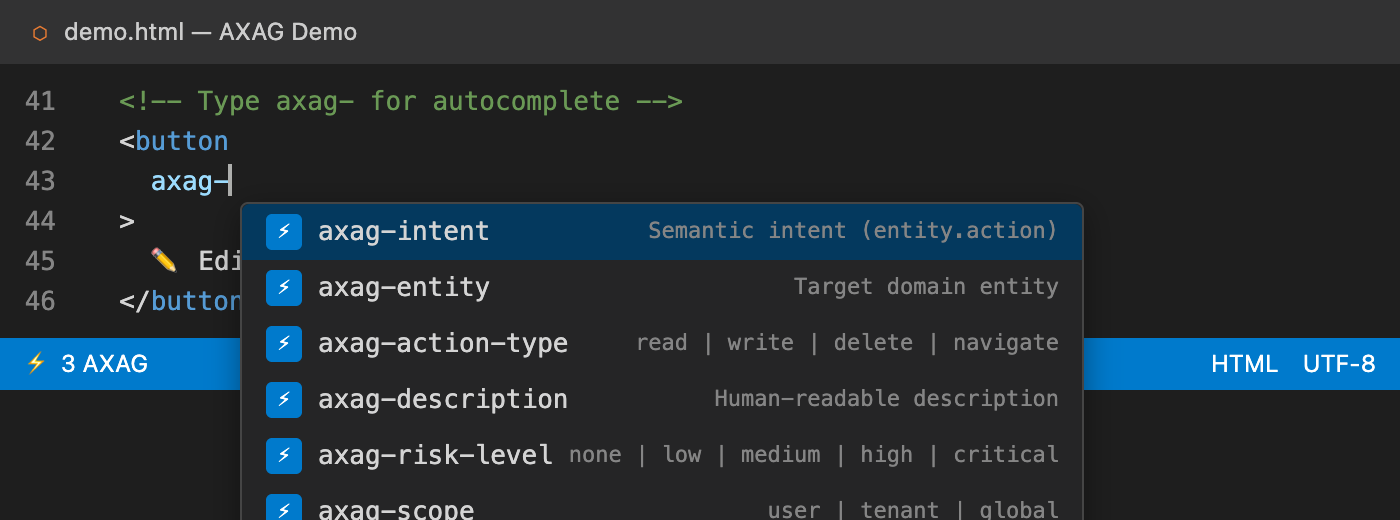
🔤 Intelligent Autocomplete
Type axag- inside any HTML, JSX, or TSX element and get suggestions for all 15 AXAG attributes with descriptions, types, and enum values.
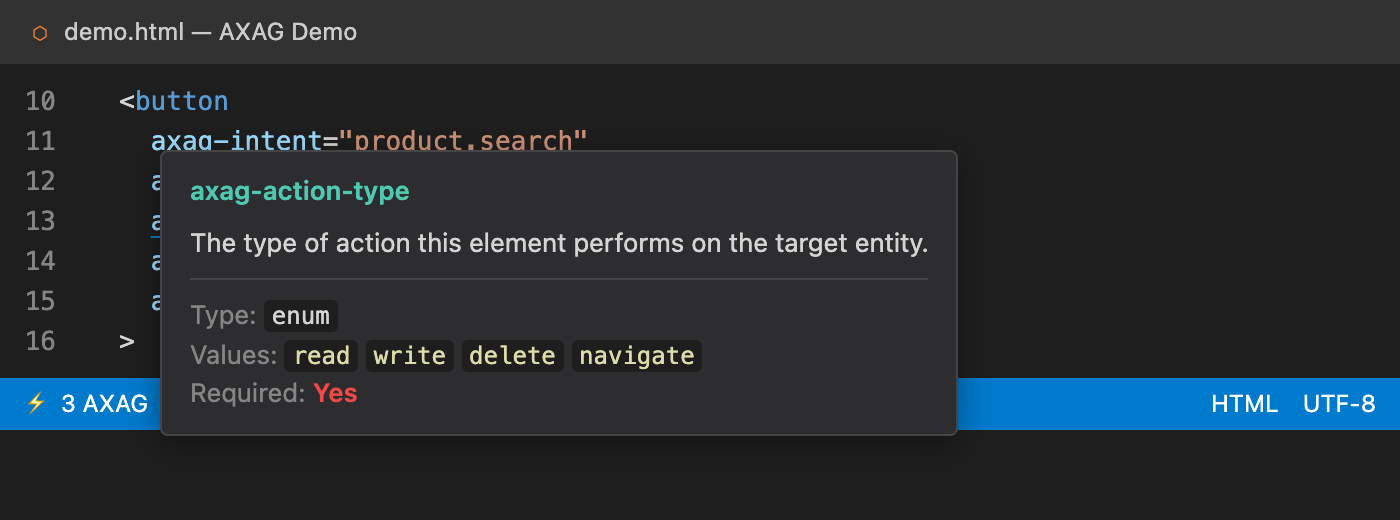
📖 Hover Documentation
Hover over any axag-* attribute to see rich inline docs — description, expected type, allowed values, and whether it's required.
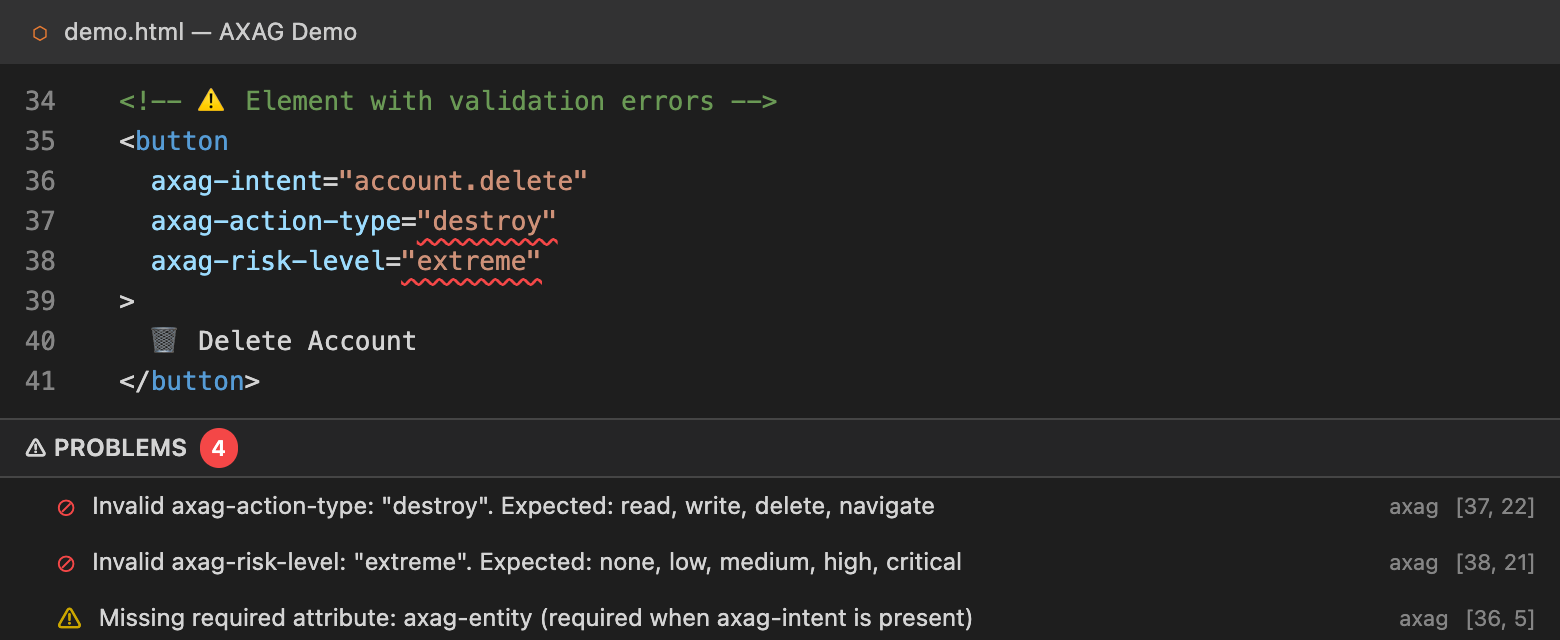
⚠️ Real-Time Diagnostics
Instant validation as you type:
- Missing required attributes — flags
axag-intent without the mandatory trio: axag-entity, axag-action-type, axag-description
- Invalid enum values — catches typos in
axag-action-type, axag-risk-level, axag-scope
- Malformed JSON — validates
axag-required-params, axag-optional-params, axag-side-effects, axag-preconditions
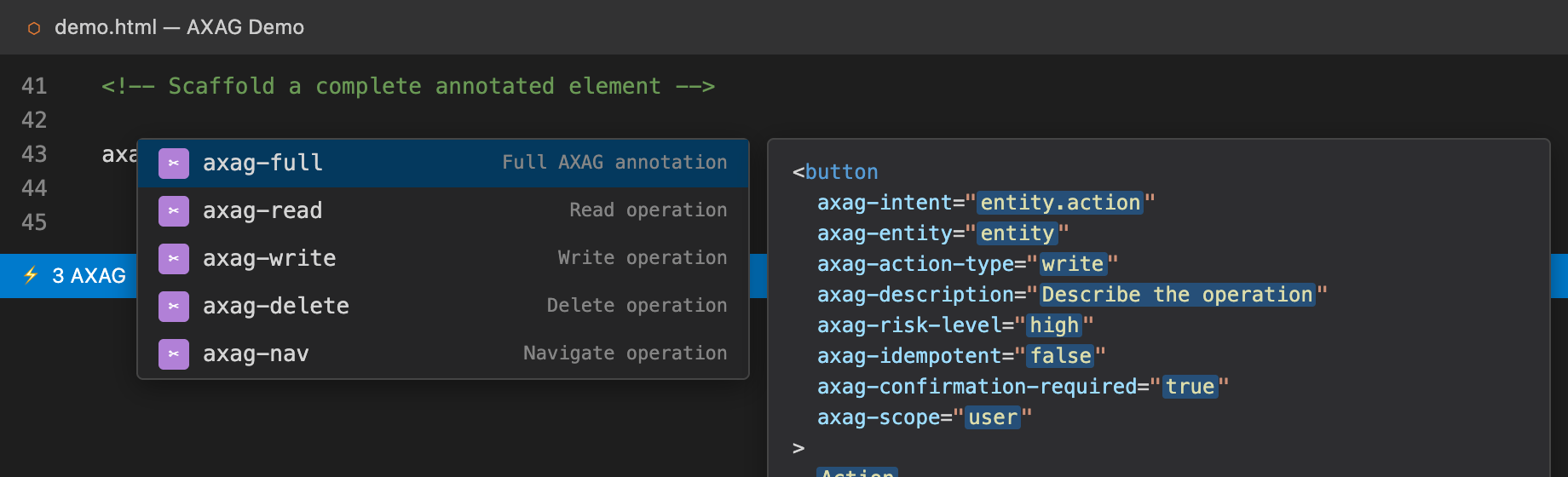
✂️ Snippets
Scaffold complete annotated elements instantly:
| Type → Tab |
What you get |
axag-read |
Search / list / get operation |
axag-write |
Create / update with risk level |
axag-delete |
Delete with confirmation required |
axag-full |
All safety attributes at once |
axag-nav |
Navigation operation |
📊 Status Bar Counter
See the number of AXAG annotations in the current file at a glance — right in the VS Code status bar.
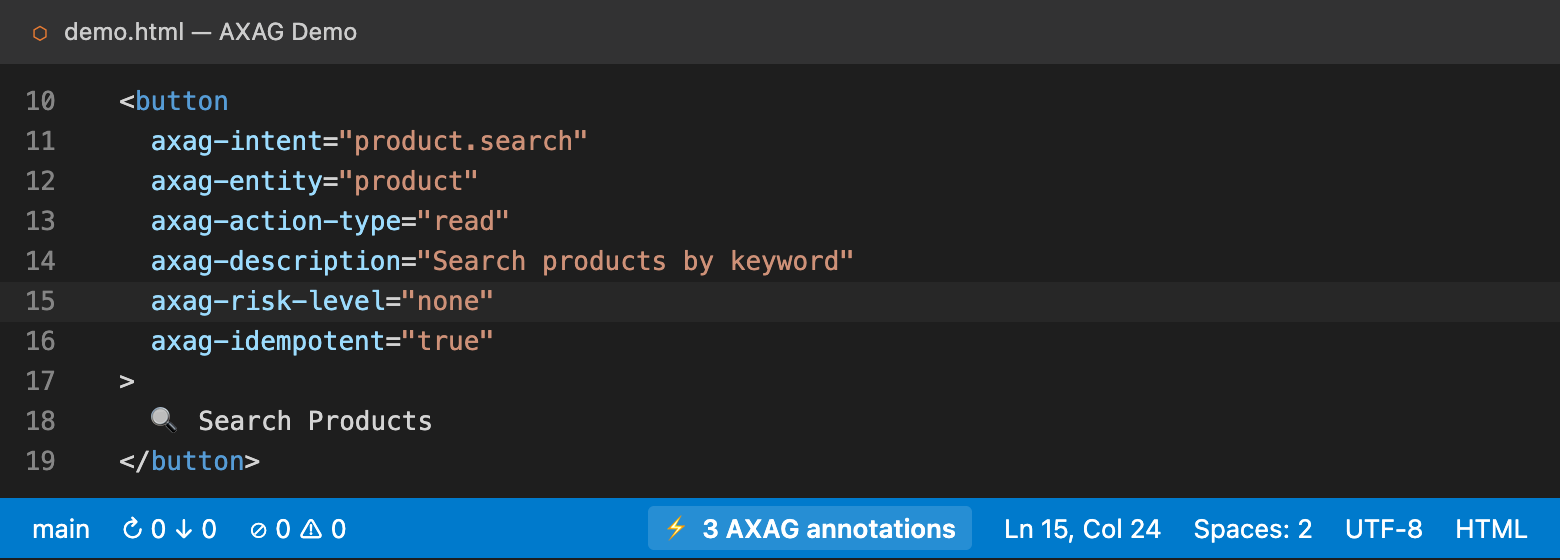
🎓 Guided Walkthrough
First time? Use Help → Get Started to walk through annotating, using snippets, and generating MCP tools.
🚀 Quick Start
- Install from the VS Code Marketplace
- Open any
.html, .jsx, or .tsx file
- Type
axag- inside an element — autocomplete kicks in
- Snippet — type
axag-full + Tab for a fully annotated element
- Generate — run
npx axag-cli scan ./src --manifest && npx axag-cli generate-tools
🗂 Supported Languages
| Language |
Extension |
Autocomplete |
Hover |
Diagnostics |
Snippets |
| HTML |
.html |
✅ |
✅ |
✅ |
✅ |
| JSX |
.jsx |
✅ |
✅ |
✅ |
✅ |
| TSX |
.tsx |
✅ |
✅ |
✅ |
✅ |
🆚 How AXAG Compares
| Approach |
Agent understands UI? |
Declarative? |
Produces MCP tools? |
| Raw DOM scraping |
❌ |
❌ |
❌ |
| ARIA attributes |
Partial |
✅ |
❌ |
| Custom data-* attrs |
❌ |
✅ |
❌ |
| AXAG annotations |
✅ |
✅ |
✅ |
AXAG is the only standard that combines human-readable semantics with machine-readable contracts and auto-generates MCP-compatible tool definitions.
📋 Attribute Reference
Required (Core 4)
| Attribute |
Type |
Example |
axag-intent |
string |
"product.search" |
axag-entity |
string |
"product" |
axag-action-type |
read · write · delete · navigate |
"read" |
axag-description |
string |
"Search products by keyword" |
Safety & Risk
| Attribute |
Type |
Values |
axag-risk-level |
enum |
none · low · medium · high · critical |
axag-scope |
enum |
user · tenant · global |
axag-idempotent |
boolean |
"true" · "false" |
axag-confirmation-required |
boolean |
"true" · "false" |
axag-approval-required |
boolean |
"true" · "false" |
axag-approval-roles |
JSON array |
'["admin","manager"]' |
Parameters & Constraints
| Attribute |
Type |
Example |
axag-required-params |
JSON array |
'["query","category"]' |
axag-optional-params |
JSON array |
'["page","limit"]' |
axag-side-effects |
JSON array |
'["sends_email","updates_cache"]' |
axag-preconditions |
JSON array |
'["authenticated","has_permission"]' |
| Attribute |
Type |
Example |
axag-version |
string |
"1.0.0" |
🧰 The AXAG Ecosystem
| Tool |
What it does |
Link |
| axag.org |
Specification, guides, governance |
axag.org |
| axag-cli |
Scan → Manifest → MCP tools |
cli.axag.org |
| axag-lint |
26-rule static linter for annotations |
GitHub |
| axag-vscode |
This extension — editor tooling |
Marketplace |
| JSON Schema |
Manifest validation schema |
Schema |
🤝 Contributing
Contributions are welcome! Please see the AXAG Contributing Guide.
📄 License
MIT © AXAG

