
SheetJS Spreadsheet ViewerView spreadsheets in various formats including XLSX, XLS, CSV, ODS and many more Installation Launch VS Code Quick Open ( Ctrl+P), paste the following command, and press enter.Copied to clipboard |


SheetJS VSCode Extension
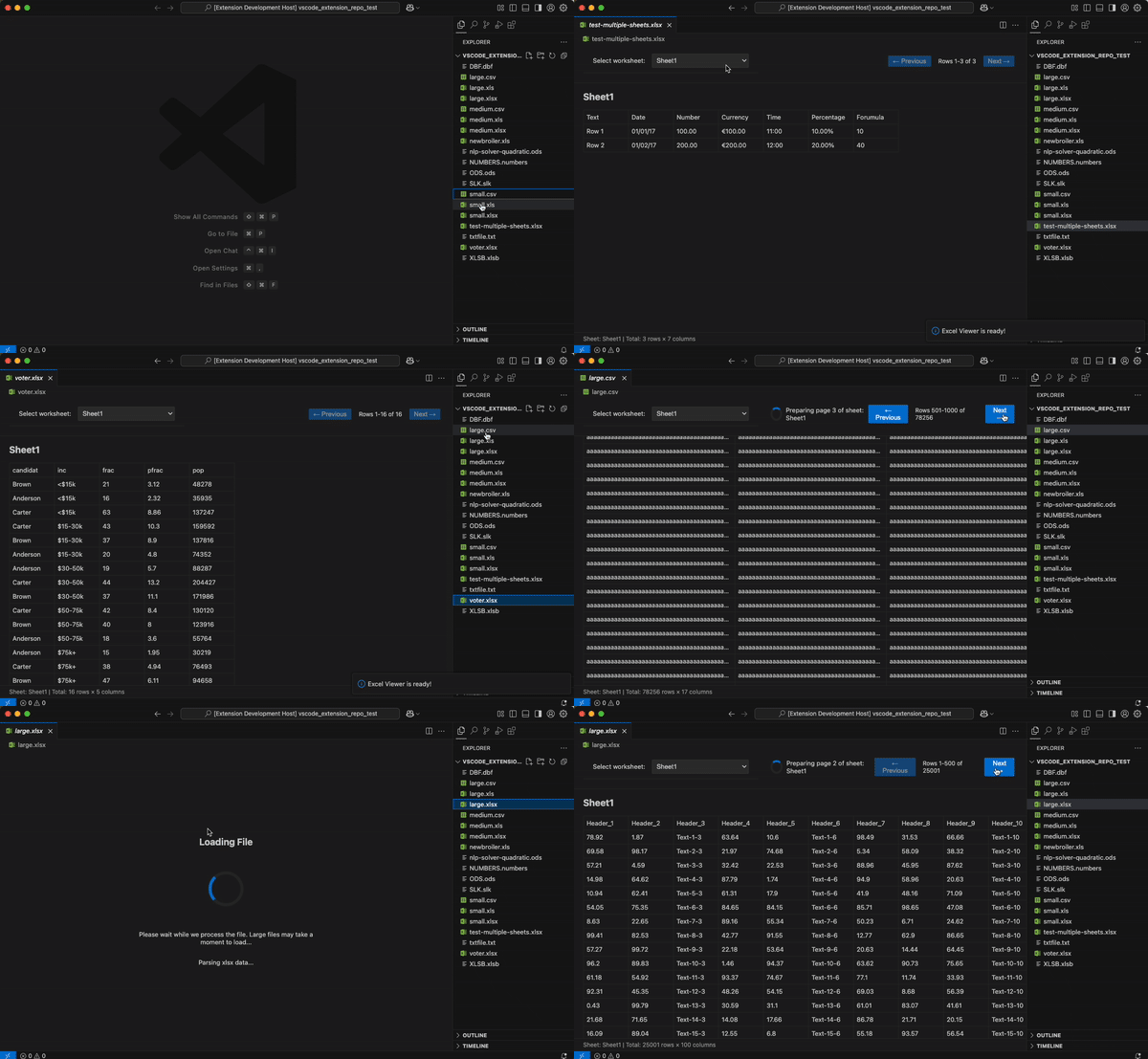
SpreadSheet ViewerPowered by SheetJS a powerful VSCode extension that lets you view spreadsheets right in your editor. Works with XLSX, XLS, CSV, ODS and 30+ other formats. Key Features
Supported File Formats| formats | formats | formats| | .xlsx | .prn | .wk4 | | .xlsm | .et | .123 | | .xlsb | .ods | .wq1 | | .xls | .fods | .wq2 | | .xlw | .uos | .wb1 | | .xlr | .dbf | .wb2 | | .numbers | .wk1 | .wb3 | | .csv | .wk3 | .qpw | | .dif | .wks | .xlr | | .slk | .wk2 | .eth | | .sylk | | | UsageDisabling/Enabling the ViewerYou can easily disable the SheetJS viewer for specific file extensions: 

Command Palette (Ctrl/Cmd+Shift+P):
Context Menu: Right-click any spreadsheet file in the Explorer to access the same commands. Built-in VSCode: Right-click any file and select "Open With..." to choose between SheetJS Viewer and other editors. Override Constants (Available Settings)
Changes take effect when opening a new spreadsheet file (existing open files need to be reopened) Getting StartedWant to integrate SheetJS in your own VSCode extension? Check out our detailed tutorial to learn how to implement these capabilities in your projects. Why even make this?Fair question. I view spreadsheets constantly at work—XLSX, XLS, CSV, ODS, you name it. The existing options were inadequate: Microsoft Excel: Bulky. Takes several seconds to open multi-megabyte files. Overkill for just viewing data. Other VSCode extensions: Tried them all. Common problems:
My requirements were simple:
Extensions shouldn't replicate Excel or some other tool. They should let you quickly iterate and validate data in context. That's what this does. Some popular extension
Mine 😊
DevelopmentTo run the extension in development mode, install dependencies with Build for production with PublishingLearn MoreFor more information on using this extension and integrating SheetJS capabilities in your own projects, visit our documentation. Created by Asadbek Karimov | contact@asadk.dev | asadk.dev |







