HTTP Smoke Runner
Turn your .http files into runnable smoke tests, right inside VS Code.





Run .http and .rest files like smoke tests with pass/fail, latency, and jump-to-failure, directly in VS Code's Testing panel.
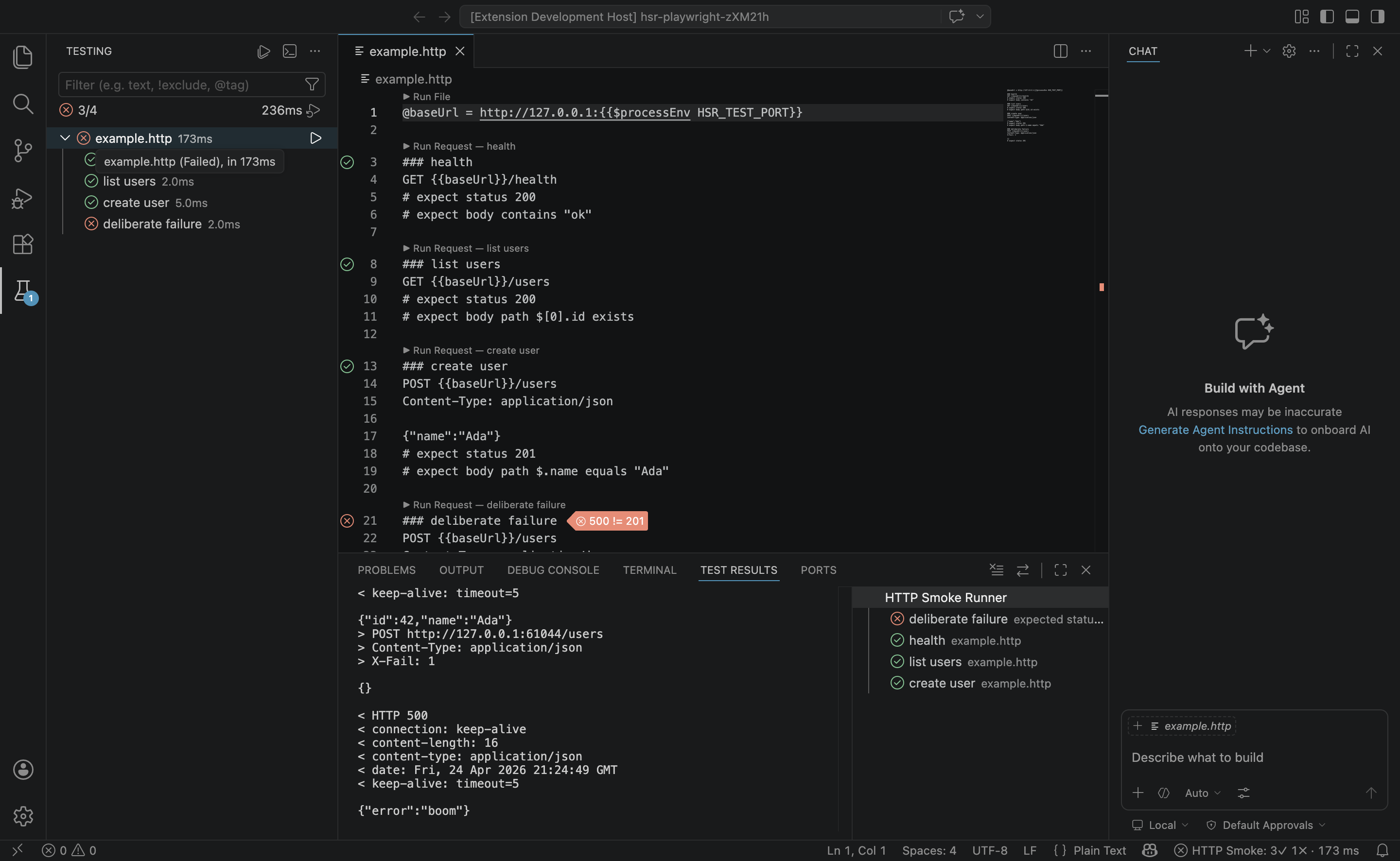
Why
Developers already keep API requests in .http files alongside source code (popularized by the REST Client extension). That workflow is great for sending one request, but awkward for running the whole file as a smoke check. HTTP Smoke Runner adds a thin test-runner layer:
- Works with REST Client's common file syntax (
###, @var, {{var}}, # @name, {{$guid}}, {{$dotenv}}). Drop-in compatible, no rewrites required
- Assertions are inline comments:
# expect status 200
- Results appear in VS Code's native Testing panel, not another sidebar
- Zero external runtime: no Node install, no Python install, no cloud service
- Zero telemetry, zero account, fully local
Install
Search "HTTP Smoke Runner" in VS Code's Extensions view, or run:
ext install arunbrahma.http-smoke-runner
Quick start
Create requests.http in your repo:
@baseUrl = http://localhost:3000

### health
GET {{baseUrl}}/health
# expect status 200
# expect body contains "ok"
# expect time < 500ms

### create user
POST {{baseUrl}}/users
Content-Type: application/json

{ "name": "Ada" }
# expect status 201
# expect body path $.id exists
# expect body path $.name equals "Ada"
Open the Testing view. Your .http file appears, each request as a test. Click ▶ next to any request, or use the CodeLens above each ### block.
How it looks
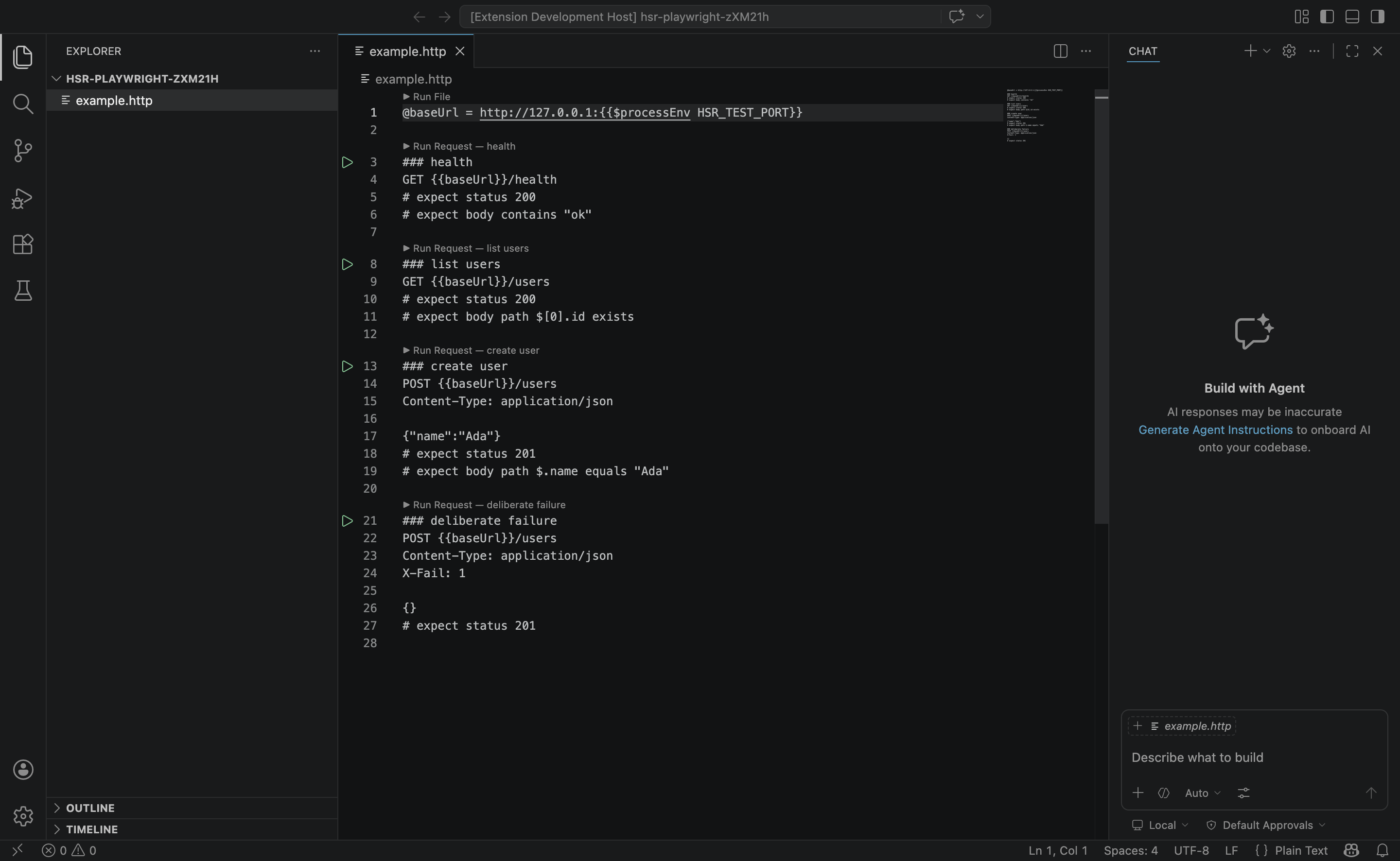
CodeLens and inline assertions
Every ### block gets a ▶ Run Request CodeLens; the whole file gets a ▶ Run File CodeLens at the top. No extra UI: the file is the test suite.
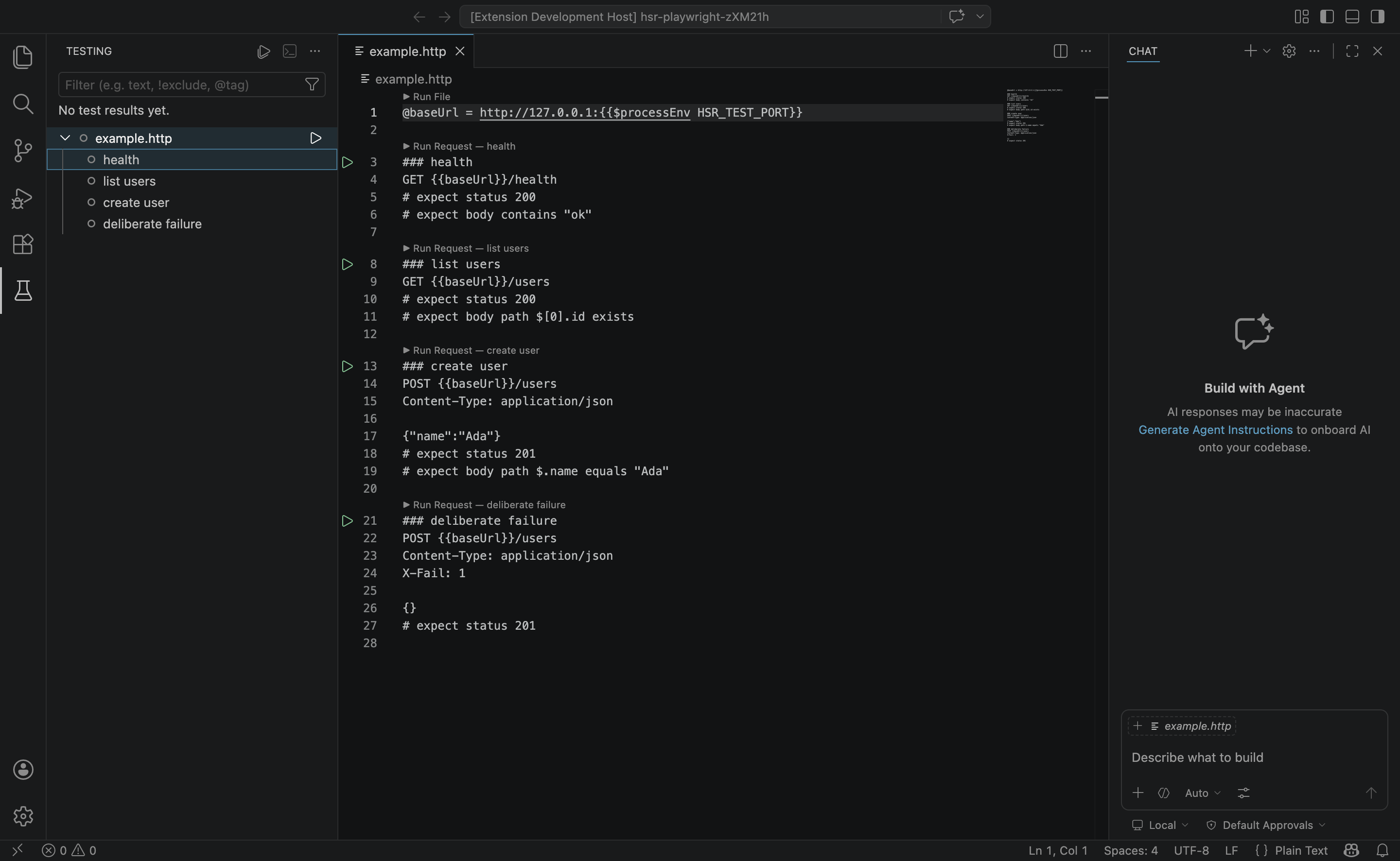
Native Testing panel
Each file becomes a test group, each ### block a test. Click to jump to source, re-run a single test, cancel mid-run; all native VS Code interactions you already know.
Assertion grammar
All assertions are # comment lines (so the file stays valid for REST Client). Multiple per request are AND-ed.
# expect status 200
# expect status 2xx
# expect header content-type contains json
# expect header x-request-id exists
# expect body contains "ok"
# expect body path $.id exists
# expect body path $.name equals "Ada"
# expect body path $.email matches /@example\.com$/
# expect time < 500ms
Variables
| Type |
Syntax |
Example |
| File |
@name = value → {{name}} |
@baseUrl = http://localhost:3000 |
| System |
{{$guid}}, {{$uuid}}, {{$randomInt min max}} |
X-Req-Id: {{$guid}} |
| Timestamp |
{{$timestamp}}, {{$datetime iso8601}}, {{$localDatetime rfc1123}} |
createdAt: {{$datetime iso8601}} |
| Process env |
{{$processEnv VAR}} |
Authorization: Bearer {{$processEnv TOKEN}} |
| Dotenv |
{{$dotenv VAR}} (first use prompts once per workspace) |
api_key: {{$dotenv API_KEY}} |
Development
git clone https://github.com/iamarunbrahma/http-smoke-runner.git
cd http-smoke-runner
npm install

npm test          # 76 unit tests: parser, assertions, HTTP runner (with a live stub server)
npm run typecheck # tsc --noEmit
npm run build     # bundle with esbuild → dist/extension.js
npm run package   # produce a .vsix for local install
Repo layout
| Path |
What lives there |
src/parser/ |
.http file lexer + request / assertion / variable parsing (pure, no VS Code dep) |
src/runner/ |
Smoke runner (fetch + AbortController), assertion engine, JSON path, header redactor |
src/testing/ |
vscode.tests.createTestController wiring + run handler |
src/codeLens/, src/diagnostics/, src/statusBar.ts |
Editor integrations |
test/fixtures/ |
Stub HTTP server + sample .http file used by unit tests |
Contributing
Bug reports and feature requests welcome. Open an issue on GitHub.
License
MIT © 2026 Arun Brahma

