Komit


Commit messages and PR descriptions written from your actual changes, using whatever AI provider you already have.
feat(PAP-51): add commit message generation

- Wire the generate button into the Source Control toolbar
- Add cli, openai and anthropic provider classes
- Store API keys in SecretStorage, never in settings.json
Privacy
- Your staged diff goes to whichever provider you configure. Hosted APIs receive it. Local models and CLI agents do not. Before the first request, the extension tells you where it is sending things and waits for you to agree.
- Zero telemetry. No analytics, no usage pings, no crash reporting.
- API keys live in the OS keychain via VS Code's
SecretStorage. You set one once and it survives restarts.
- Secret files are excluded by default.
.env, *.pem, *.key, id_rsa and friends never leave your machine. Exclusions only go so far, though. A password pasted into an ordinary source file still gets sent.
Getting started
Stage some changes.
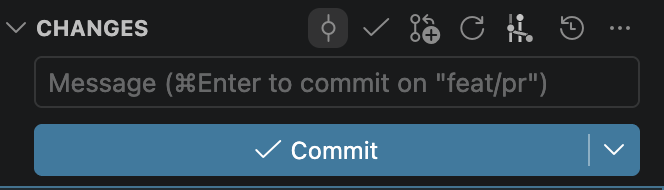
Click the Komit icon in the Source Control toolbar, just above the commit box. It is the git-commit icon, a circle on a line, and its tooltip reads Komit: Generate Commit Message.
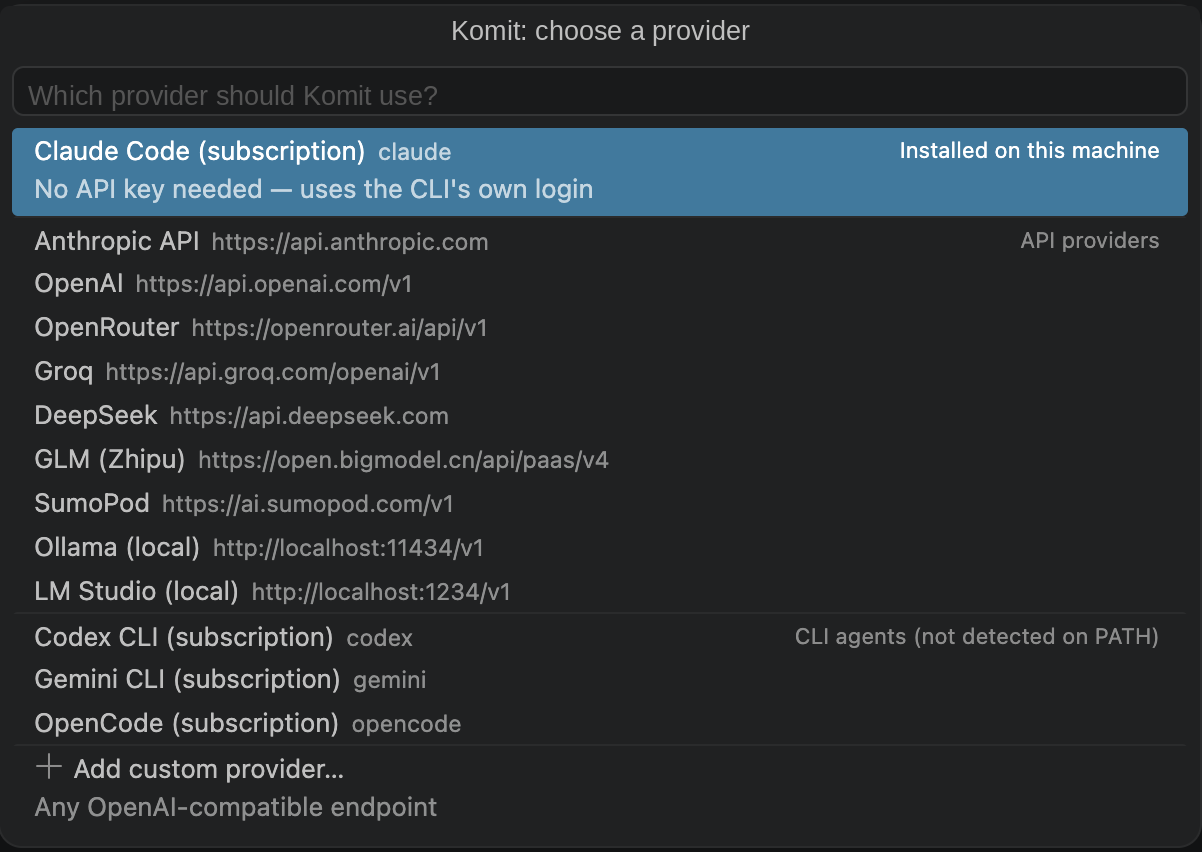
Pick a provider. Any AI CLI already on your PATH (claude, codex, gemini, opencode) shows up first and needs no API key, because it uses the CLI's own login. The ones you do not have sit lower in the list, under CLI agents (not detected on PATH).
The message lands in the commit box. Edit it if you want, then commit.
If the message misses the point, run Komit: Regenerate Commit Message. It asks again for a different take on the same changes.
Nothing below this line is required.
Commands
- Komit: Generate Commit Message
Write a message from the staged changes. This is what the toolbar button runs.
- Komit: Regenerate Commit Message
Ask again for a different take.
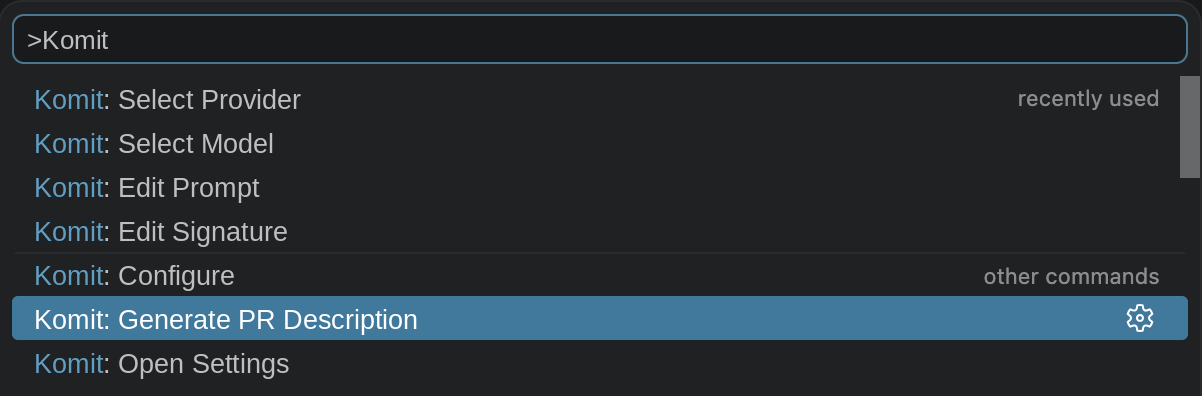
- Komit: Generate PR Description
Write a PR title and description for the whole branch.
- Komit: Configure
Every setting in one list, each showing its current value.
- Komit: Select Provider
Switch providers, or add one.
- Komit: Select Model
Pick a model for the active provider.
- Komit: Edit Prompt
Customize the instructions, for you or for the repository.
- Komit: Edit Signature
Add trailers such as Co-authored-by.
- Komit: Open Settings
Jump to the settings page.
Providers
| Class |
How it talks |
Auth |
Works with |
cli |
Spawns the binary, context over stdin |
The CLI's own login, so no API key |
claude, codex, gemini, opencode |
openai |
POST {baseUrl}/chat/completions |
Bearer token |
OpenAI, OpenRouter, Groq, DeepSeek, GLM (Zhipu), SumoPod, Ollama, LM Studio |
anthropic |
POST {baseUrl}/v1/messages |
x-api-key |
Anthropic API |
Those are the profiles that ship ready to use. The openai class takes any base URL, though, so anything OpenAI-compatible works too, Together and vLLM included. Add one through Komit: Select Provider → Add custom provider…
Keep as many as you like and switch in one command. A cheap fast model for routine commits, something stronger when it matters.
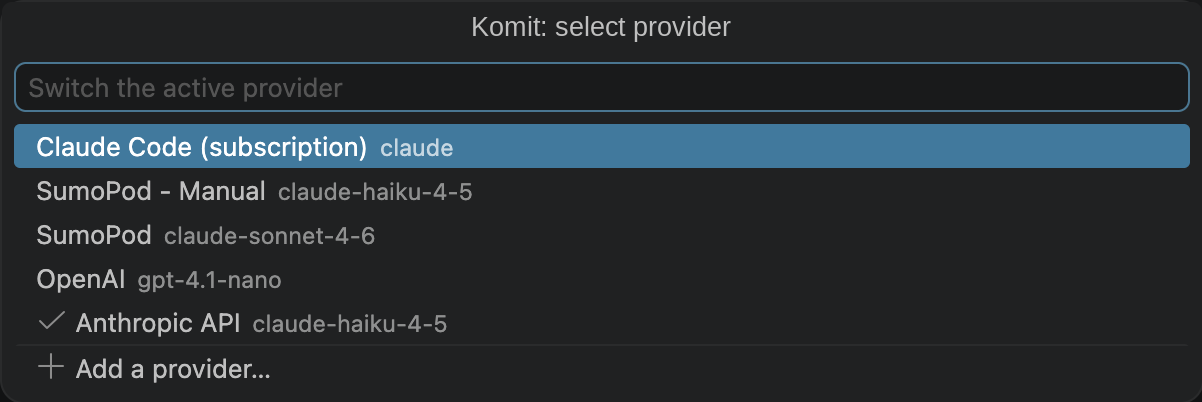
Defaults aim at the cheapest model that still writes something good. Change it with Komit: Select Model, which lists whatever the provider offers:
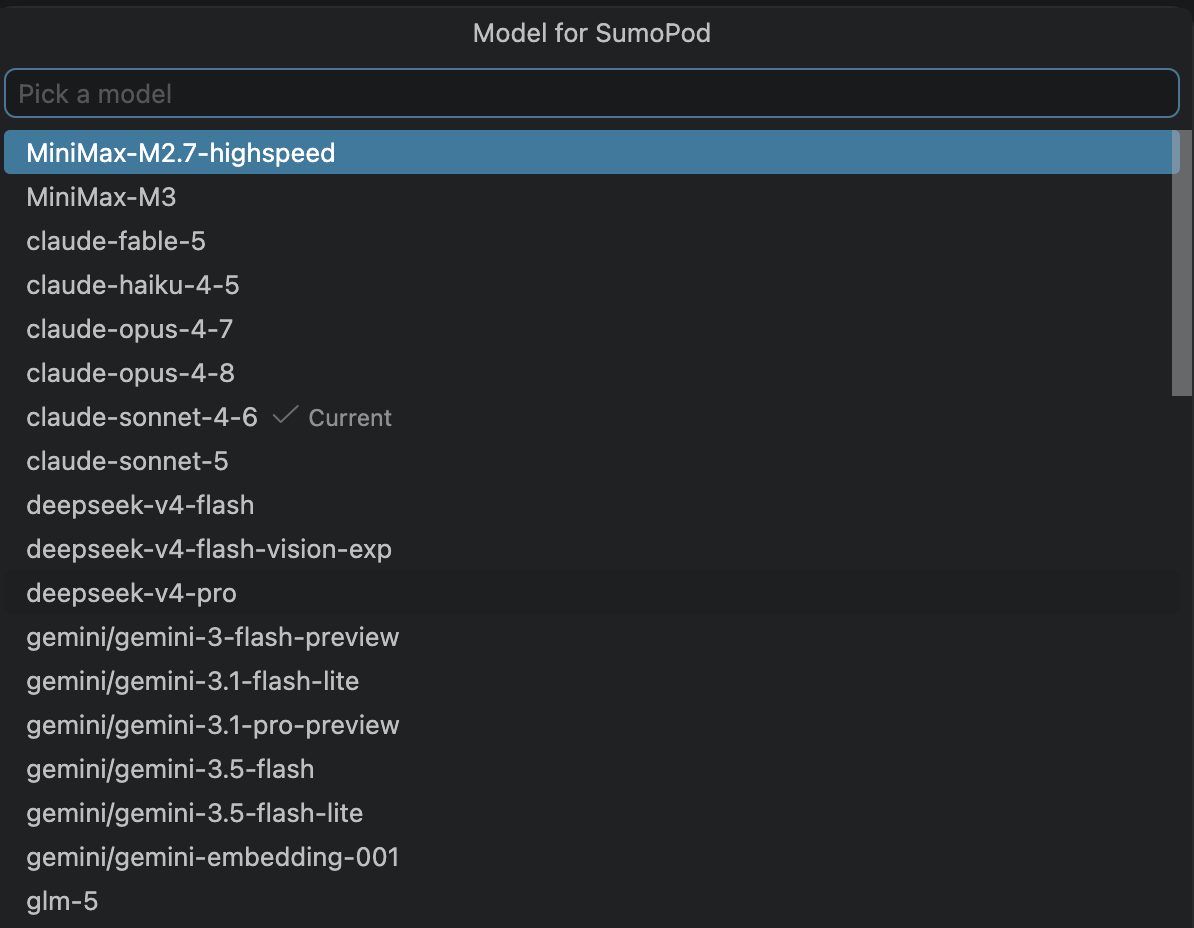
If an endpoint has no model catalogue, the picker quietly falls back to typing the name yourself.
PR descriptions
Komit: Generate PR Description writes the title and body for a whole branch, opens it in a Markdown editor and copies it to the clipboard, so it works with the GitHub web UI, the gh CLI, or anything else.
It asks which branch to compare against, with the detected base already selected — press Enter to take it, or type to target develop or a release branch instead. Your choice is remembered per repository. In a workspace with several repositories it also asks which one, unless you launch it from that repository's ⋯ menu in the Source Control view, which is unambiguous.
feat(PAP-51): rework auth with token refresh

## Summary
- Replaces session cookies with short-lived tokens so expiry no longer
  bounces users back to sign-in

## Changes
- Adds the login form, validation and error states
- Refreshes expired tokens in the auth interceptor
- Covers the refresh path and expiry boundary with unit tests
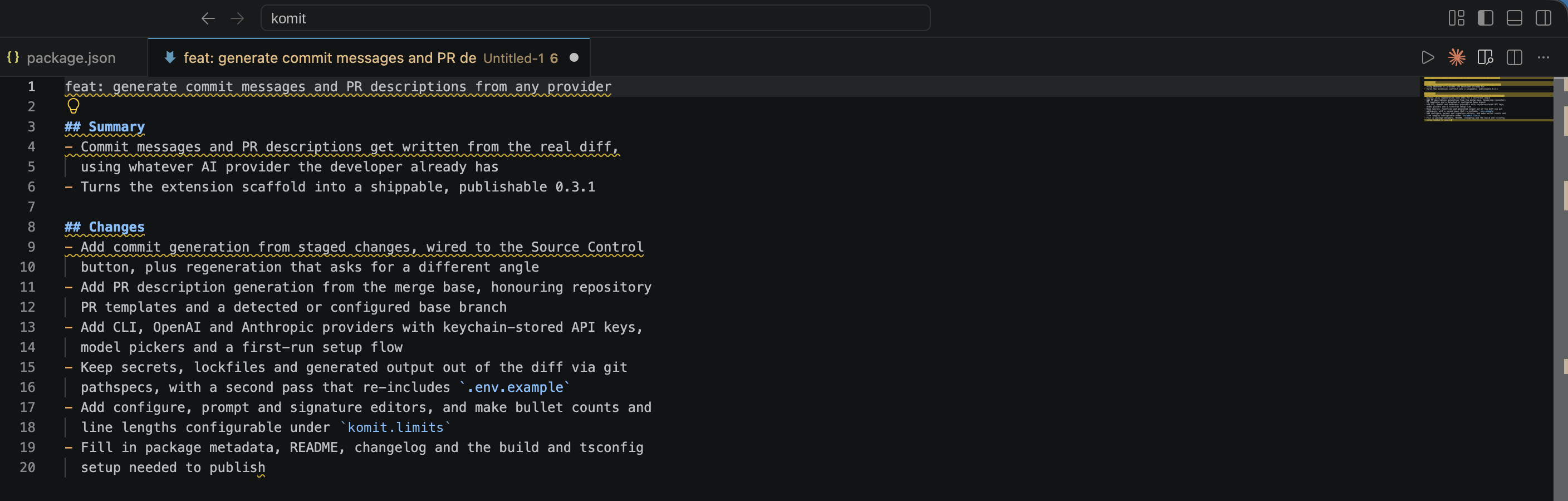
It reads your commits for the story, the file summary for scope, and the diff for detail. Changes are grouped by concern rather than listed file by file, so the description stays about the same length whether the branch touched 3 files or 30.
The diff comes from the merge base (base...HEAD), so anything that landed on the base branch after you branched off stays out of your description.
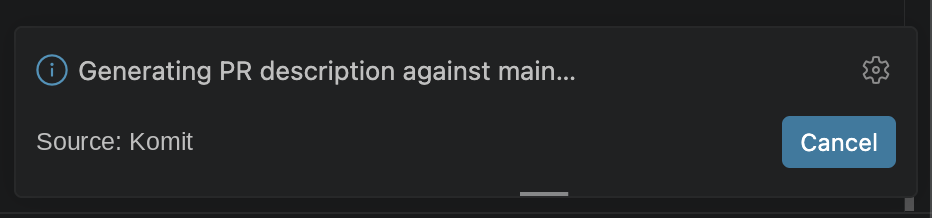
Base branch detection tries origin/HEAD, then main, master and develop. Pin it with komit.baseBranch if that guesses wrong. Whichever branch it picks gets named in the progress message, so a bad guess is visible rather than silent:
If your repository has a .github/pull_request_template.md, that structure gets filled in instead of the default sections.
Configuring
Three routes, all equivalent:
- Komit: Configure puts every setting in one list, with a scope switch at the top for user against workspace.
- Settings UI, searching for "Komit".
settings.json directly.
Workspace settings give you per-repository values, so a work signature in one repo and a personal one in another needs nothing special.
Ticket scopes
If your branch names carry a ticket key, it becomes the scope on its own:
| Branch |
Message |
feat/PAP-51-add-login |
feat(PAP-51): add login form |
feat/pap-51-add-login |
feat(PAP-51): …, uppercased |
main |
fix(providers): …, falling back to the code area |
The key gets pulled out of the branch name in code, so the model never has to guess at it. Adjust komit.ticketPattern for other trackers, or set komit.scopeSource to ticket, path or none.
Message length
Bullet counts and line lengths are settings, so you can tune the shape without rewriting the prompt:
// one-line commits with no body
"komit.limits.bodyBullets": [1],

// roomier PR descriptions
"komit.limits.prChangesBullets": [4, 8]
A range like [2, 4] asks for two to four. A single number like [3] asks for exactly three.
Signatures
Add trailers with Komit: Edit Signature, which includes an option that reads your name and email straight from git config:
"komit.signature": [
  "Co-authored-by: Your Name <you@example.com>",
  "Refs: {{ticket}}"
]
This setting is the only source of trailers. Anything the model signs its own work with — a Co-authored-by: line, a Signed-off-by:, or a "Generated with" credit, which the CLI providers add out of habit — is stripped from commit messages and PR descriptions alike.
They get appended after generation, so the text is always exact and the model never has a chance to paraphrase it. A trailer whose variables resolve to nothing, like Refs: {{ticket}} on a branch with no ticket, gets dropped rather than committed half-empty. This is independent of git's own git.alwaysSignOff.
Team conventions
Put a prompt in .komit.md at the repository root and it travels with the repo, so every contributor with the extension writes messages the same way. Komit: Edit Prompt → Create .komit.md creates it pre-filled with the current template, so you have something to edit rather than a blank file.
Templates support {{diff}}, {{stat}}, {{recentCommits}}, {{branch}}, {{userHint}}, {{language}}, {{ticket}} and {{styleRules}}.
A custom template that leaves out {{styleRules}} takes full control of the format, and the style settings below stop applying to it. Include that variable if you want to keep them.
Not using Conventional Commits?
Set komit.conventionalCommits to false. Messages then follow the style of your existing commits instead of forcing a type(scope): prefix.
Settings
{
  // Message shape
  "komit.conventionalCommits": true,       // require a type(scope): prefix
  "komit.commitTypes": [/* feat, fix, … */], // add your own, e.g. hotfix
  "komit.bodyStyle": "bullets",            // bullets | prose | none
  "komit.scopeSource": "auto",             // auto | ticket | path | none
  "komit.ticketPattern": "[A-Za-z]{2,}[A-Za-z0-9]*-\\d+",
  "komit.ticketUppercase": true,
  "komit.language": "English",

  // Length
  "komit.limits.bodyBullets": [2, 4],
  "komit.limits.prSummaryBullets": [1, 2],
  "komit.limits.prChangesBullets": [3, 6],
  "komit.limits.bulletChars": 120,
  "komit.limits.subjectChars": 72,

  // Prompt and signature
  "komit.prompt": "",                      // full template override
  "komit.signature": [],                   // git trailers

  // PR descriptions
  "komit.baseBranch": "",                  // empty means detect it
  "komit.prPrompt": "",                    // PR template override
  "komit.maxPrDiffBytes": 120000,          // branch diffs are bigger

  // What gets sent
  "komit.excludeGlobs": [/* secrets, lockfiles, generated, build output */],
  "komit.excludeGlobs.additional": [],     // append instead of replacing
  "komit.includeGlobs": [/* .env.example, … */],
  "komit.recentCommitCount": 10,
  "komit.maxDiffBytes": 60000,

  // Behaviour
  "komit.timeoutSeconds": 90,
  "komit.overwriteExistingMessage": false, // false means refine what you typed
  "komit.privacyNotice": "once",           // once | always | never

  // Providers, set through the commands rather than by hand
  "komit.providers": [],
  "komit.activeProvider": ""
}
There is deliberately no setting that takes an API key. It would end up committed.
FAQ
Do I have to set up my key again every time?
No. It sits in your OS keychain and survives restarts. You will re-enter it on a second machine, since Settings Sync does not sync secrets, and also if you run VS Code and VSCodium side by side, or after uninstalling.
Nothing is staged, so why is the button greyed out?
That is deliberate. Stage something first.
Does it work in an untrusted workspace?
Yes, with limits. Hosted and local API providers keep working from your user-level settings. Workspace settings and repo-local instruction files get ignored, and CLI providers are refused, because either would let a repository decide what runs on your machine. Trust the folder to enable them.
License
MIT

