ViewKeeper
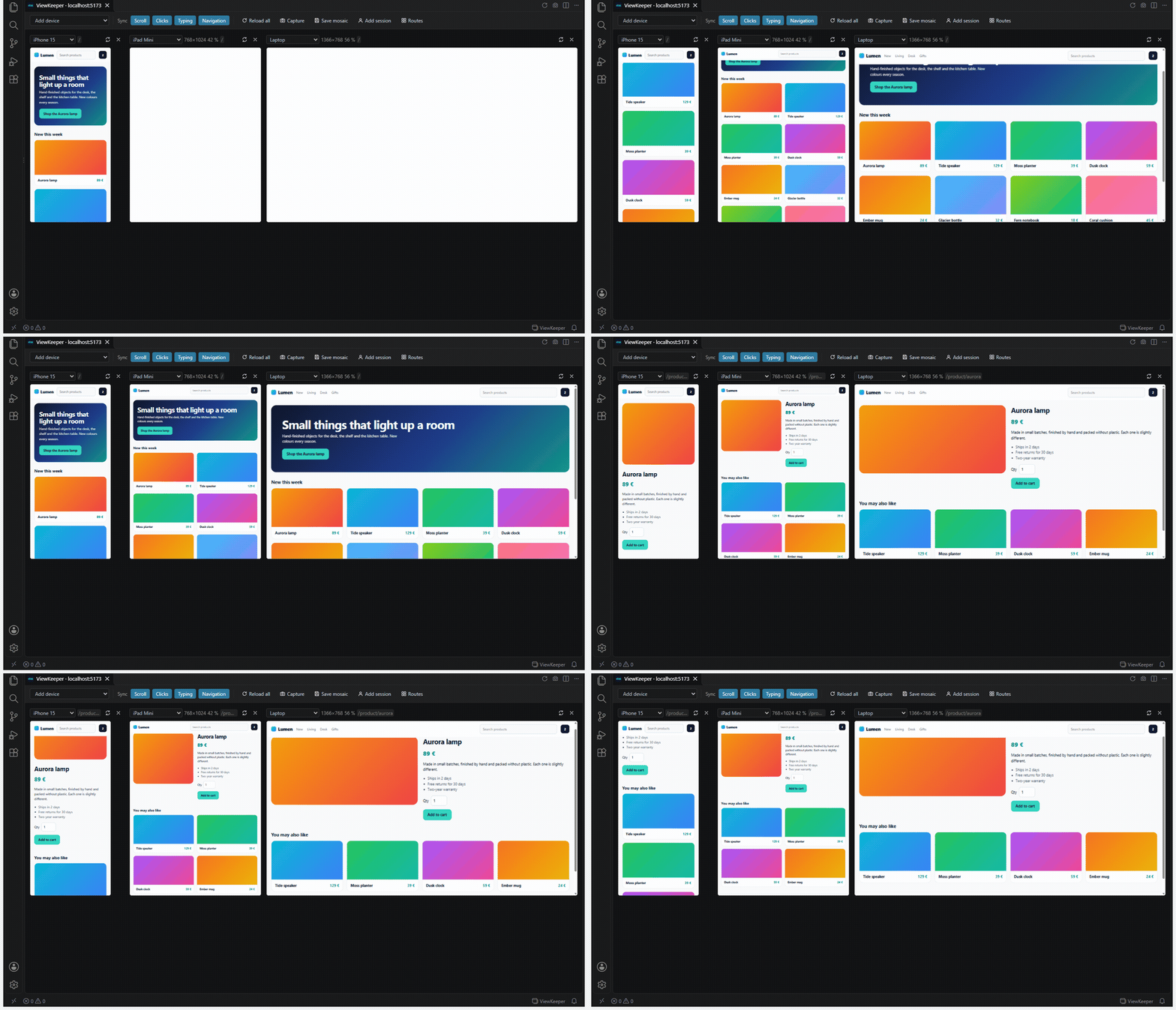
Your dev server on several devices and routes at once, inside VS Code. What you do in one view happens in all of them.
Scroll the phone and the tablet and the laptop scroll with it. Type in one search box and the other two fill in. Click a link and every view follows. It works with the app you are actually building — Vite, Next.js, Astro, anything on localhost — with hot reload intact, even if your app refuses to be framed, and even if you need to sign in. It also opens a deployed site, in a safer look-only mode.
Español
Install
VS Code Marketplace · Open VSX (Cursor, Windsurf, VSCodium) · or code --install-extension argalla.viewkeeper
Start your dev server, then click ViewKeeper in the status bar. It finds the server by itself.
What you get
Everything is free.
- Several devices side by side, each at its real CSS size: iPhone, Pixel, Galaxy, iPad, laptop, desktop, or your own sizes. Rotate any of them.
- Everything in sync: scroll, clicks, typing and navigation. Each one can be switched off.
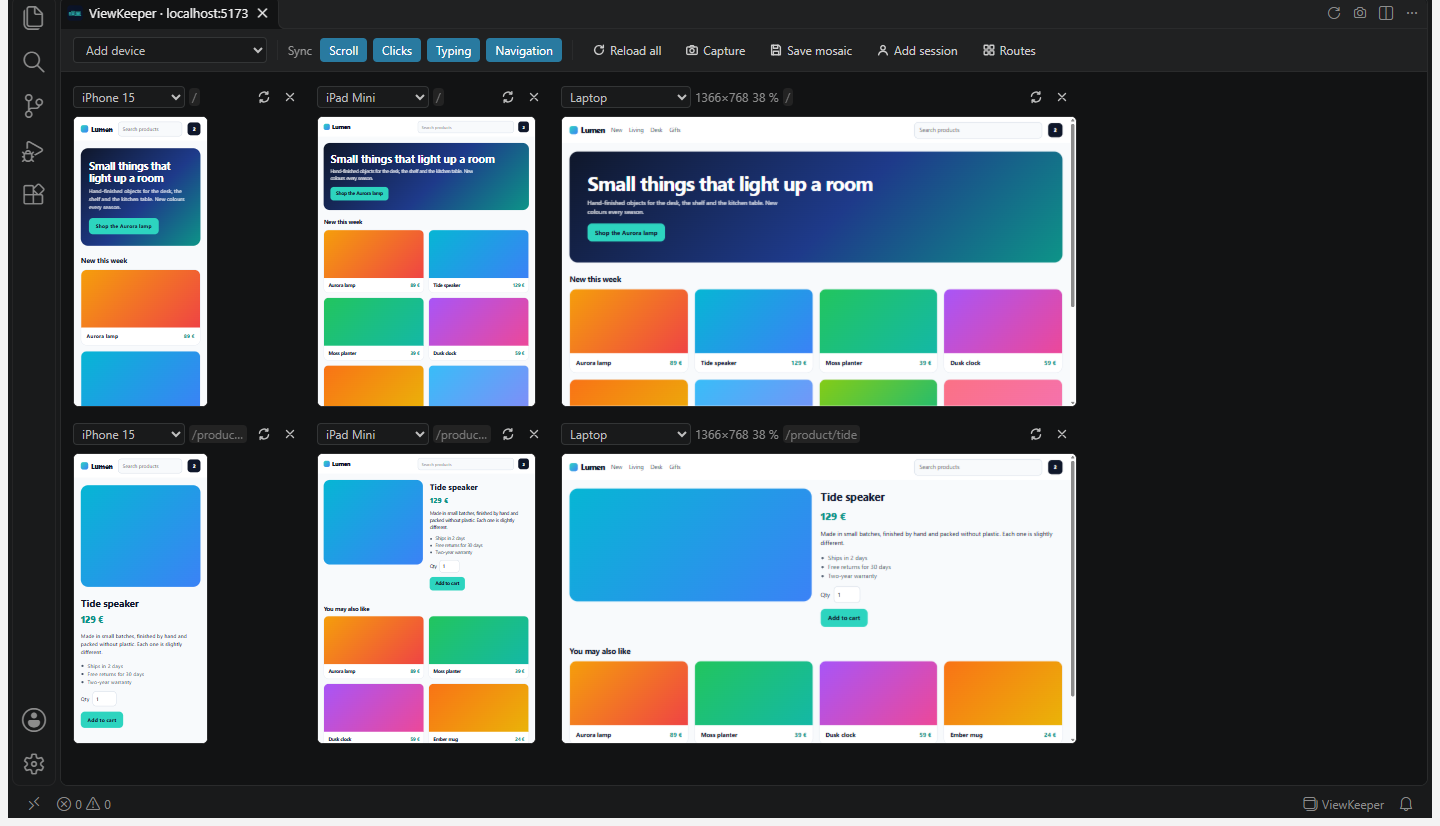
- Route × device matrix: home, product page and cart, each on three devices, each row in sync on its own. ViewKeeper reads your routes from Next.js (app and pages), SvelteKit, Astro, Nuxt or plain HTML.
- Sessions side by side: the same screen as an admin and as a customer at the same time. Each session has its own cookies and storage.
- Capture: one PNG per view plus a contact sheet of the whole mosaic, signed in, using the Chrome, Edge or Brave you already have. Nothing is downloaded.
- Saved mosaics in
.vscode/viewkeeper.json, so the whole team opens the same set of screens.
- Hot reload stays hot. Vite and Next.js update every view in place without a full reload.
- An API on another port or another server works too. If your frontend calls
localhost:3001 or https://api.example.com and the browser blocks it inside the mosaic, ViewKeeper offers to route it — only if that API already allows your app's origin.
- JavaScript errors per view. Each view's label counts the errors of the page it shows; click the number to read them. "It breaks on the phone and not on the laptop", at a glance.
- Follow the editor (optional): open
app/pricing/page.tsx and the mosaic goes to /pricing. Next.js, SvelteKit, Astro, Nuxt and plain HTML, also inside a monorepo.
- Change a row's route from its label, add a device to one row of a matrix, and enlarge a view to the whole panel (Esc to go back).
- Reopens what you had. The status bar button brings back the last mosaic of the project, with its devices and routes, if its dev server is running.
- Remote windows: tested in WSL. SSH and containers go through VS Code's own port forwarding and have not been tested yet; if a view stays blank there, please open an issue.
Why this needed a proxy
Putting your localhost in a few <iframe>s is easy. Making them follow each other is not: that needs code running inside your page, and your dev server does not serve ViewKeeper's code. Two more things break inside an editor panel:
- Apps that refuse to be framed.
X-Frame-Options or frame-ancestors turn the frame blank.
- Sign-in. Inside a VS Code panel your page is a third-party frame, and the browser drops every cookie that is not marked
SameSite=None. We measured it: without help, not one session cookie arrives. Your login page loops.
So ViewKeeper runs a small proxy on 127.0.0.1 between the views and your dev server. It adds a short script to each page, removes the framing headers, and rewrites cookies so they survive. Your server and your code are never touched; only what the preview receives changes.
What it is not
- Not an emulator. Each view has the device's size, user agent and language as JavaScript sees them, and no scrollbar on phones. It does not emulate pixel density or touch events, and your server sees the editor's own user agent. For exact emulation of one device, VS Code's built-in browser does that well.
- Sign-in through another site (Google, GitHub, Auth0 redirects) cannot happen inside a view: the panel only lets each view talk to your own app. The view says where the page wanted to go instead of turning blank. Use a test account.
- VS Code in the browser (vscode.dev, Codespaces in a tab) cannot show the views: they need
*.localhost. ViewKeeper says so.
- During the preview your app runs slightly differently: without its Content-Security-Policy, with rewritten cookies, from another origin. That is fine for layout and behaviour; if you are debugging one of those three things, turn off
viewkeeper.relaxCsp / viewkeeper.fixCookies or use a normal browser.
- A deployed site works too, in look-only mode: ViewKeeper opens its main domain (
example.com → https://www.example.com) with click and typing sync off, because otherwise every click and keystroke would happen once per view on real data. Scroll and navigation stay in sync. Switch the other two on in the toolbar if you are on test data. Links, forms and location.href written with the site's full domain stay inside the view; window.open to it opens the real site outside the mosaic.
- The error count is per document: in a single-page app it does not reset when you change screen without reloading.
- Follow the editor may take a file inside a folder called
pages/ for a page when it is not one. That is why it starts switched off.
- When two views have very different layouts, a click is only replayed if the element really is the same one (same tag, role, name, link). Otherwise that view simply does not follow, rather than pressing the wrong button.
Commands
| Command |
|
| ViewKeeper: Open mosaic for your dev server |
Also the status bar button |
| ViewKeeper: Open mosaic for a URL (local or deployed)… |
Any address with its path, also a deployed site; replaces the open mosaic. Also the Address button in the panel |
| ViewKeeper: Open route × device matrix |
Pick routes and devices |
| ViewKeeper: Add a cell with another session |
Same screen, another user |
| ViewKeeper: Save this mosaic to the project / Open a saved mosaic |
.vscode/viewkeeper.json |
| ViewKeeper: Capture the mosaic / (full pages) |
PNGs and a contact sheet |
| ViewKeeper: Reload all cells |
|
| ViewKeeper: Follow the editor: on / off |
Also a toolbar button |
| ViewKeeper: Diagnose |
What the proxy saw and could not do |
The panel's own toolbar changes the address, adds a device, switches each kind of sync on or off and follows the editor. Each view can change device, rotate, enlarge or close; its route opens a list to send the whole row elsewhere; and its red number lists the page's JavaScript errors.
Settings
| Setting |
Default |
|
viewkeeper.defaultDevices |
["iphone-15", "ipad-mini", "laptop"] |
Devices for a new mosaic |
viewkeeper.customDevices |
[] |
Your own: { "id", "name", "width", "height", "mobile" } |
viewkeeper.apiOrigins |
[] |
APIs to route through the proxy: on other local ports, or https:// servers. Only used if they already allow your app's origin by CORS |
viewkeeper.followEditor |
false |
Opening the file of a page sends the mosaic to its route |
viewkeeper.relaxCsp |
true |
Remove your app's CSP during the preview |
viewkeeper.fixCookies |
true |
Rewrite cookies so sign-in works inside the panel |
viewkeeper.browserPath |
"" |
Browser for captures; found automatically if empty |
Privacy and security
No telemetry, no account. Its only network requests of its own: when you open a deployed site, one request to find its main domain; and before routing an API, one CORS question to that API. The proxy listens only on 127.0.0.1, only serves the views of the panel that opened it (a random 192-bit token in a cookie), rejects any other host name, and refuses requests launched from other websites. What you type in a view, and the text of a page's errors, stay inside the panel and never reach the extension host. An API on another server that you route through the proxy does not receive your app's session: the proxy keeps that API's own cookies apart, and only sends it the cookies your app set for that API's domain. Details in PRIVACY.md; reporting a vulnerability in SECURITY.md.
The proxy and the sync engine went through independent audits before each release (three before the first, two more before 0.2.0), with a bench of attack and behaviour cases (proxy, sync and the real panel in headless Chrome) that runs in CI on Linux, Windows and macOS.
Requirements
VS Code 1.95 or later (also VSCodium and other editors that install from Open VSX). A dev server on localhost, or a deployed site. For captures, Chrome, Edge, Brave or Chromium on the machine where the extension runs.
MIT · by Argalla · Not affiliated with Microsoft, Apple, Google or Samsung; device names are used only to describe screen sizes.
| |

