Skip to content
| Marketplace
Sign in
Visual Studio Code>Programming Languages>ApzCode_New to Visual Studio Code? Get it now.
ApzCode_

ApzCode_

ApzCode

|
1 install
| (0) | Free
ApzCode AI coding agent — autonomous code generation, editing, terminal control and more. Powered by frontier models via the ApzCode platform.
Installation
Launch VS Code Quick Open (Ctrl+P), paste the following command, and press enter.
Copied to clipboard
More Info

VS Code Marketplace X (Twitter) Substack Blog Discord Reddit

kilo-code-logo

Kilo is the all-in-one agentic engineering platform.
Build, ship, and iterate faster with the most popular open source coding agent.

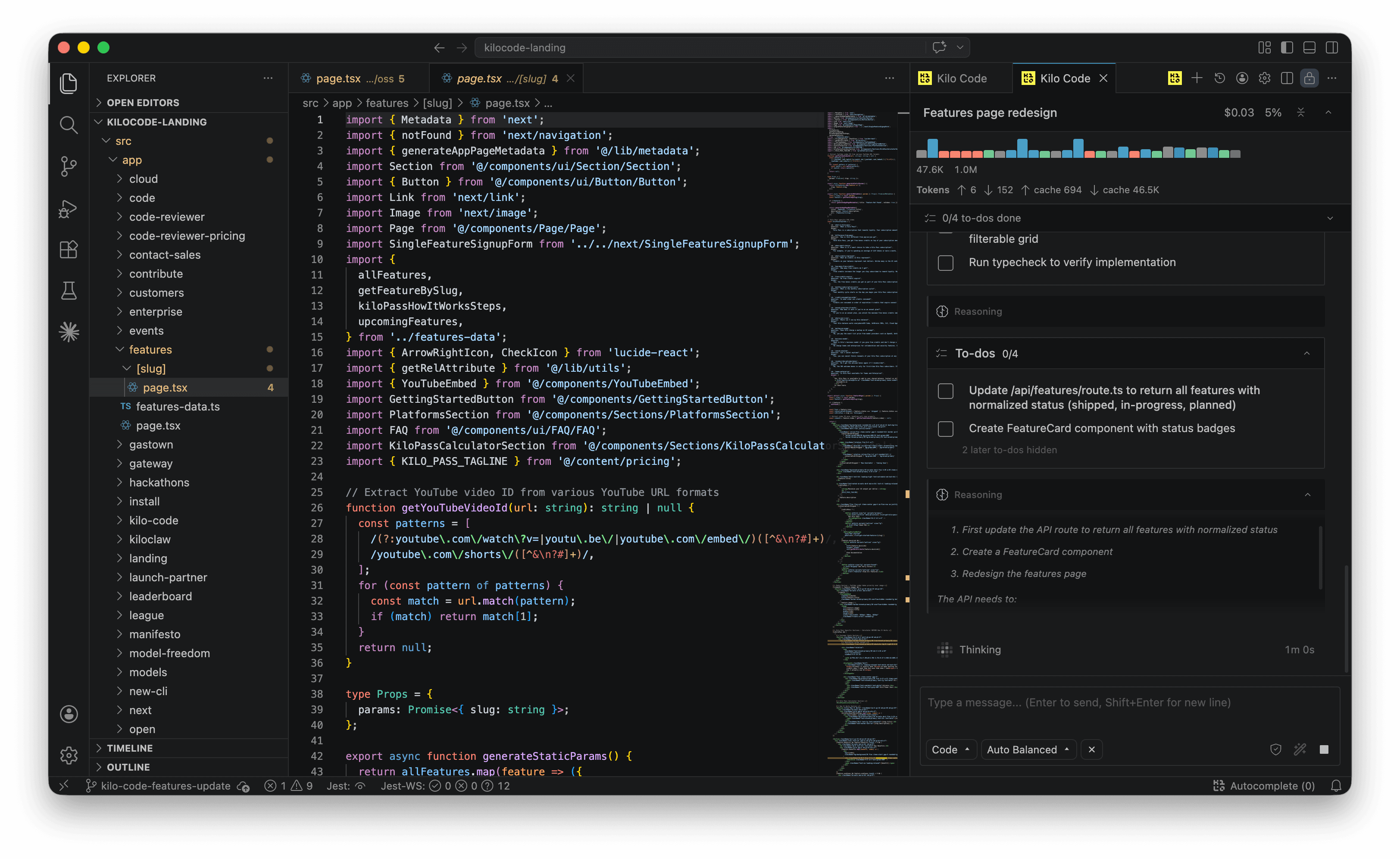
Kilo Code running inside VS Code

Website · Install · IDE · CLI · Docs · Models · Gateway · Pricing · Kilo Pass

500+ models. One open source agent in VS Code, JetBrains, CLI, Slack, and Cloud.

🚀 Coming from Roo Code? Switch to Kilo and check out our migration guide!

Key Features

  • Code Generation: Kilo can generate code using natural language.
  • Inline Autocomplete: Get intelligent code completions as you type, powered by AI.
  • Task Automation: Kilo can automate repetitive coding tasks to save time..
  • Automated Refactoring: Kilo can refactor and improve existing code efficiently.
  • MCP Server Marketplace: Kilo can easily find, and use MCP servers to extend the agent capabilities.
  • Multi Mode: Plan with Architect, Code with Coder, and Debug with Debugger, and make your own custom modes.

Get Started

  1. Install the Kilo Code extension from the VS Code Marketplace.
  2. Create your account to access 500+ cutting-edge AI models including GPT-5.5, Claude Opus 4.7, Claude Sonnet 4.6, and Gemini 3.1 Pro Preview, with transparent pricing that matches provider rates exactly.
  3. Start coding with AI that adapts to your workflow. Watch our quick-start guide to see Kilo in action:

Watch the video

Developer Setup

If you want to contribute or modify the extension locally, see the DEVELOPMENT.md file for build and setup instructions.

Snapshot Builds

To build and share a development snapshot of the extension:

# Run from packages/kilo-vscode/

# Build only (outputs VSIX to system temp dir)
bun run snapshot:build

# Build and install directly into VS Code
bun run snapshot:install

The snapshot version embeds the current commit SHA and your git username (from git config user.name), e.g. 7.0.47-snapshot+8ff7f2d02.kirillk.

Contributing

We welcome contributions from developers, writers, and enthusiasts! To get started, please read our Contributing Guide. It includes details on setting up your environment, coding standards, types of contribution and how to submit pull requests.

Code of Conduct

Our community is built on respect, inclusivity, and collaboration. Please review our Code of Conduct to understand the expectations for all contributors and community members.

License

This project is licensed under the Apache License 2.0. You’re free to use, modify, and distribute this code, including for commercial purposes as long as you include proper attribution and license notices. See License.

Contributing

Contributions are welcome, and they are greatly appreciated! Get started by reading our Contributing Guide. Or join our Discord to chat with the team and community.

Thanks to all the contributors who help make Kilo better!

mcowger bhaktatejas922 NyxJae Aikiboy123 cobra91
ivanarifin PeterDaveHello possible055 seuros more ...
  • Contact us
  • Jobs
  • Privacy
  • Manage cookies
  • Terms of use
  • Trademarks
© 2026 Microsoft