PlatoPlato is an AI coding agent that works inside your VS Code project. It does not hide its work: every step appears as it happens — the files it reads, the commands it runs, the change it proposes — so you can follow the plan as it forms, take the wheel mid-run, or stop at a safe point. Plan, edit, or auto. Solo, duo, or academy. You hold the switch.
Plato cannot change its own mode. When the work needs more room, it asks you. Plato is pre-release.
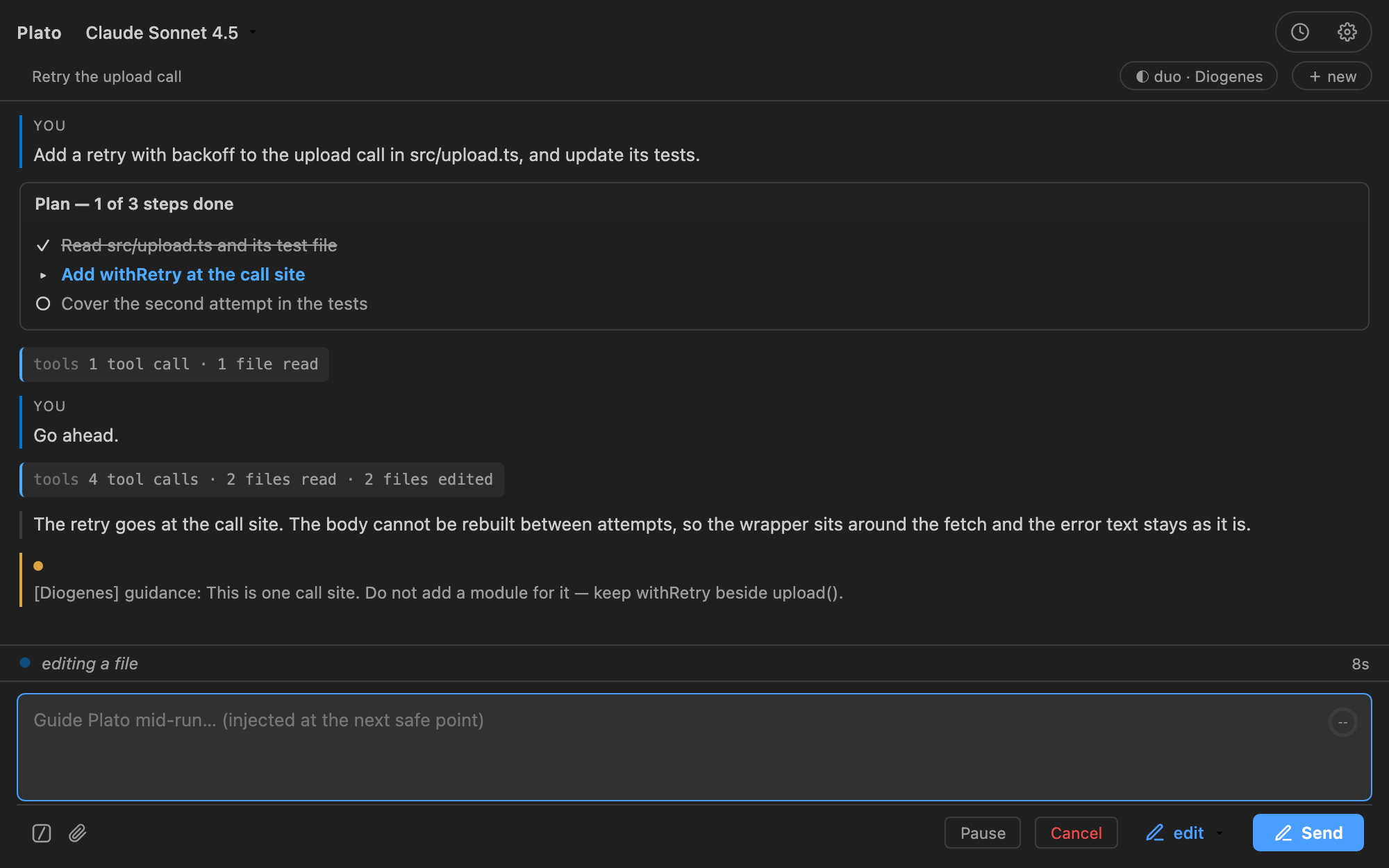
A run in the panel: the task, the tools as they happen, the answer.
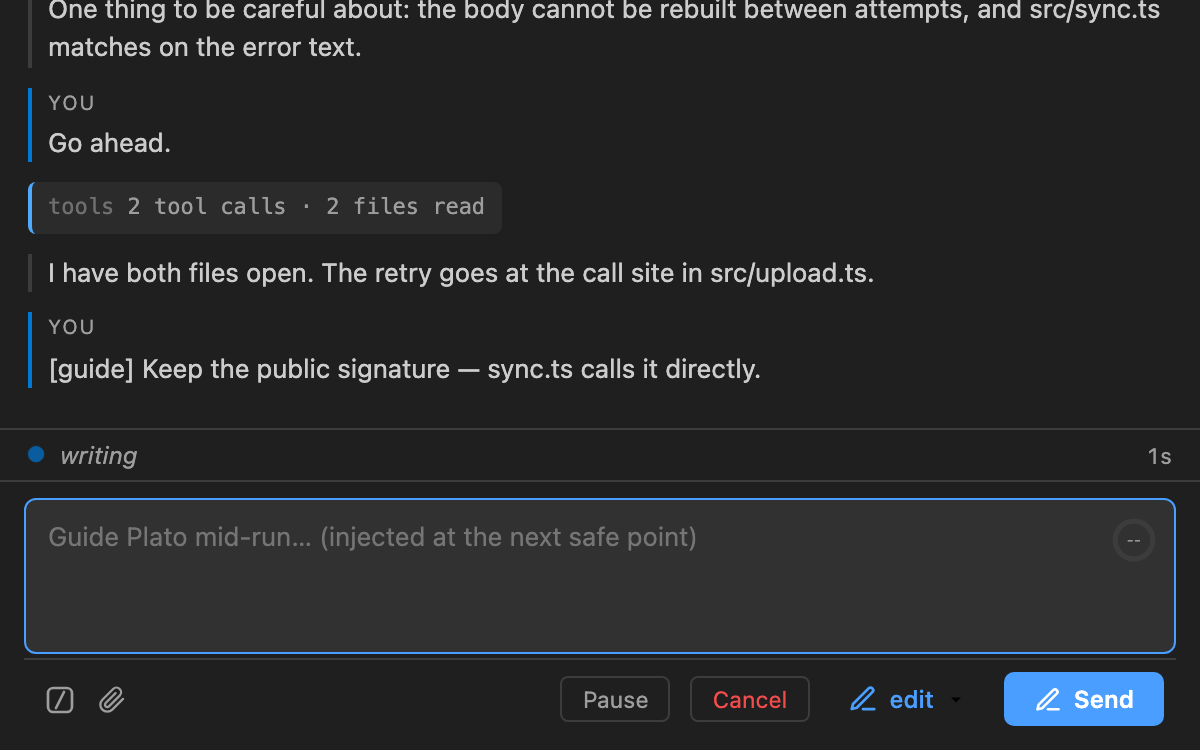
Type while it works; the direction reaches Plato at the next safe point.
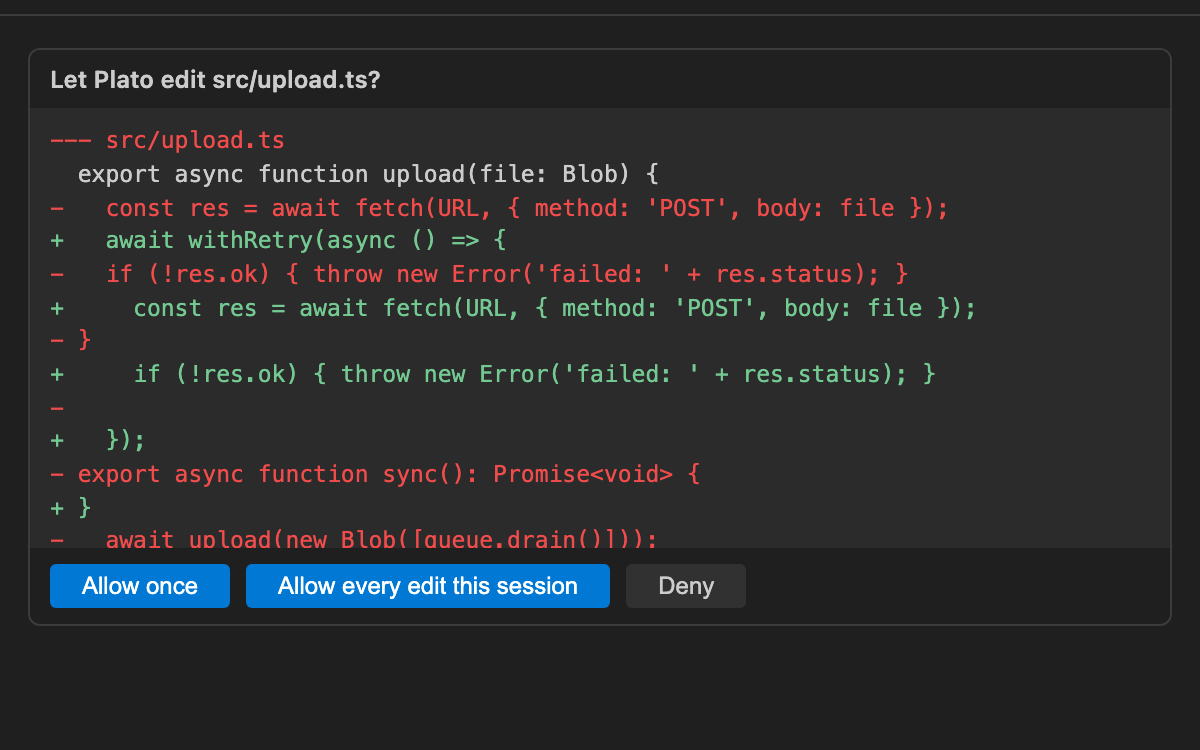
Edit mode: the real diff, and one decision before anything changes. Several chats at onceThe Plato mark in an editor's title bar opens another chat — it is on every open file and on every Plato chat. Each chat keeps its own conversation, mode, model and approvals, and closing one stops only its own run and files it in History. The activity bar holds a chat of its own. It is always there, it keeps its conversation when you switch to Explorer and back, and other chats can message it like any tab. It is called Plato until its first conversation is titled. Chats can message each otherA chat can send a message to another open chat — by name, or by finding it from what it is working on. The chat that receives it shows who asked: it starts work if it is idle, and waits its turn if a run is already going. A chat that was started by such a message cannot pass one on, so two agents cannot talk in a loop. In Plan mode, sending asks you first, on a card that names the target and shows the text. InstallInstall from the Visual Studio Marketplace:
Or run: The listing is at Plato by Applivity. For a local build, install the VSIX: Configure a modelRun Plato: Set API Key for an Anthropic key. To use another provider, add a connection in Settings (a named Anthropic or OpenAI-compatible endpoint) and choose the model in the chat header. You supply the key and pay the model provider. What it does
Prompts go to the model provider you configure. A local model is possible; it is not the default. LicensePlato is licensed under the
Apache License, Version 2.0. The
full license text ships with the extension as The source is public at github.com/Applivity/plato and is licensed under the Apache License, Version 2.0. SupportQuestions, bug reports, and feedback: plato-feedback@applivity.com. Privacy policy: plato.applivity.com/privacy. |