

A rich, gold-accented dark theme for Visual Studio Code.
Built on the familiar Atom One Dark palette, then customised across 139 UI colours and 257 syntax rules.
✨ Highlights
- 👑 Royal gold accents. The cursor, active tab, panel border, badges, search highlights and notifications all use the signature
#FFC600 gold, so you always know where your focus is.
- 🎨 Atom One Dark at heart. A calm
#282C34 canvas with the purple, blue, green, orange and red syntax colours you already know, so it's easy on the eyes for long sessions.
- 🧩 Language-aware highlighting. Hand-tuned scopes for JavaScript / TypeScript, Python, HTML, CSS / SCSS / Less, JSON, Java, C / C++, Rust, Go, Haskell, Markdown, regex, diffs and more.
- 🖥️ Fully themed workbench. Activity bar, sidebar, tabs, breadcrumbs, panels, suggest and hover widgets, peek view, merge conflicts, git decorations and the status bar all match.
- 💻 Integrated terminal palette. All 16 ANSI colours are tuned to fit the theme, so CLI output looks as good as your code.
- 🔍 Readable search and selection. Find matches, word highlights and selections are clearly visible without hiding the code underneath.
📸 Screenshots
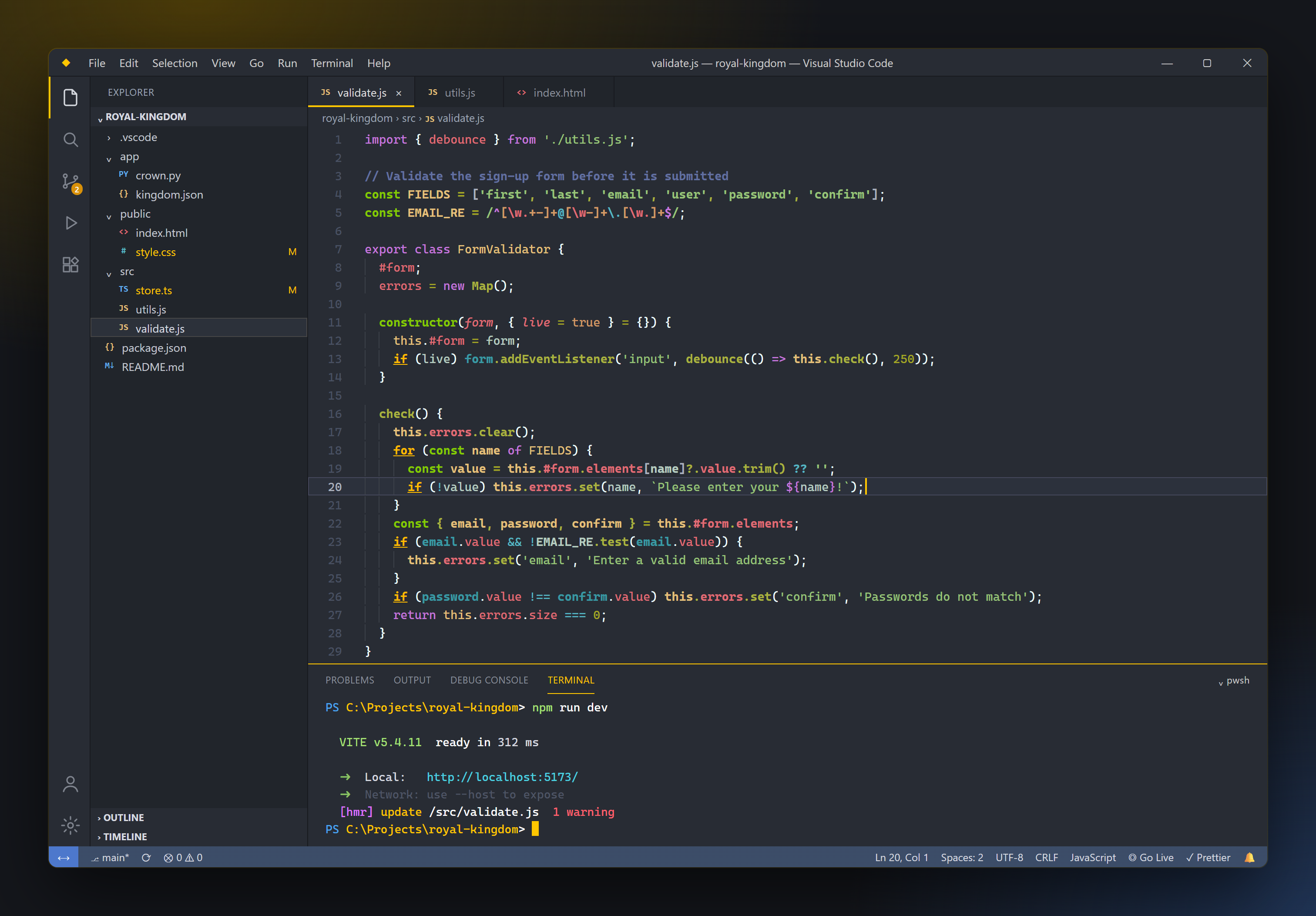
JavaScript, with the integrated terminal
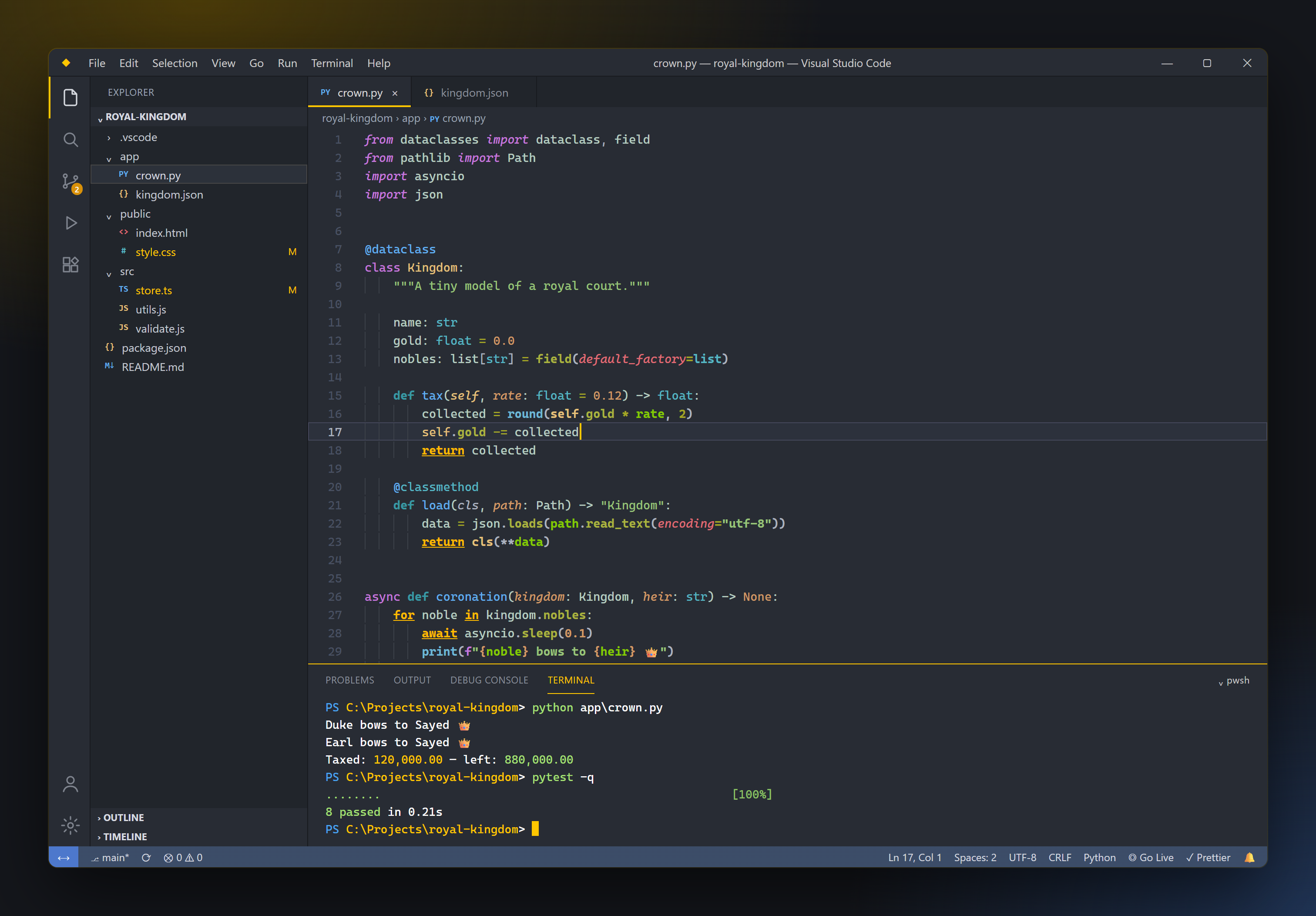
Python
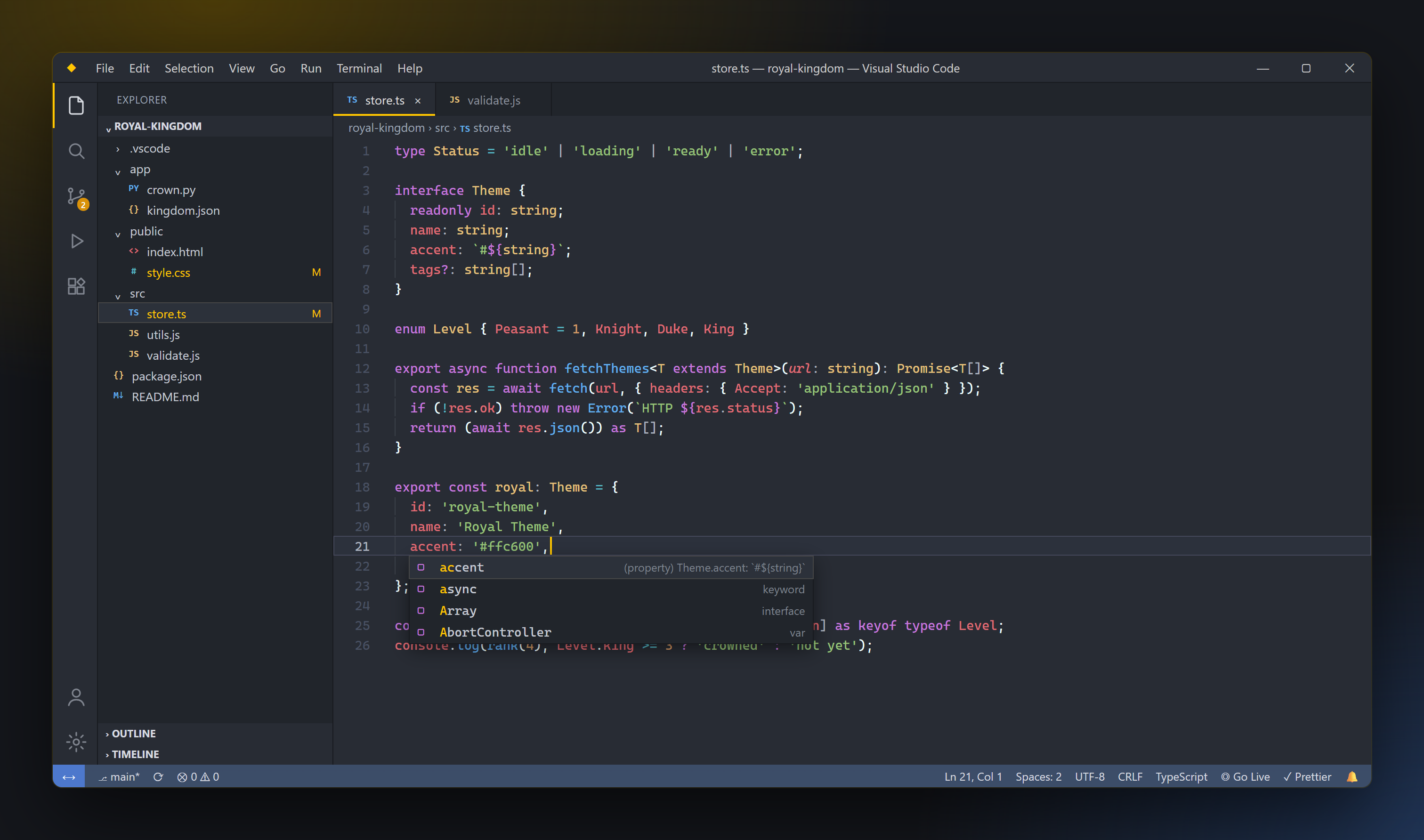
TypeScript, with IntelliSense suggestions
HTML & CSS
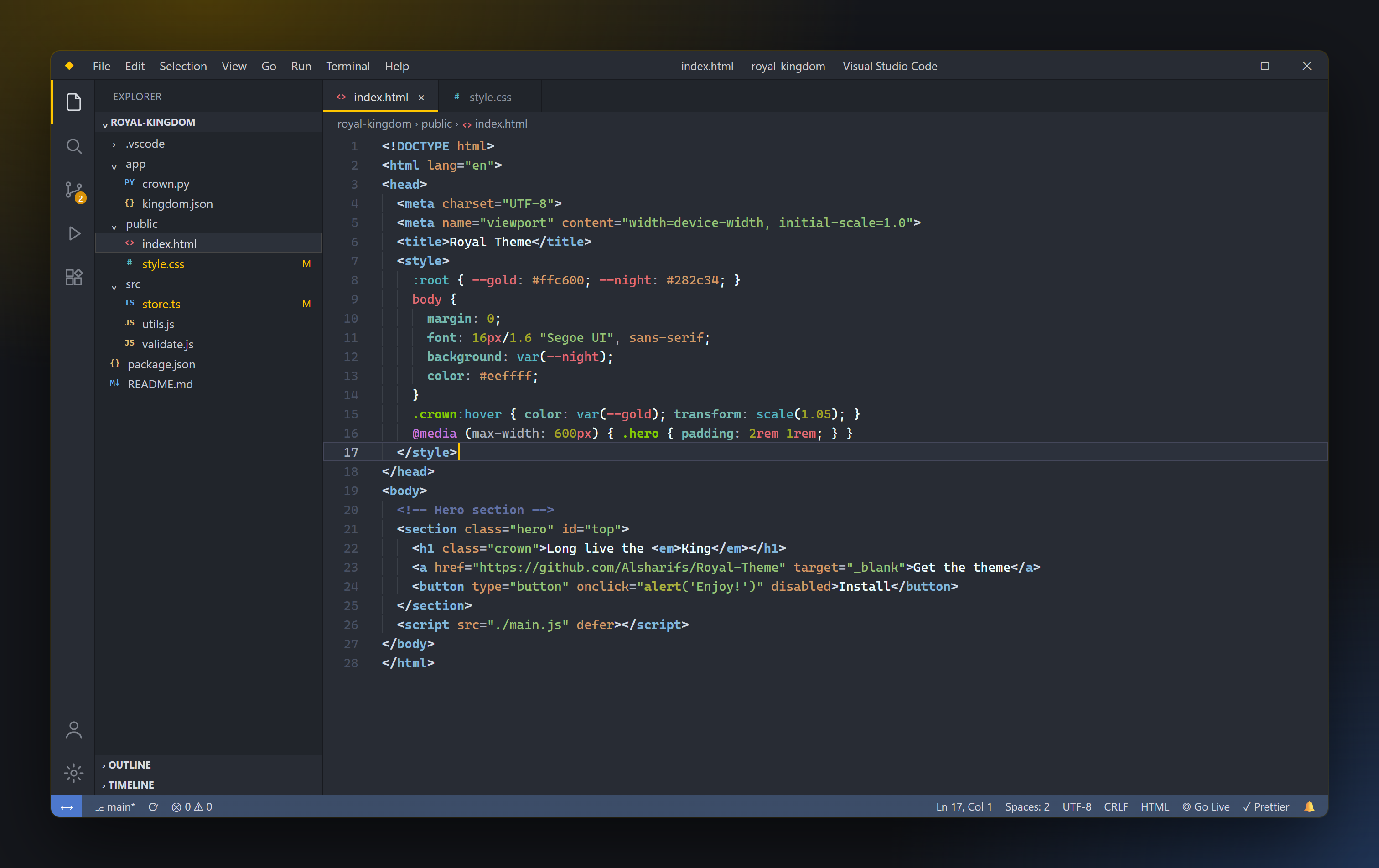
In the wild
The original screenshot from a real VS Code session

🎨 Colour palette
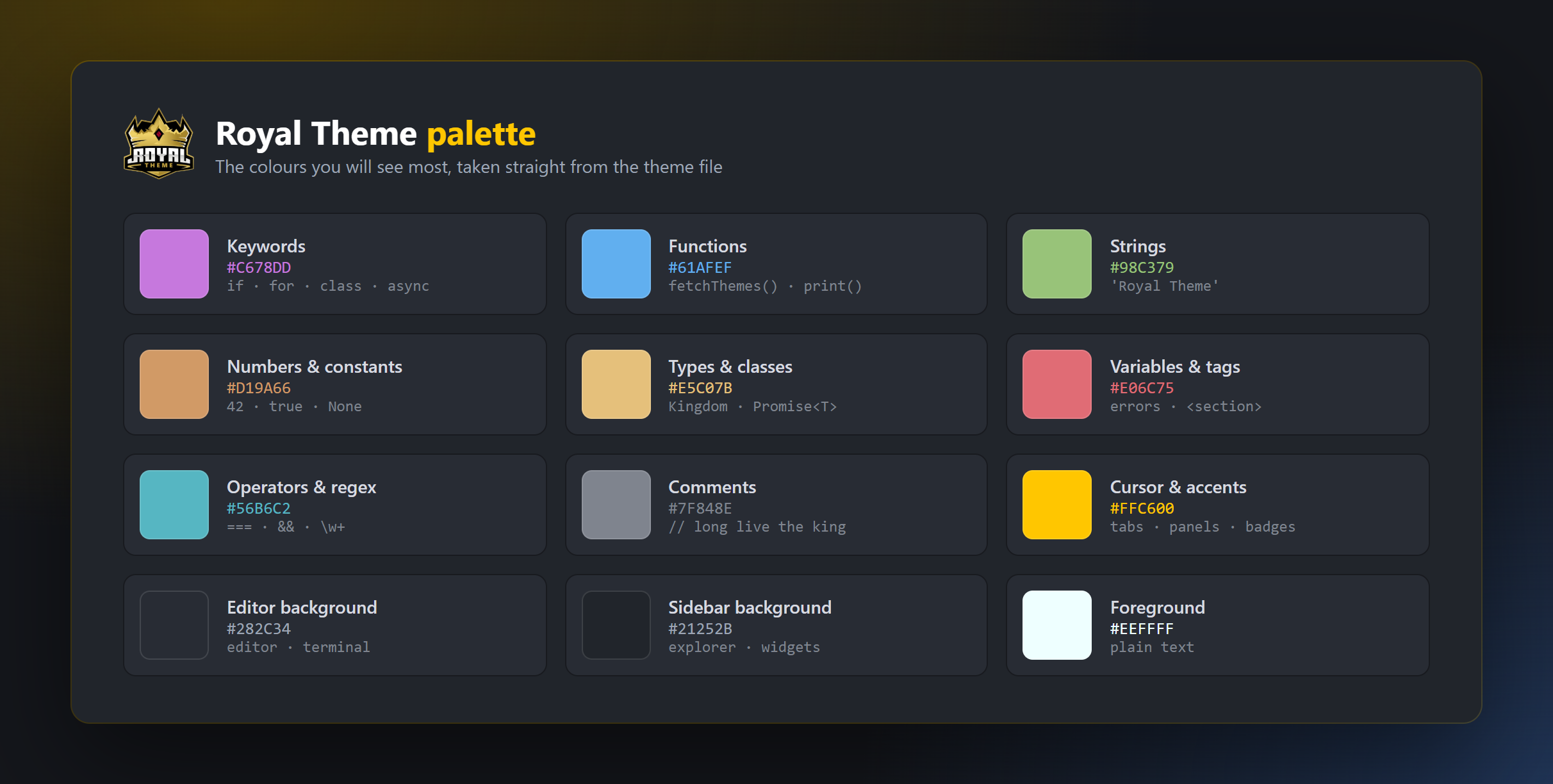
| Role |
Colour |
Used for |
| Accent |
 |
Cursor, active tab and panel borders, badges, warnings, highlights |
| Editor background |
 |
Editor, terminal, title bar, activity bar |
| Sidebar background |
 |
Explorer, tab strip, widgets, hovers |
| Keywords |
 |
if, for, class, import, new |
| Functions |
 |
Function and method names, links |
| Strings |
 |
String literals, inserted diff lines |
| Numbers & constants |
 |
Numbers, booleans, CSS values |
| Types & classes |
 |
Class names, types, self, constants |
| Variables & tags |
 |
Variables, object keys, HTML tags, deleted diff lines |
| Operators |
 |
Operators, CSS operators, DOM objects |
🚀 Installation
From VS Code
- Open the Extensions view (
Ctrl+Shift+X / Cmd+Shift+X).
- Search for Royal Theme and click Install.
- Open the Command Palette (
Ctrl+Shift+P / Cmd+Shift+P), run Preferences: Color Theme and pick Royal Theme.
From the command line
code --install-extension alsharifs.royal-theme
From the Marketplace
Install it from the Visual Studio Marketplace page.
Activate it in settings.json
{
  "workbench.colorTheme": "Royal Theme"
}
⚙️ Recommended settings
These are the settings used in the screenshots. Add any of them to your settings.json (Preferences: Open User Settings (JSON)):
{
  "workbench.colorTheme": "Royal Theme",

  // Editor
  "editor.fontFamily": "'Cascadia Code', Consolas, 'Courier New', monospace",
  "editor.fontSize": 14,
  "editor.cursorBlinking": "expand",
  "editor.renderWhitespace": "boundary",
  "editor.suggestSelection": "first",
  "editor.formatOnSave": true,
  "breadcrumbs.enabled": true,

  // Terminal
  "terminal.integrated.cursorBlinking": true,
  "terminal.integrated.defaultProfile.windows": "PowerShell",

  // Extras (only if you use these extensions)
  "code-runner.runInTerminal": true,
  "code-runner.clearPreviousOutput": true,
  "color-highlight.matchWords": true
}
🛠️ Customising the theme
You can tweak any colour without forking the theme by overriding it in settings.json:
{
  "workbench.colorCustomizations": {
    "[Royal Theme]": {
      "editorCursor.foreground": "#ff9d00",
      "statusBar.background": "#21252b"
    }
  },
  "editor.tokenColorCustomizations": {
    "[Royal Theme]": {
      "comments": { "fontStyle": "italic" }
    }
  }
}
Every UI key is listed in the VS Code Theme Color reference.
📁 Project structure
Royal-Theme/
├── themes/
│   └── Royal Theme-color-theme.json   # all UI colours + syntax token rules
├── images/                            # README screenshots and banner
├── icon.png                           # Marketplace icon
├── package.json                       # extension manifest
└── CHANGELOG.md
🤝 Contributing
Found a language that doesn't look right, or a UI element that's missed? Issues and pull requests are welcome.
- Fork the repo and open it in VS Code.
- Press
F5 to start an Extension Development Host with the theme loaded.
- Edit
themes/Royal Theme-color-theme.json. Changes apply live in the host window.
- Use Developer: Inspect Editor Tokens and Scopes to find the scope name for any piece of code.
- Open a pull request with a before/after screenshot.
🔗 Links
Enjoy! If Royal Theme brightens your editor, please ⭐ the repo and leave a rating on the Marketplace.
Made with ♡ by Sayed AlshaRif 🇪🇬
| |

