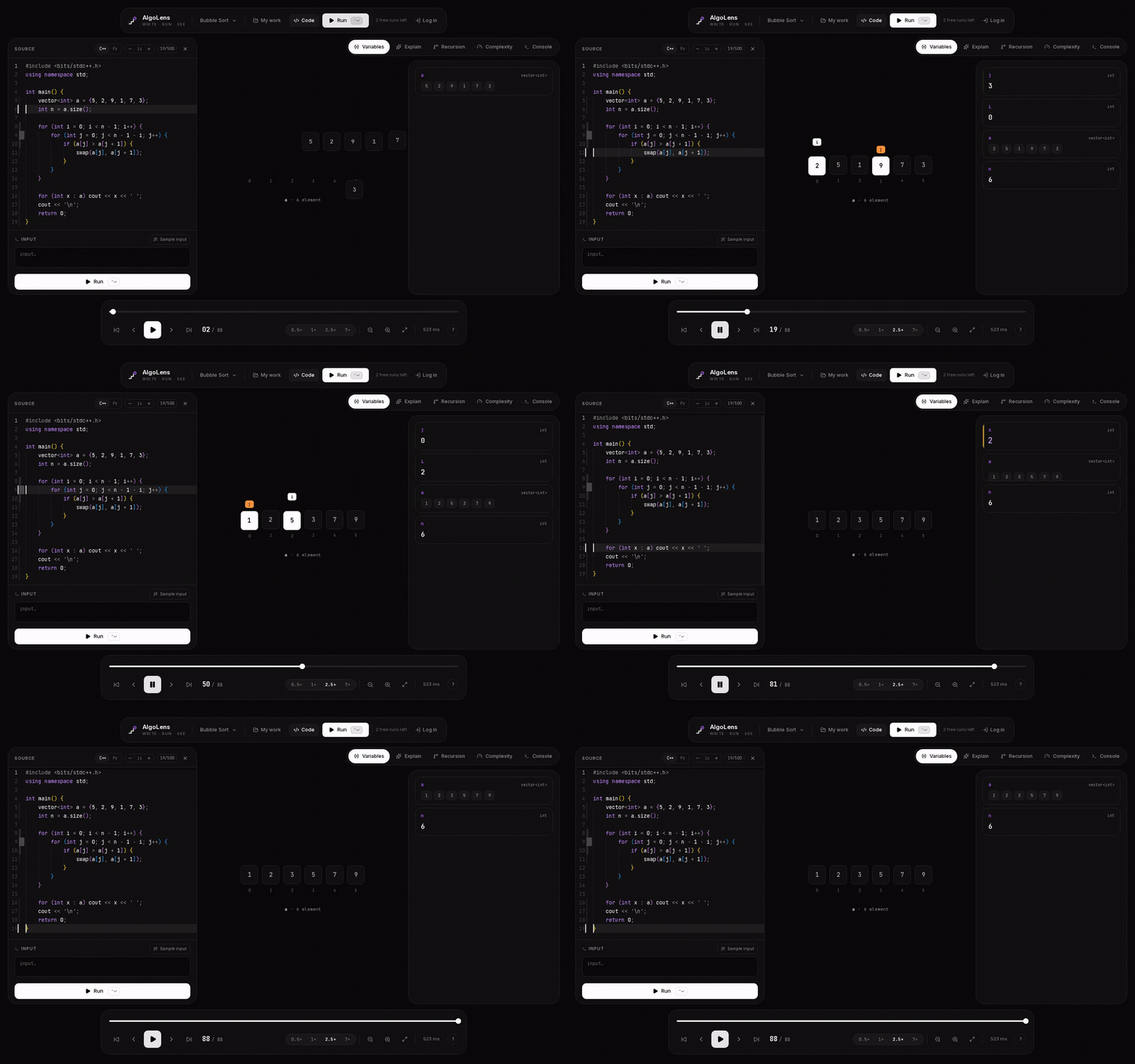
AlgoLens — Your DSA EducatorSee your algorithm run, step by step, next to your code. Arrays, graphs, DP tables and recursion — traced from a real execution, never simulated. C++ and Python. Installation Launch VS Code Quick Open ( Ctrl+P), paste the following command, and press enter.Copied to clipboard |

Your DSA educator, inside VS Code.
Quick start
That is the whole setup. Nothing to configure, nothing to attach, nothing installed locally — your code runs in an isolated sandbox on our servers and the trace comes back in about a second. Does your program read input? Press Sample input and AlgoLens writes one that fits your code — shown in the box, yours to edit before you run. Shortcuts
On macOS, use What it visualizes
Two languages, one experience: C++ through GDB, Python through the interpreter itself. The visualization does not care which one you wrote. Solve a problem end to endOpen the Tests tab in the panel:
Not sure what to practise? The 🔥 Daily problem button loads today's problem, and the top bar keeps your streak of active days. Interactive problems are recognised: your code still runs, but the output is not compared to a fixed answer, because for those the correct output varies. Something off? AlgoLens: Report a Problem in the command palette sends it straight to us. Why people keep it installedIt is your code, not a canned animation. Not "a" bubble sort — your bubble sort, with your values, from your file. It follows you in the editor. The current line lights up in your own file as you step, with the step counter beside it. Hot lines are marked in the gutter, so the quadratic loop is visible before you open a profiler. A browser cannot do this. Every number is real. Values come from a live tracer, never a simulation.
If AlgoLens shows It explains what it draws. An AI layer describes each step in plain language and estimates complexity. It chooses what to draw and how to explain it — it never touches the values. It speaks your language. Interface and explanations in English and Azerbaijani, switchable in one click. Made for the moments that decide thingsInterview season. Six weeks, two hundred problems, a Big Tech loop on the other side. Understanding why Dijkstra pops that node beats memorising a template you will forget under pressure. Contest debugging. Wrong answer on test 14, twenty minutes left. Step until the array stops matching what you expected — that moment is the bug. Teaching. A segment tree takes twenty minutes on a whiteboard and thirty seconds on a screen. Your first DSA course. The gap between "I read the chapter" and "I can implement it" closes fastest when you can watch the structure move. Your work, in both placesSign in and every run is saved to your account — the same list you see on algolens.org. Write a solution in the browser on the train, open it in the editor at your desk. Rename it, delete it, pick up where you left off. We read your name and email from Google, nothing else. Your source is sent to the AlgoLens API to be traced, and stored only after a successful run so that you can reopen it later. Also on the webThe full visualizer runs at algolens.org — same engine, same visuals, no install. Use whichever fits the moment.
Stop guessing what your code does. Watch it happen. |