Pylint Static AnalysisEclipse IDE-style static code analysis in VS Code. Project-wide pylint diagnostics for Python. Installation Launch VS Code Quick Open ( Ctrl+P), paste the following command, and press enter.Copied to clipboard |

Pylint Static Analysis
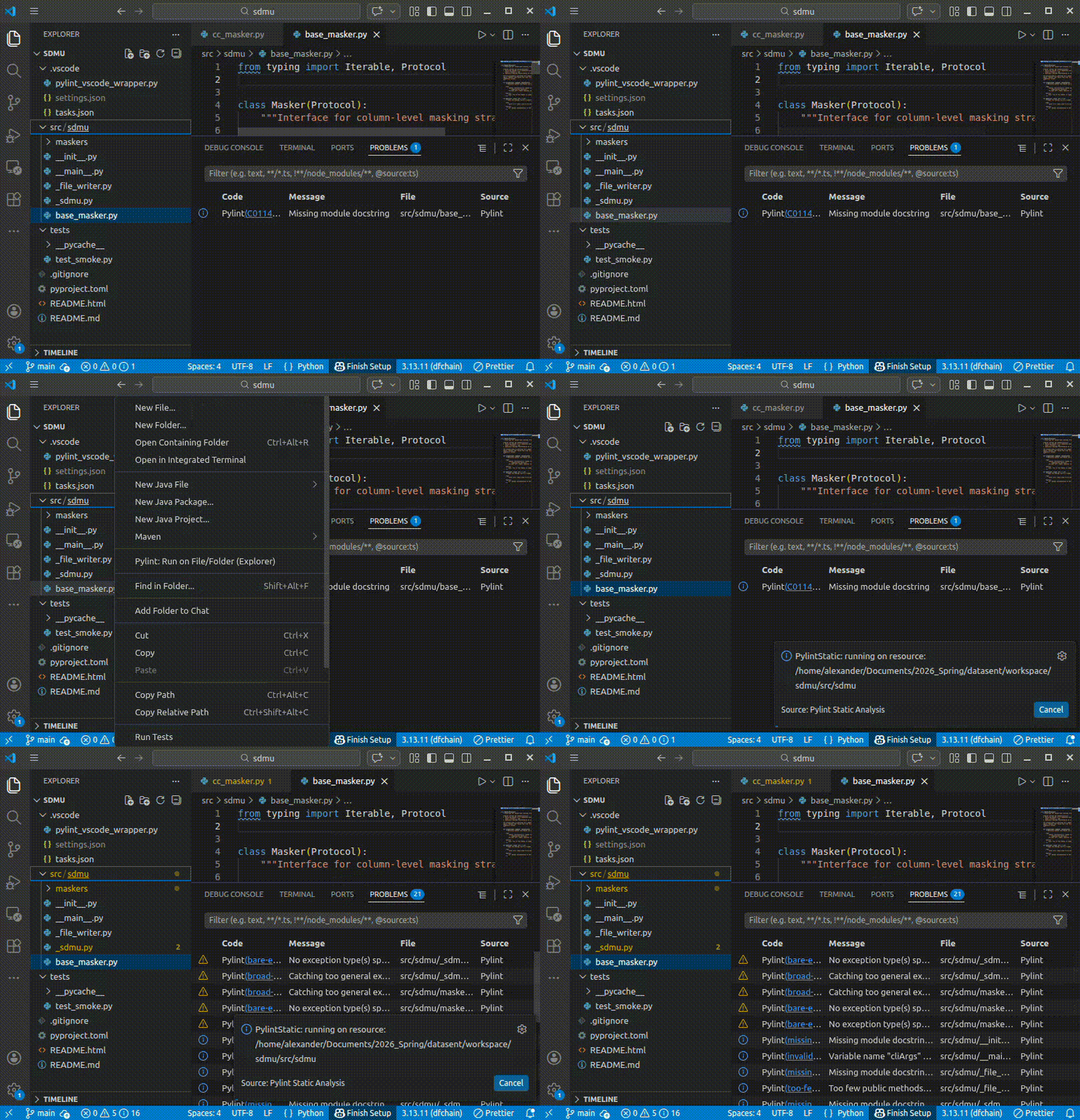
Run pylint on entire packages without opening any files — Eclipse IDE‑style static code analysis in VS CodeThis extension performs workspace-wide static analysis. It is not limited to open files like the standard lint-on-save behavior provided by many Python extensions.
Why this extension existsMost VS Code Python linting extensions only report problems for files that are currently open. That's fine for lightweight editing, but it's not how traditional IDEs work. If you're coming from Eclipse, IntelliJ, or PyCharm, you expect:
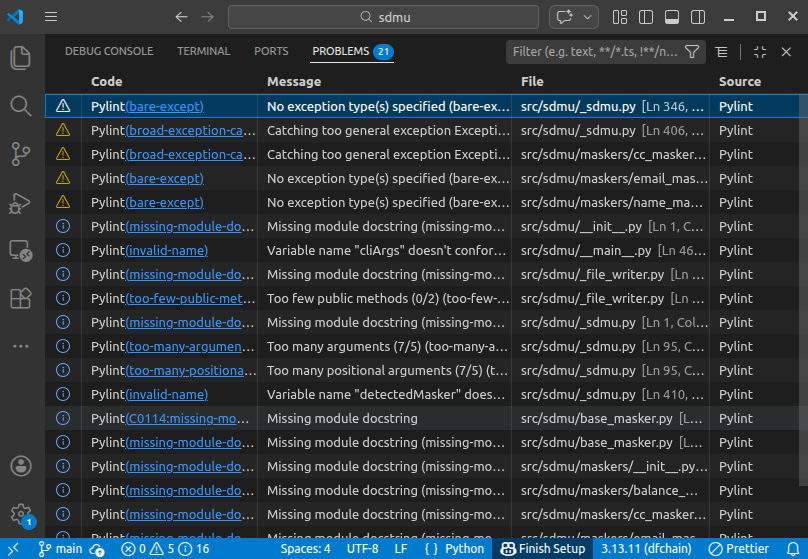
Pylint Static Analysis restores that workflow in VS CodeThis extension runs pylint across your workspace (or any folder/file) and publishes rich, IDE-native diagnostics for all Python files — not only the ones you've opened.
What makes this differentThis is not a replacement for the official ms-python.pylint integration. Instead, it's a workspace-level static analysis engine that runs pylint in batch (workspace) mode and publishes diagnostics in a VS Code native way.
Key FeaturesProject-wide static analysisRun pylint across the entire workspace and see diagnostics for every file in the Problems view. Rich VS Code diagnosticsIssues are published via the VS Code diagnostics API (LSP-style), including:
Lint exactly what you wantYou can lint:
You don't need to open files to see issues — diagnostics appear after analysis just like in a traditional IDE. Commands
ConfigurationAll settings are under the Use Recommended usage patternMany users run this extension:
It pairs well with:
PhilosophyVS Code is document-centric by default. This extension is project-centric by design. If you want fast feedback while typing, use standard linting. If you want full static insight into your codebase, use this extension. Who this is for
If you've ever asked, "Why doesn't VS Code show pylint errors for my whole project?" — this extension is for you. NotesThis extension intentionally runs pylint as a batch analysis tool. It may take longer than lint-on-save for large projects. Analysis is throttled to avoid excessive CPU usage. |