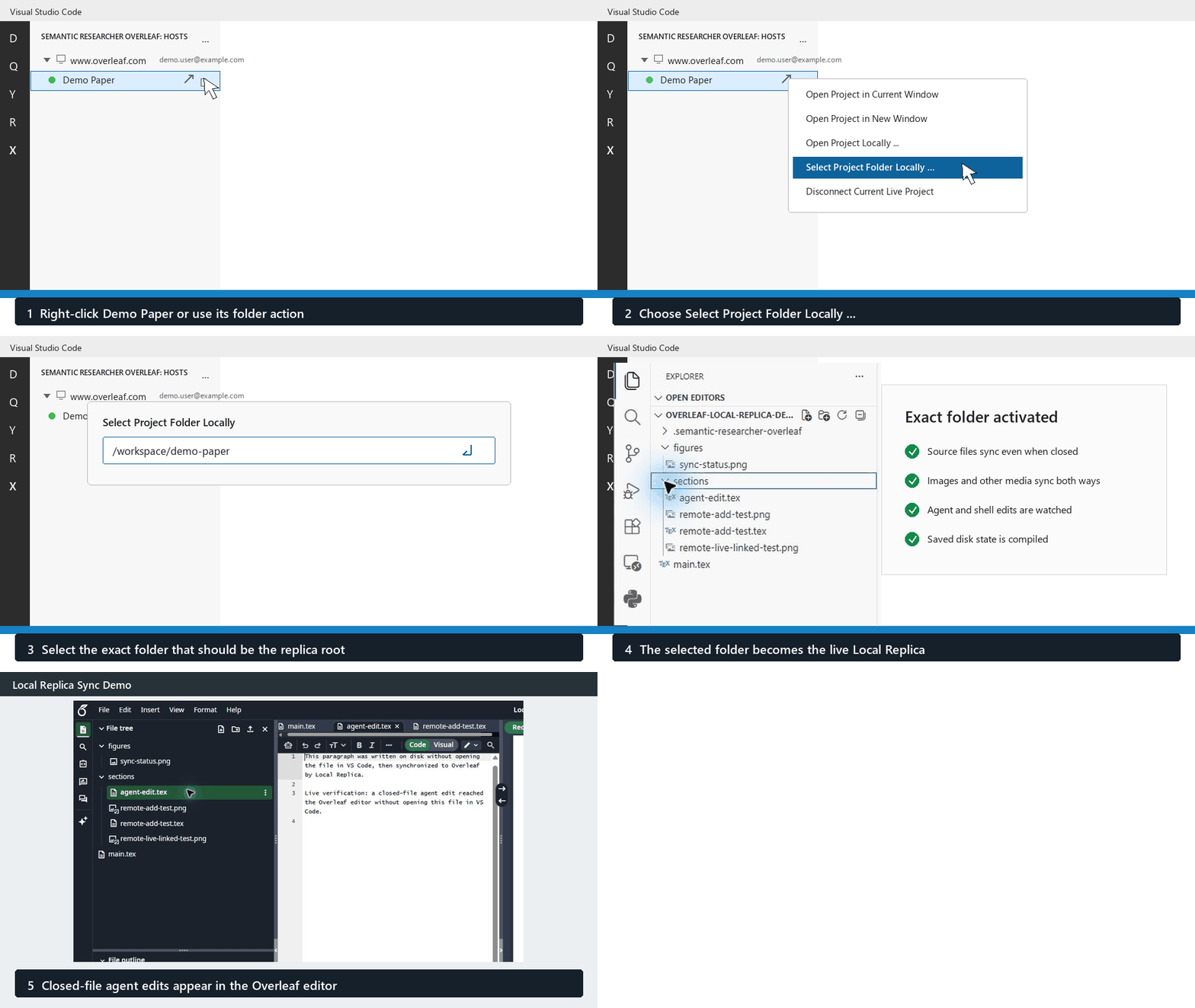
Semantic Researcher Overleaf
Open Overleaf (ShareLaTeX) projects in VS Code with local replica workflows tuned for semantic-researcher use. This extension is a fork of Overleaf Workshop. It keeps the upstream AGPL-3.0 license and original contributor credits while carrying local workflow fixes for this fork. User GuideThe user guide is available in docs/wiki.md. Features
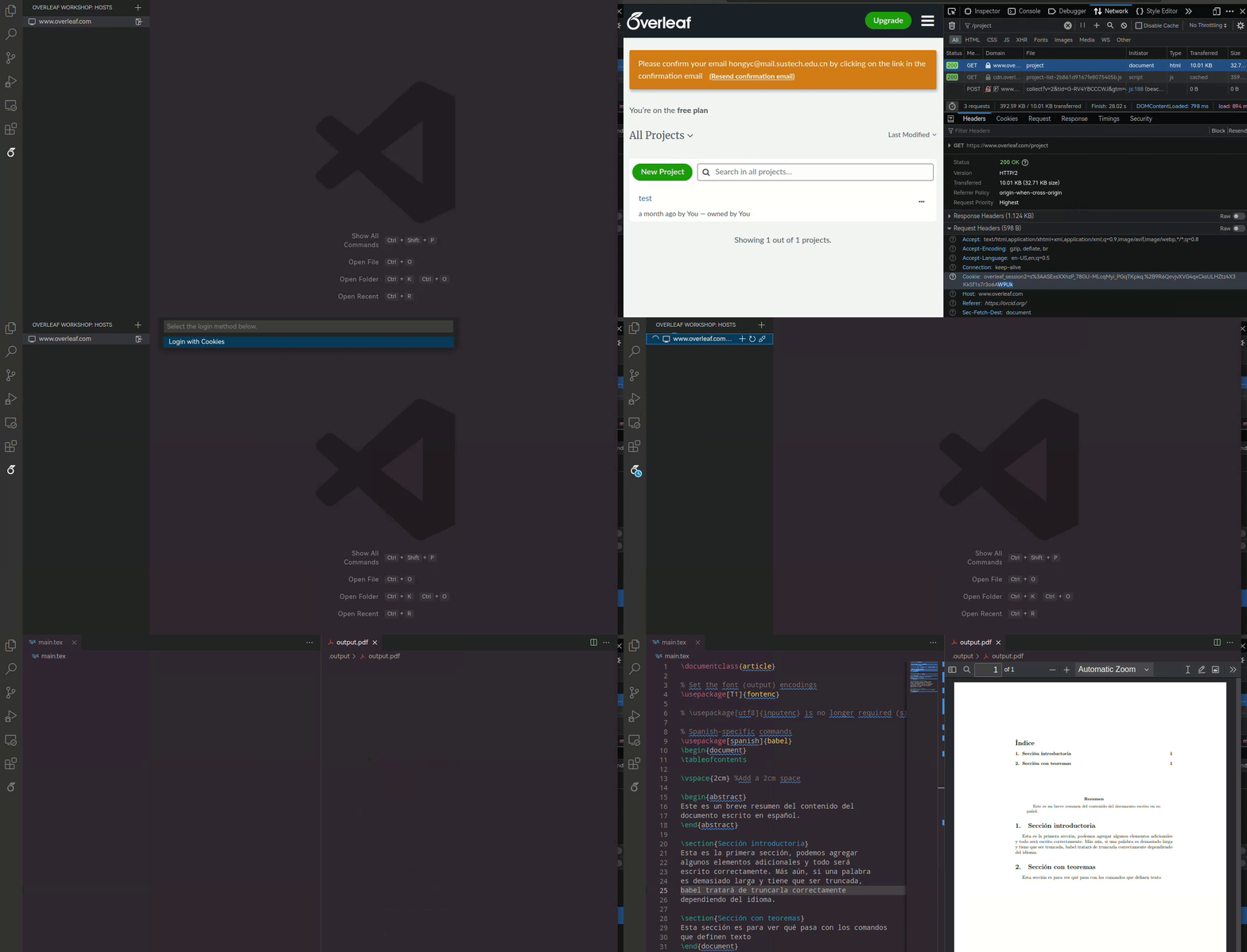
How to Login in BrowserChoose Login in Browser from the login method list. The extension opens a Chrome, Edge, or Chromium window and navigates to the Overleaf project page, which shows the login page when needed. Sign in there as usual, including Google, SSO, or two-factor authentication. Once Overleaf reaches the project page, the extension reads the browser session cookies and completes the same cookie login flow automatically. On first use for each server, choose Remember Login Browser or Use Once. A remembered profile stays on this device after the browser closes, so future browser logins reuse its session while it remains valid; expired or revoked sessions can still require sign-in. Remembering also retains any Google/SSO session used inside that dedicated browser. Only cookies applicable to the Overleaf project URL are handed to the extension. A one-time profile is deleted after the login attempt. Your normal browser profile is never opened, copied, or read. To forget a remembered profile, run Semantic Researcher Overleaf: Clear Remembered Login Browser Session from the Command Palette and select the server. In Remote windows, this forwards to the local Remote Pack; you can also run Overleaf Remote Pack: Clear Remembered Login Browser Session locally. Close all dedicated login browsers for that server in every VS Code window before clearing. Clearing removes the browser's remembered Overleaf/Google/SSO sessions and resets the consent choice; it does not log out the extension's existing API session or your normal browser. Use Logout separately for the extension session. Profiles are isolated by server URL (including self-hosted installation prefix), extension storage location, and browser executable. Changing the browser executable or switching between local and Remote Pack storage can require signing in once again. Profile directories use restrictive POSIX permissions where supported; on Windows they inherit the VS Code storage directory's ACLs. This is browser-profile storage, not a promise that all browser session data is encrypted. Login/clear operations in the same extension host are guarded; Chromium supplies cross-process profile locking, and launch failures never silently replace or delete a remembered profile. Clearing requires you to close browsers in other VS Code windows first. Login keeps Chromium's sandbox enabled and does not request Playwright's basic-password-store or mock-keychain defaults. Available protection still depends on the browser and OS; Linux needs a working configured keyring. If a root/headless Linux environment cannot run the sandboxed browser, use the local Remote Pack on a desktop rather than disabling the sandbox. 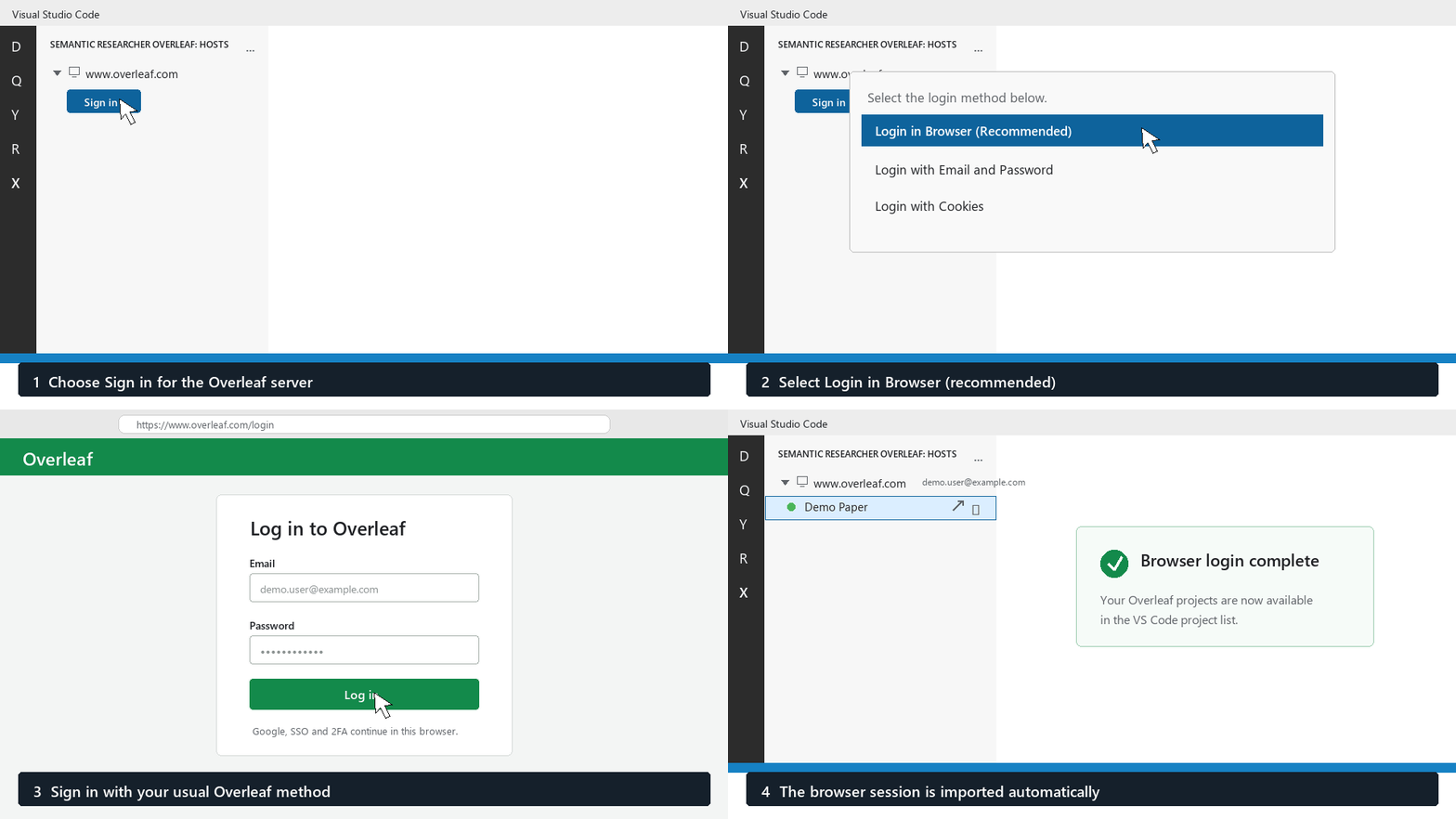
In a local VS Code window, no extra extension is needed. In a VS Code Remote window, install Semantic Researcher Overleaf Remote Pack locally so the remote extension can ask your desktop VS Code to open the local browser. For VSIX installs, install the main extension in the remote window and the Remote Pack VSIX in the local desktop VS Code. If the browser is not found automatically, set How to Login with Cookies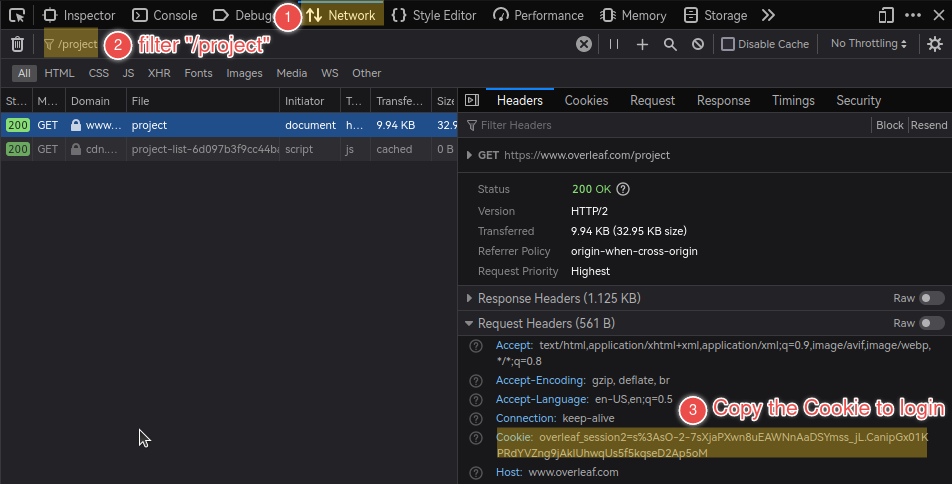
In an already logged-in browser (Firefox for example): Choose Login with Cookies to reuse that session manually without logging in again. Cookie input is masked, but the cookie is an account credential: copy only the Overleaf request header for the configured server, never Google cookies, and never share it in chat, logs, or screenshots.
CompatibilityThe following Overleaf (ShareLatex) Community Edition docker images provided on Docker Hub have been tested and verified to be compatible with this extension.
DevelopmentPlease refer to the development guidance in CONTRIBUTING.md References |