PKL ViewerView Python pickle (.pkl) files directly in the VS Code editor. Installation Launch VS Code Quick Open ( Ctrl+P), paste the following command, and press enter.Copied to clipboard |

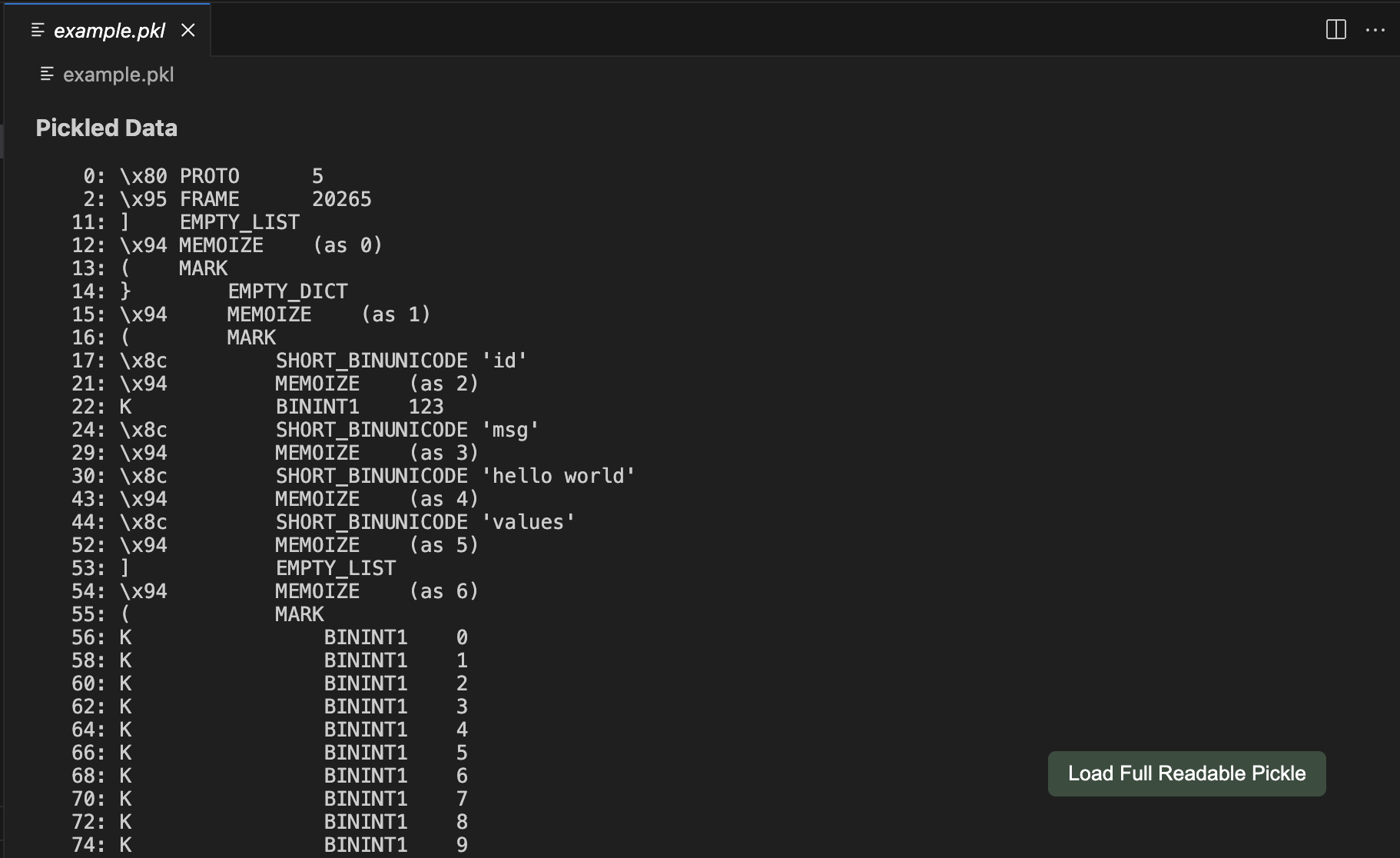
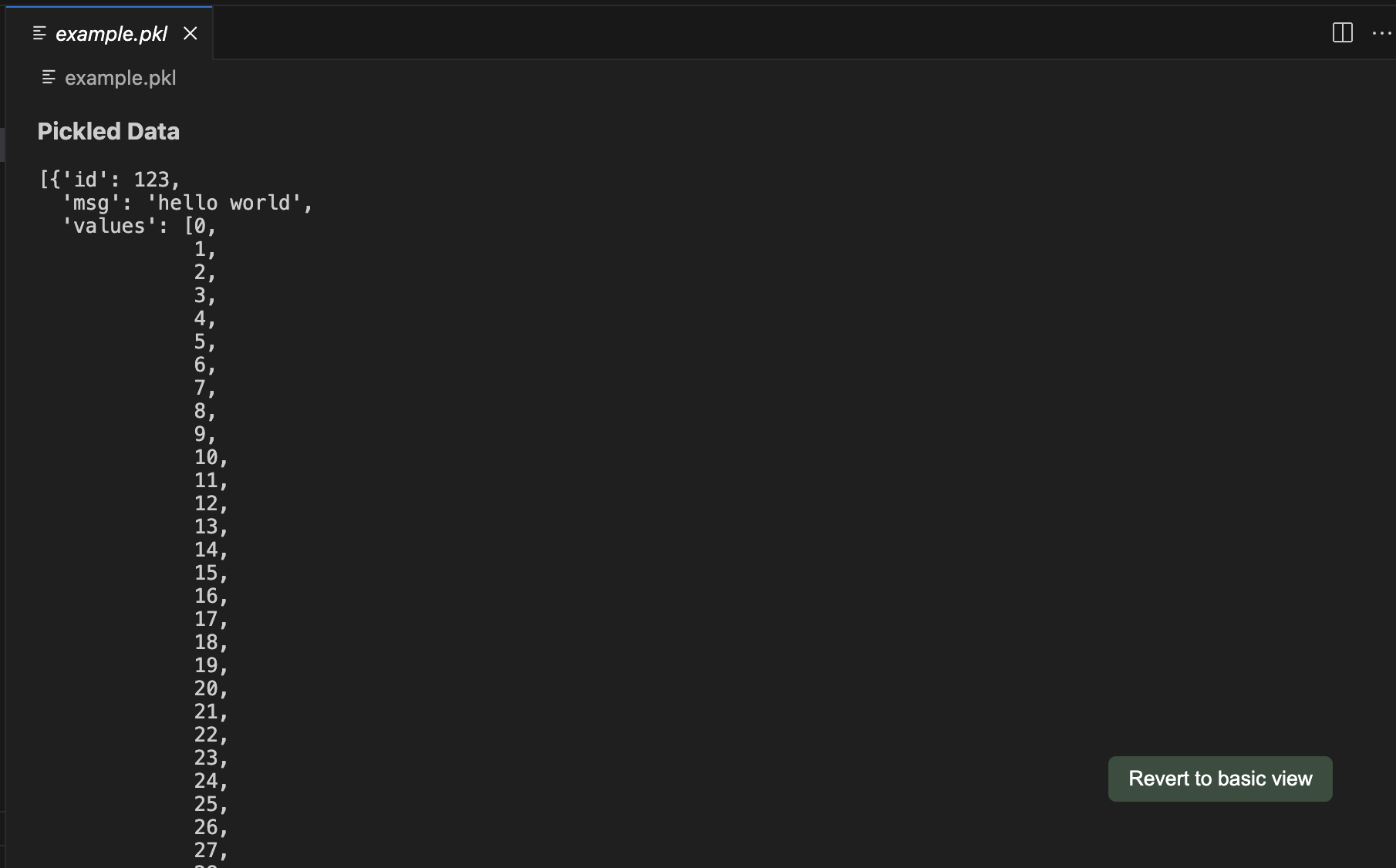
PKL ViewerView Python pickle (.pkl) files directly in VS Code. Defaults to a quick, safe disassembly of the pickle file which does not execute any code. Optionally, load the file using Available on VS Code Marketplace and OpenVSX. Features
ExamplesDefault View:
Readable Format:
InstallationClick the "Install" button. Make sure you have the Python extension for VS Code. Also make sure Python is installed and available in your system path. ContributingFeel free to open issues and pull requests. I'll be regularly checking activity on the repository! LicenseThis extension is released under the MIT License. See the LICENSE file for more details. |