Akashi -- AI Prompt, Rules, Add-ons, Skills & Message Visualizer







Manage AI agent rules, prompts, and instructions across Claude, Cursor, Codex, and Gemini -- all in one view.
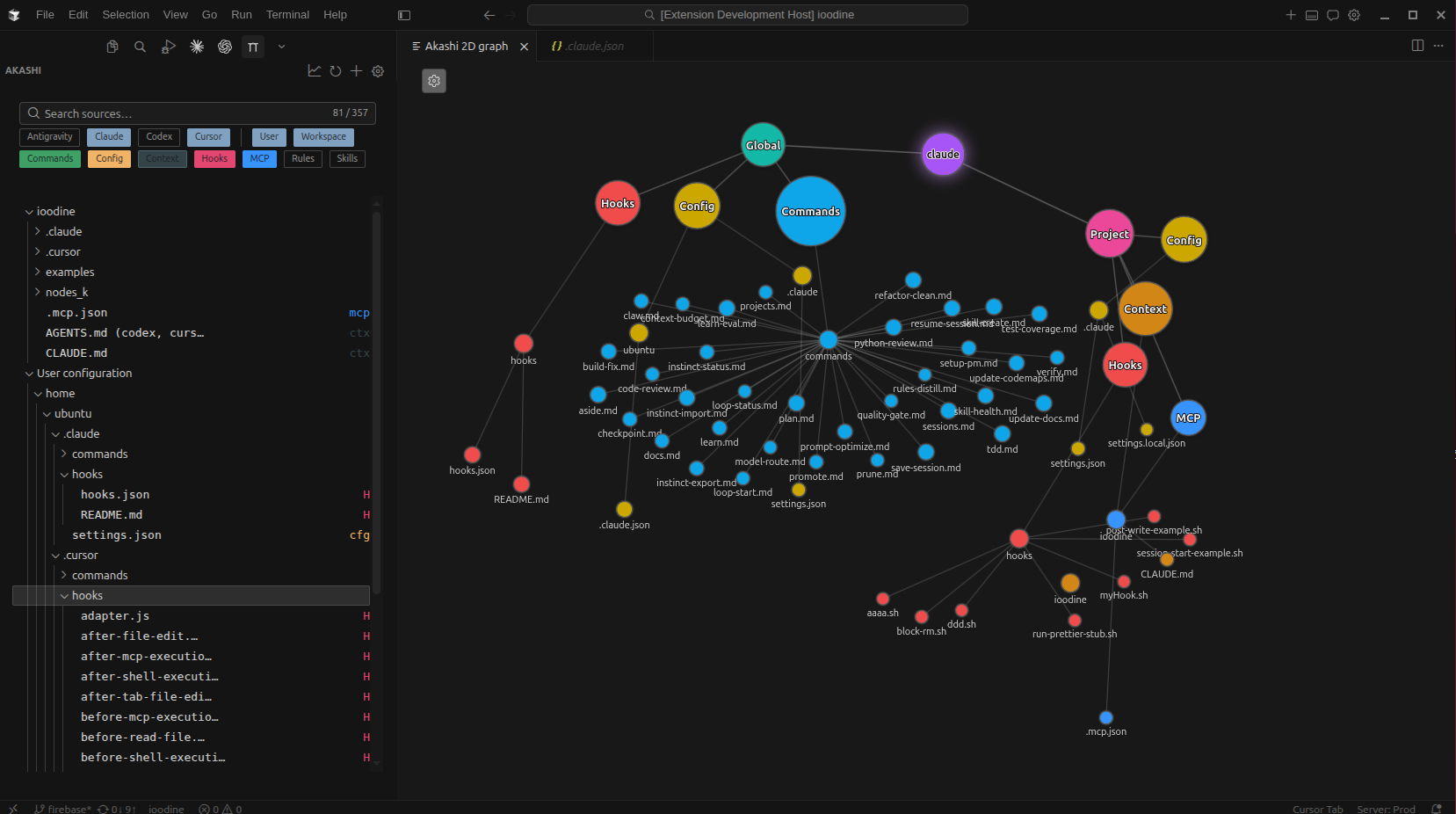
Your AI rules are scattered across CLAUDE.md, .cursor/rules/, AGENTS.md, GEMINI.md, and more. Akashi unifies them in a single sidebar with an interactive relationship graph -- so you can browse, search, create, and visualize how guidelines connect, overlap, and compose across every provider.
Why Akashi?
AI agent rules are scattered across providers, scopes, and file formats. They interact, override, and conflict silently. Akashi treats your prompts and rules as a structured, versioned system -- not isolated snippets.
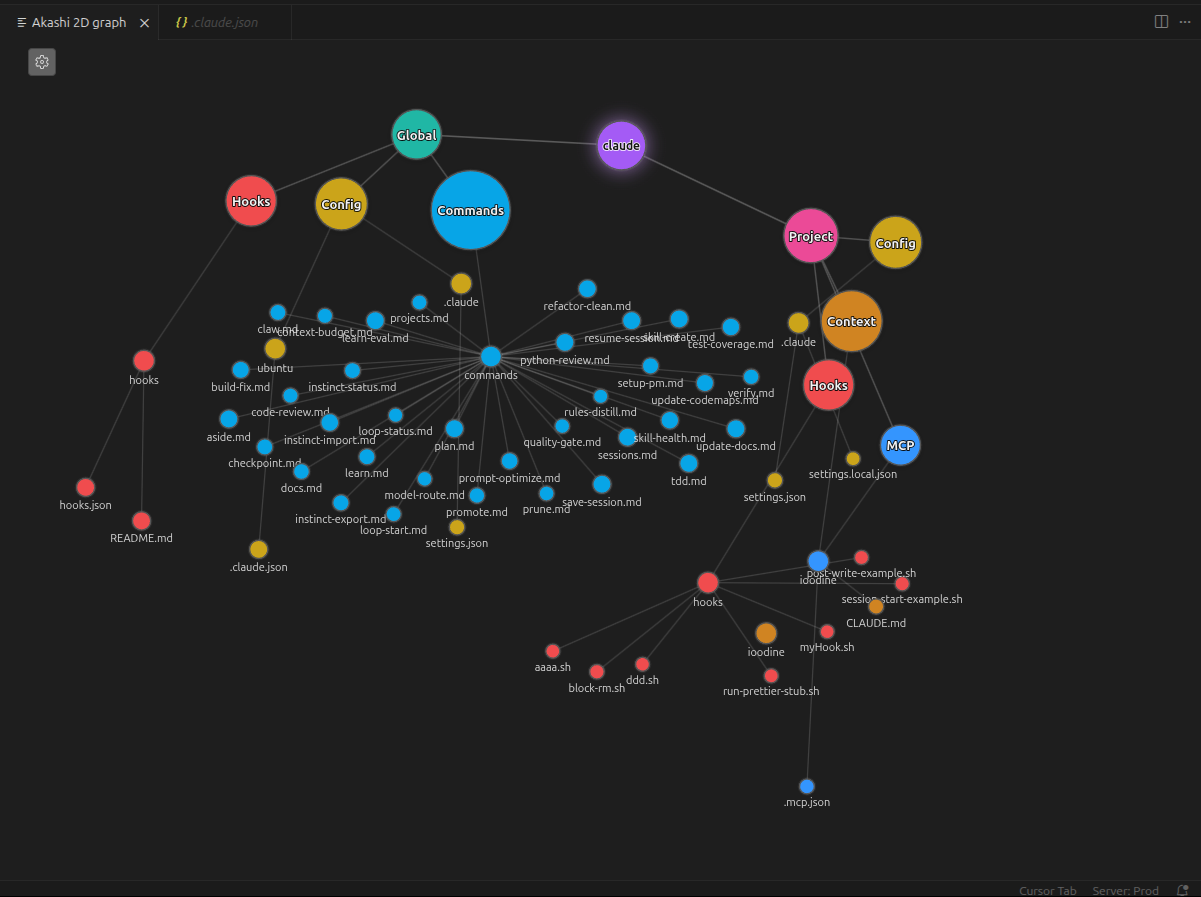
- Interactive relationship graph -- See how guideline files connect at a glance with a D3 force-directed graph. Spot containment, sibling, and cross-reference relationships instantly.
- Every provider, one sidebar -- Claude, Cursor, Codex, and Gemini unified. No more hunting through file explorers for scattered rules.
- Know where every rule comes from -- Every guideline is traced to its source file, scope (workspace vs. home), and owning preset.
Features
Add-ons Marketplace
Browse and install Claude skills from the Anthropic community marketplace directly in the sidebar. Choose between workspace-local or global installation with one click, and remove add-ons just as easily.
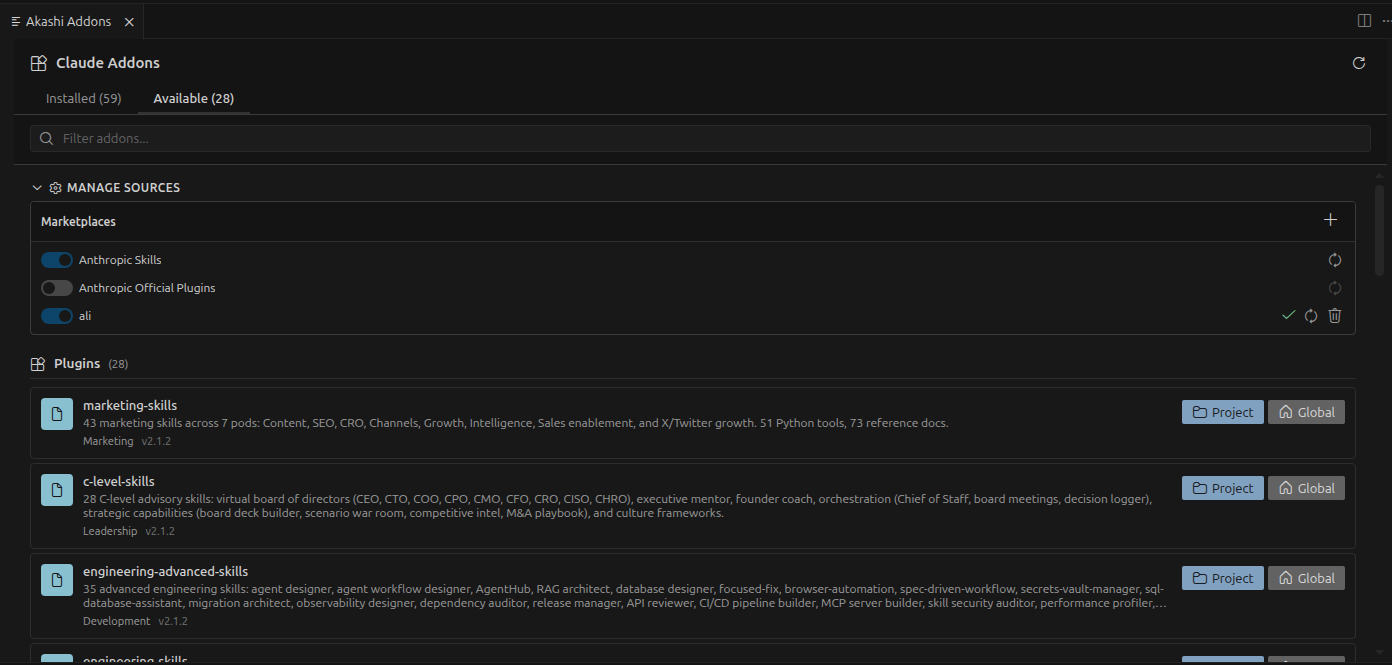
Skills are reusable prompt patterns and coding techniques that extend what Claude Code can do -- think of them as plug-and-play expertise. The built-in marketplace sources pull from Anthropic's curated skill repositories. Support for additional add-on types (hooks, commands, MCP servers, agent bundles) and custom marketplace sources is on the roadmap.
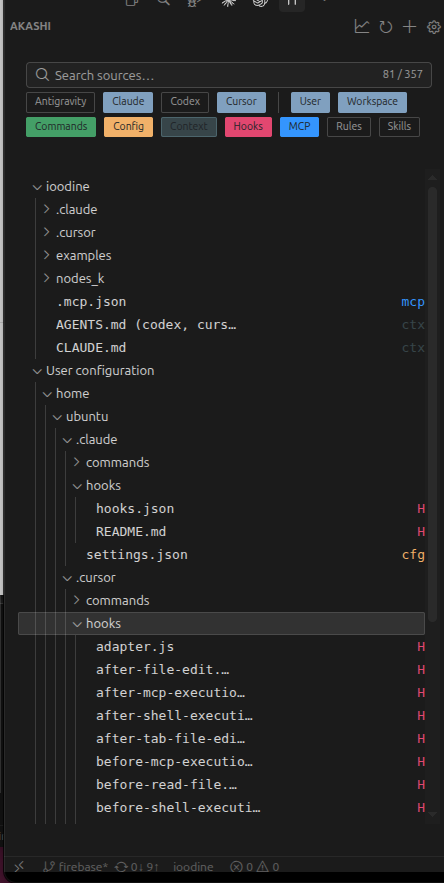
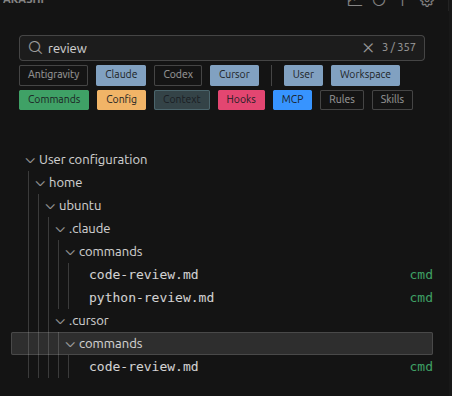
A unified tree view of every guideline file in your workspace and home config directories, organized by provider preset and artifact kind.
- Contexts --
CLAUDE.md, AGENTS.md, GEMINI.md, and similar top-level instruction files
- Rules --
.claude/rules/, .cursor/rules/, .codex/rules/
- Skills --
.claude/skills/, .cursor/skills/, .agents/skills/
- Hooks --
.claude/hooks/, .cursor/hooks/
- Commands --
.claude/commands/, .cursor/commands/
- MCP Servers --
.mcp.json, .cursor/mcp.json
- Configs --
settings.json, config.toml, and other provider configuration
Right-click any file for rename, delete, and reveal-in-explorer operations.
Graph View
An interactive D3-based force-directed graph that visualizes relationships between guideline files. Nodes are color-coded by artifact category. Zoom, pan, and click to explore complex instruction hierarchies.
Search and Filter
Real-time text search with faceted filtering by preset, category, and locality (workspace vs. user-home). Instantly find the rule you're looking for across hundreds of guideline files.
Multi-Provider Presets
Akashi supports four AI coding tool families out of the box:
| Preset |
Key Files |
| Claude |
CLAUDE.md, .claude/rules/, .claude/hooks/, .claude/commands/, .claude/skills/, .mcp.json |
| Cursor |
AGENTS.md, .cursorrules, .cursor/rules/, .cursor/hooks/, .cursor/commands/, .cursor/skills/ |
| Codex |
AGENTS.md, .codex/config.toml, .codex/rules/, .codex/skills/ |
| Antigravity (Gemini) |
GEMINI.md, .gemini/settings.json, .agent/skills/ |
Toggle presets on or off in settings to focus on the tools your team uses.
Artifact Creation
Create new guideline artifacts directly from the sidebar or command palette. Akashi provides preset-aware templates for contexts, rules, skills, hooks, MCP server configs, and more.
Auto-Refresh
File system watchers detect changes to guideline files in real time. The source index updates automatically as you add, rename, or remove files -- no manual refresh needed.
Pulse Analytics Dashboard
Pulse reads your ~/.claude/projects/ session data and turns it into a visual analytics dashboard -- right inside VS Code.
- Session browser -- Browse all Claude Code sessions grouped by project, with search and date filtering
- Conversation replay -- Step through full conversations: user prompts, AI responses, and tool calls
- Tool-execution Gantt chart -- See exactly when Read, Write, Bash, and other tools fired, which ran in parallel, and where bottlenecks are
- Subagent tree -- Visualize how subagents spawned and what each one did
- Activity heatmaps -- Spot usage patterns across days and hours
- Infographics -- Token usage breakdowns, tool-call frequency, and session duration charts
- Task management -- View task groups and status tracking from your sessions
Open it with Akashi: Show Pulse dashboard from the command palette.
Getting Started
- Install Akashi from the VS Code Marketplace or Open VSX (Cursor)
- Open a workspace that contains AI agent guidelines (e.g., a repo with
CLAUDE.md or .cursor/rules/)
- Click the Akashi icon in the Activity Bar -- your source index loads automatically
- Explore -- open the graph view with
Akashi: Show graph or create new artifacts with Akashi: New source artifact...
Works immediately -- no configuration required.
Extension Settings
| Setting |
Description |
Default |
akashi.presets |
Which tool families appear in the Source Index (min 1) |
["claude", "cursor", "antigravity", "codex"] |
akashi.includeHomeConfig |
Include user-home tool configs in the index |
true |
akashi.exclude |
Additional patterns to exclude from source indexing (combined with .gitignore) |
[] |
akashi.homePathOverrides |
Custom user config directory per tool |
{} |
akashi.sidebar.fileColors |
Colors for source categories in the sidebar |
(see defaults in settings) |
Commands
| Command |
Description |
Akashi: Refresh source index |
Re-scan workspace and home directories |
Akashi: Show graph |
Open the force-directed graph panel |
Akashi: New source artifact... |
Create a new guideline file from templates |
Akashi: Show Pulse dashboard |
Open the Pulse session analytics panel |
Roadmap
Akashi is under active development. Coming next:
- Conflict detection -- surface duplicates and contradictions across guideline layers
- Composed-rule view -- answer "what does this agent believe?" by composing active rules with provenance
- Validation checks -- lightweight, repo-native checks for guideline structure and coverage
- Diff summaries -- "what changed" overviews to support guideline reviews
- Marketplace add-on types -- install hooks, commands, MCP servers, and agent bundles from community sources
- Custom marketplace sources -- add GitHub repos or URLs as plugin registries
Requirements
- VS Code 1.85.0 or later
- Cursor (install from the built-in Extensions panel or Open VSX)
Contributing
Contributions are welcome! See CONTRIBUTING.md for development setup, architecture overview, and PR workflow.
Check out the good first issues if you're looking for a place to start.
Support
If Akashi saves you time, consider buying me a coffee. It helps keep the project maintained and new features coming.

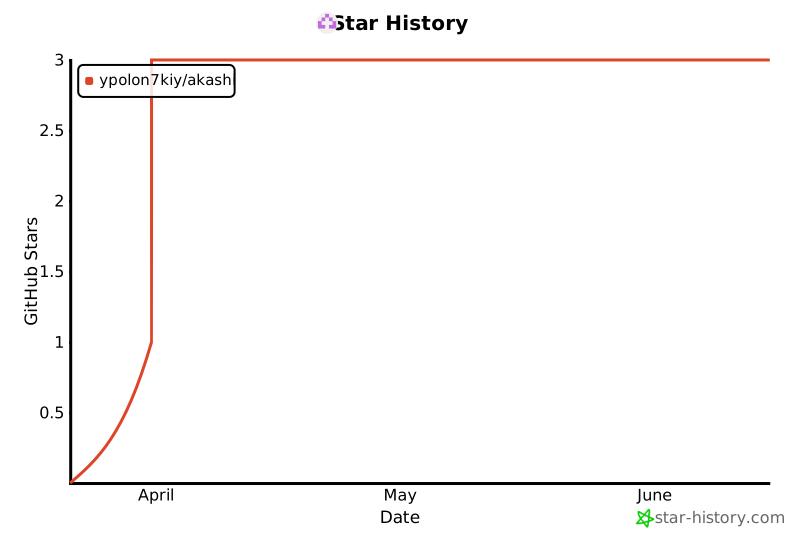
Star History
License
Apache 2.0 -- see LICENSE.

