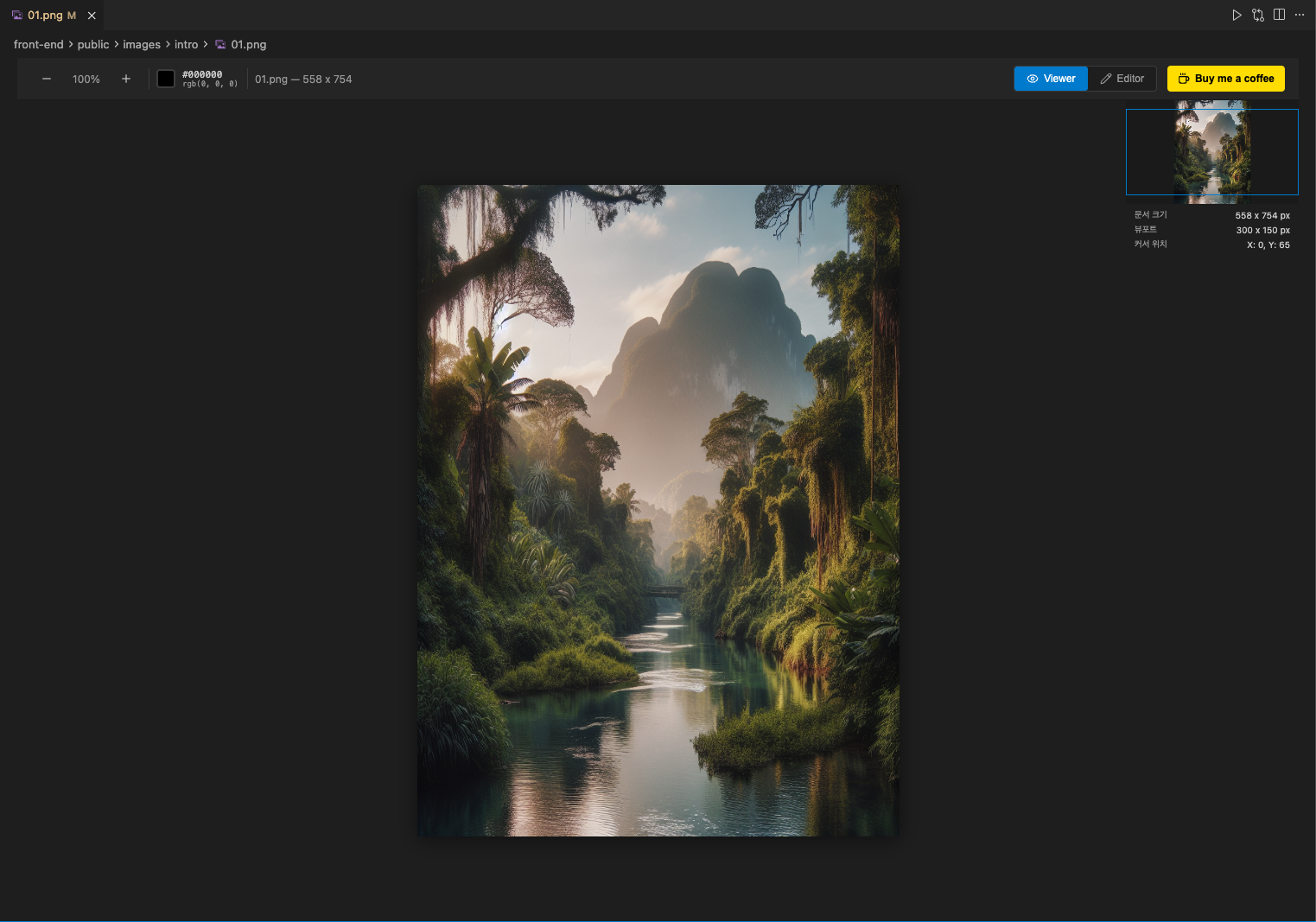
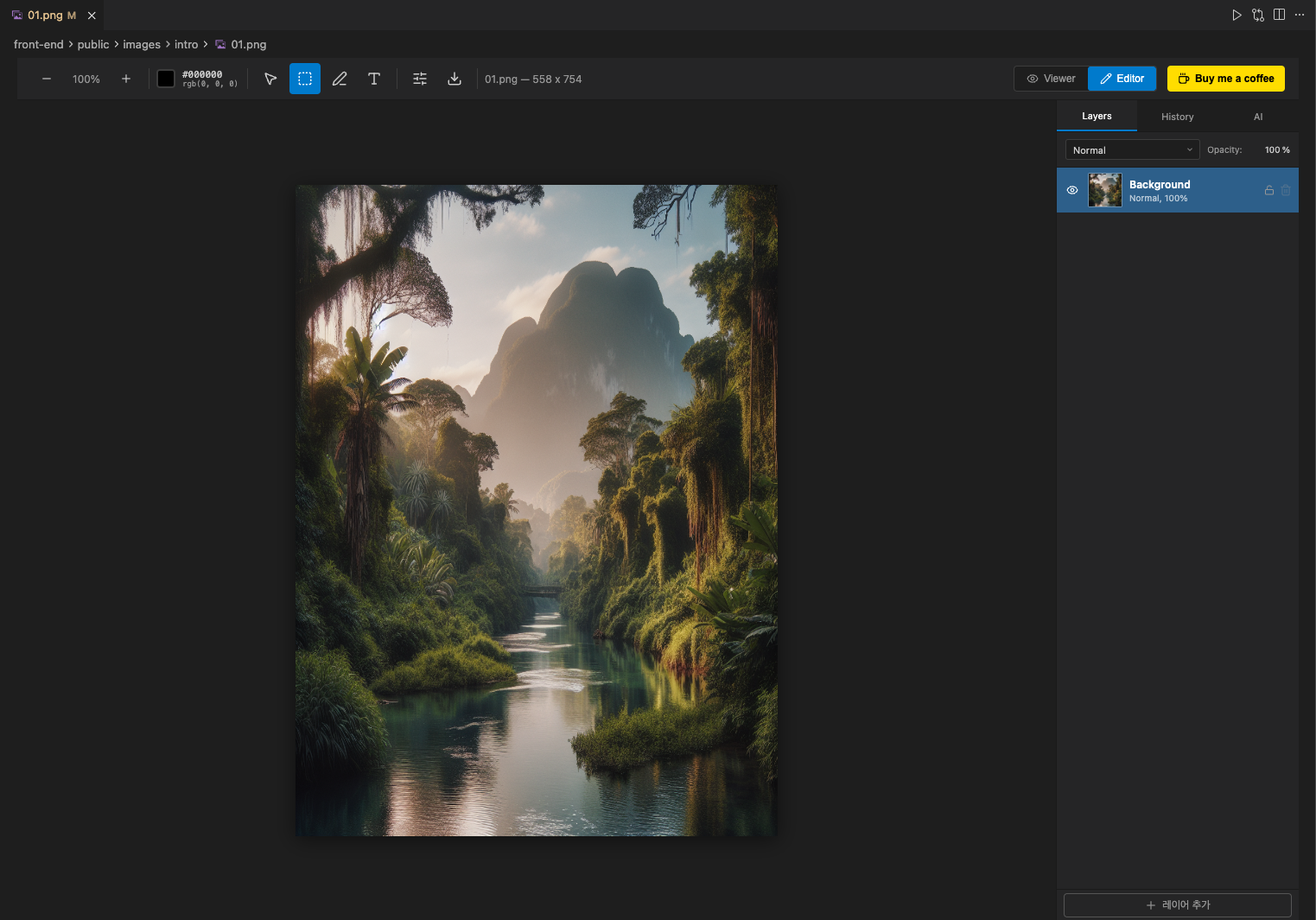
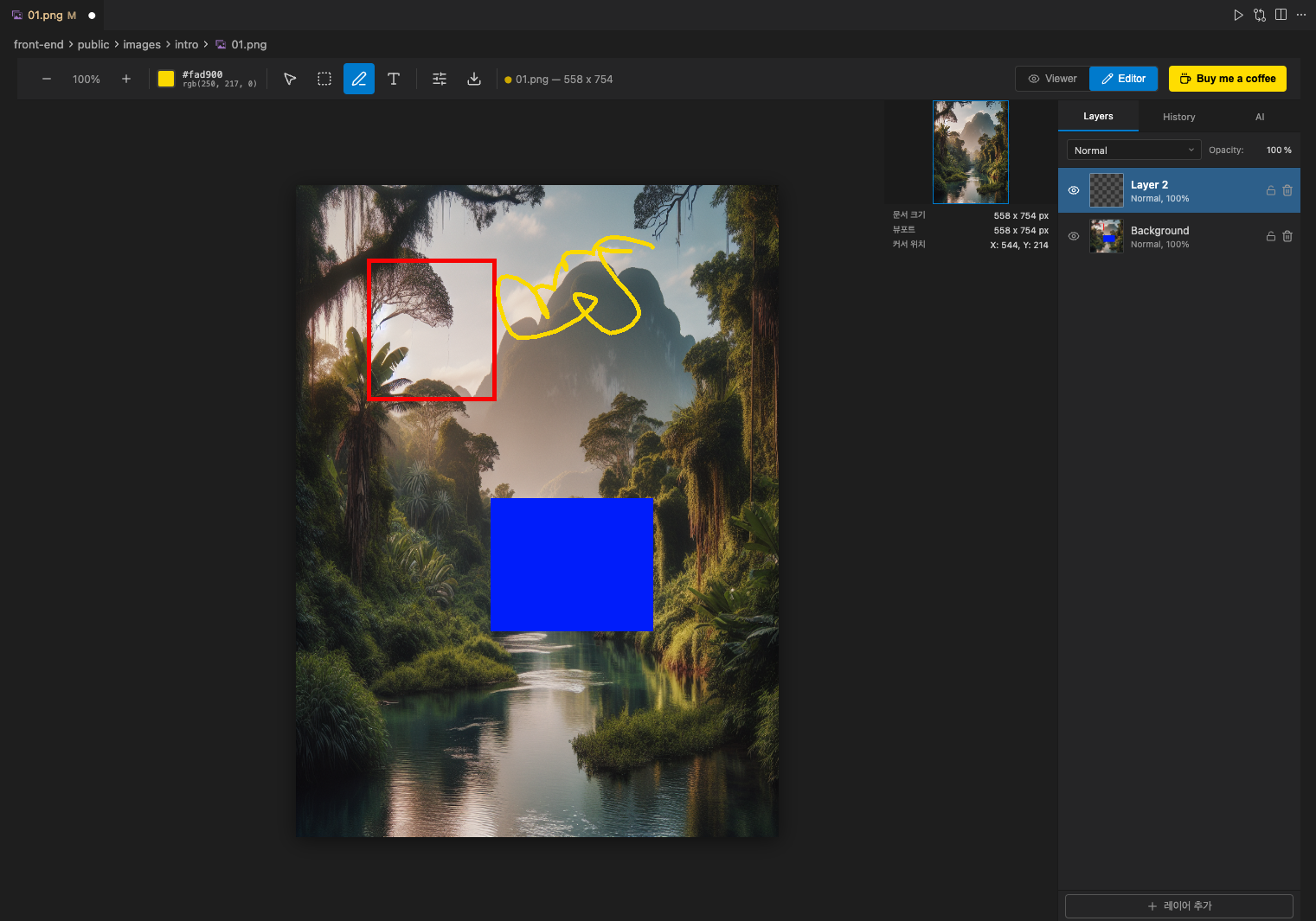
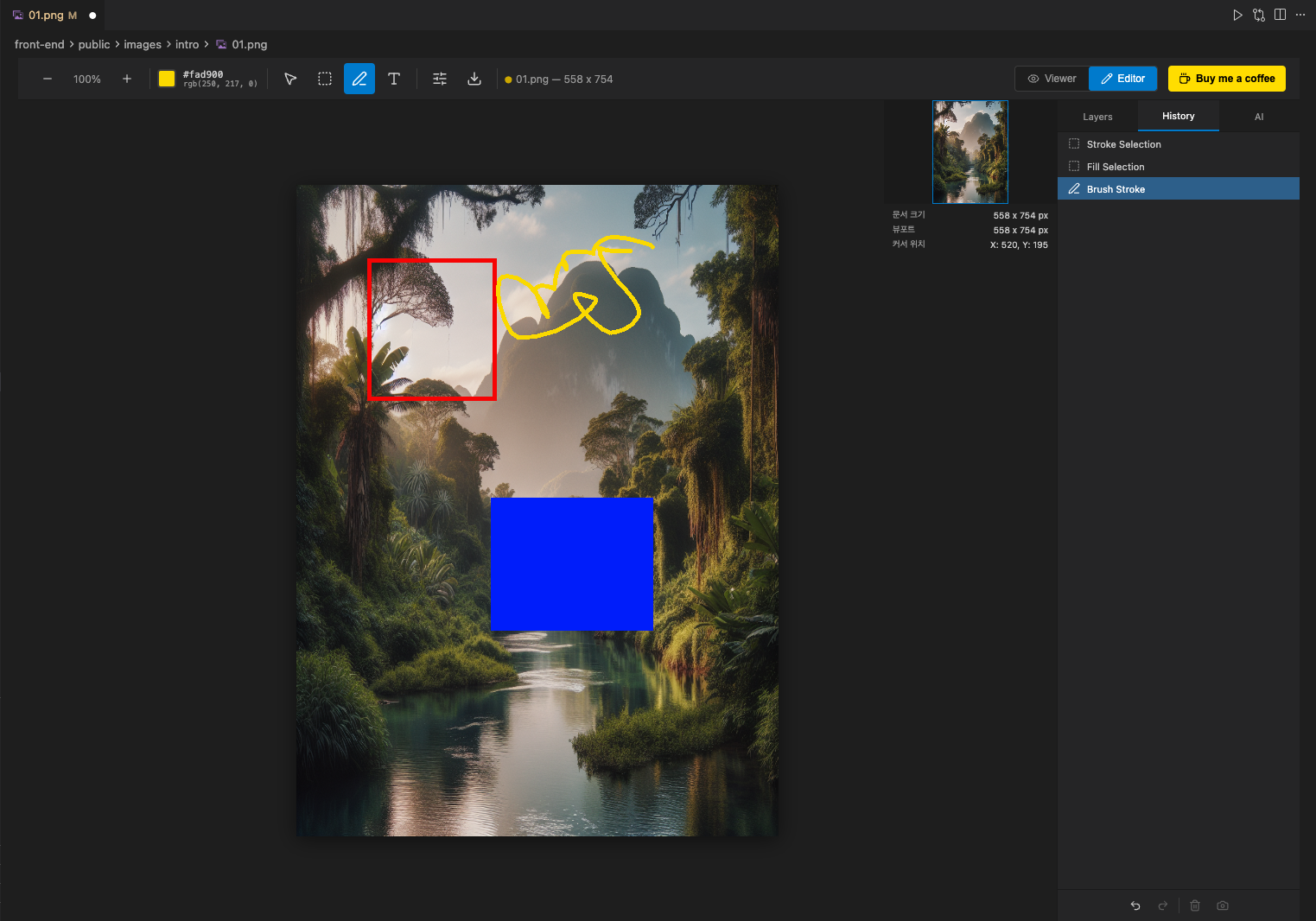
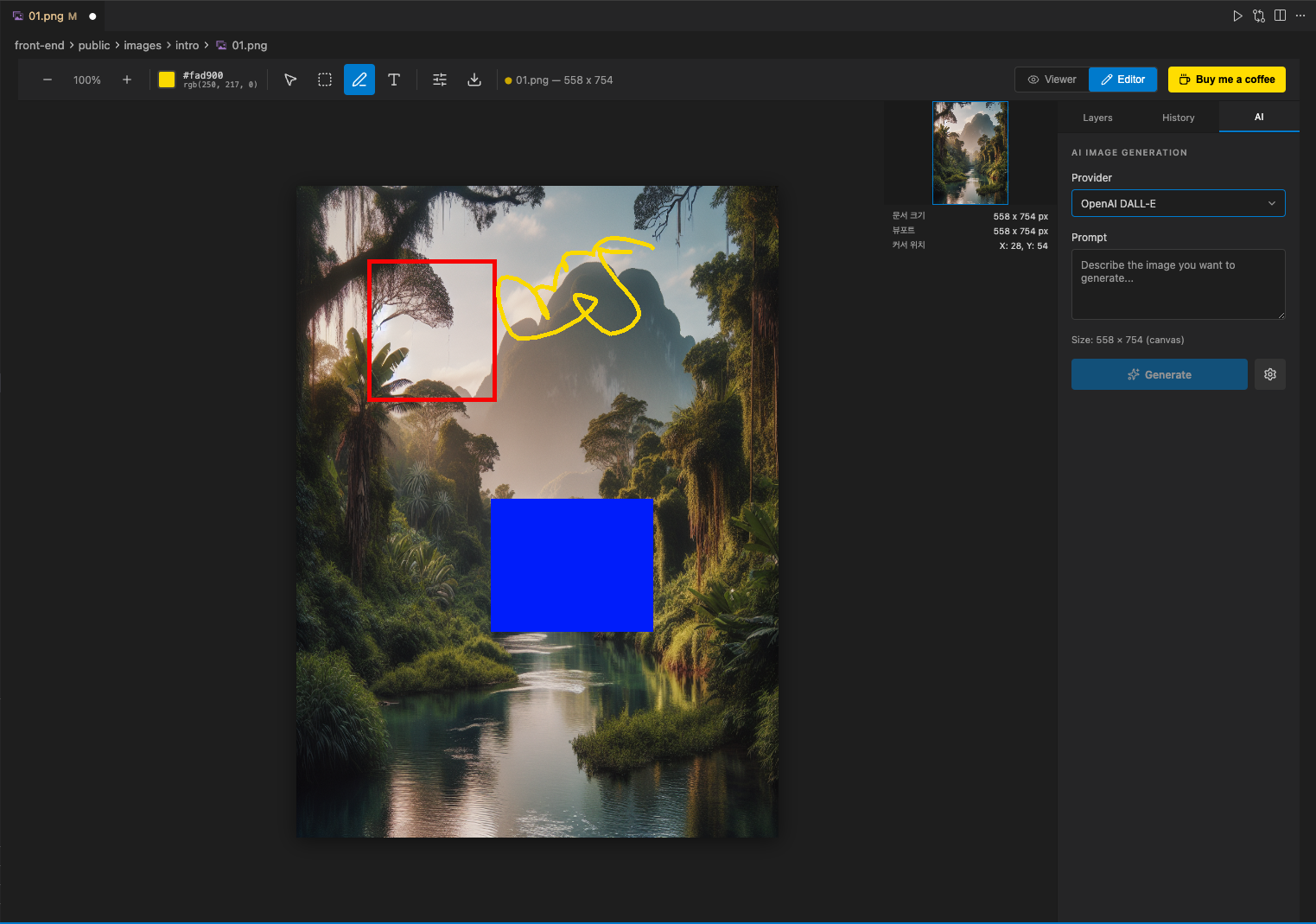
A powerful image editor extension for VSCode and Cursor — edit images directly in your IDE with layers, brushes, filters, and AI image generation. Powered by a Rust/WebAssembly engine for fast pixel operations.
Features
Drawing & Editing Tools
Tool
Description
Shortcut
Select
Object selection & move with bounding box handles
V
Marquee
Rectangular area selection with marching ants
M
Brush
Freehand drawing with size, hardness, and color control
B
Text
Place and rasterize text on canvas
T
Zoom
Zoom in/out, fit viewport
Z
Layer System
Add, delete, duplicate, and merge layers
Drag & drop layer reordering
Visibility toggle and opacity slider
12 blend modes (Normal, Multiply, Screen, Overlay, and more)
Thumbnail previews
Porter-Duff alpha compositing in WASM
Filters
Gaussian Blur — Separable 1D kernel
Box Blur — Sliding window
Motion Blur — Directional angle
Live preview with Apply/Cancel
Runs in Web Worker for non-blocking UI
Clipboard & Selection
Copy (Cmd+C), Cut (Cmd+X), Paste (Cmd+V)
Paste creates a new layer automatically
Fill selection or entire layer (Alt+Backspace)
Stroke selection border
Undo / Redo
Cmd+Z / Cmd+Shift+Z
Region-based snapshots for memory efficiency
Up to 50 history steps
Visual history panel with point-in-time navigation
AI Image Generation
Generate images with OpenAI DALL-E 3 or Google Imagen
Generate for entire canvas or selected area
Results placed on a new layer
API keys stored securely via VSCode SecretStorage
Viewer & Editor Modes
Viewer Mode: Pan & zoom with scroll wheel and drag
Editor Mode: Full editing toolbox with sidebar tabs (Layers, Properties, AI)
Supported Formats
Format
Open
Save
PNG
✅
✅
JPEG
✅
✅
GIF*
✅
✅
SVG
✅
—
ORA
✅
✅
*GIF: Animated GIFs are opened as a single static frame. Animation is not preserved on save.
Open any image file (PNG, JPG, SVG, GIF) — it opens in Viewer Mode by default
Click the Edit button to switch to Editor Mode
Or use Cmd+Shift+P → "Image Editor: New Image" to create a blank canvas
AI Image Generation Setup
Open Cmd+Shift+P → "Image Editor: Configure AI"
Enter your API key (OpenAI or Google)
Select your preferred provider in Settings:
simpleImageEditor.ai.provider: openai or google
simpleImageEditor.ai.openaiModel: dall-e-3 or dall-e-2
simpleImageEditor.ai.googleModel: imagen-3.0-generate-001 or imagen-2.0-generate-001
Development
Tech Stack
Layer
Technology
Extension Host
TypeScript / Node.js
Webview UI
React 18 + Zustand
Image Engine
Rust → WebAssembly
Build
Webpack (dual target)
Test
Vitest + cargo test
Prerequisites
Node.js v20+ (nvm use)
Rust via rustup + wasm32-unknown-unknown target
wasm-pack: cargo install wasm-pack
pnpm: Package manager
Commands
pnpm install          # Install dependencies
pnpm build            # Full build (WASM + Webpack)
pnpm dev              # Development mode (watch)
pnpm test             # Run all tests
pnpm package          # Generate .vsix package
pnpm publish:vsce     # Publish to VS Code Marketplace
pnpm publish:ovsx     # Publish to Open VSX (Cursor)
pnpm publish:all      # Publish to both marketplaces
Support
If you find this extension useful, consider buying me a coffee!