Diagram WeaverGenerate hand-drawn, minimalist Mermaid diagrams using native VS Code Language Models. Installation Launch VS Code Quick Open ( Ctrl+P), paste the following command, and press enter.Copied to clipboard |


Diagram Weaver
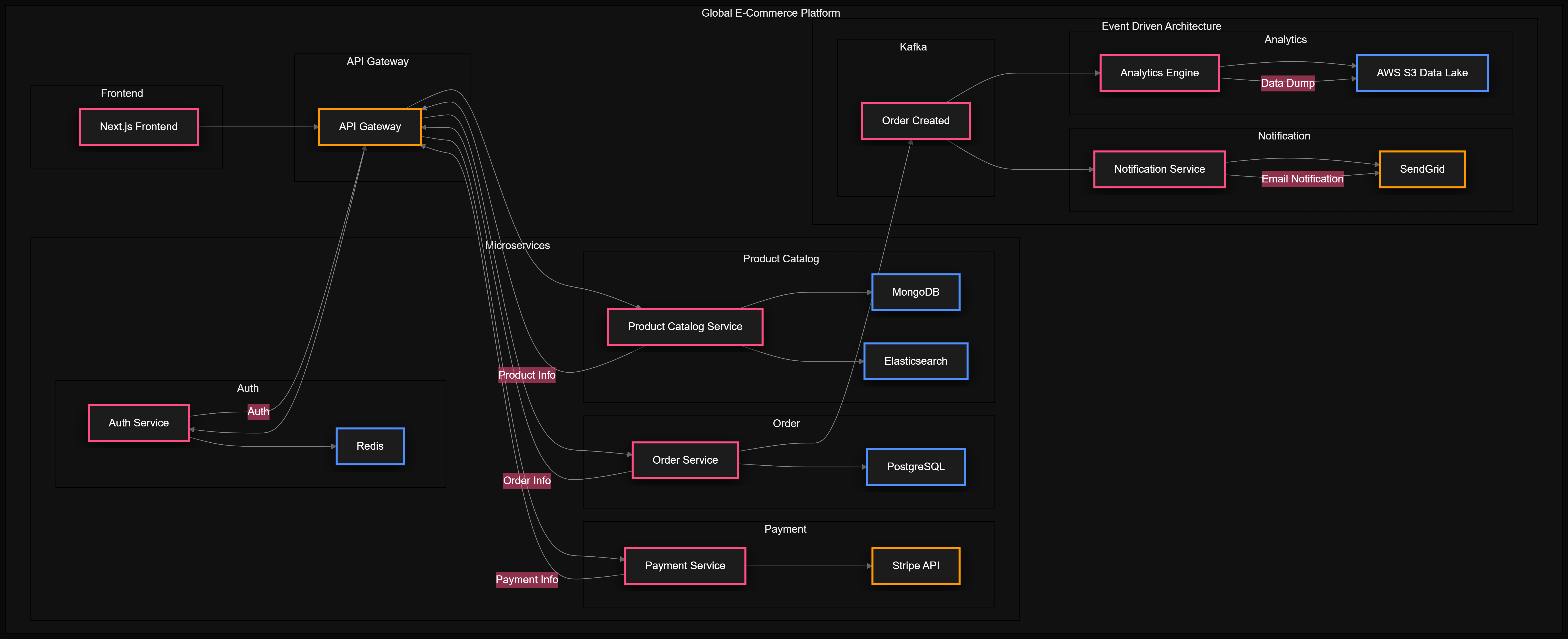
Generate beautiful, production-level architecture diagrams instantly from a dedicated VS Code Sidebar. 🖼️ Beautiful Diagram StylesDiagram Weaver supports three distinct visual aesthetics. Pick the one that fits your project! 🎨 Eraser.io Style (Beautiful Modern)
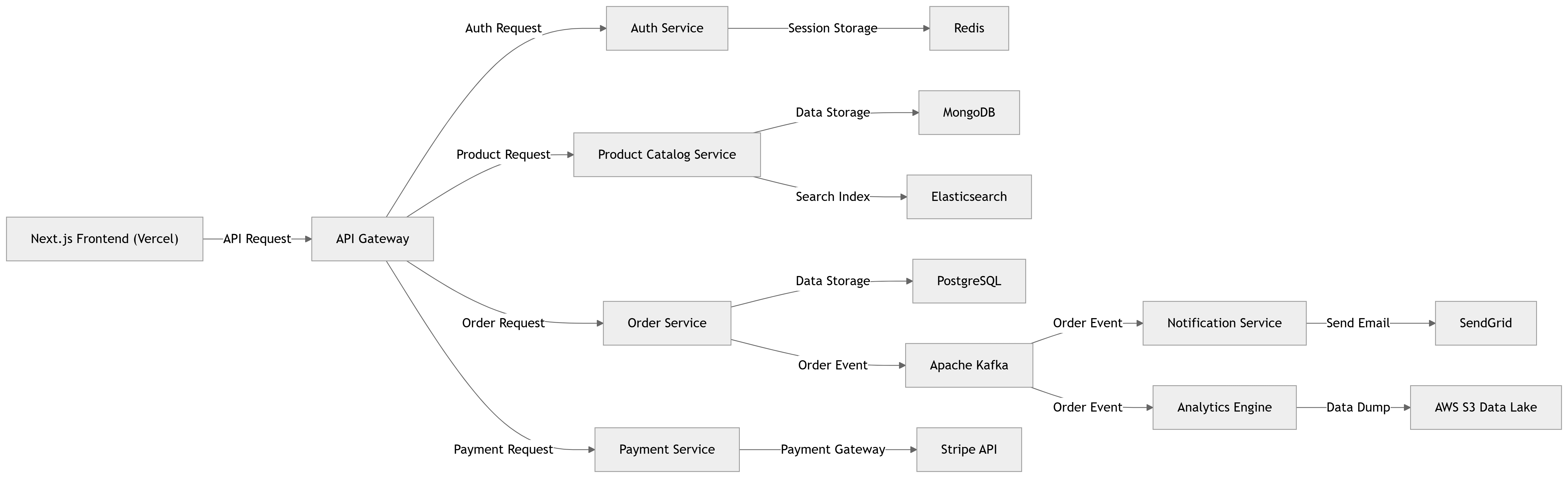
🔷 Mermaid Classic
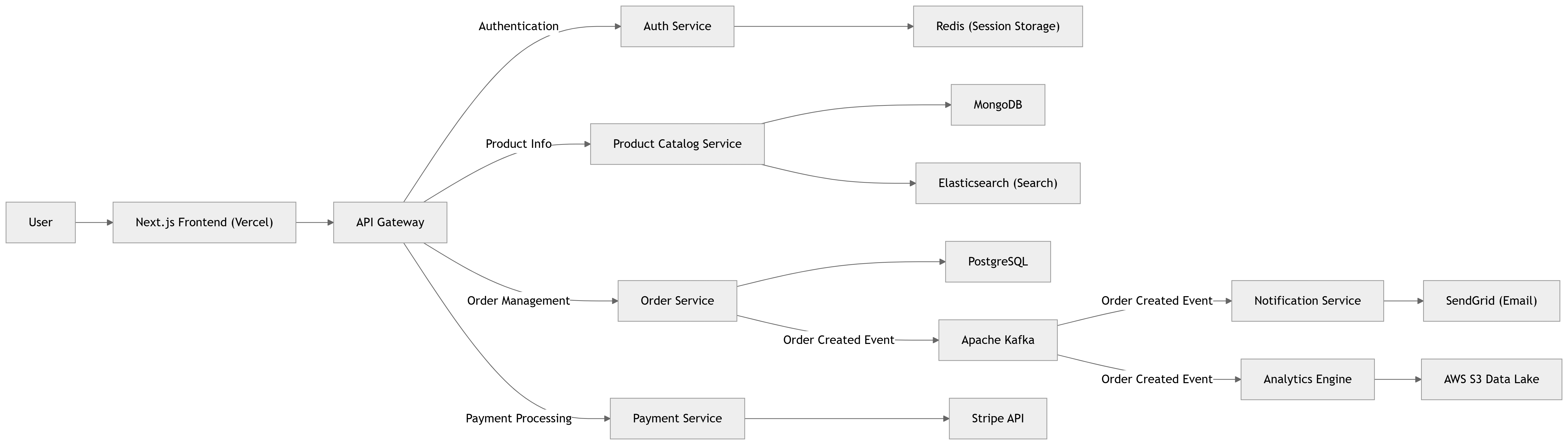
📐 Draw.io Export Mode
⚡ Why Diagram Weaver?
🛠️ The Setup (100% Free & Easy)Diagram Weaver supports 3 powerful AI providers. 🥇 Option 1: Groq API (Highly Recommended)Groq uses advanced Llama models running on specialized hardware. It is mind-blowingly fast (1-3 seconds) and completely free.
🥈 Option 2: Gemini API (Alternative Free)Google's Gemini 1.5 Flash model is also free. Get a key at aistudio.google.com. 🥉 Option 3: GitHub CopilotIf you already pay for GitHub Copilot Chat, Diagram Weaver can hook directly into it! No keys required. 🚀 How to UseUsing Diagram Weaver is incredibly intuitive with the new sidebar: 🌟 Auto-Scan Your Project (Zero Prompting)Want a diagram but don't want to type anything?
✍️ Custom Prompt ModeKnow exactly what you want?
💬 Copilot Chat IntegrationIf you prefer chat, you can still talk to Diagram Weaver directly in the Copilot Chat panel!
💾 Exporting Your WorkOnce your diagram is generated, you have 4 single-click export options:
🤝 Open SourceDiagram Weaver is completely free and open source. Enjoy crafting beautiful architectures directly in your editor! |