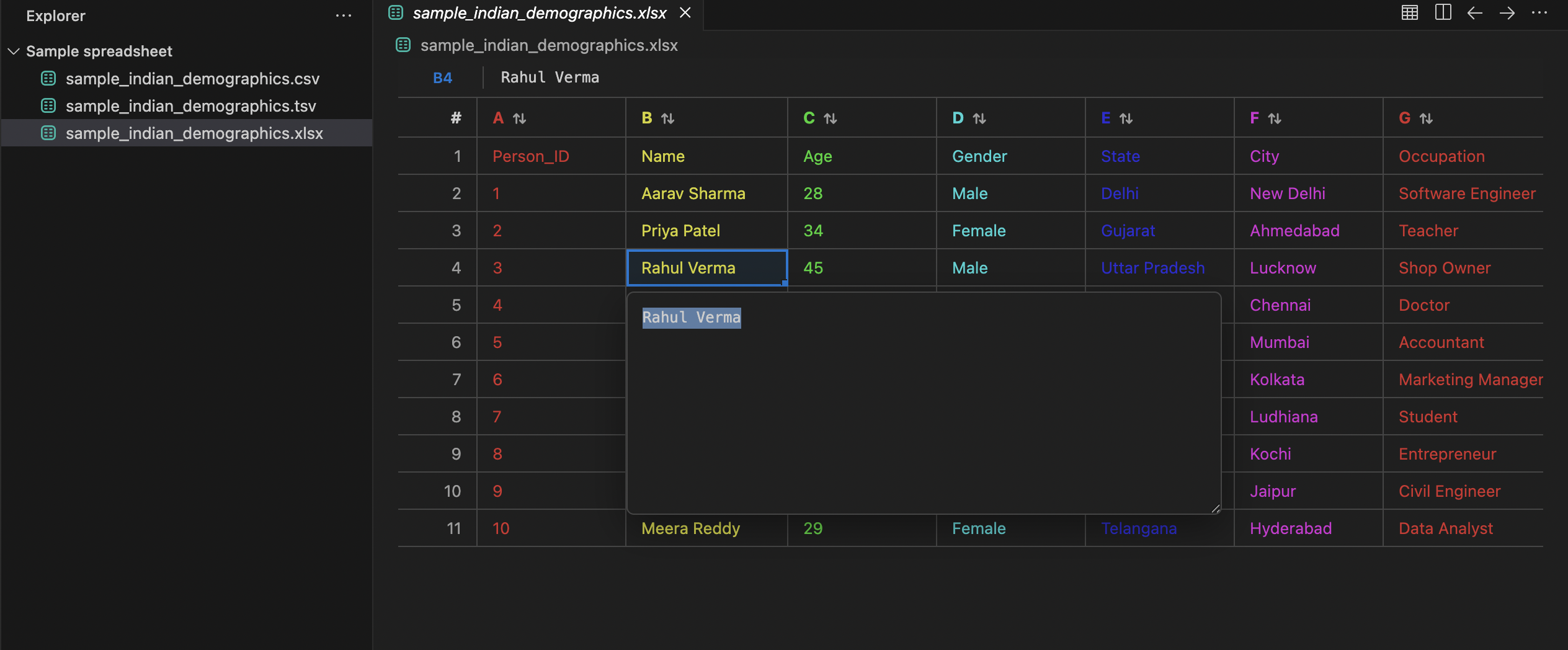
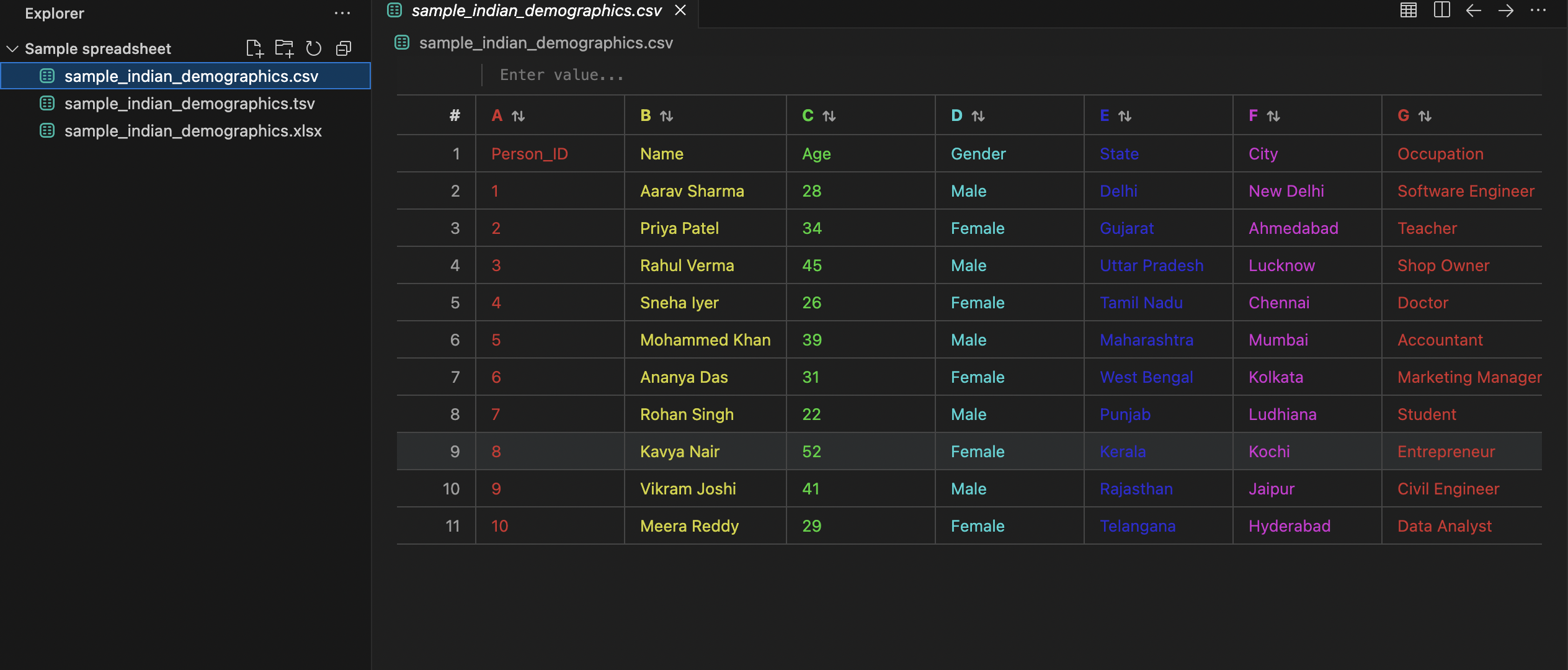
A VS Code custom editor for CSV, TSV, XLSX, and XLS files.
Screenshots
̧
What it does
Opens supported data files in a custom table view.
Supports CSV/TSV editing when the file fits within the configured preview limits.
Shows Excel workbooks in a multi-sheet view with clickable sheet tabs at the bottom; Alt+←/→ switches sheets.
Edits XLSX/XLS in place — saving writes back to the original file in its original format (.xls stays .xls, .xlsx stays .xlsx).
Undo/redo across cell edits and sorts (Ctrl+Z / Ctrl+Y, or Ctrl+Shift+Z).
Provides table, search, sort, and raw/summary views.
Uses VS Code theme colors for a native feel.
What’s intentionally limited
Very large files fall back to preview mode instead of trying to render every row; the first edit on a preview file loads the full file automatically.
No row/column insert-delete or sheet management (add/rename/delete) in this version.
No formula evaluation — cells are plain values.
Settings
csvViewer.themeMode
auto | colorful | minimal
csvViewer.density
comfortable | compact
csvViewer.maxRowsForClientSort
Maximum row count for client-side sorting.
csvViewer.previewRowLimit
Maximum rows loaded into the editable table before preview mode is used.
csvViewer.previewByteLimit
Maximum file size in bytes before the file is treated as preview-only.
Usage
Open a .csv, .tsv, .xlsx, or .xls file.
Use Open as Table if you want to force the custom editor.
Search, sort, or switch sheets as needed.
For editable CSV/TSV files, select a cell, change the value, and save.
Development
Press F5 in VS Code to launch an Extension Development Host.
Open sample files of different sizes and verify the editor switches between editable and preview modes as expected.
Notes
This extension aims to be robust and practical, but no file viewer can honestly promise infinite file sizes with full spreadsheet editing in a browser surface. The current design favors stability, previewing, and safe editing over heroic memory usage.