🎨 Themes Showcase
Zevora provides 5 distinct flavor profiles to match your mood, workflow, and aesthetic preference throughout the day and night:
1. 🌙 Zevora Dark (Signature)
Deep charcoal backdrop paired with a soft neon-purple accent system. Tuned for clean contrast without eye fatigue.
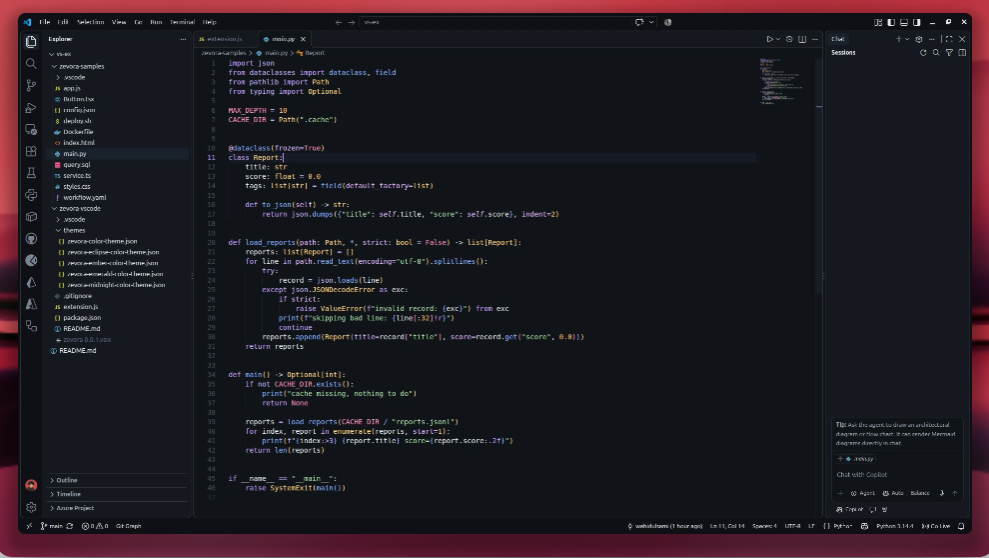
- Base:
#0D1014 • Accent: #A78BFA • Keywords: #C4A1FF • Functions: #82AAFF
2. 🌌 Zevora Midnight
Deep navy abyss infused with vivid cyan and electric blue accents, balanced by dreamy lavender keywords.
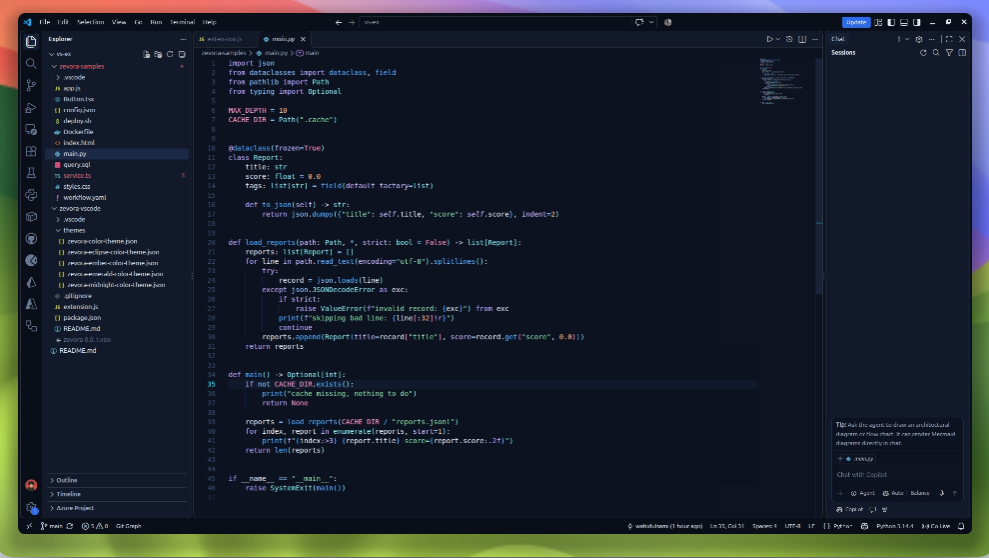
- Base:
#0A0F1C • Accent: #22D3EE • Keywords: #B9A6FF • Functions: #4DAAFF
3. 🍃 Zevora Emerald
Deep forest night illuminated by radiant emerald, fresh mint, and warm yellow tokens. Calm, refreshing, and crisp.
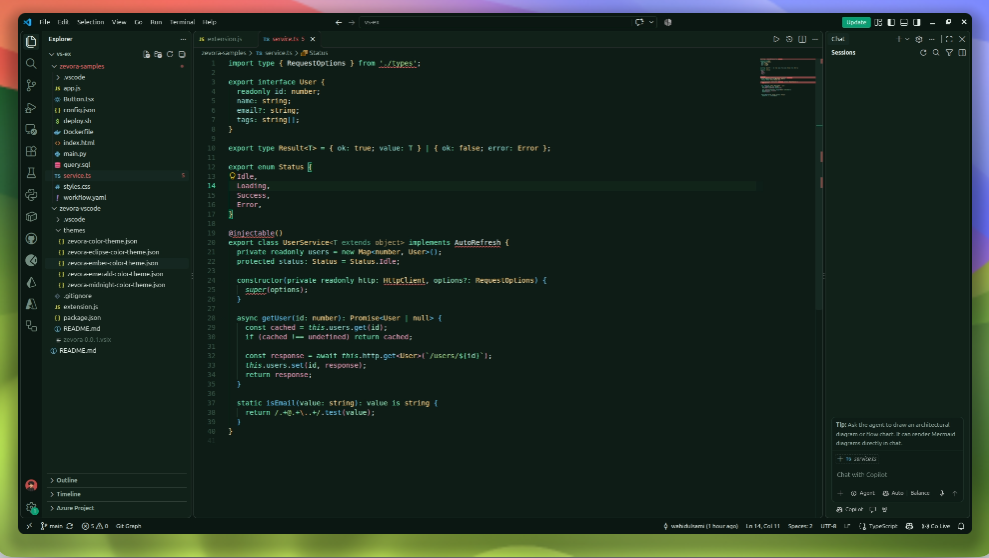
- Base:
#0A1712 • Accent: #10B981 • Keywords: #6EE7B7 • Functions: #66C7F0
4. 🌋 Zevora Ember
Warm dark charcoal with glowing amber, coral highlights, and soft peach tones. Ideal for cozy, late-night code flow.
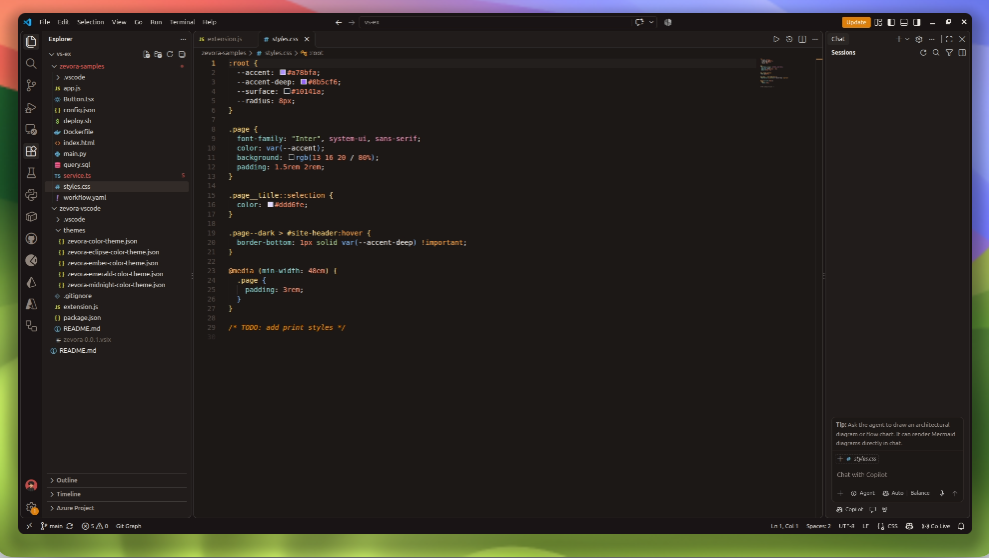
- Base:
#171312 • Accent: #FFAE57 • Keywords: #FFA94D • Functions: #7EB8F0
5. 🌑 Zevora Eclipse
Near-black obsidian backdrop with sharp glowing orange and steel blue syntax elements for maximum focus and contrast.
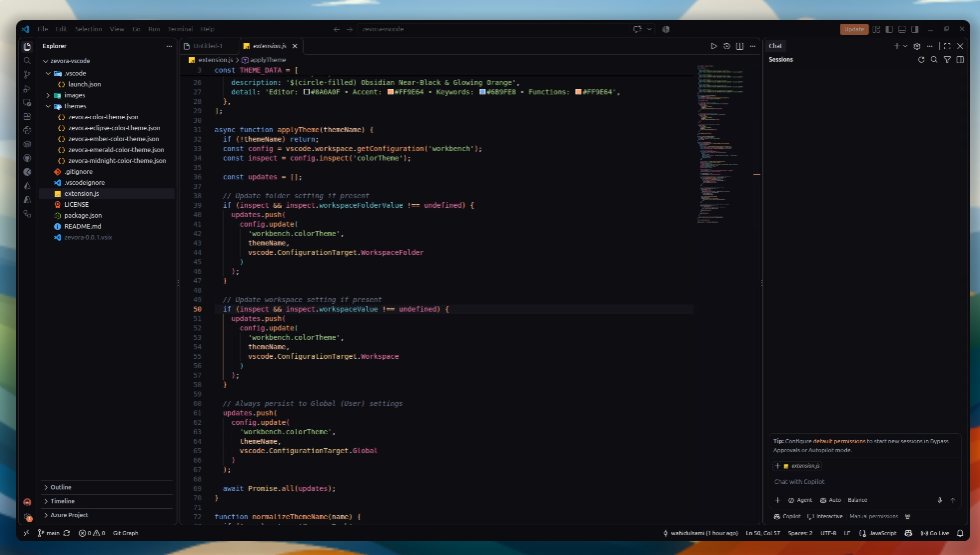
- Base:
#0A0A0F • Accent: #FF9E64 • Keywords: #6B9FE8 • Functions: #FF9E64
📊 Palette at a Glance
All five variants share a unified syntax hierarchy (keywords, functions, strings, numbers, types, constants, parameters, properties, operators, comments, decorators, and diff colors) so switching variants keeps everything familiar while altering the atmospheric tone:
| Theme Variant |
Editor Background |
Cursor / Accent |
Keywords |
Functions |
Strings |
Types |
| Zevora Dark |
#0D1014 |
#A78BFA |
#C4A1FF |
#82AAFF |
#A8DCA8 |
#FFD580 |
| Zevora Midnight |
#0A0F1C |
#22D3EE |
#B9A6FF |
#4DAAFF |
#82D9A6 |
#7FE0E8 |
| Zevora Emerald |
#0A1712 |
#10B981 |
#6EE7B7 |
#66C7F0 |
#A5D98A |
#FFD98A |
| Zevora Ember |
#171312 |
#FFAE57 |
#FFA94D |
#7EB8F0 |
#A8C98A |
#FFD97A |
| Zevora Eclipse |
#0A0A0F |
#FF9E64 |
#6B9FE8 |
#FF9E64 |
#98C379 |
#E5C07B |
⚡ Built-in Quick Theme Switcher
Switch between Zevora themes in a single step without scrolling through your entire theme library:
- Press
Ctrl + Shift + P (or Cmd + Shift + P on macOS).
- Run
Zevora: Switch Theme.
- Pick your desired flavor from the Quick Pick list.
💡 Zero Overhead: The extension only activates when the switcher command is triggered. It has zero background processes, zero telemetry, and zero runtime dependencies.
🚀 Installation
Option A: From VS Code Marketplace (Recommended)
- Open VS Code and press
Ctrl + Shift + X to open the Extensions view.
- Search for Zevora.
- Click Install.
Or install from the command line:
code --install-extension Zevora.zevora

Option B: From VSIX (Local install)
Run in your terminal:
code --install-extension zevora-0.0.1.vsix
Using a VS Code fork (Antigravity IDE, Cursor, VSCodium)?
Open the Extensions view (Ctrl+Shift+X) → Click the ··· menu at the top-right → Select Install from VSIX... → Choose zevora-0.0.1.vsix. Run Developer: Reload Window if needed.
Option C: From Source (Development)
- Clone the repository:
git clone https://github.com/wahidulsami/Zevora.git
cd Zevora/zevora-vscode
- Open in VS Code:
code .
- Press
F5 to launch an Extension Development Host to preview and tweak live.
🛠️ Recommended Editor Settings
For the cleanest aesthetic and optimal typography, add these settings to your settings.json:
{
  "editor.fontFamily": "'JetBrains Mono', 'Fira Code', 'Cascadia Code', monospace",
  "editor.fontLigatures": true,
  "editor.fontSize": 14.5,
  "editor.lineHeight": 1.6,
  "editor.cursorBlinking": "smooth",
  "editor.cursorSmoothCaretAnimation": "on",
  "editor.bracketPairColorization.enabled": true,
  "editor.guides.bracketPairs": "active",
  "editor.semanticHighlighting.enabled": true,
  "workbench.iconTheme": "material-icon-theme"
}
📦 Packaging
To bundle the extension into a .vsix file:
cd zevora-vscode
npx @vscode/vsce package
🤝 Contributing
Contributions, feedback, and suggestions are welcome!
- Fork the Project
- Create your Feature Branch (
git checkout -b feature/NewVariant)
- Commit your Changes (
git commit -m 'Add new variant or refine tokens')
- Push to the Branch (
git push origin feature/NewVariant)
- Open a Pull Request
📄 License
Distributed under the MIT License. See LICENSE for more information.