Skip to content
| Marketplace
Sign in
Visual Studio Code>Other>VSCode ArchiveNew to Visual Studio Code? Get it now.
VSCode Archive

VSCode Archive

YuTengjing

|
49,678 installs
| (4) | Free
compress/decompress .zip/.vsix/.crx/.asar/.tgz/.gzip/.br/.tar
Installation
Launch VS Code Quick Open (Ctrl+P), paste the following command, and press enter.
Copied to clipboard
More Info

VSCode archive

Version Installs Downloads Rating Star Last Updated

CI PRs Welcome Github Open Issue LICENSE

compress/decompress .zip/.vsix/.crx(v3)/.asar/.tgz/.gzip/.br/.tar

Feature

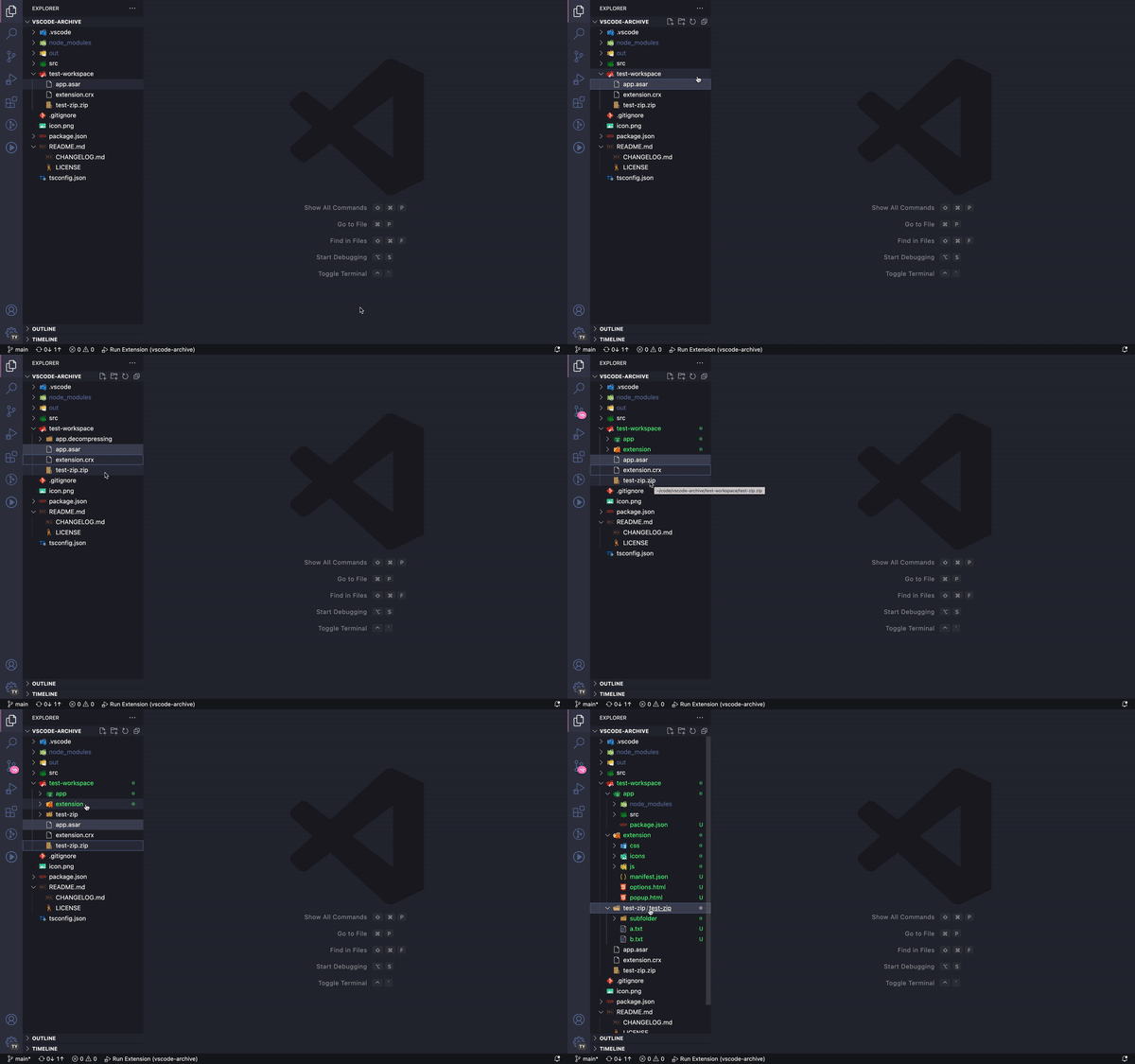
decompress

decompress .zip, .vsix, .crx(v3), .asar, .tgz, .gzip, .br, .tar

decompress

Smart Flatten

Automatically flattens redundant top-level folders that have the same name as the archive. This prevents creating unnecessary nested folders like:

Before: archive.zip → archive/ → archive/ → files...
After:  archive.zip → archive/ → files...

This feature is enabled by default and can be controlled via the vscode-archive.smartFlatten setting.

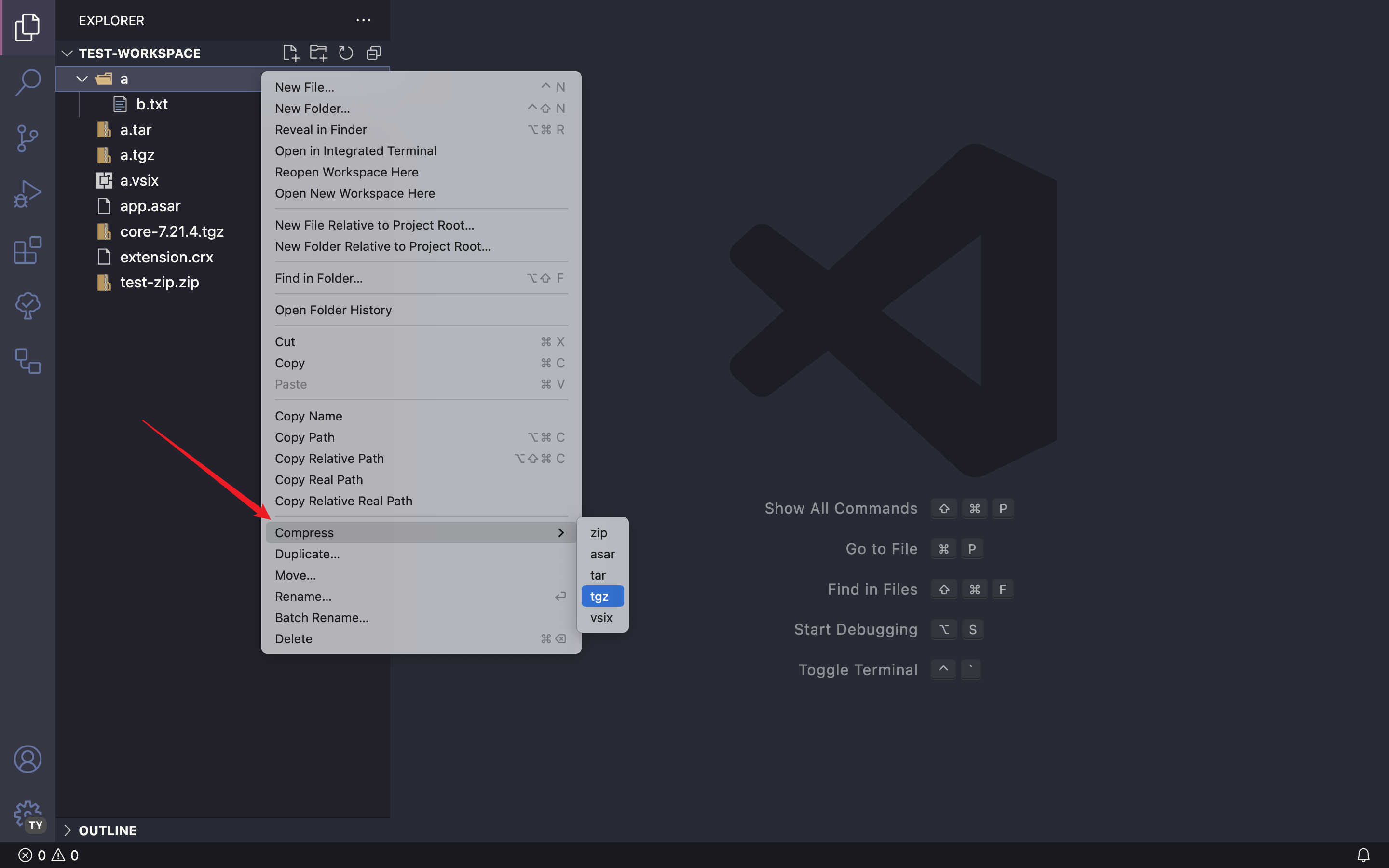
compress

compress to .zip, .vsix, .asar, .tgz, .gzip, .br, .tar

compress

Configuration

Smart Flatten

  • Setting: vscode-archive.smartFlatten
  • Type: boolean
  • Default: true
  • Description: Automatically flatten single top-level folder with same name as archive to avoid redundant nested folders.

To disable this feature, add the following to your VSCode settings:

{
  "vscode-archive.smartFlatten": false
}

Note

Bzip2

If you want to compress/decompress bzip2, the bzip2 executable program must be installed in your system and can be accessed from shell.

For MacOS and Linux users, the bzip2 normally had been pre-installed by system.

But for windows users, you need to install it.

7zip

For compress/decompress 7zip, you need to install 7zip and make sure executable program 7z accessible from shell.

You can find 7zip installation info from 7-zip official website

Thanks

  • compressing provide easy to used api for compress/decompress

My extensions

  • Open in External App
  • Package Manager Enhancer
  • Neo File Utils
  • Reload Can Solve Any Problems
  • VSCode FE Helper
  • Better Colorizer
  • Modify File Warning
  • Power Edit
  • Adobe Extension Development Tools
  • Scripting Listener

Check all here: publishers/YuTengjing

  • Contact us
  • Jobs
  • Privacy
  • Manage cookies
  • Terms of use
  • Trademarks
© 2025 Microsoft