Skip to content
| Marketplace
Sign in
Visual Studio Code>Visualization>YamlinkNew to Visual Studio Code? Get it now.
Yamlink

Yamlink

Yamlink

|
77 installs
| (0) | Free
Markdown note-taking with wikilinks, backlinks, and a knowledge graph for VS Code. Query your notes into editable live tables — edit a cell and it writes back to the file. Graph visualization, calendar, vault intelligence. No database, no sync.
Installation
Launch VS Code Quick Open (Ctrl+P), paste the following command, and press enter.
Copied to clipboard
More Info

Yamlink logo Yamlink

Wikilinks, backlinks, knowledge graph, and live query tables — all inside VS Code, all plain Markdown files.

CI VS Code Marketplace Installs Rating License VS Code

Yamlink turns a folder of Markdown files into a structured knowledge graph inside VS Code. Notes get stable id: identities that survive renaming. [[wikilinks]] become typed graph edges. YAML frontmatter becomes queryable structured data. !view blocks run live queries and open editable tables — edit a cell and it writes back to the source file.

No database. No sync. No locked platform. Your files stay plain Markdown and work in any editor.

VS Code is the flagship Yamlink experience today. Shujimi also opens a headless CLI path for automation, publishing workflows, and future editor integrations.

If you want the practical start, see GETTING_STARTED.md.
For the full query language and usage, see QUERY_LANGUAGE.md.
New to Yamlink's terminology? See GLOSSARY.md.
To understand the intelligence system, what the lightbulbs mean, and how Yamlink learns: see INTELLIGENCE.md.


What it looks like

A Yamlink note

Yamlink note — frontmatter relations, wikilinks, live query, callouts

Frontmatter Structured YAML at the top of every note. Fields like platform: [[vs-code]] are typed graph edges — Yamlink indexes, completes, and renames them vault-wide.
[[wikilinks]] Every link becomes a graph edge. Ctrl+Click navigates, completions rank by type, broken links surface as diagnostics. Rename a note — every link updates automatically.
Callouts > [!INFO] > [!TIP] > [!WARNING] — body structure signals that feed note-role inference and the Note Report.
Tasks - [ ] checkboxes extracted from the note body, tracked in the Calendar, queryable with !view open-tasks.
!view block A live query written inline in the note. Runs against the vault, opens an editable table beside the editor. Edit a cell — it writes back to the source Markdown file.
Tags #local-first #pkm — body hashtags and frontmatter tags, both filterable in queries with where #pkm.

Live tables

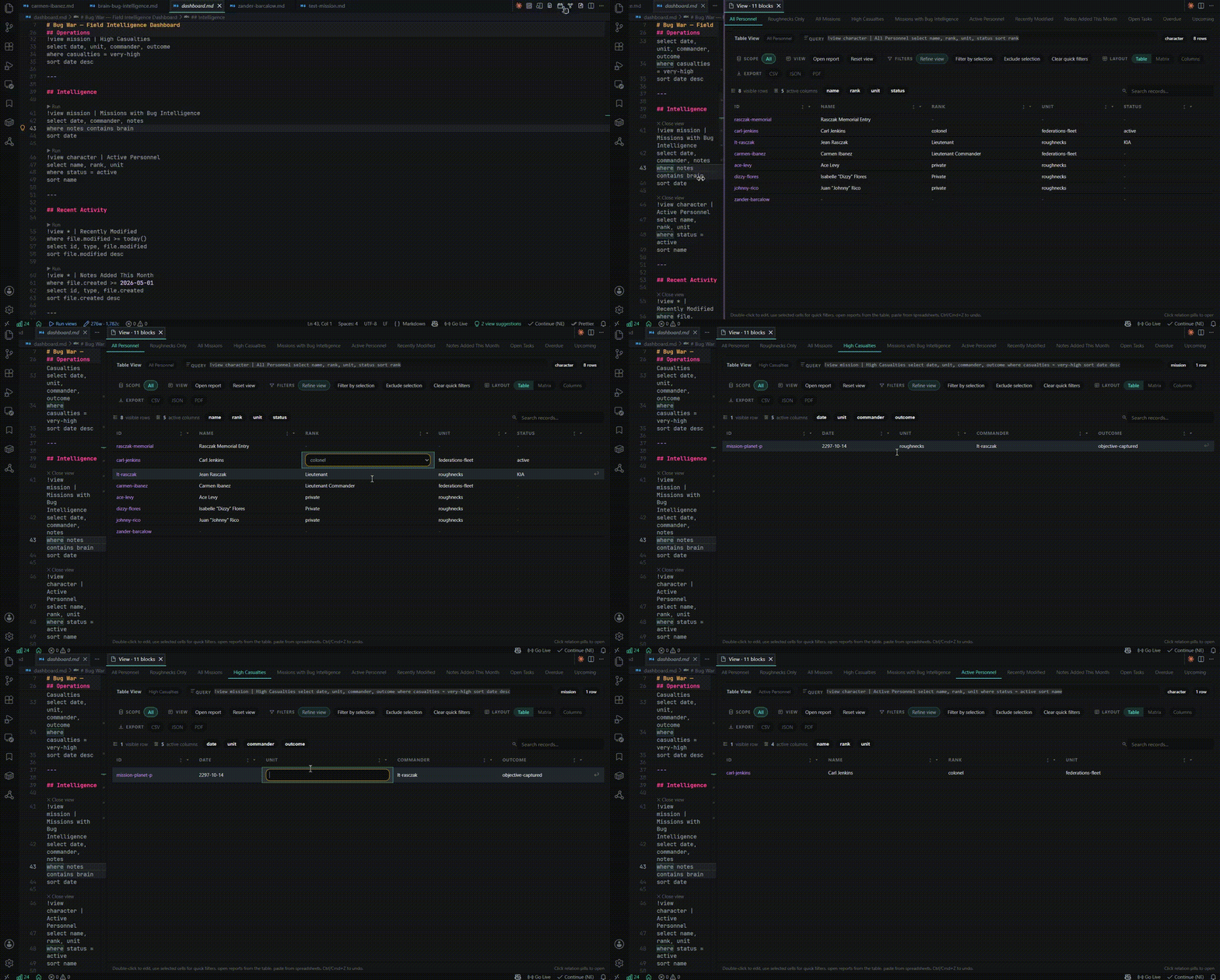
Write a !view block. Run it. A live table opens beside your note — editable cells, typed values, per-column filters, sort, search, export. Edits write back directly to frontmatter.

Live tables

Note Report and Calendar

Note Report shows where a note sits in the system: its connections, lifecycle state, tasks, and what views make sense next. Calendar surfaces dated activity across the vault without leaving the editor.

Note Report and Calendar

Graph

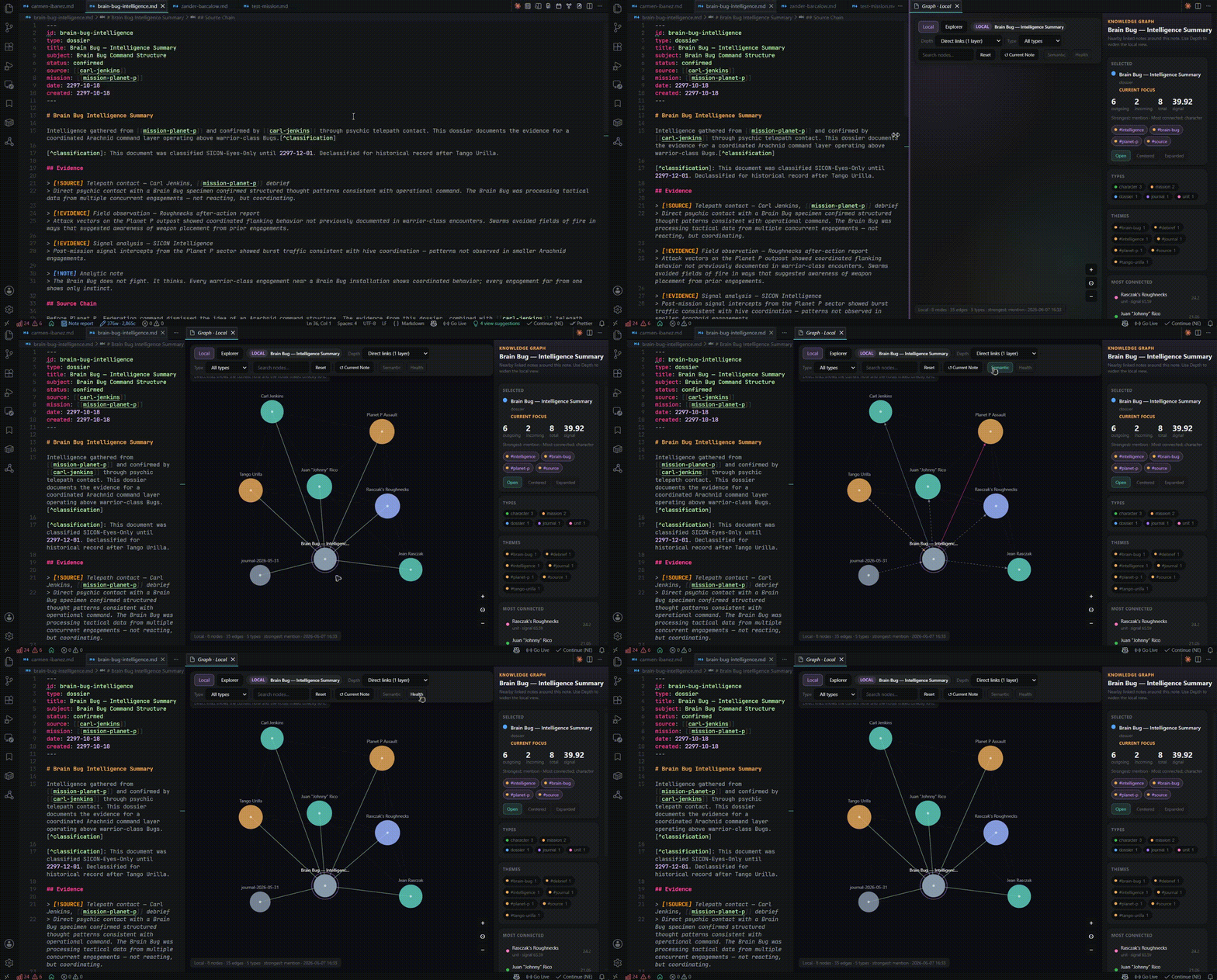
Two surfaces in the extension: the sidebar shows the full vault at a glance — note types color-coded, hub notes rising by connection count. Graph Workspace opens a focused explorer centered on the current note.

x-graph is the underlying engine: Canvas2D + D3-force, no third-party graph library. Three layers — base topology, semantic edge coloring by relation type, health rings by lifecycle/drift state. Nodes are draggable with live physics.

Graph

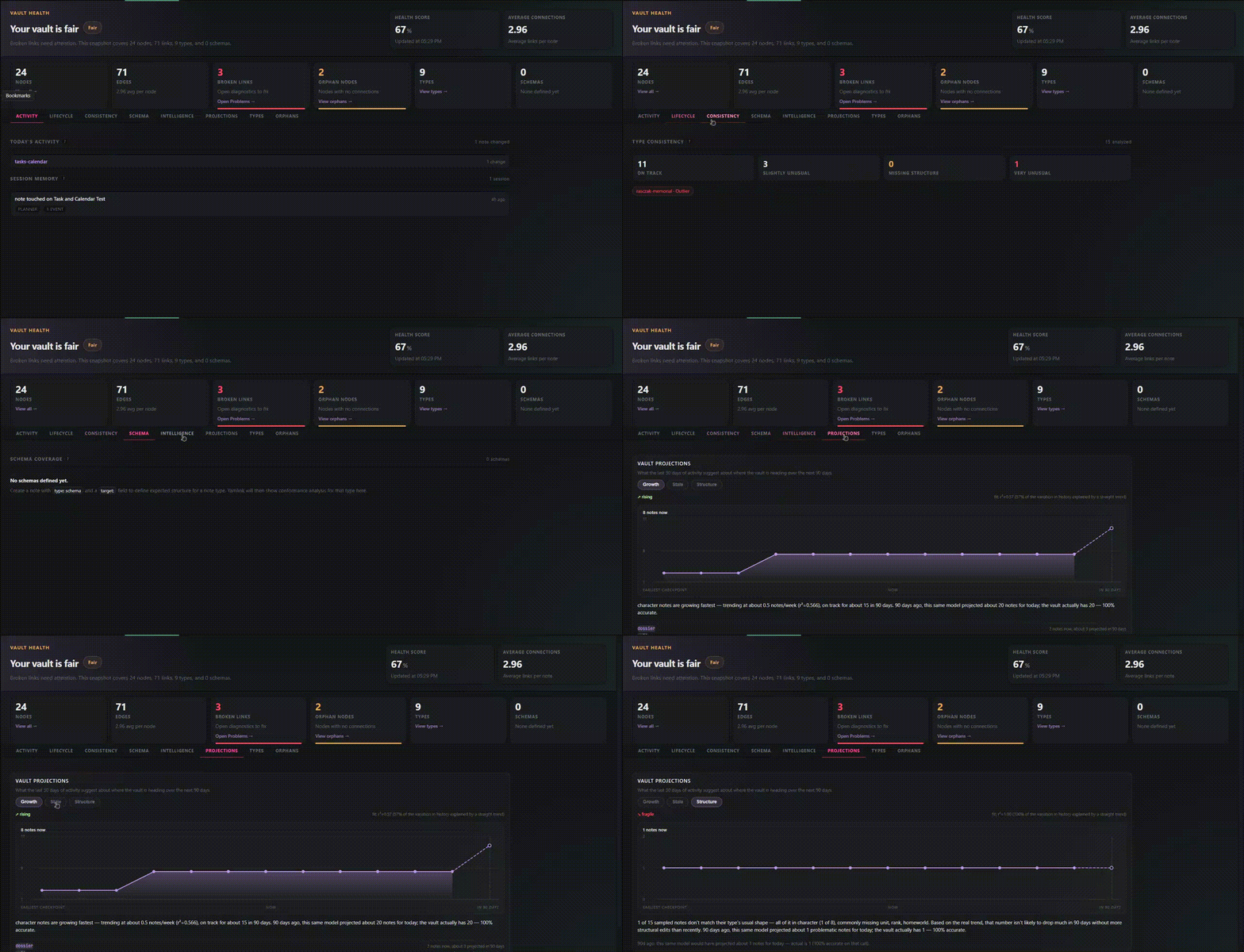
Vault Health

A full-vault audit in one panel. Broken links, duplicate IDs, schema violations, orphaned notes, and lifecycle drift — all surfaced instantly, with one-click navigation to the offending note. Keep your knowledge base clean as it grows.

Vault Health


The model

Three things. One loop.

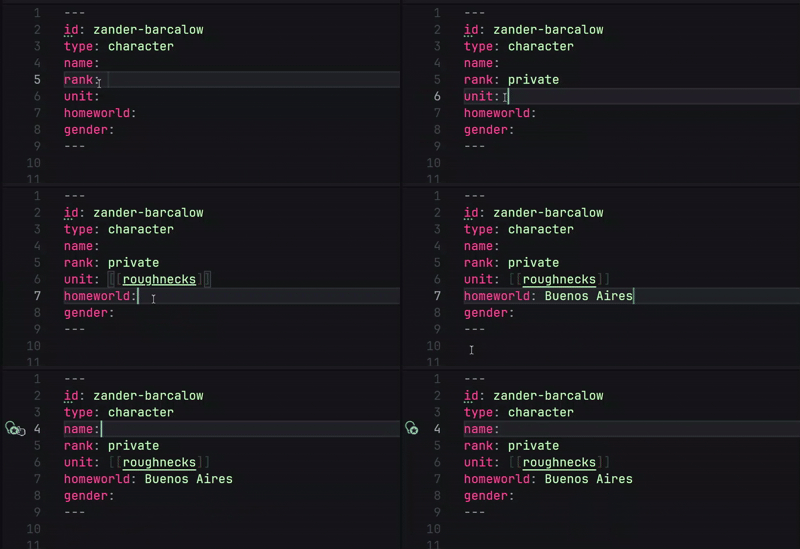
Identity — every note that matters gets a stable id::

---
id: johnny-rico
type: character
name: Johnny Rico
unit: [[roughnecks]]
rank: lieutenant
created: 2297-01-15
---

Relations — frontmatter links and body wikilinks feed the same graph:

---
id: mission-klendathu
type: mission
date: 2297-08-01
commander: [[johnny-rico]]
unit: [[roughnecks]]
casualties: high
outcome: catastrophic-failure
---

Queries — !view blocks inside your notes run against the live graph:

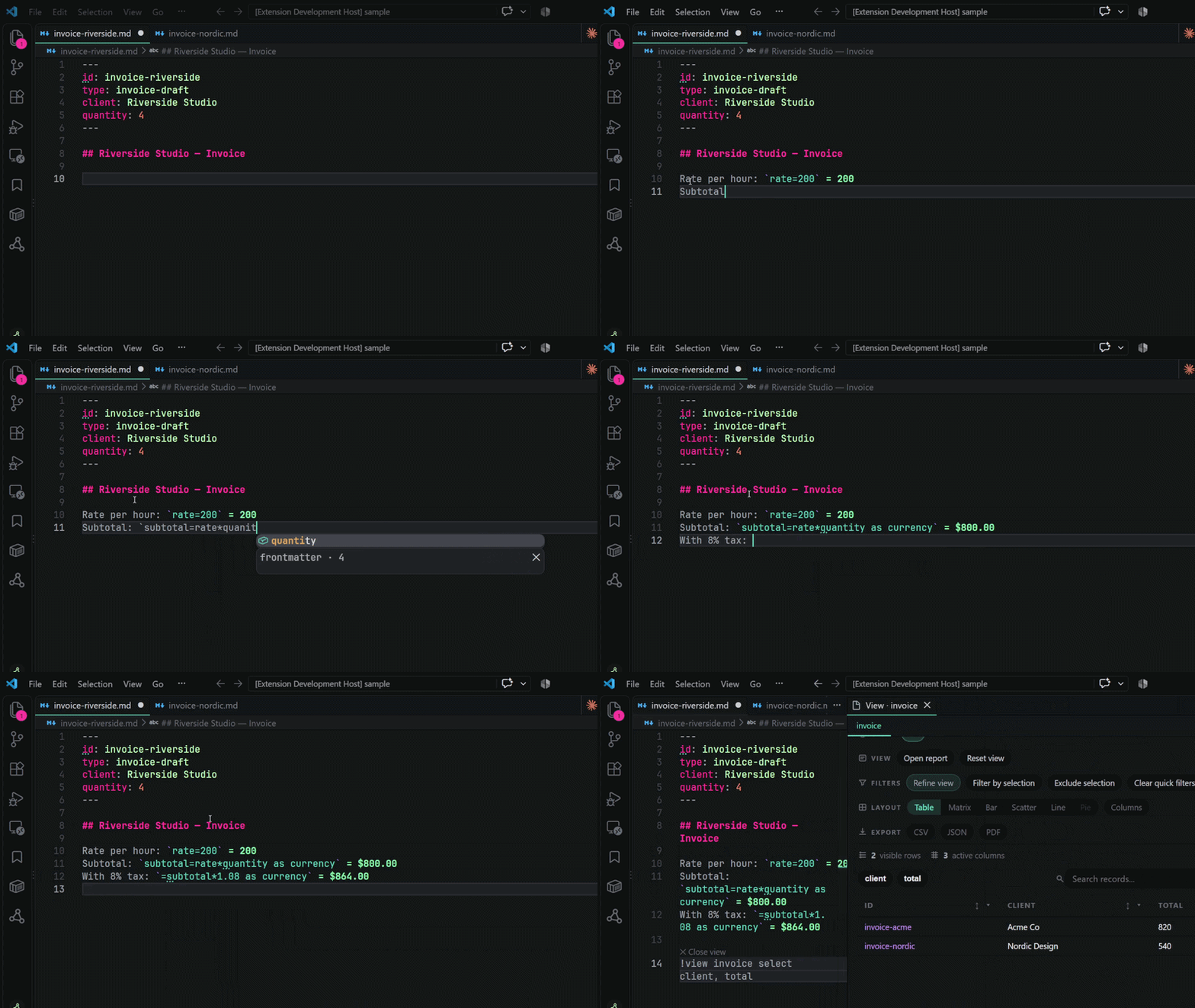
!view mission | Rico's missions
where commander = [[johnny-rico]]
select date, unit, outcome
sort date desc

Run the view. A table opens beside the note. Edit a cell. It writes back to the source file.

The loop: write → link → query → inspect → refine.


Shujimi (0.6.0)

Shujimi is the "headless and depth release". New capabilities: the Yamlink CLI (build, health, validate, query, serve, export) for scripting and vault-as-CMS use cases; matrix view as a layout toggle on any !view table; schema conformance reporting in Vault Health with per-type coverage, non-conformant notes, and dangling-relation warnings; Git history import (yamlink.importGitHistory) for reconstructing full note evolution from commit history; Smart Templates with live drift detection and vault-wide propagation; quick-capture (Ctrl+Alt+N) with L3 contextual back-linking; auto-date stamping and file.created/file.modified virtual query fields; a four-phase intelligence overhaul (vault-first classification, implicit interaction history, outcome calibration, note arc prediction — the vault trains the system); unlinked references in Note Report (Roam-style organic mention discovery); daily notes (Ctrl+Alt+J); the Home panel (yamlink.openHome) — activity stream, vault pulse, continue-working, nudge cards; natural language query generation (plain-English → !view syntax); true note splitting (yamlink.splitNoteBody — selected body text → new note → embed in place); click-to-add from the Note Report arc section; and a complete Yamlink color palette (Apollo Night/Dusk/Dawn) applied across all webview surfaces — the extension now carries a fully branded visual identity distinct from VS Code's default accent colors. The platform optimization pass replaced the entire React Flow + Cytoscape graph stack with a custom Canvas2D engine (x-graph), shedding ~65 MB from the VSIX.

The full release notes are in WHATS_NEW.md.


Features

Graph

  • canonical id: model — stable across renames, renames propagate vault-wide
  • body and frontmatter wikilinks in the same graph
  • display aliases ([[id|Label]]) and vault aliases (aliases: in frontmatter)
  • embeds (![[id]]): dimmed decoration, Ctrl+Click navigation, broken-link diagnostics
  • broken [[links]] decorated with amber brackets + faded amber text — readable signal, no squiggle
  • broken link quick fix walks through the template workflow: pick from existing templates (type-matched floats to top) or let Yamlink scaffold a starter
  • broken link and duplicate ID diagnostics with quick-fix actions
  • Graph 2.0: sidebar constellation + Graph Workspace with filters, search, isolate, and minimap

x-graph (flagship)

Yamlink's custom graph engine — Canvas2D renderer + D3-force physics, built from scratch. Designed as a layered visualization system.

Three independent visual layers that stack:

  • Base — nodes sized by hub score, kind-colored, hover dims non-neighbors, click pins focus, drag repositions nodes with live physics
  • Semantic — edges colored by relation type (person/teal, event/amber, topic/purple, container/blue), direction arrowheads, dashed weak links
  • Health — rings around nodes encode lifecycle state (hub → stale) and structural drift (minor-drift → outlier), with the health legend expanding inline

Query

  • !view blocks inside Markdown notes
  • one-line and multi-line power-user forms, multiple blocks per note
  • where, contains, sort, limit, via, group by, | label
  • !=, is empty, exists, is not empty
  • cross-field OR: where status = active or type = contact
  • #tag shorthand: where #crm and status = active
  • date functions: today(), days-from-now(n), days-ago(n) and more
  • file.created / file.modified — virtual fields from the file system; filter notes by when they were created or last touched without adding anything to frontmatter (where file.created >= 2026-01-01)
  • incoming relation queries: !view incoming mission via commander
  • shortcut queries: !view today, !view upcoming, !view open-tasks, !view overdue

Tables

  • editable cells: text, relation, boolean, dropdown, number, date
  • bulk spreadsheet-style paste, row-level revert, undo
  • per-column value filters, client-side sort, column hide/show, drag-to-reorder
  • matrix view — toggle any !view table to a two-axis grid: rows = query results, columns = any vault type, cells show connections (●)
  • task status pills: Done, Not done, Due today, Due soon, Overdue
  • export: CSV, JSON, PDF

Intelligence

  • type-filtered relation completion — a contact: field only shows contact notes
  • New [type] note creation from relation fields — creates the note, wires both sides
  • schema-driven note creation (yamlink.newNoteFromSchema)
  • note creation priority: Template → Schema → vault inference → bare stub
  • vault-derived field bundle suggestions over hardcoded archetypes
  • feedback loop — the system also learns from completions you accept: accepting a relation suggestion writes a training signal to the mutation log; that history boosts confidence in future predictions for the same field
  • note arc prediction — shows which fields similar notes typically have that yours doesn't, ranked by vault frequency and your acceptance history
  • lifecycle state: draft, growing, consolidated, hub, stale
  • type consistency: on track, slightly unusual, missing structure, very unusual
  • @today, @tomorrow, @thisweek, and other date shortcuts in frontmatter
  • quick capture — Ctrl+Alt+N / Cmd+Alt+N creates a new note without breaking editor flow; when triggered from inside a Yamlink note, offers to link the new note back to the current one (L3 contextual linking)
  • auto-date stamp — new notes get created: written at creation time; Yamlink: Add Missing Creation Dates stamps existing notes from file system birthtime

Surfaces

  • Home — activity feed, vault pulse, continue-working, nudge cards; status bar $(home) button for instant access from anywhere
  • Note Report — Overview, Links, Tasks, Views, History tabs; tab state persists across note switches
  • Calendar — month, week, day views; keyboard shortcuts M W D [ ] T; click-through to notes
  • Vault Health — lifecycle distribution, drift score cards, schema conformance coverage, health score, broken link counts (compact status bar: ◈ 31 ⚠ 5)
  • Graph — sidebar constellation and Graph Workspace (x-graph: Canvas2D + D3-force, no third-party graph library)

CLI

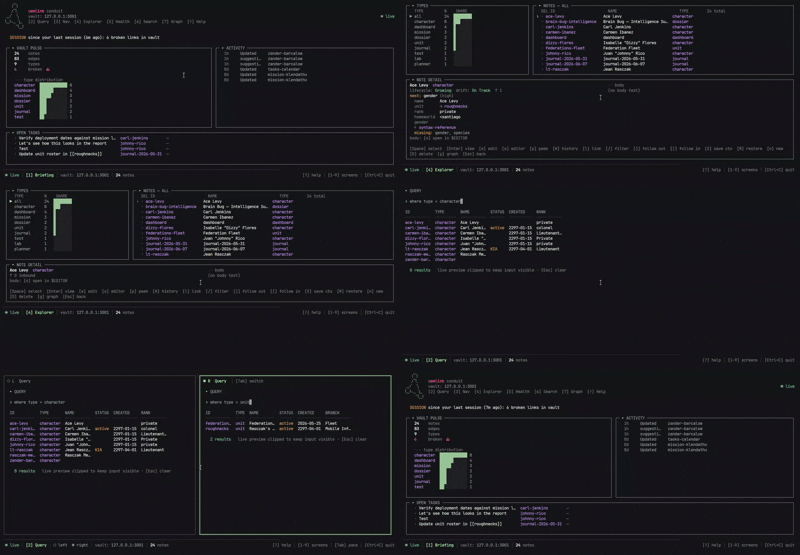
Run Yamlink capabilities without VS Code:

yamlink build --vault ./vault        # index vault, report broken links (exits 1 in CI)
yamlink health                       # lifecycle, drift, type distribution
yamlink validate                     # schema conformance (exits 1 if required fields missing)
yamlink query "where type = contact" # run a query, print table or JSON
yamlink report <note-id>             # note report in terminal
yamlink serve --port 3000            # local HTTP API: /api/nodes, /api/query, /api/graph
yamlink export --format csv          # dump vault to JSON or CSV

yamlink serve exposes a REST API that lets any website framework (Next.js, Astro, etc.) read your vault at build time — vault as CMS backend.

Integrations

  • PDF export for active notes and live table views
  • first-pass Obsidian import (yamlink.importObsidianVault)
  • .yamlinkignore — exclude files and folders from the entire Yamlink system
  • public extension API: getIndex(), getFieldsCache(), query(), onVaultChange()

These are active Yamlink capabilities today. They are not all new in Zim, but they are part of the current product surface.


Quick start

1. Install Yamlink and open a workspace

Use any normal folder of Markdown notes, or start with the sample vault Yamlink copies into the workspace on first activation.

2. Give one note an id:

Add a small frontmatter block:

---
id: johnny-rico
type: character
name: Johnny Rico
---

3. Add one real link

In another note, point to it with frontmatter or a body wikilink:

commander: [[johnny-rico]]

4. Run one view

!view character
select name, type
sort name

Run the view, then open:

  • Yamlink: Open Note Report
  • Yamlink: Open Calendar
  • Yamlink: Open Graph Workspace

That is the core Yamlink loop in practice:

write → link → query → inspect → refine


Install

Search for Yamlink in the VS Code Extensions panel, or install from the Marketplace:

Yamlink on the VS Code Marketplace

On first activation, Yamlink copies a sample vault into your workspace so you can explore the model immediately. The sample files are plain Markdown.

Coming from Obsidian? Run Yamlink: Import Obsidian Vault from the command palette. Yamlink either copies the vault into your current workspace or adds it as a workspace folder, skips .obsidian/ config, rebuilds the index, and can open Vault Health so you can see the structural state of your notes immediately. Importing plugin configuration is still in development and testing.


Why it exists

Most tools that give you structure want you to live inside them. Yamlink makes no such demand.

The work stays in Markdown. The files stay on disk. The editor stays VS Code. Yamlink reads what you already have and makes it linkable, queryable, and operational — your own local knowledge system.

If the structure outgrows what Yamlink can do, the files are still just files.


If Yamlink is useful to you, please star the repo on GitHub and leave a review on the VS Code Marketplace.


Yamlink Theme Family

All screenshots and GIFs in this README use the Yamlink Theme Family — a companion VS Code color theme built to match Yamlink's panel aesthetic. Available separately on the Marketplace.

Install on VS Code Marketplace · GitHub


License

MIT. The Yamlink name and logo are part of the Yamlink Labs brand. The MIT License grants permission to use, copy, modify, and distribute this software, but does not grant rights to use the Yamlink name or logo except to reference the software.

  • Contact us
  • Jobs
  • Privacy
  • Manage cookies
  • Terms of use
  • Trademarks
© 2026 Microsoft