🚀 The Ultimate Power Platform Development Experience in VS Code



Highlights •
Features •
Installation •
Quick Start •
AI Setup
✨ Highlights

AI Generation
Create apps from docs, mockups, or plain English
|

Visual Designers
Dataverse tables & Power Automate flows
|

PowerFx Linting
12 rules, AST parsing, and insights
|

Version Control
Native Git workflows for Power Apps
|
🎯 Why Power Apps Fusion Studio?
Power Apps Fusion Studio transforms VS Code into a complete Power Platform development environment. No more switching between browser tabs - get pro-code superpowers for your low-code apps.
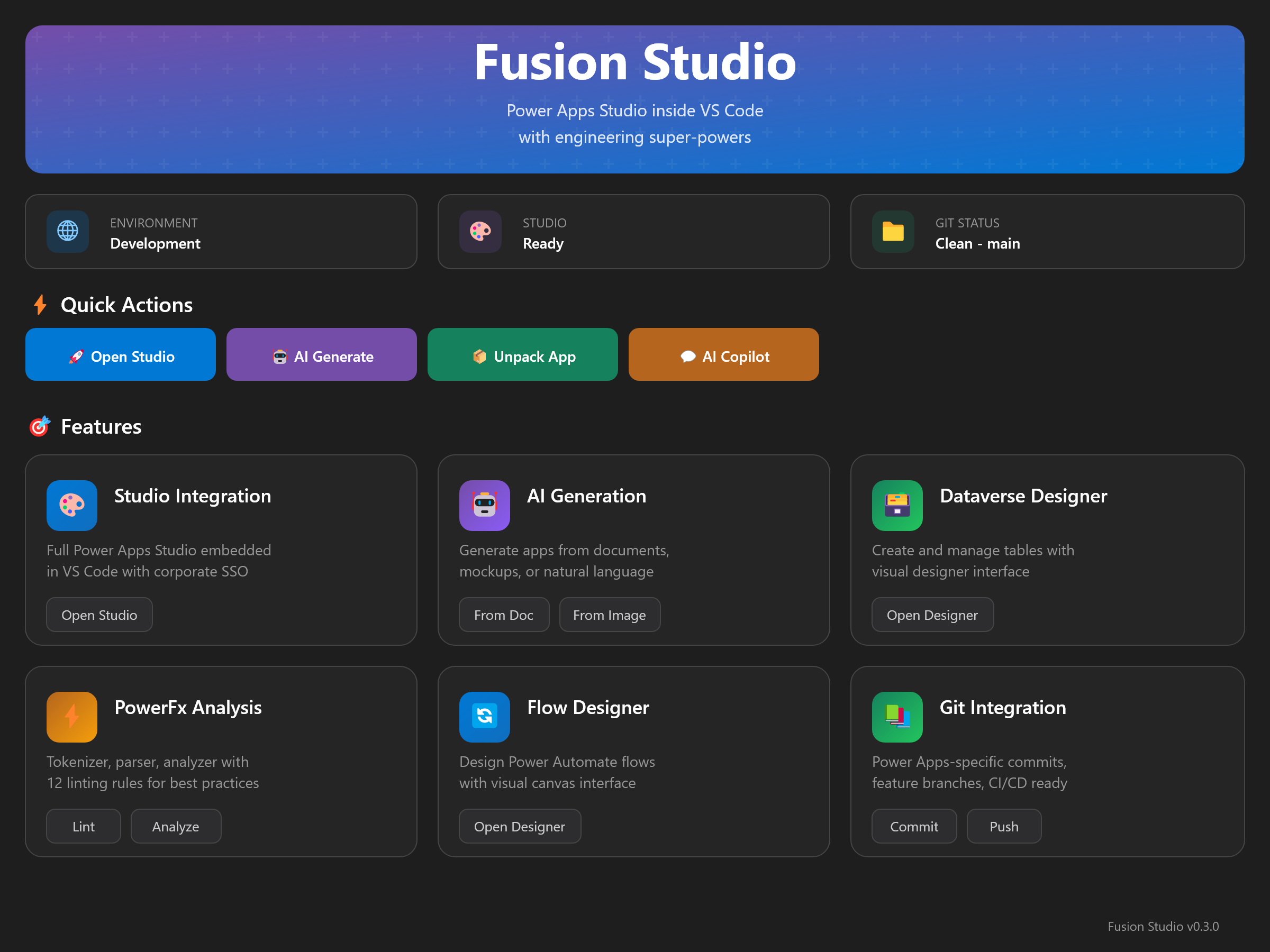
💎 For Developers
| Feature |
Benefit |
| 🖥️ Native VS Code |
Your favorite editor, your favorite shortcuts |
| 🤖 AI Code Gen |
Generate complete apps with GPT-4 |
| 📝 PowerFx IntelliSense |
Autocomplete, hover docs, go-to-definition |
| ⚡ Real-time Linting |
Catch issues before they become problems |
👥 For Teams
| Feature |
Benefit |
| 🔀 Git Integration |
Branch, merge, PR - just like real code |
| 📊 Dependency Graphs |
Visualize & document your app structure |
| 🚀 CI/CD Templates |
Azure DevOps & GitHub Actions ready |
| 📋 Code Reviews |
Review Power Apps changes like any PR |
🚀 Features
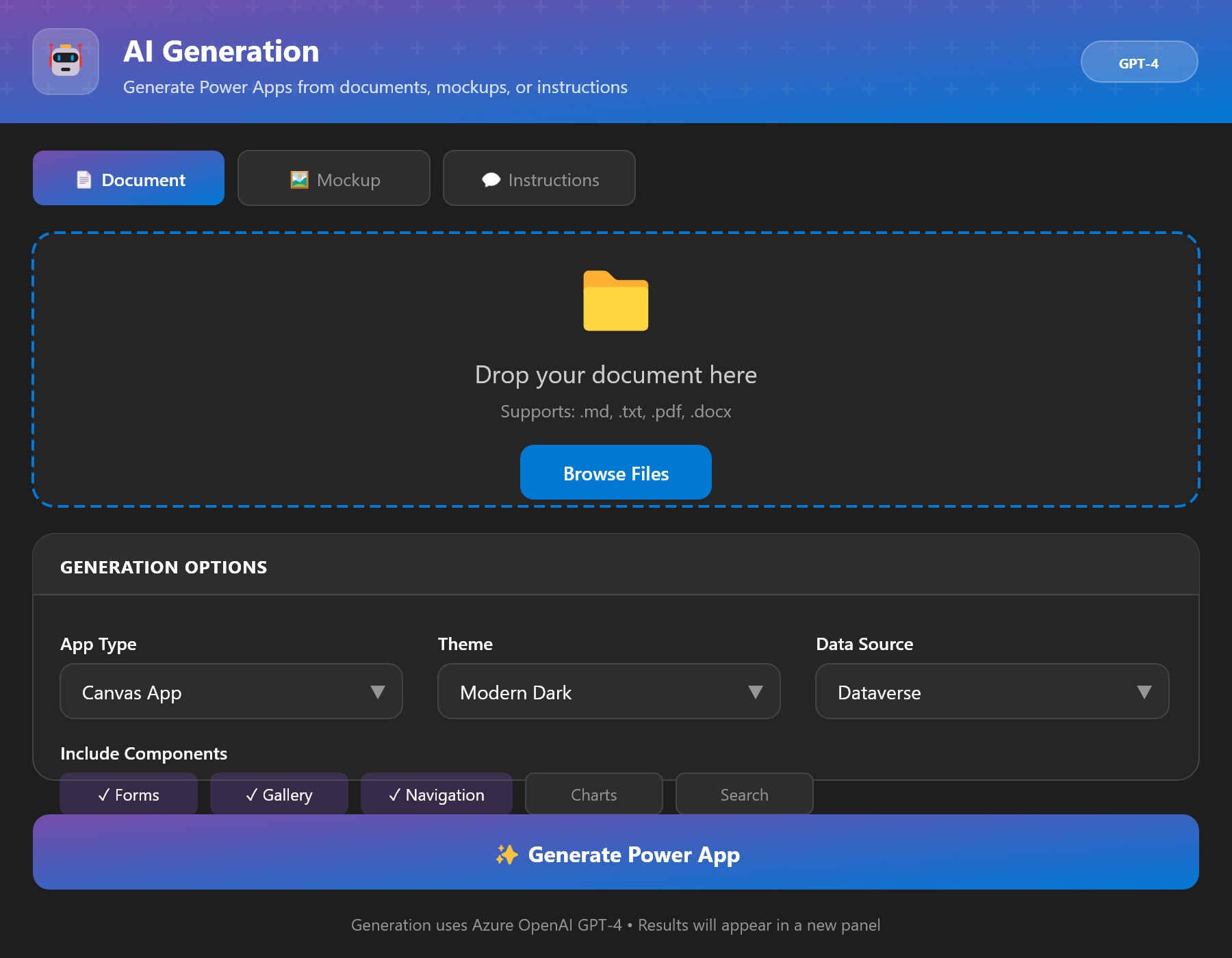
🤖 AI-Powered Generation
Generate complete Power Apps from documents, mockups, or natural language using Azure OpenAI.
|
📄 From Documents
Upload markdown, PDF, or Word docs and let AI create your app schema.
🎨 From Mockups
Turn wireframes and designs into working Power Apps screens.
💬 From Instructions
Describe what you need - AI builds it for you.
|
|
🗃️ Dataverse Designer
Create and manage Dataverse tables with an intuitive visual designer - no browser required.
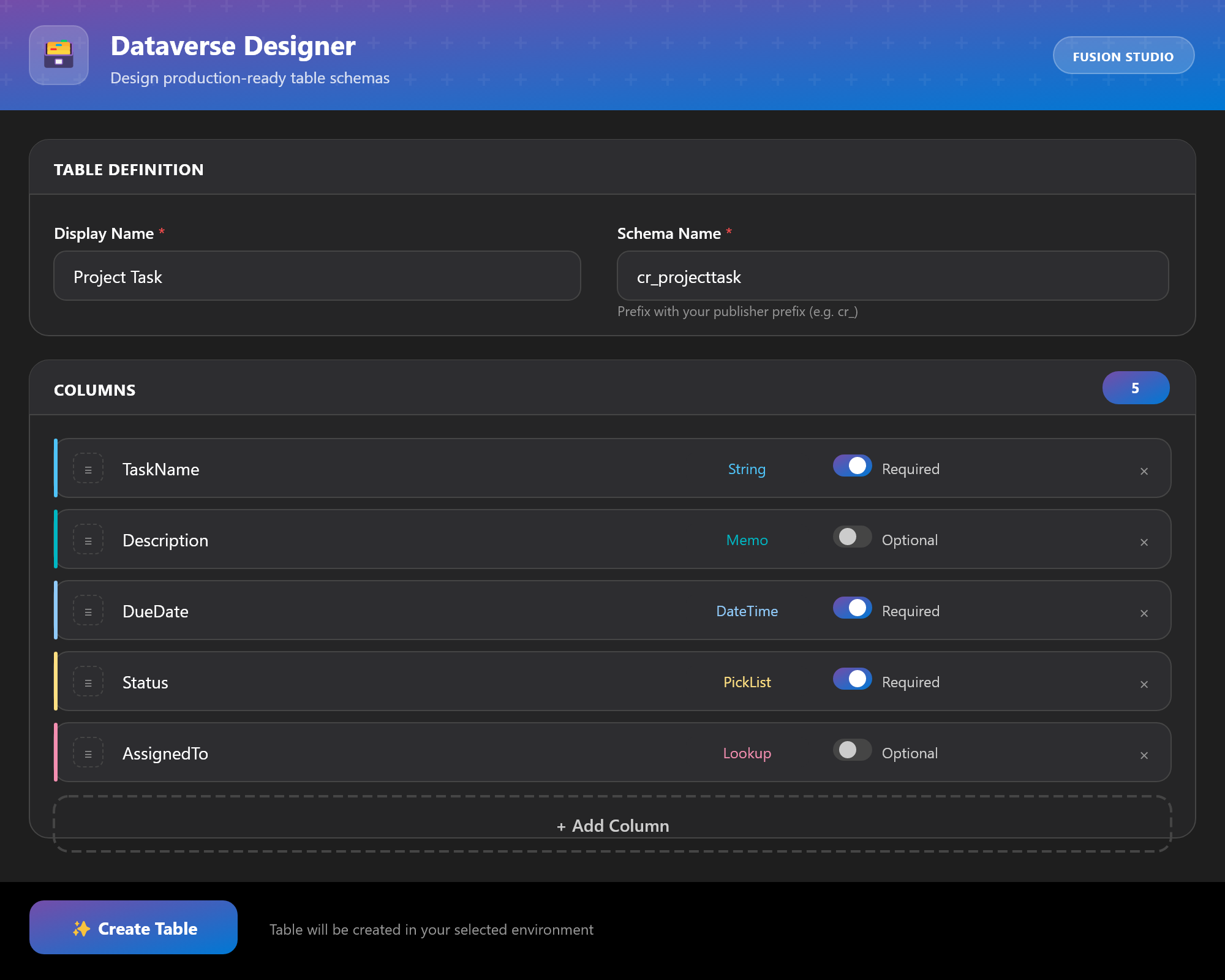
| 📝 Text |
🔢 Number |
💰 Currency |
📅 DateTime |
📋 Choice |
🔗 Lookup |
| ✅ Yes/No |
📎 File |
🖼️ Image |
⚡ Formula |
🔢 AutoNumber |
🆔 GUID |
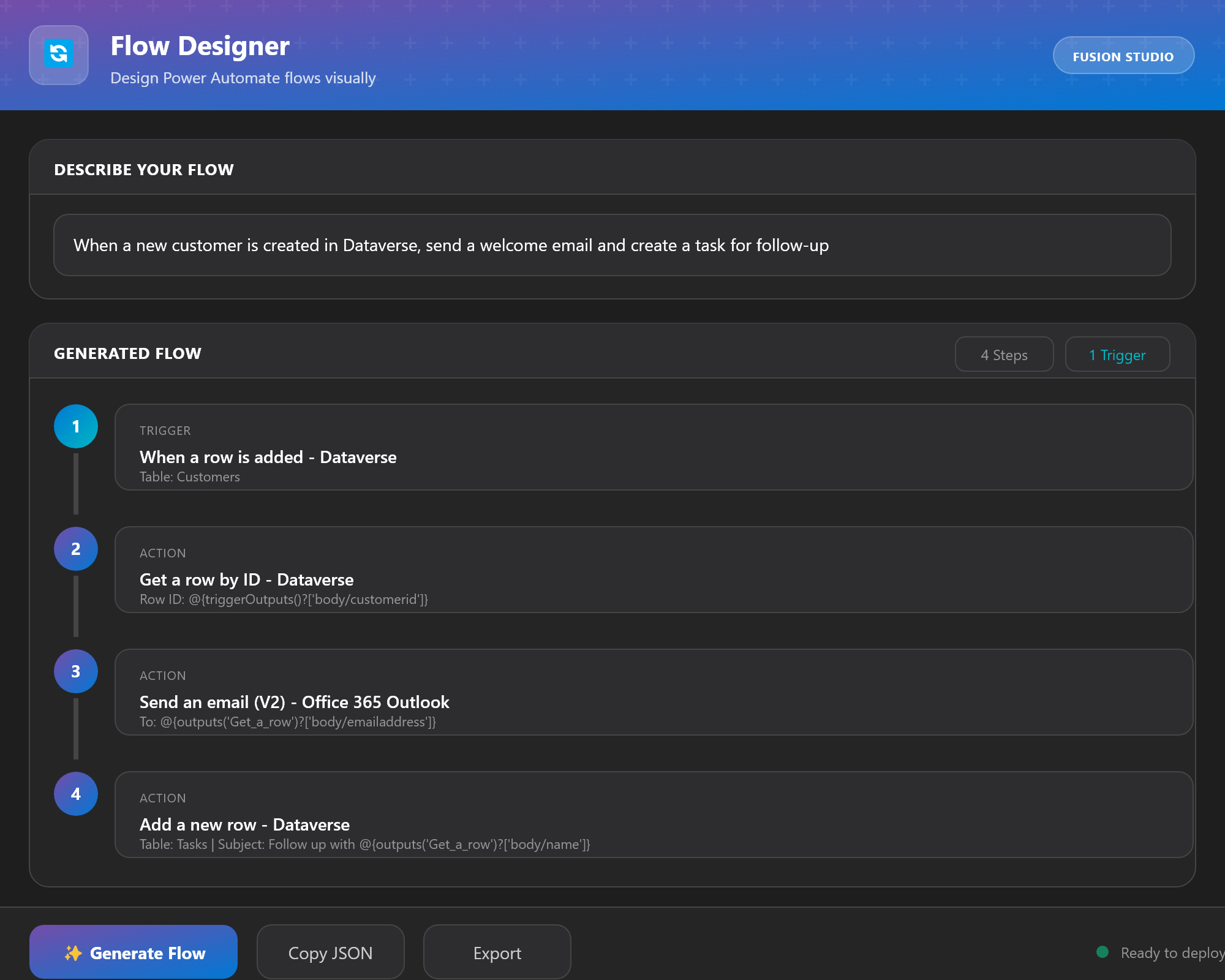
⚡ Flow Designer
Design Power Automate flows with a modern visual interface - create, edit, and preview flows directly in VS Code.
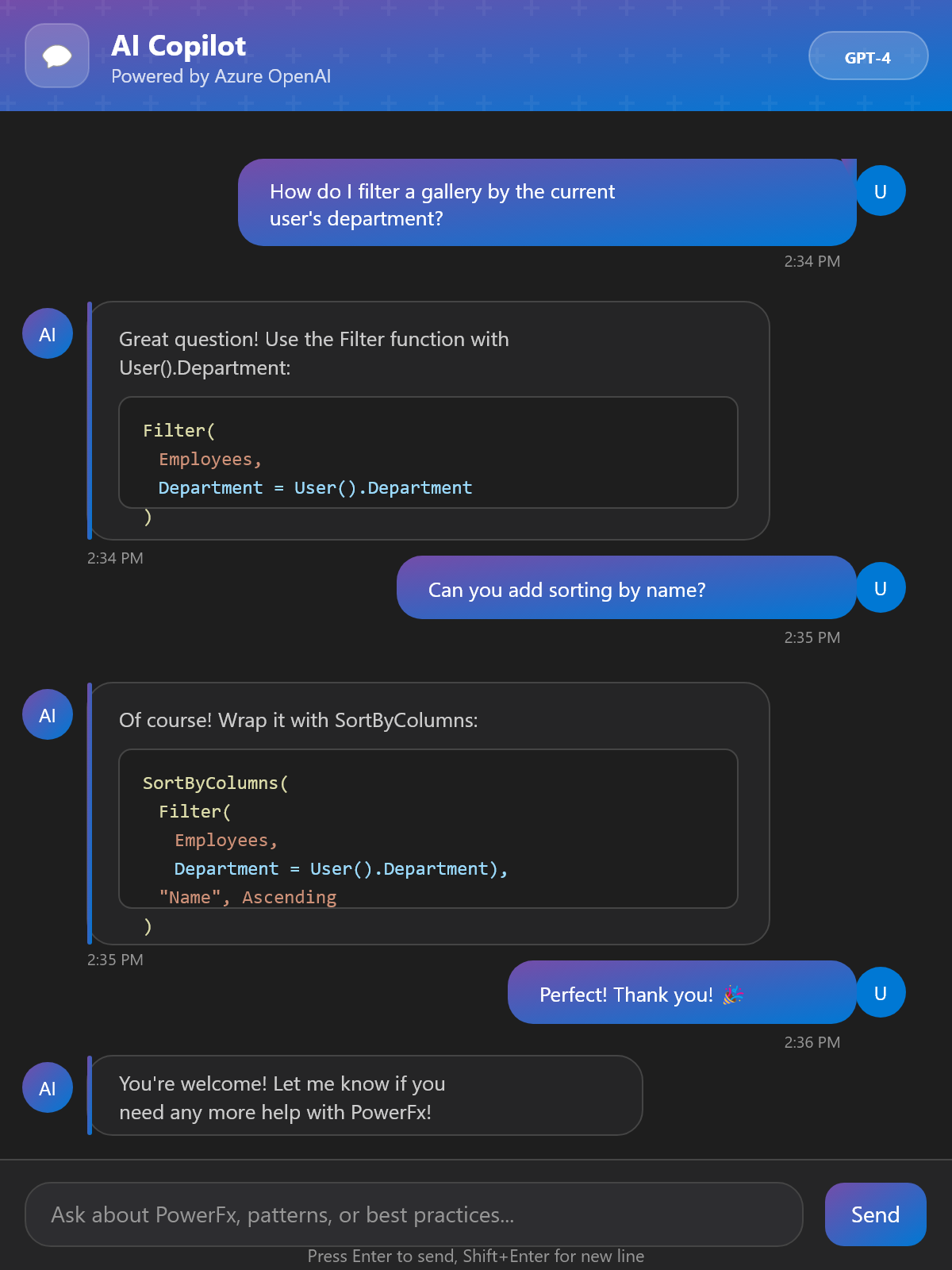
💬 AI Copilot Chat
Your intelligent assistant for Power Platform development. Get instant help with formulas, architecture, debugging, and best practices.
🔍 PowerFx Analysis Engine
Professional-grade code analysis that parses your formulas into an Abstract Syntax Tree and runs 12 linting rules.
| Rule |
Description |
🎨 no-hardcoded-colors |
Use theme colors |
🪆 no-nested-if |
Limit nesting depth |
🔢 no-magic-numbers |
Extract constants |
🔀 prefer-switch |
Cleaner conditionals |
⚠️ no-empty-handler |
Detect empty handlers |
📏 max-line-length |
Readable code |
|
| Rule |
Description |
🏷️ naming-convention |
Consistent names |
💾 no-direct-updates |
Control patterns |
🔁 no-circular-refs |
Prevent loops |
📊 data-source-usage |
Optimize calls |
🧹 unused-variables |
Clean code |
📝 require-comments |
Document logic |
|
📊 Dependency Graphs
Visualize your app's data flow with beautiful, exportable dependency graphs.
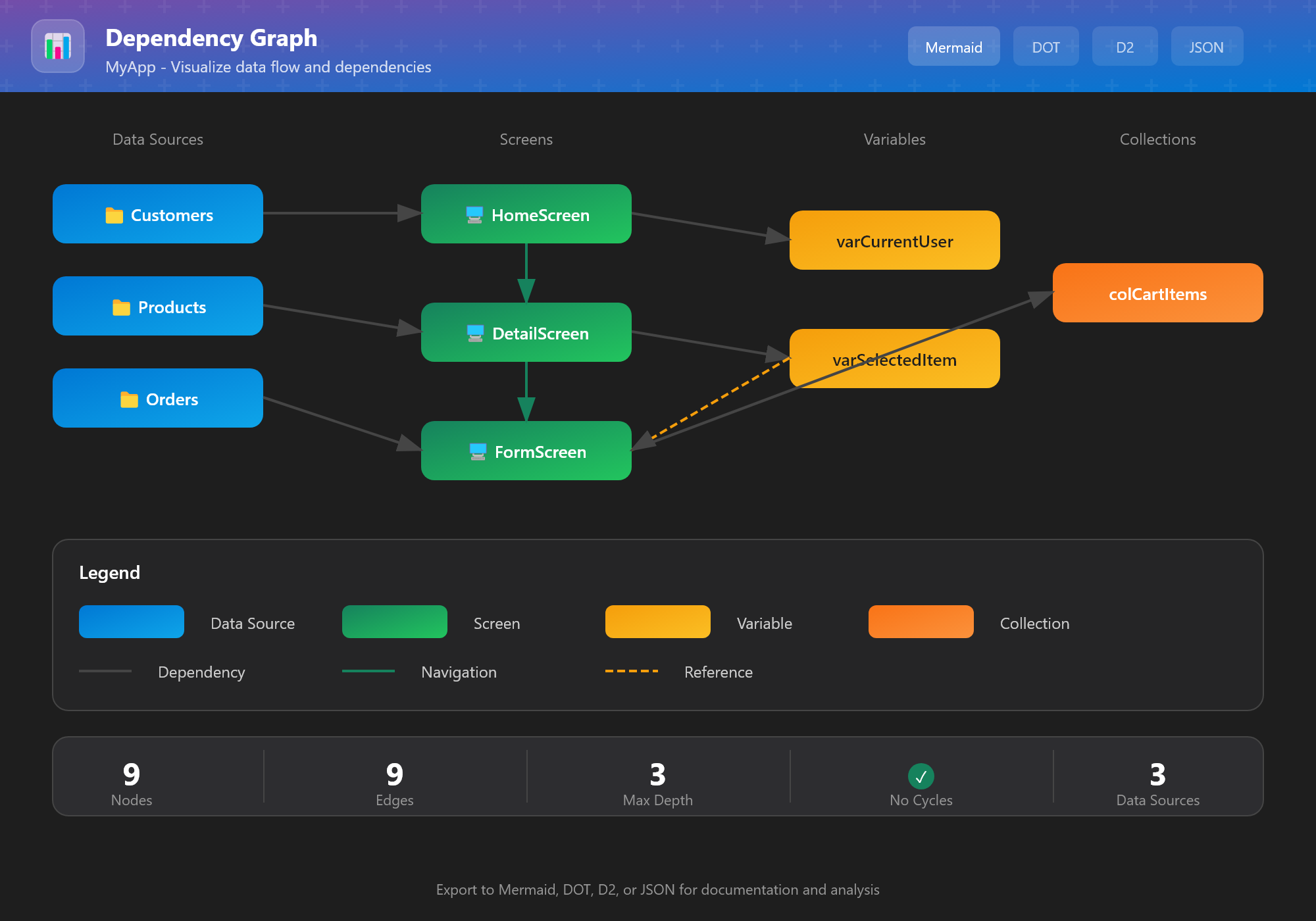

GitHub/GitLab native
|

Graphviz format
|

Declarative diagrams
|

Custom processing
|
🔀 Git Integration
Native Git workflows designed specifically for Power Apps development.
📦
Unpack
.msapp to source |
➡️ |
✏️
Edit
PowerFx files |
➡️ |
💾
Commit
Smart messages |
➡️ |
🚀
Push
To remote |
➡️ |
📦
Pack
Deploy |
📦 Installation
From VS Code Marketplace
- Open VS Code
- Press
Ctrl+Shift+X to open Extensions
- Search "Power Apps Fusion Studio"
- Click Install
From VSIX File
Download the .vsix file and run:
code --install-extension powerapps-fusion-studio-0.3.3.vsix
⚡ Quick Start
1 |
Open Dashboard
Press Ctrl+Shift+P and run Power Apps: Open Power Apps Fusion Studio Dashboard
|
2 |
Connect Environment
Run Power Apps: Select Environment to connect to Power Platform
|
3 |
Unpack an App
Run Power Apps: Unpack Canvas App to extract for editing
|
4 |
Start Building! 🚀
Use AI generation, edit formulas, and version control with Git
|
🤖 AI Setup
To enable AI-powered features, configure Azure OpenAI:
Step 1: Create Azure OpenAI Resource
Create an Azure OpenAI resource and deploy a GPT-4 model.
Open VS Code Settings (Ctrl+,) and set:
| Setting |
Value |
powerapps.azureOpenAi.endpoint |
https://YOUR-RESOURCE.openai.azure.com |
powerapps.azureOpenAi.deploymentName |
gpt-4 |
Step 3: Set API Key
Run: Power Apps: Set Azure OpenAI API Key
🔐 API keys are stored securely in VS Code's secret storage.
⌨️ Keyboard Shortcuts
| Shortcut |
Action |
Ctrl+Shift+P |
Command Palette |
Ctrl+Shift+D |
Open Dashboard |
Ctrl+Shift+L |
Lint Current Formula |
Ctrl+Shift+G |
Export Dependency Graph |
📋 Requirements
| Requirement |
Version |
Notes |
| VS Code |
1.85.0+ |
Required |
| PAC CLI |
Latest |
Install Guide |
| Node.js |
18+ |
For development |
| Azure OpenAI |
- |
Optional, for AI features |
📄 License
This project is licensed under the MIT License - see the LICENSE file for details.
Built with ❤️ by Vladimiro Luis
⭐ Star on GitHub •
🐛 Report Bug •
💡 Request Feature

