Overview Version History Q & A Rating & Review
DaVinci Configurator Classic
DaVinci Configurator Classic helps you efficiently configure, validate, and generate the basic software (BSW) and runtime environment (RTE) for your MICROSAR Classic ECU.
It supports you during the software integration phase by automating the parameterization of BSW modules and diagnostic descriptions.
For more details, see DaVinci Configurator Classic.
Prerequisites
DaVinci Configurator Classic Version 6 is installed
Extension Setup
After installing this extension, you need to configure the installation path of DaVinci Configurator Classic Version 6:
Open VS Code.
Go to Settings > Extensions > DaVinci Configurator Classic.
Set the Installation Path to the folder where DaVinci Configurator Classic Version 6 is installed.
Create DaVinci Project From Scratch
DaVinci Projects can be initialized without significant initial settings, making setup fast and easy.
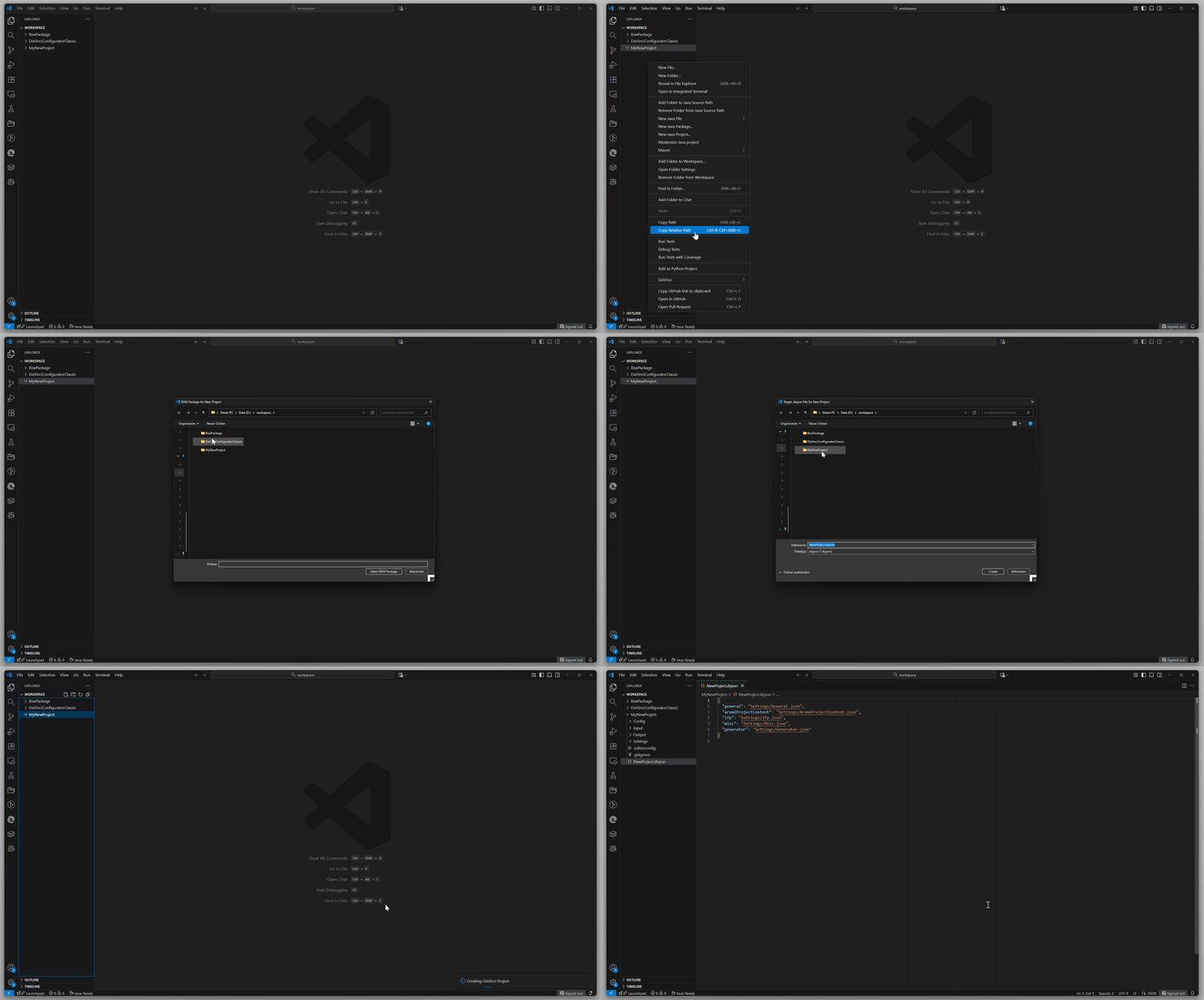
In the Explorer, right-click your project folder. From the context menu, go to DaVinci and select New DaVinci Project....
Select a BSW package for your project and click Select to proceed.
Name your project and click Create to initialize your new DaVinci Project.
Your DaVinci Project will be created in the selected folder.
This includes:
Create DaVinci Project Using Creation File
You can create a DaVinci Project by providing a Creation File. This file defines the project specific initial setup settings.
In the Explorer, right-click your project folder. From the context menu, go to DaVinci and select New Project Creation File....
Choose a BSW package for your project and click Select.
A file named project-creation.json your Creation File will be created.
This file includes a reference to the schema file, which is generated in the background.
The schema helps you define project-specific parameters.
Autocomplete in VS Code will suggest available parameters and categories you can configure.
To create the DaVinci Project using your Creation File, select project-creation.json, right-click, and go to DaVinci and select New Project....
The project will now be created in your folder based on the settings in your Creation File.