DaVinci-AUTOSAR-JSON
Design, validate and deliver AUTOSAR variant definition files and legacy diagnostic data definition files — all inside VS Code.
Create JSON-based variant definition and legacy diagnostic data definition files from scratch with full schema-aware editing, completion and validation.
Convert existing JSON-based variant definitions and legacy diagnostic data definitions to a standards-compliant AUTOSAR XML, ready to drop into your ECU project tool-chain.
For more details, see DaVinci Configurator Classic.
Prerequisites
- DaVinci-AUTOSAR-JSON is installed
Create JSON-based Variant Definition File
The variant definition file defines the variants for input files and enables the creation of variant-specific DaVinci projects.
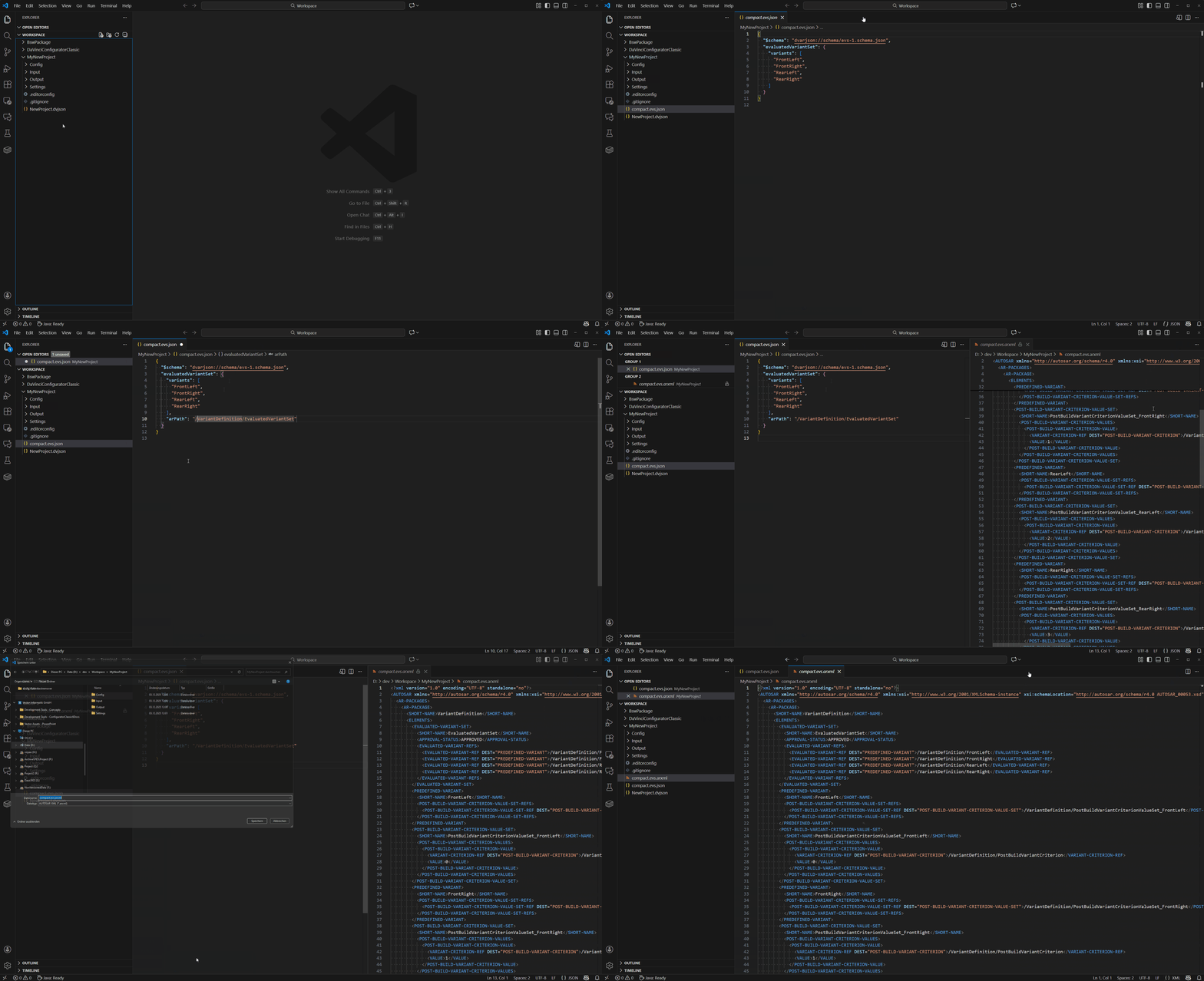
To create a JSON-based variant definition file, go to File > New File... and select New DaVinci-AUTOSAR-JSON File... or right-click in the Explorer and choose DaVinci > New DaVinci-AUTOSAR-JSON File... from the context menu. Select evaluated-variant-set to define variants.
Choose either the detailed or compact variant file template to begin designing.
The variant definition file will be created in your folder as compact or detailed .evs.json and will appear in the Explorer.
This file is automatically associated with the appropriate JSON schema, enabling editing with autocomplition and validation.
To preview the ARXML content of the JSON file, click on ARXML Preview in the file’s title menu.
Create JSON-based Legacy Diagnostic Data Definition File
The legacy diagnostic data definition file provides instructions for the Diagnostic Data Modifier and can be used to import diagnostic data into DaVinci projects.
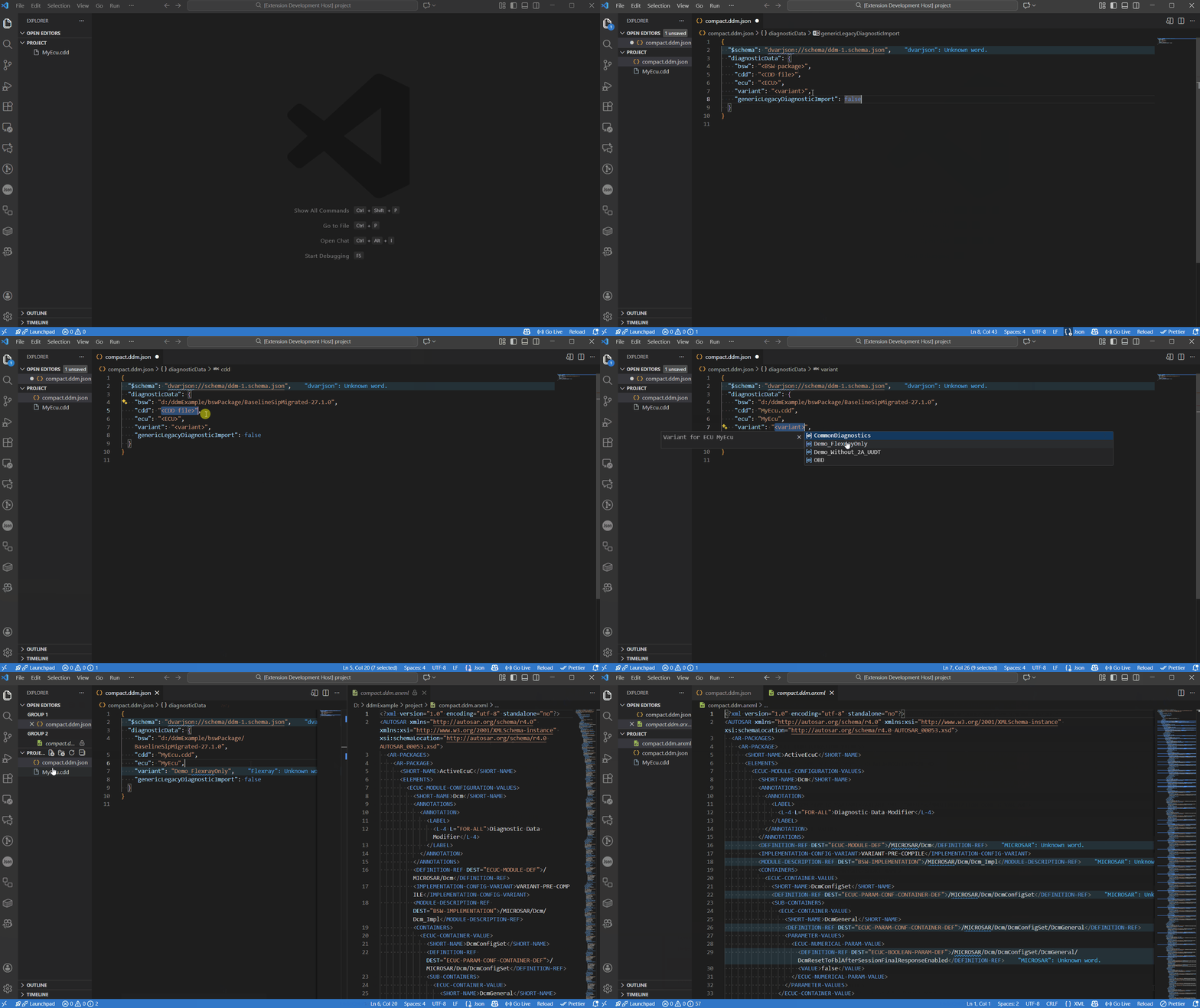
To create a JSON-based legacy diagnostic data definition file, go to File > New File... and select New DaVinci-AUTOSAR-JSON File... or right-click in the Explorer and choose DaVinci > New DaVinci-AUTOSAR-JSON File... from the context menu. Select diagnostic-data-management to edit legacy diagnostic data definition file.
Choose either the detailed or compact legacy diagnostic data definition file template to begin designing.
Both templates support defining the basic diagnostic data structure, including BSW package reference, .cdd-file reference, ECU and variant information.
The detailed template additionally supports importing DIDs and RIDs as single signals, legacy diagnostic import options and applying diagnostic description patch file.
The legacy diagnostic data definition file will be created in your folder as compact or detailed .ddm.json and will appear in the Explorer.
This file is automatically associated with the appropriate JSON schema, enabling editing with autocomplition.
To preview the ARXML content of the JSON file, click on ARXML Preview in the file’s title menu.
Convert JSON-based Variant Definition and Legacy Diagnostic Data Definition File into ARXML File
To generate an ARXML file from a variant definition file or legacy diagnostic data definition file, select the file in the Explorer and choose DaVinci > Convert to ARXML... from the context menu.
You will be prompted to choose a destination path and specify a file name for the converted ARXML file.
After you confirm the destination path and file name, the ARXML variant definition or legacy diagnostic data definition file will be generated.

