
What Was I Doing?Automatically tracks your work context and helps you resume exactly where you left off after breaks Installation Launch VS Code Quick Open ( Ctrl+P), paste the following command, and press enter.Copied to clipboard |

What Was I Doing?Never Lose Your Coding Context
🌐 Website • Features • Installation • Usage • Configuration • Contributing 📖 AboutWhat Was I Doing? is your silent productivity assistant. Developers are constantly interrupted. Don't waste mental energy trying to remember your train of thought after a context switch. This extension seamlessly tracks your work context in the background and helps you resume exactly where you left off. Whether you:
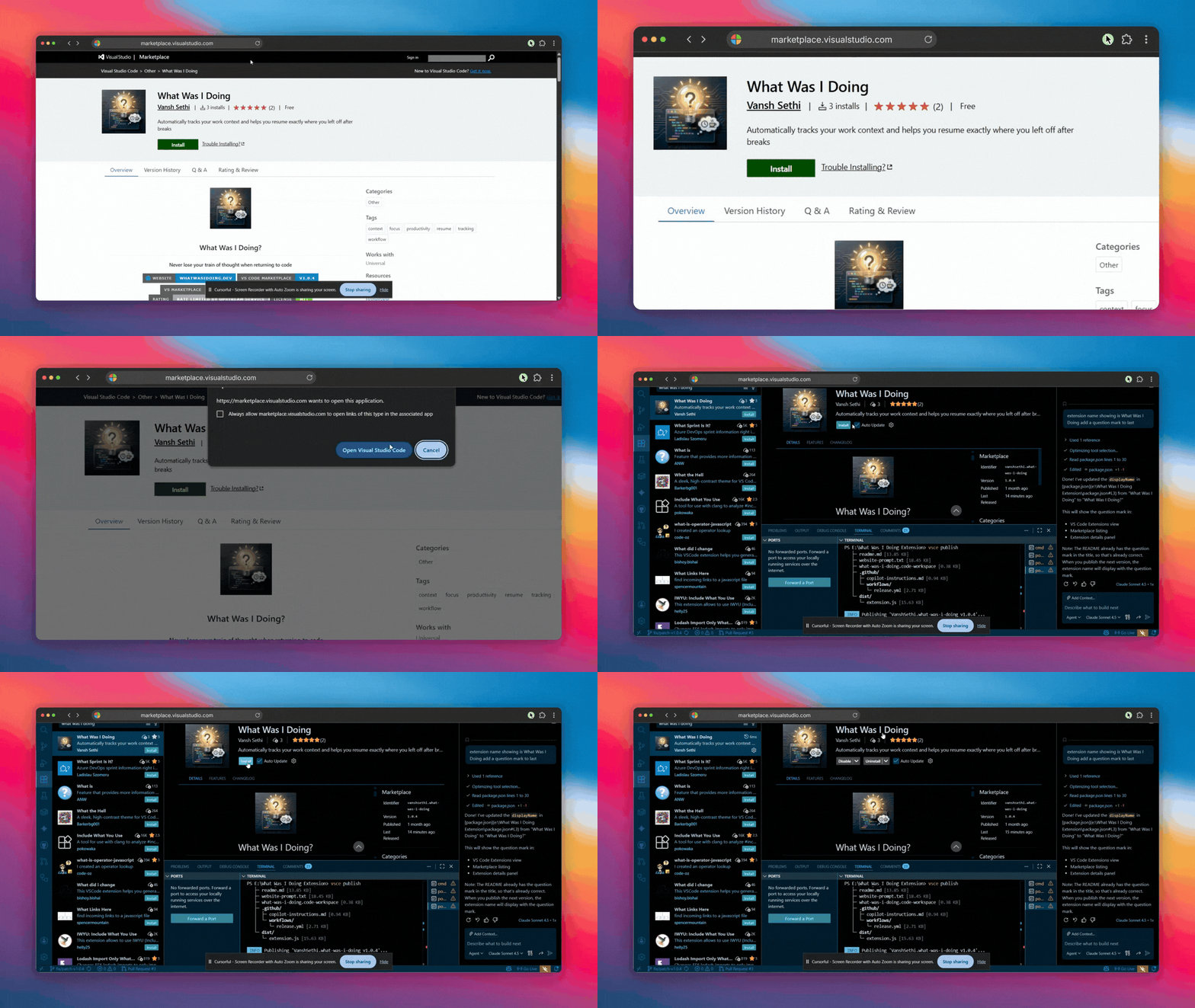
...the moment you return, a helpful popup instantly reminds you what file you were in, what function you were editing, and the exact next step you were supposed to take based on your TODO comments. 100% Private, 100% Local. We never send your code or data anywhere. 🎬 See It In Action🚀 Quick Start: Install and Get StartedGet up and running in seconds:
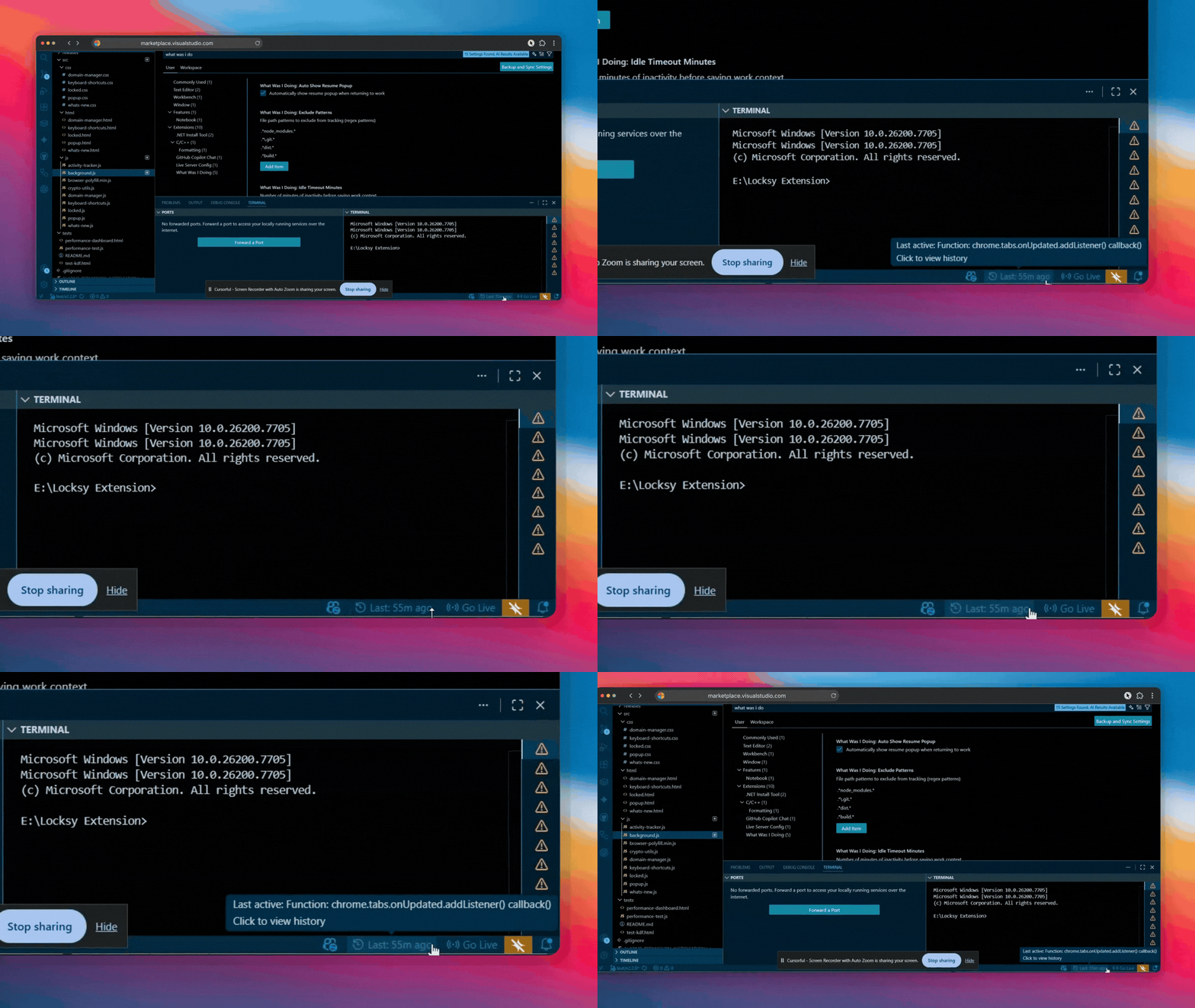
Install from VS Code Marketplace and the extension automatically starts tracking your work context ⏰ Track Your Work TimelineNever lose track of when you last worked on something. See exactly what you were doing 50 minutes ago, or even yesterday:
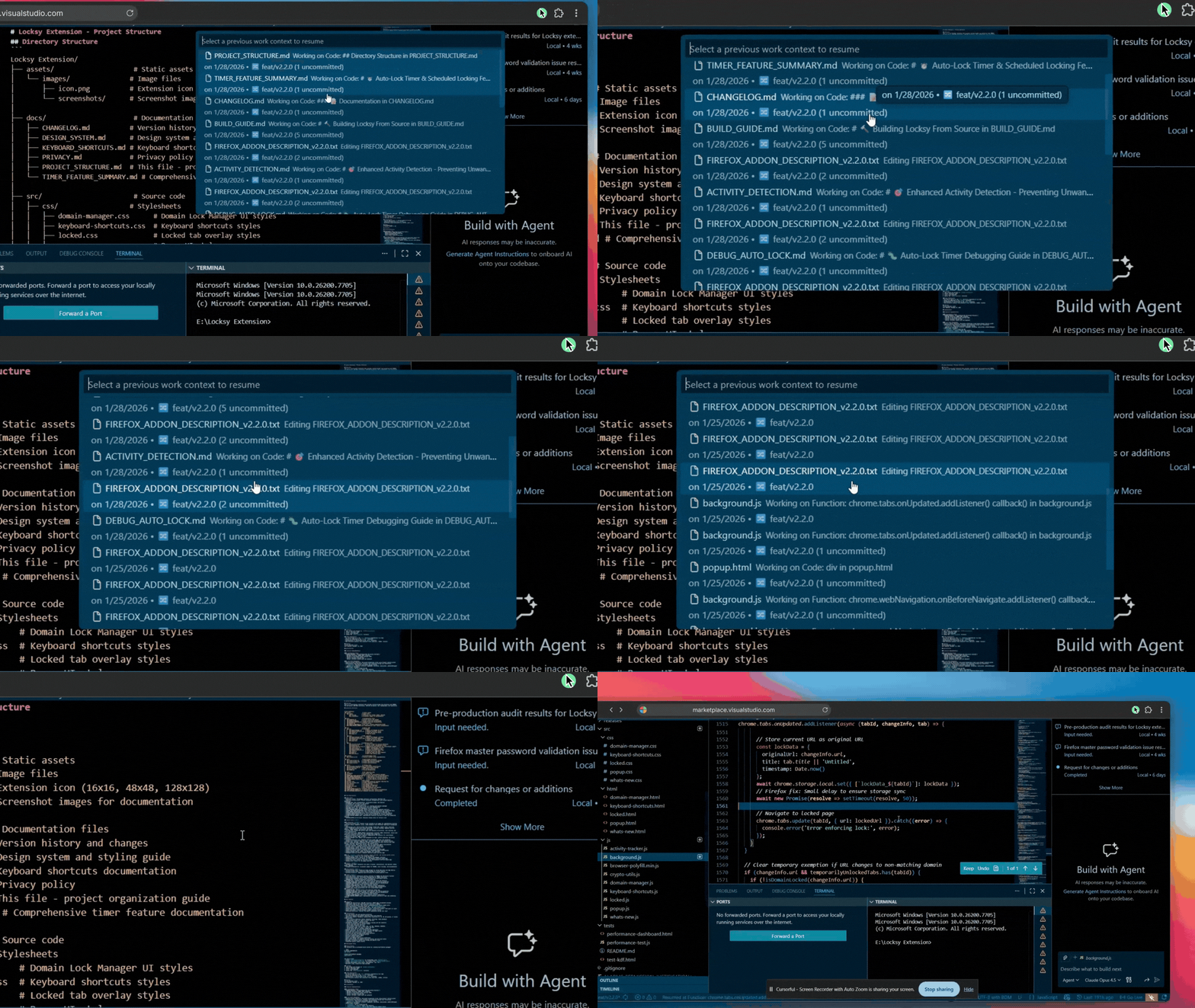
View your complete work history with timestamps — "What was I working on 50 min ago?" is answered instantly 📜 Browse Complete Work HistoryAccess all your previous work sessions and jump back to any context with a single click:
Browse through all your saved work contexts and click any session to instantly resume from that exact point 🎯 Command Palette IntegrationQuick access to all extension features directly from the Command Palette:
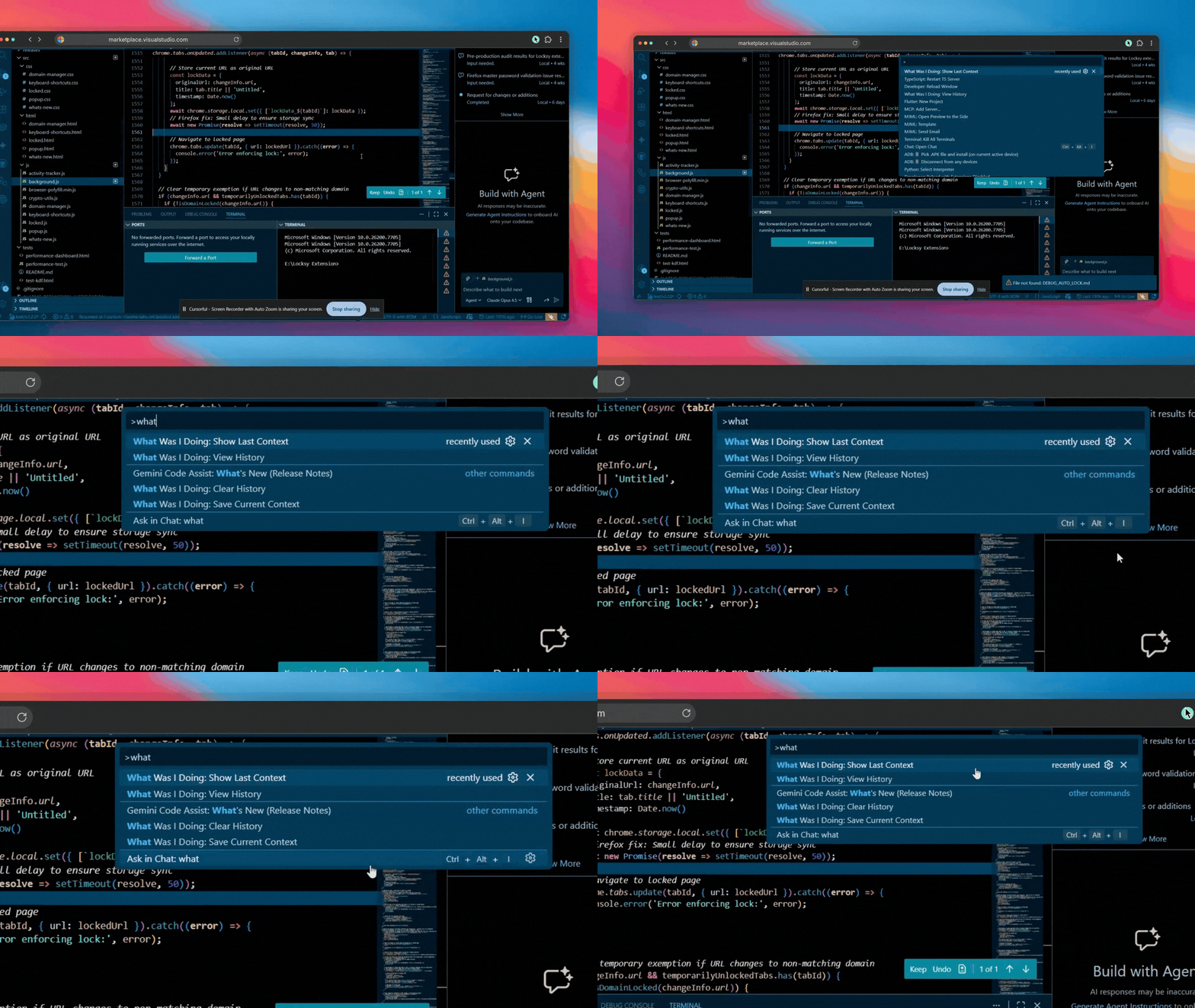
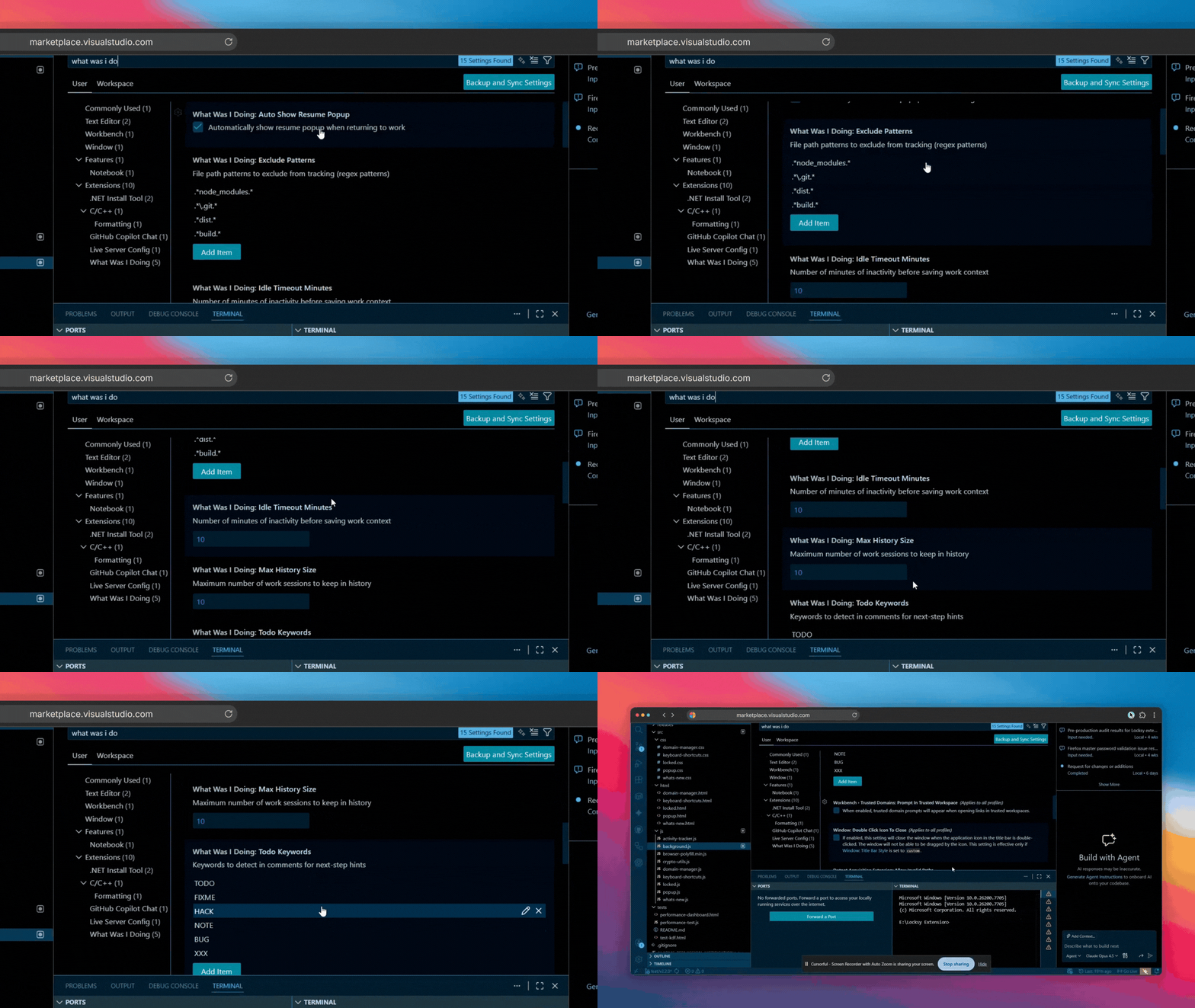
Search "What Was I Doing" in the Command Palette to see all available commands and features at your fingertips ⚙️ Customize to Your WorkflowConfigure the extension to match your preferences — adjust popup behavior, idle timeout, history size, file exclusions, and more:
Fine-tune settings like popup display, idle timeout minutes, max history size, exclude patterns, and other options to fit your workflow perfectly ✨ Features
🚀 InstallationFrom VS Code Marketplace
Method 1: VS Code UI (Recommended)
Method 2: Command LineMethod 3: Direct Link→ Install from VS Code Marketplace From Open VSX Registry (for VSCodium)
Method 1: UI
Method 2: Command Line💡 UsageQuick Start
Available CommandsOpen the Command Palette with
Status Bar IntegrationLook for the clock icon (🕒) in your status bar:
💡 Automatic Context NotesThe extension automatically generates helpful notes about what you were working on: Examples: These notes are generated from:
The notes appear in:
🔀 Git AwarenessThe extension automatically captures Git context when saving your work: Captured Information:
Example Display: This helps you quickly understand:
⚙️ ConfigurationAccess settings via 📋 All Configuration Options⏲️
|




| Scenario | How It Helps |
|---|---|
| ☕ Coffee Breaks | Return from a 15-minute break and instantly recall what you were coding |
| 🔀 Context Switching | Jump between multiple projects without losing your place |
| 🌙 End of Day | Close VS Code at 5pm, reopen at 9am, pick up exactly where you left off |
| 📞 Unexpected Meetings | Get pulled into a meeting? Resume your work seamlessly afterward |
| 🐛 Debugging Sessions | Navigate through different files and functions while maintaining context |
| 📚 Code Reviews | Switch between reviewing PRs and your own work effortlessly |
| 🎯 Focus Sessions | Take breaks between Pomodoro sessions without losing momentum |
🔒 Privacy & Security
|
✅ 100% Local Storage |
All data stored locally in VS Code's workspace state |
|
✅ No External Servers |
Zero network requests - your code stays private |
|
✅ User Control |
Clear history anytime with one command |
|
✅ Open Source |
Fully auditable code on GitHub |
❓ FAQ
Does this extension slow down VS Code?
No! The extension uses efficient event listeners and only activates after VS Code finishes starting up. It has minimal performance impact.
Will it track files in node_modules or .git?
No. Common directories like node_modules, .git, dist, and build are excluded by default. You can customize exclusions in settings.
Can I use this across multiple workspaces?
Yes! Each workspace maintains its own separate history, so contexts don't mix between projects.
What happens if I don't want the auto-popup?
You can disable it in settings with "whatWasIDoing.autoShowResumePopup": false. You can still view history manually via the command palette or status bar.
Does it work with all programming languages?
Yes! Activity tracking works with all languages. Function name detection works best with JavaScript/TypeScript, Python, Java, C++, and other common languages.
🛠️ Development
Building from Source
git clone https://github.com/vansh-121/what-was-i-doing
cd what-was-i-doing
npm install
npm run compile
Testing
Press F5 in VS Code to launch Extension Development Host.
📋 Requirements
| Requirement | Version |
|---|---|
| VS Code | ≥ 1.106.0 |
| OS | Windows, macOS, Linux |
🐛 Known Issues & Limitations
| Issue | Workaround |
|---|---|
| Symbol detection may not work for all languages | Works best with JS/TS, Python, Java, C++ |
| Very large files (>1MB) may have slower extraction | Excluded by default in most cases |
| Function detection in complex nested structures | Still captures file and line number |
Found a bug? Report it here 🐛
📊 Release Notes
See CHANGELOG.md for detailed release notes.
Latest Version: 1.1.0
- 🚀 IMPROVED: Expanded search keywords in
package.jsonto boost organic Marketplace discoverability. - 🌐 NEW: Added dedicated support and installation instructions for publishing to the Open VSX Registry (supporting VSCodium and Eclipse Theia).
- ✨ NEW: Beautiful interactive Walkthrough to guide new users on first install.
- 🔔 NEW: Automatic first-run popup to open the walkthrough immediately.
Version: 1.0.6 - 1.0.7
- 🐛 FIXED: Custom TODO keywords now properly respected in note generation
- 🐛 FIXED: TODO comment changes now correctly trigger new context saves
- 💡 Automatic context notes generation
- 🔀 Git awareness (branch, commit, uncommitted files)
- 📝 Intelligent notes from TODO comments, function names, and file context
- 🎯 Enhanced resume experience with prominent note display
- ⏰ Smart idle detection
- 🎯 Instant resume popup
- 📋 Work session history
- 🚫 Duplicate context prevention
🤝 Contributing
Contributions, issues, and feature requests are welcome!
Development
# Clone the repository
git clone https://github.com/vansh-121/what-was-i-doing.git
cd what-was-i-doing

# Install dependencies
npm install

# Compile TypeScript
npm run compile

# Run in development mode
# Press F5 in VS Code to launch Extension Development Host
📄 License
This project is licensed under the MIT License - see the LICENSE file for details.
💬 Support & Feedback


If you find this extension helpful, please consider:
⭐ Starring the repo on GitHub
⭐ Rating it on the VS Code Marketplace
🐦 Sharing it with your developer friends
Made with ❤️ by Vansh Sethi
Website • VS Code Marketplace • GitHub Repository • Report Issues