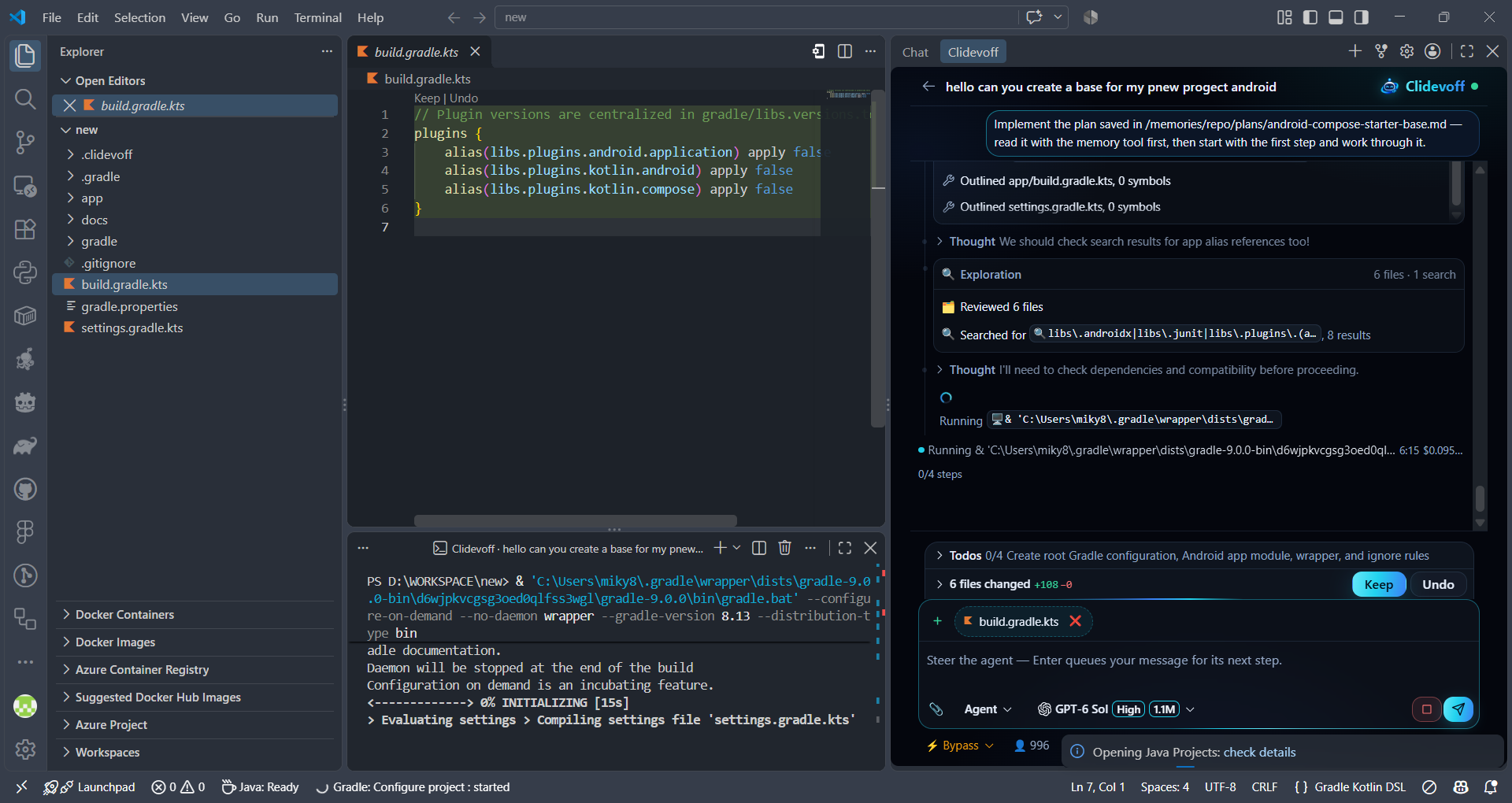
AI coding agent inside VS Code — pick your model from a curated catalog (Claude, GPT, Gemini, Grok, DeepSeek and more), watch it work on your files live, approve and undo every change.
Installation
Launch VS Code Quick Open (Ctrl+P), paste the following command, and press enter.
Your AI coding agent for VS Code. Pick a model, describe the task, and watch it
work — right inside your editor, on your code. You stay in control: every write
is checkpointed, every risky action asks first.
Three modes, one chat
Ask — questions about your codebase, answered with real reads and
searches, not guesses.
Plan — a written, reviewed plan saved to your repo before a single line
changes.
Agent — the plan gets implemented: files edited, commands run, tests
executed — while you watch every step live.
What it does
Pick your model — a hand-picked catalog of the best models out there
(see them all), with live pricing and
context windows. Switch whenever you like: the model is a dropdown, not a
contract.
Works on your code — reads, searches, edits and runs things inside your
editor on your files. Approvals for anything risky, an Undo for everything
it wrote.
Watch it work — answers stream in live while it reads files and runs
commands, with each tool call shown as it happens. You see it think and act,
not a spinner.
Parallel chats — several conversations run at once, each with its own
model and context.
Subagents — spawn explorer and worker agents that investigate or build in
parallel, each on its own model if you want.
Checkpoints — every turn snapshots what it touched. Restore a turn, a
file or the whole run.
Plans that get reviewed — a Plan turn can hand its draft to a reviewer
agent before implementation starts.
Your tools too — MCP servers, project skills and hooks plug straight in;
VS Code's own extension tools are bridged in as well.
Terminal commands — it can run, watch and feed interactive commands,
including long-running dev servers.
Memory — repository and session memory keep your conventions and
decisions between chats.
Getting started
Install the extension and open the Clidevoff view in the activity bar.
Sign in with GitHub or Google — or create an account on
clidevoff.com.
Pick a plan and start coding. Monthly plans, plus extra usage whenever you
need it.
Already signed in on the site? The account page's Open in VS Code opens the
extension signed in — no copy-pasting tokens.