MCStructure Preview





MCStructure Preview is a Visual Studio Code extension that provides an interactive 3D preview for Minecraft Bedrock Edition .mcstructure files.
Preview
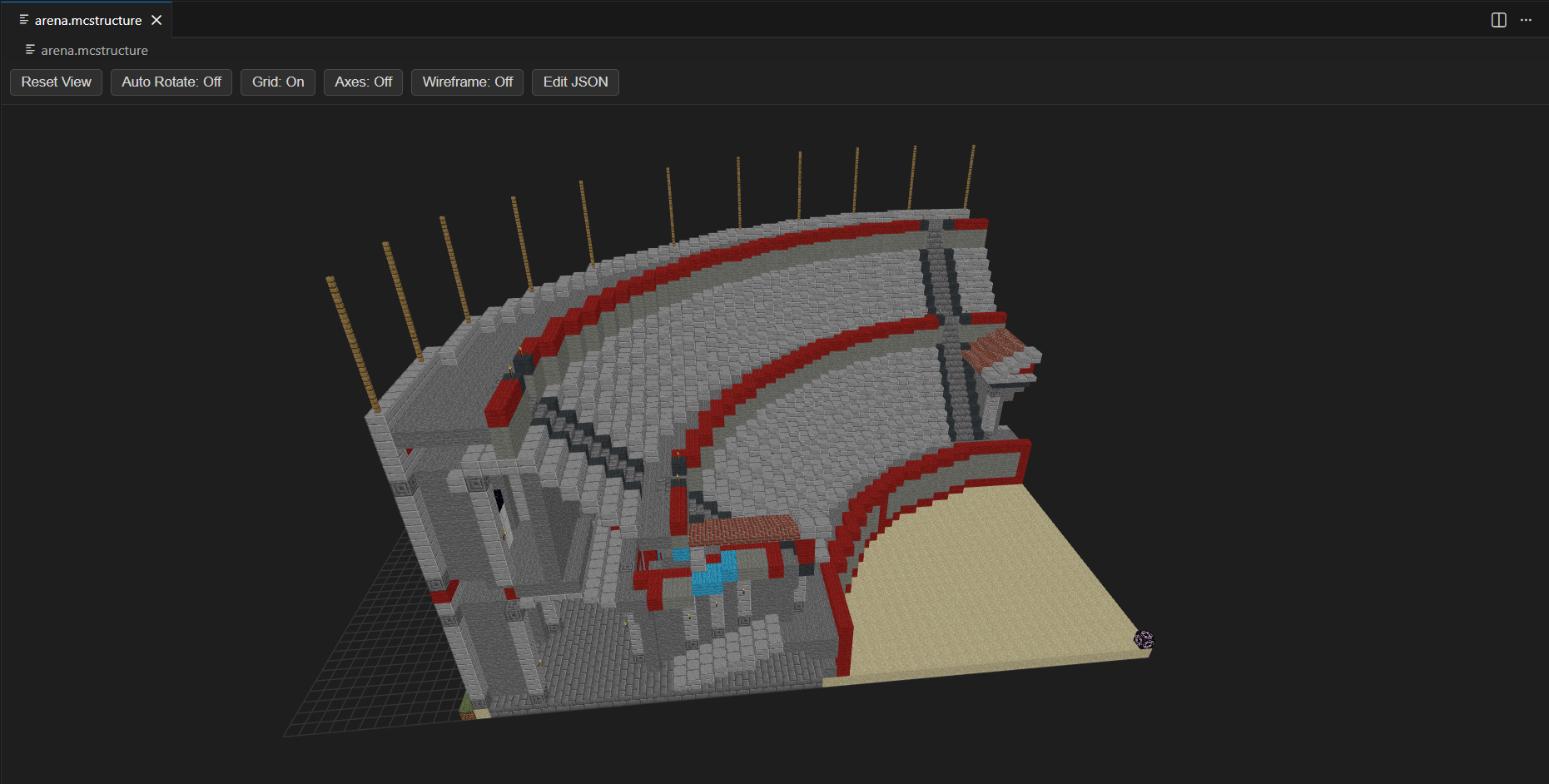
Features
- Render
.mcstructure files in a custom 3D editor inside VS Code
- Mouse controls for rotate, pan, and zoom (three.js OrbitControls)
- Map Bedrock block IDs and states to Java edition block models for rendering
- Resolve models and textures from the
minecraft-assets package
- JSON editing: use the
Edit JSON button to edit and save structure data
Preview toolbar
- Reset View
- Auto Rotate
- Toggle Grid
- Toggle Axes
- Toggle Wireframe
- Edit JSON
Installation
Option 1: Visual Studio Marketplace
Install from Marketplace once published:
Option 2: GitHub Release (.vsix)
- Open the latest GitHub Release.
- Download the .vsix asset.
- In VS Code, run Extensions: Install from VSIX....
- Select the downloaded .vsix file.
Quick start
- Open a
.mcstructure file in VS Code to launch the MCStructure 3D Preview custom editor.
- Adjust the view using the toolbar and mouse controls.
- Click
Edit JSON to modify the structure data and save changes back to the .mcstructure file.
Dependencies
minecraft-assetsthreeprismarine-nbt
See package.json for exact dependency versions.
Important Notes
- This project is not yet complete.
- Some blocks are not currently supported by this extension.
- I am looking for someone to take over development of this extension.
- If you are interested, please let me know.
- You can contact me on Discord:
awfulbread.
Feedback
Please file issues for bug reports or feature requests.
| |

