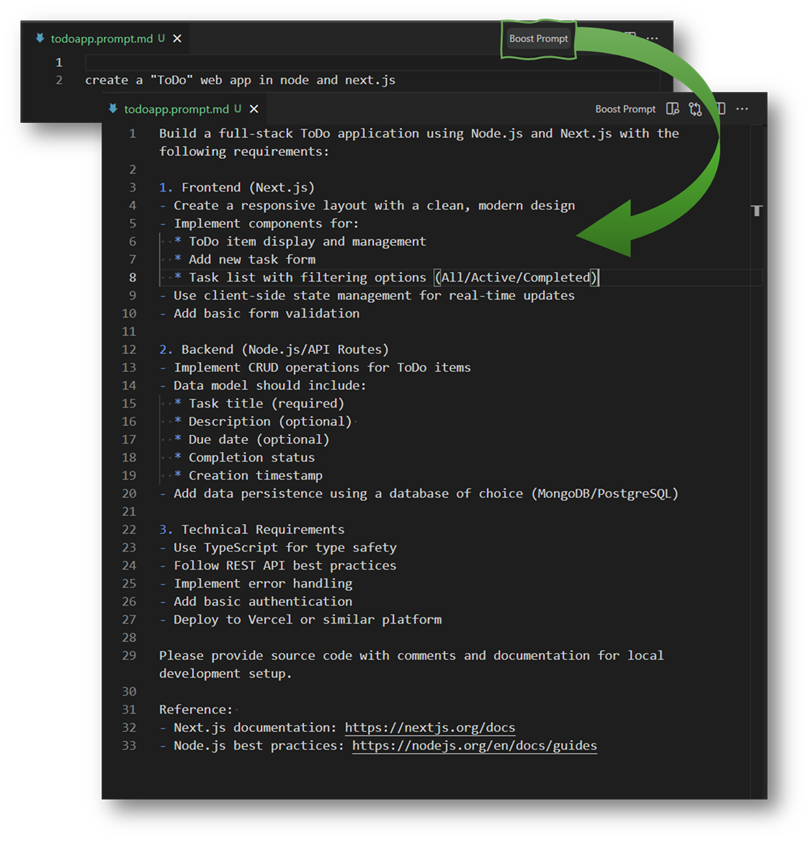
Tools for improving and refining textual prompts directly inside VS Code.
Boost Prompt helps you turn a rough prompt into a clear, actionable, and well-formatted request for language models (Copilot Chat and compatible models).
Features
Boost any selected text or whole file using a chosen language model.
Registerable as a language-model tool (boostPrompt) for programmatic use from model-driven workflows.
Persist and edit custom boosting instructions (stored in global storage as boost.prompt.md).
Configurable file-patterns to enable the command only for the files you want.
Quick Start
Install the extension in VS Code.
Open a file that matches your configured patterns (default: *.prompt.md).
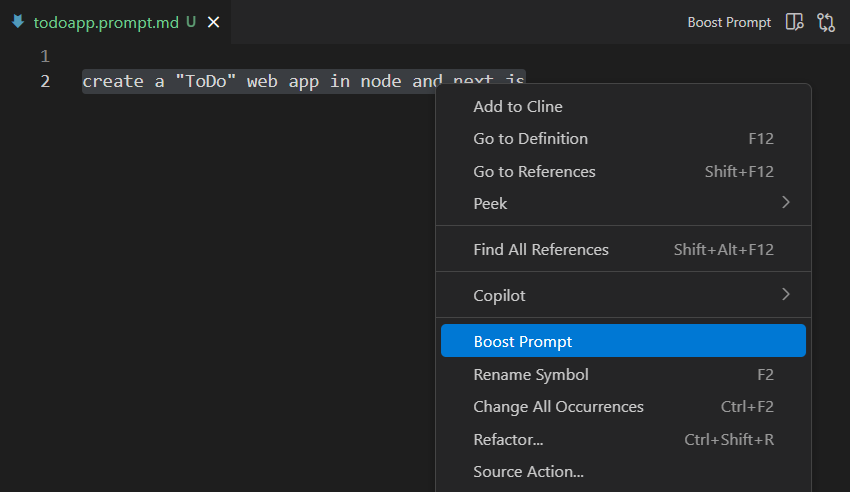
Select text (or leave selection empty to boost the whole file) and run the command Boost Prompt from the Command Palette or the editor context menu.
Commands
Boost Prompt — Improve the active selection or whole document using the selected model.
Boost Prompt: Select Model — Choose a language model to use (saved as preferred model).
Boost Prompt: Edit Instructions — Open and edit the instruction template used to boost prompts.
Configuration
boostPrompt.filePatterns (array of globs)
Default: ["*.prompt.md"]
Controls which files show the Boost Prompt command in the editor context and title menus. Use * or an empty array to enable for all files.
boostPrompt.preferredModel (string)
Optional model name to use automatically. If unset, you'll be prompted to pick a model when boosting.
[!note]
The extension discovers available Copilot-compatible chat models at activation. Make sure Copilot Chat is enabled in your environment.
Troubleshooting
No models found: enable Copilot Chat in VS Code and try again.
Boost not enabled for file: update boostPrompt.filePatterns to include your file extension (e.g. *.md, **/*.mdx).
Check the BoostPrompt output channel for detailed logs and errors.
Extensibility
Boost Prompt exposes a languageModelTools contribution (boostPrompt) so other extensions or model-driven flows can reference the tool and pass promptText directly.
While this project was built entirely from scratch and not derived from the original codebase, I want to give credit to Chris Dias for the concept that sparked the creation of this extension.


 Boost Prompt