Skip to content
| Marketplace
Sign in
Visual Studio Code>Themes>True BlackNew to Visual Studio Code? Get it now.
True Black

True Black

Teddy Mazrin

|
6 installs
| (0) | Free
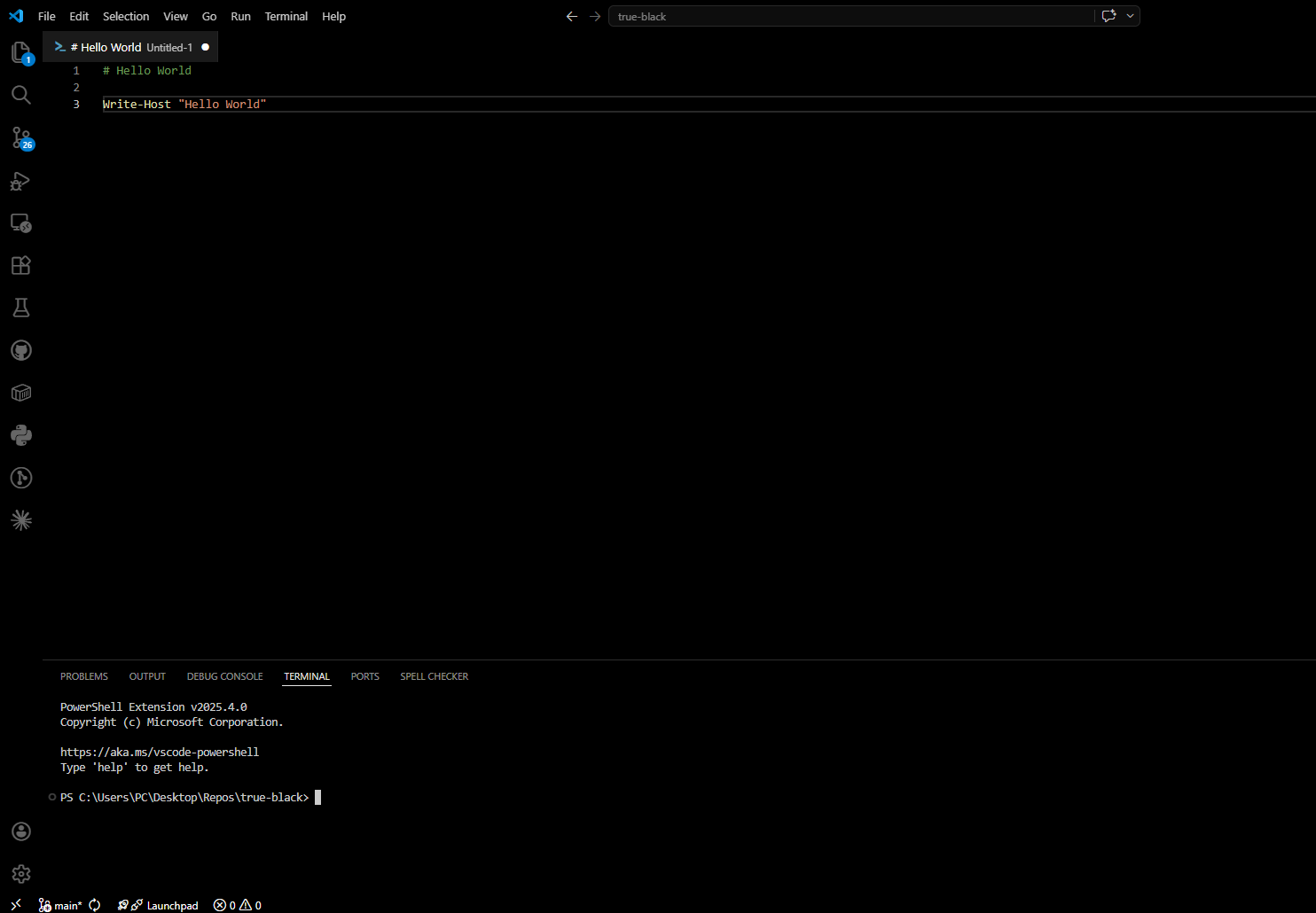
Pure black (#000000) backgrounds on top of Dark+. Built for OLED displays and eye-strain reduction.
Installation
Launch VS Code Quick Open (Ctrl+P), paste the following command, and press enter.
Copied to clipboard
More Info

True Black

Pure black (#000000) backgrounds on top of Dark+. Built for OLED displays and eye-strain reduction.

True Black theme screenshot

What it does

Sets all major UI surfaces to #000000 (editor, sidebar, activity bar, title bar, terminal, panels, tabs, status bar) while keeping Dark+'s syntax highlighting unchanged.

Install

Search True Black in the VS Code Extensions panel, or install via the Marketplace.

Then open the Command Palette and run Preferences: Color Theme → True Black.

License

MIT

  • Contact us
  • Jobs
  • Privacy
  • Manage cookies
  • Terms of use
  • Trademarks
© 2026 Microsoft