Skip to content
| Marketplace
Sign in
Visual Studio Code>Formatters>ABAP cleanerNew to Visual Studio Code? Get it now.
ABAP cleaner

ABAP cleaner

SAP OSS

sap.com
|
21 installs
| (0) | Free
ABAP cleaner applies 100+ cleanup rules to ABAP code at a single keystroke.
Installation
Launch VS Code Quick Open (Ctrl+P), paste the following command, and press enter.
Copied to clipboard
More Info

ABAP Cleaner

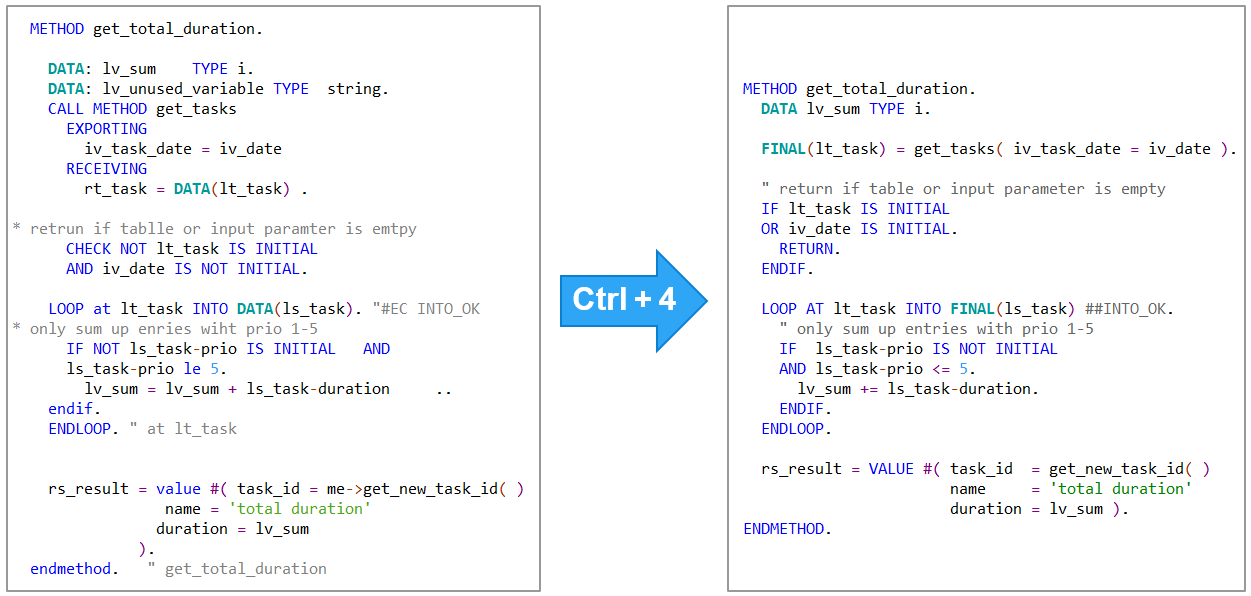
ABAP cleaner applies 100+ cleanup rules to ABAP code at a single keystroke.

ABAP cleaner - code cleanup at a keystroke

Features

  • Format selection of ABAP code or CDS view - anything from a single statement to an entire code document
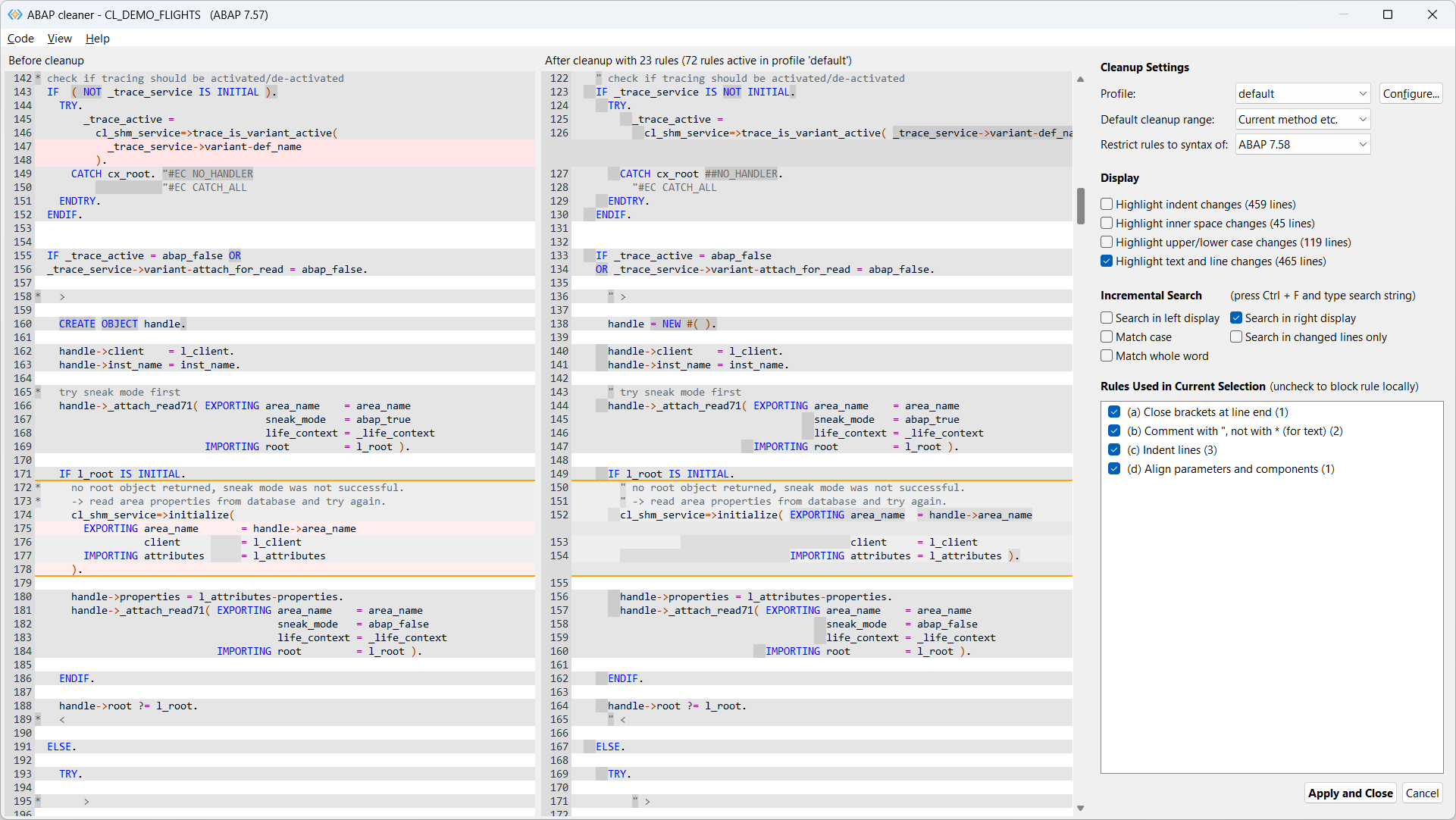
  • Interactive cleanup on the ABAP cleaner UI (diff view) with local (de)activation of cleanup rules
  • 100+ cleanup rules for alignment, declarations, spaces, replacing obsolete commands, syntax improvements, frequent typos etc.
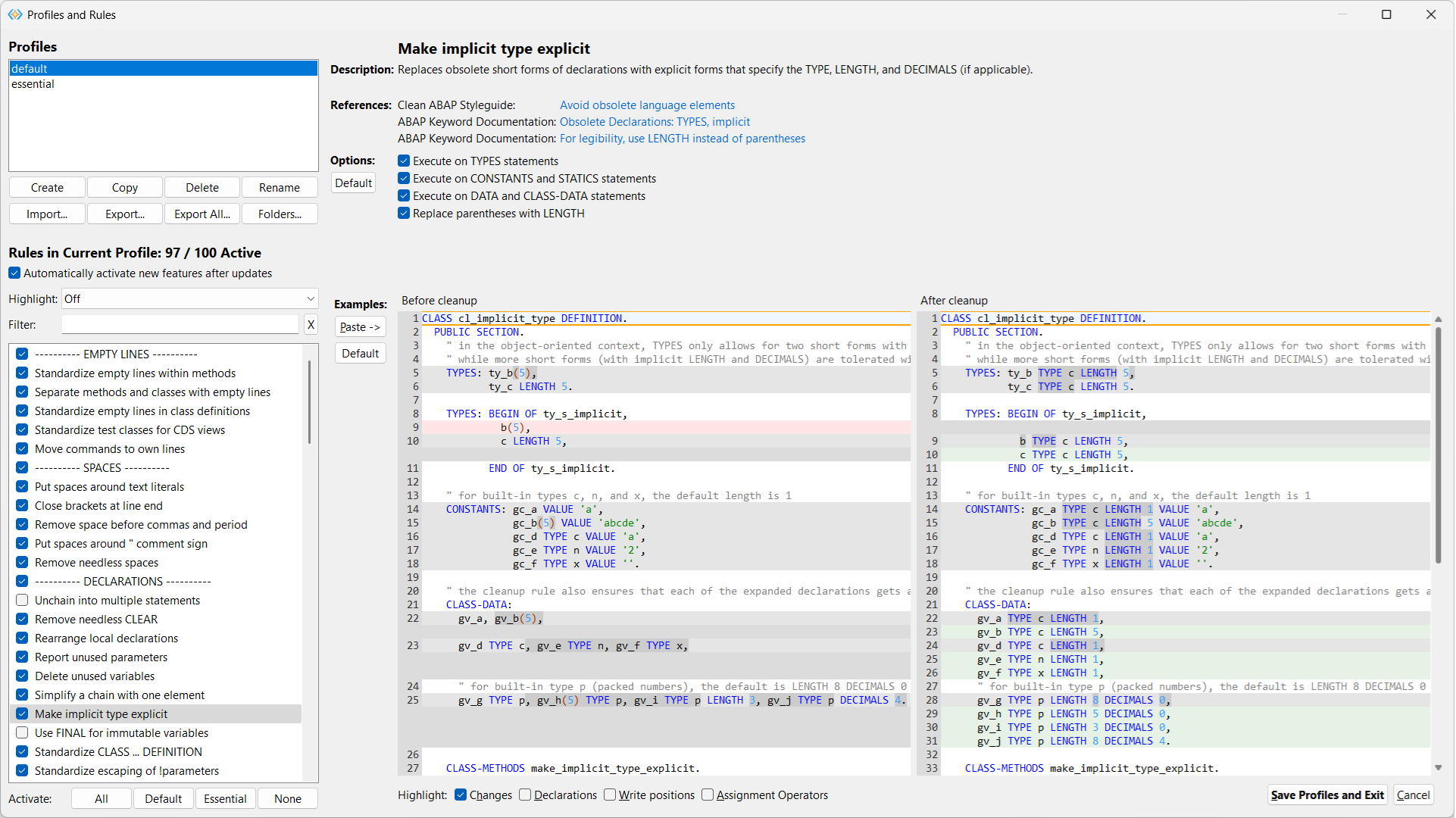
  • Configuration settings to fine-tune the behavior of all cleanup rules
  • Code examples immediately show the effect of all configuration settings
  • Multiple cleanup profiles for specific cleanup tasks or contexts (workspaces)
  • Team profiles can be synchronized via OneDrive etc. for common code style
  • Restriction of ABAP syntax to a given ABAP release

Interactive cleanup UI

ABAP cleaner interactive cleanup - main window

Configuration of profiles and rules

ABAP cleaner - profiles and rules window

Installation

From the VS Code Marketplace

On the ABAP cleaner page, click Install.

From GitHub releases

  1. Download the .vsix file for your platform from the latest release assets, e.g. for Windows, abapcleaner-vscode-win32.win32.x86_64.vsix.

  2. In the VS Code Command Palette, enter 'Extensions: Install from VSIX...' and select the downloaded .vsix file to install the ABAP cleaner extension.

Requirements

Java 21 or higher (e.g. SapMachine or Adoptium Temurin) must be installed, and in the app 'Edit the system environment variables' (Windows), System environment variable 'PATH' must contain the path to the java.exe (e.g. C:\Program Files\SapMachine\JDK\21\bin).

Usage

Open an editor with ABAP code (.abap file) or a CDS view (.acds file) and select one of the following 'ABAP Cleaner: ...' commands, or press the corresponding shortcut:

  • Format Selection (Ctrl+4 / ⌘4) — formats only the selected lines, or the current method if no code was selected
  • Format Document (Ctrl+5 / ⌘5) — formats the entire code document, also used for setting 'Editor: Format on Save'
  • Format Interactively (Ctrl+Shift+4 / ⌘⇧4) — opens the ABAP cleaner UI for interactive cleanup
  • Show Read-Only Preview (Ctrl+Shift+5 / ⌘⇧5) — shows the cleanup result without applying it

Documentation, Demos, Release Notes, Support

Please visit the ABAP cleaner repository for

  • detailed documentation,
  • demos,
  • available cleanup rules,
  • release notes,
  • opening issues etc.
  • Contact us
  • Jobs
  • Privacy
  • Manage cookies
  • Terms of use
  • Trademarks
© 2026 Microsoft