CSV Grid Editor




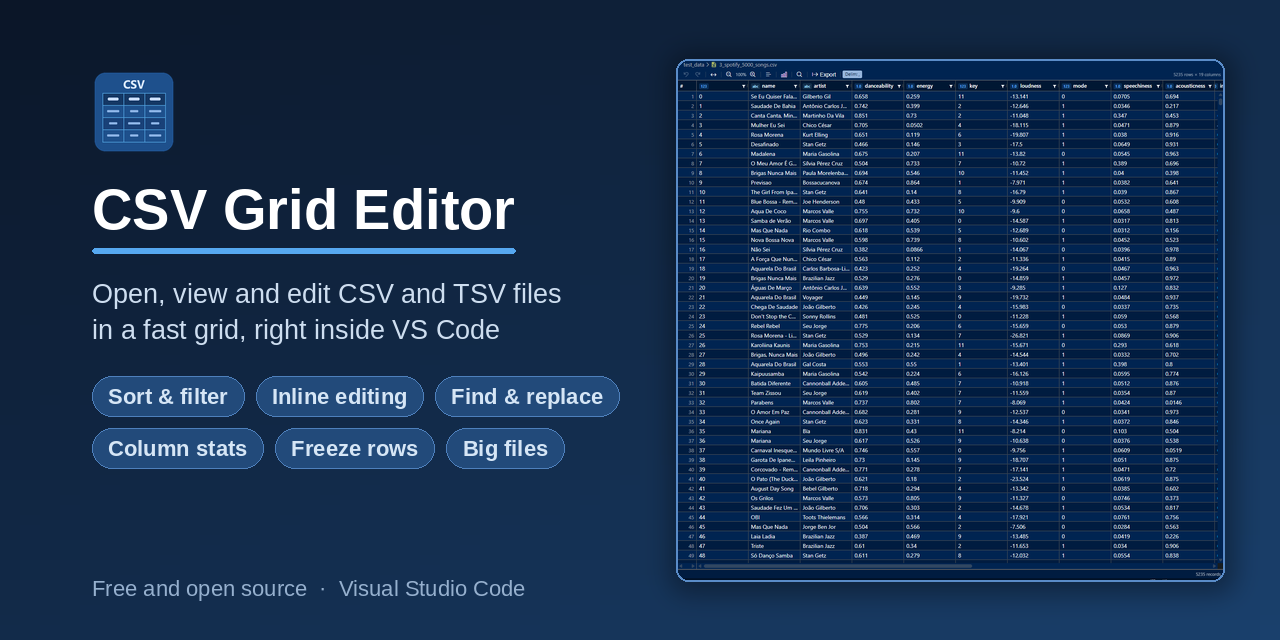
A fast, feature-rich CSV/TSV editor for Visual Studio Code. Opens CSV files in a sortable, filterable, editable grid, right inside your editor, no external tools needed.
Contents
Why CSV Grid Editor
- Read messy CSVs without counting commas, every column lines up in a real grid
- Edit and save right in VS Code, no need to launch Excel or a separate app
- Copy any range straight into Excel or Google Sheets as tab-separated values
- Understand a column at a glance with built-in stats like median, null percent and distinct counts
- Stay fast on big files with head, tail and paged views for 50 MB and beyond
Who it is for
- Data analysts eyeballing exports and query results
- Developers editing fixtures, seed data and test CSVs
- Anyone who opens a CSV and does not want to launch a spreadsheet app
Quick start
- Install CSV Grid Editor from the Marketplace
- Open any
.csv or .tsv file, it opens as a grid automatically
- Double-click a cell to edit, then save with
Ctrl+S
For files larger than 10 MB you get a quick menu to open the full file, preview the head or tail, browse in pages or open as plain text.
Features
Grid & Display
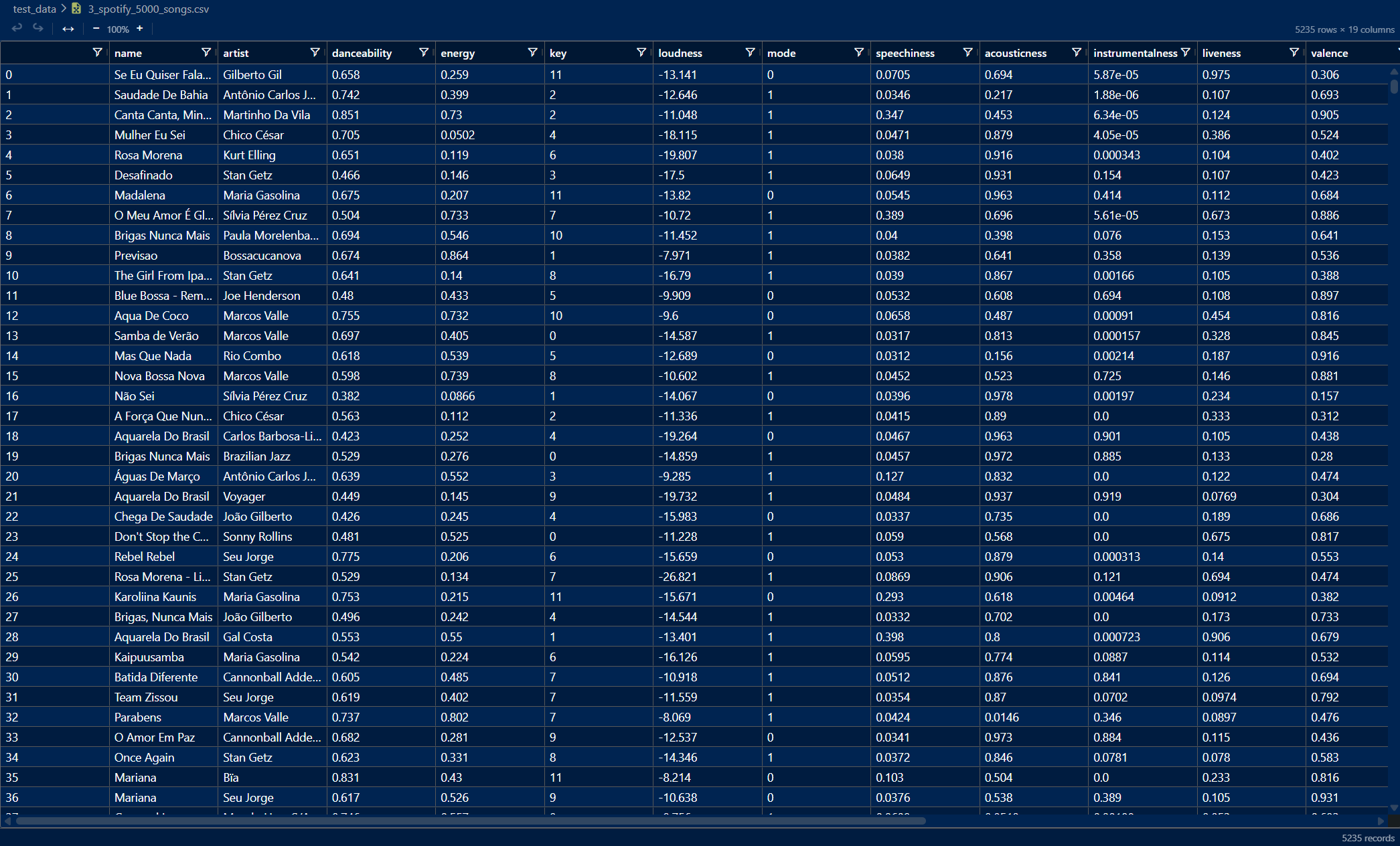
- Interactive Grid - Powered by AG Grid with alternating row colors and grid lines
- Column Type Detection - Each column header shows a type badge (Integer, Float, Text, Boolean, Date, DateTime, Time) inferred from the column's values. The type updates automatically whenever the data changes, whether from cell edits, find and replace or undo and redo.
- Sort & Filter - Click any column header to sort. Use the filter icon to search within a column. Active filters show in the toolbar with a one-click clear button.
- Auto-Fit Columns - Fit all columns to their content with one click, measured across every row of the file and not just the ones on screen. Double-click a resize handle to auto-fit a single column.
- Column Resize - Drag column borders to adjust width manually
- Zoom - Scale the grid from 60% to 200% with the toolbar buttons or keyboard shortcuts. The zoom level shows in the toolbar and brightens as soon as you are away from 100%. Click it, or press
Ctrl+0, to go straight back.
- Control Characters - Invisible control characters inside a value show as a small chip with the character's abbreviation instead of an unnamed box, so you can tell which one it is. Hover it for the full name. The value itself is untouched, so editing, copy and save still carry the original character.
- Multi-line cells - A cell that holds a line break shows a small
↵ chip at every break, so you can see it is more than one line even though the row keeps its height. The toolbar's Wrap cell text button lets rows grow instead, so long values and line breaks are readable in full. The chip stays visible there too, which is what tells you whether a line ended because the value breaks or because it ran into the edge of the column. The setting is remembered across files and sessions.
- Checkboxes for true/false columns - Off by default, switched on with the gear at the right end of the toolbar. A column of
true/false, yes/no, y/n, t/f or on/off values is drawn as checkboxes instead of words. One click flips a value. The file keeps its own words: the click writes back the opposite word of the pair that cell already used, in the same capitalisation, so YES becomes NO. Turning the mode on or off changes nothing in the file. An empty cell stays empty. Any value a box cannot stand for keeps its text.
- Files without a header row - Not every CSV starts with column names. Switch off First row is the header under the gear for such a file. The first line then shows as row 1 and the columns are named A, B, C. The choice is remembered for that file alone and changes nothing in it.
- Settings menu - The gear at the right end of the toolbar holds the small switches that are a matter of taste, in the editor rather than in the VS Code settings: Color columns, Highlight the current row, Type badges in the header, Align numbers to the right, Mark empty cells, Checkboxes for true/false columns, Hide spaces around values and Enter moves down after editing. Each one says in a line what it does and is remembered across files and sessions. None of them changes a value in the file. The gear is marked while anything in it differs from the default.
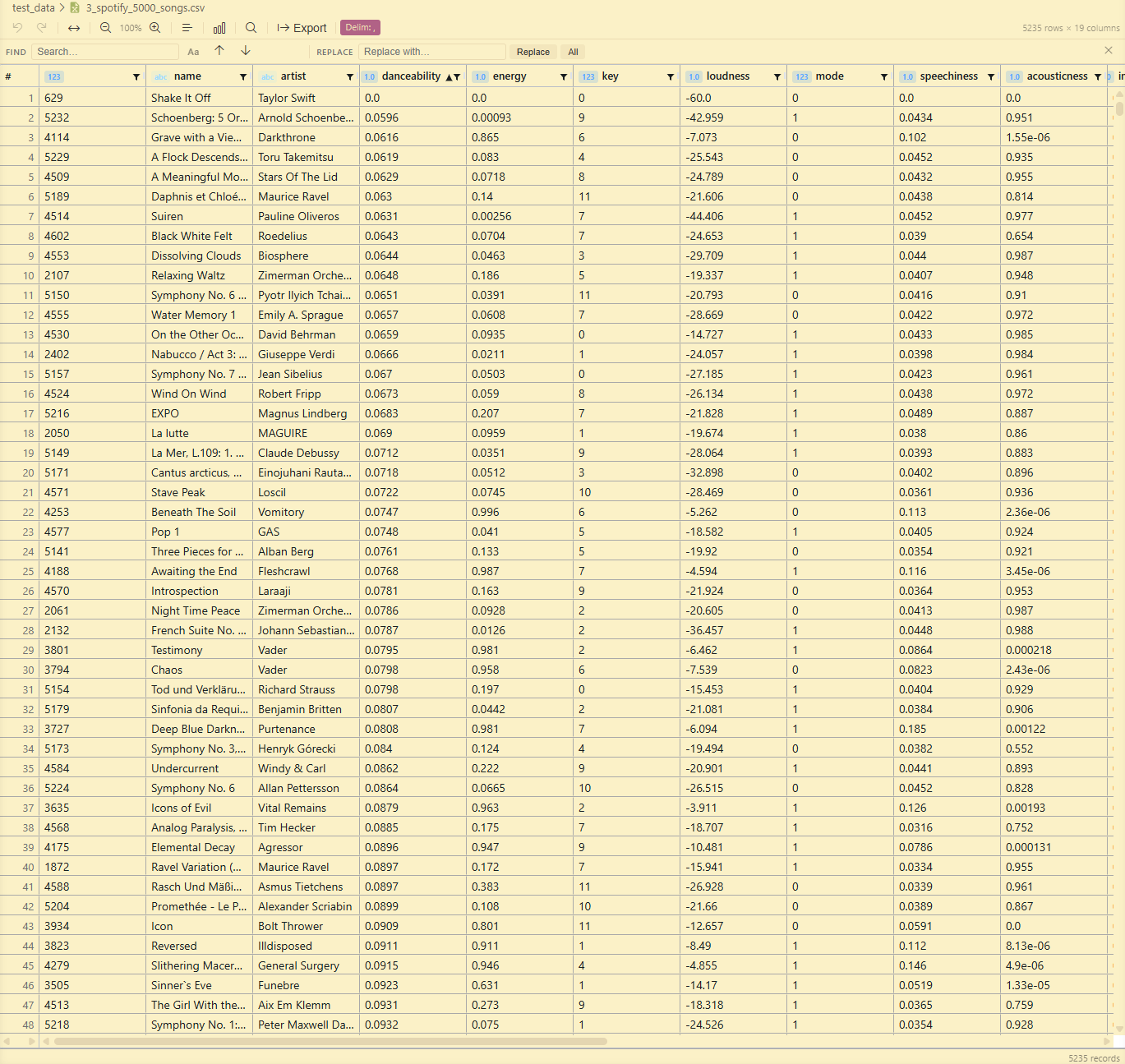
- Theme Integration - Automatically adapts to your VS Code color theme (dark or light)

Editing
- Inline Editing - Double-click any cell to edit its value inline. Changes are tracked and saved back to the file. Press
Enter to commit and jump to the cell below in the same column, the same as Excel and Google Sheets, so you can type down a column quickly.
- Line breaks inside a cell -
Alt+Enter inserts a line break while you are editing, the same key Excel uses, and Shift+Enter does the same. The editor grows as the value gets taller. Enter still commits, so nothing changes for single-line values. The file is written the way the CSV standard asks for it, with the cell in quotes, so other tools read it back correctly, and it comes back into the grid unchanged: a break at the start or the end of a value survives, and a cell that arrived as CRLF is saved as CRLF even after you edit it.
- Insert & Delete rows and columns - Right-click a row to insert above or below or to delete it, and right-click a column header to insert left or right or to delete. Select several rows (drag or
Shift+click the # gutter) or several columns (Shift+click the headers) first to insert or delete that many at once, anchored to the selection edge, just like a spreadsheet. Three keys do the same without reaching for the mouse: Ctrl+Enter inserts a row below the one you are on, Ctrl+Shift+Enter inserts one above and Ctrl+Shift+K deletes it. They are the keys VS Code's own editor already uses for a line below, a line above and deleting a line. All three work while you are still editing a cell, an insert commits the value you typed first and a delete drops it along with the row, and with several rows selected they apply to the whole selection just like the context menu. A new, empty file shows Add column where the table would be, and a file with only a header row shows Add row, so a table can be started from nothing. Ctrl+Enter adds that first row too. Right-clicking the empty space beside or below the table offers Add column at the right end and Add row at the bottom.
- Undo / Redo - Full multi-step undo and redo stack (
Ctrl+Z / Ctrl+Y)
- Save / Save As - Uses VS Code's native save mechanism and supports Save As to a new location
- Your file stays your file - The grid writes a file back with its own line endings (CRLF, LF or CR), its final line break, its byte order mark and its encoding (UTF-8, UTF-16 or the Windows-1252 that Excel uses for plain "CSV"). Values keep the spaces around them. Quotes follow the CSV standard, so a value quoted without need loses its quotes the first time the file is written.
Find & Replace
- Find & Replace bar (
Ctrl+F / Ctrl+H / toolbar icon) - Always shows find and replace together in one bar
- Search - Matches are highlighted across all visible cells. A counter shows the current position (for example
3 / 47).
- Case-Sensitive Toggle - Enable exact case matching with the
Aa button
- Navigation - Jump between matches with the toolbar buttons,
Enter (next) or Shift+Enter (previous)
- Replace - Replace the current match or all matches at once. Only the matched substring is replaced, leaving the rest of the cell value intact, and it integrates with the undo stack.
Copy & Export
- Cell Copy - Click a cell to focus it, then
Ctrl+C copies its full value to the clipboard
- Range Selection - Excel-style selection directly in the grid:
- Click and drag to select a rectangular cell range
- Click and drag the row-number (
#) column to select whole rows
Shift+click a column header to select a whole column or a run of adjacent columns- Right-click a column header → Select column to select a whole column
Shift+click and Shift+arrow keys extend the selection, Ctrl+A selects everythingCtrl+C copies the selection as tab-separated values (TSV) that paste straight into Excel or Google Sheets- Right-click → Copy with header to include the column headers in the copy
- Right-click → Copy as CSV or Copy as CSV with header puts the same selection on the clipboard comma-separated, ready to paste into a CSV file, a code snippet or an issue. Values holding a comma, a quote or a line break are quoted, so the block reads back as exactly the cells you copied.
Delete / Backspace clears every cell in the selection- The status bar shows the selection size plus live
Count / Sum / Avg / Min / Max
- Export as JSON - Convert the current filtered and sorted view to a JSON array of objects via the native VS Code save dialog. Column headers become the keys and numbers and booleans come out typed, while values that would lose information (IDs with leading zeros, very large numbers) stay strings. Columns you have hidden in the column chooser are left out, the same as copy.
- Export as JSON Lines - The same view as JSON Lines (NDJSON), one object per line, handy for streaming tools and data pipelines
- Export as XML - The same view as an XML document, one
<row> element per row and one child element per column. Column headers become element names, with anything that is not legal in an XML name (spaces, punctuation, a leading digit) replaced so the output always parses. Cell text is written exactly as it reads, with &, < and > escaped. Control characters are the one exception: XML 1.0 cannot represent them at all, so they are dropped. The other three formats keep them.
- Export as Markdown table - The same view as a GitHub-flavored Markdown table, ready to paste into a README, issue or pull request
Delimiter
- Auto-Detection - Automatically detects commas, semicolons and tabs on open.
.tsv files always use tab.
- Manual Override - Click the delimiter badge in the toolbar to change the delimiter on the fly (comma
,, semicolon ;, tab, pipe |). The grid re-parses the file immediately.
Column Freeze
- Freeze / Unfreeze - Right-click any column header to pin it to the left side of the grid, right-click again to unfreeze.
Shift+click several headers first to Freeze N columns at once. Frozen columns show a 📌 marker before the column name.
Row Freeze
- Freeze / Unfreeze - Right-click any row and choose Freeze row to pin it to the top of the grid as an always-visible reference while you scroll, sort and filter. Select several rows first (drag or
Shift+click the # gutter) and choose Freeze N rows to pin them all at once, handy for multi-line headers. Freezing is additive and the rows stay in the order you froze them. Right-click a pinned row to Unfreeze just that one, or Unfreeze all rows. A 📌 marker on each pinned row shows its original row number, and pinned rows stay visible regardless of any active filter.
Rename Columns
- Rename - Right-click a column header → Rename column to rename it. The new name is written to the CSV header row and is fully undoable. A file whose first row is not a header has nothing to rename, so the entry is not offered there.
Show / Hide Columns
- Column chooser - Click the checklist icon in the toolbar to open a searchable list of all columns with checkboxes. Type to filter the list by column name, then uncheck a column to hide it or re-check to show it. The tri-state Select all checkbox at the top shows or hides every column at once. Under an active search it scopes to the matches and relabels to Select all matches, so you can uncheck it to hide everything, then search and re-check the few you want. Hidden columns are excluded from copy and export, so the output matches exactly what you see.
Sort & Filter
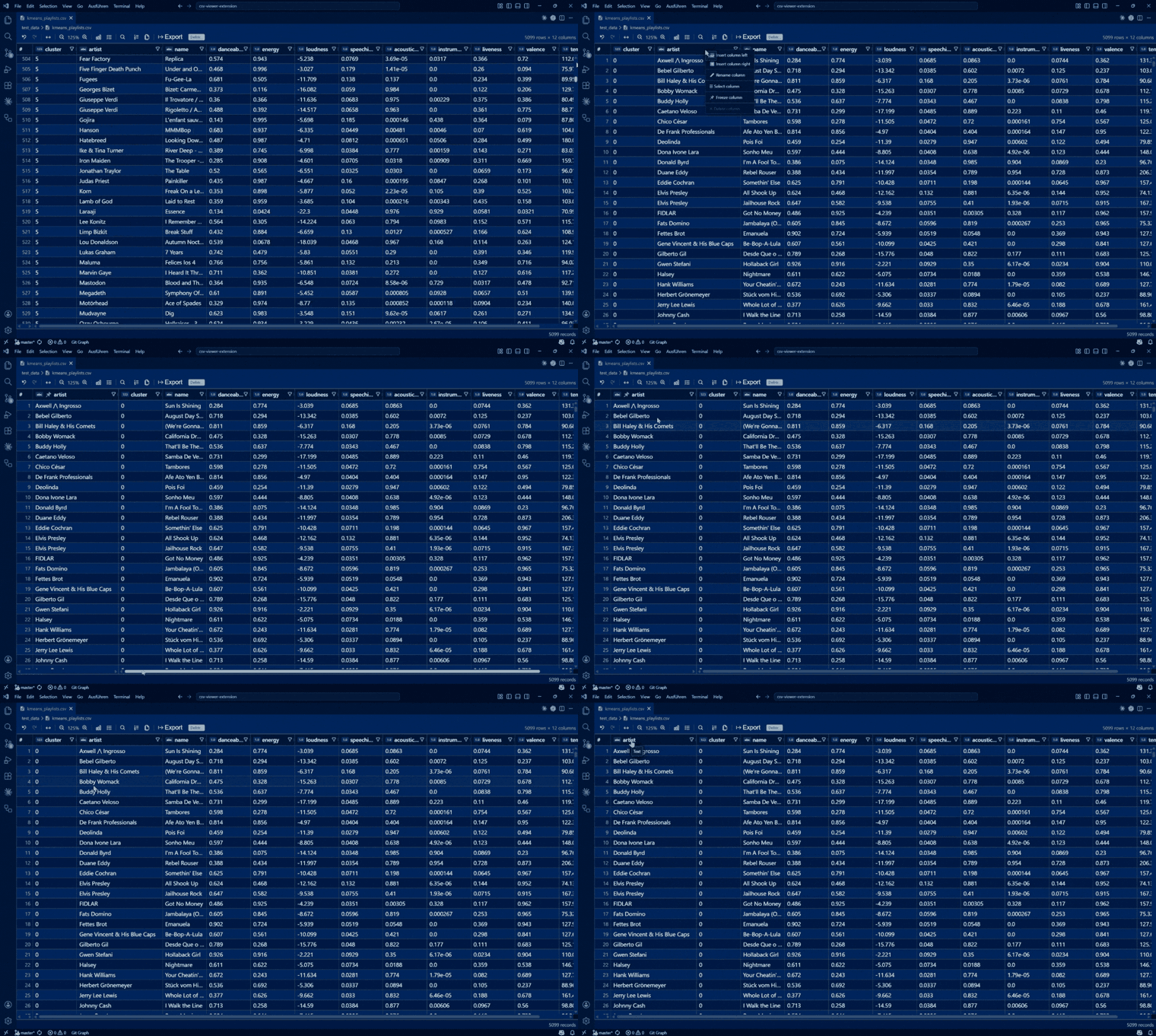
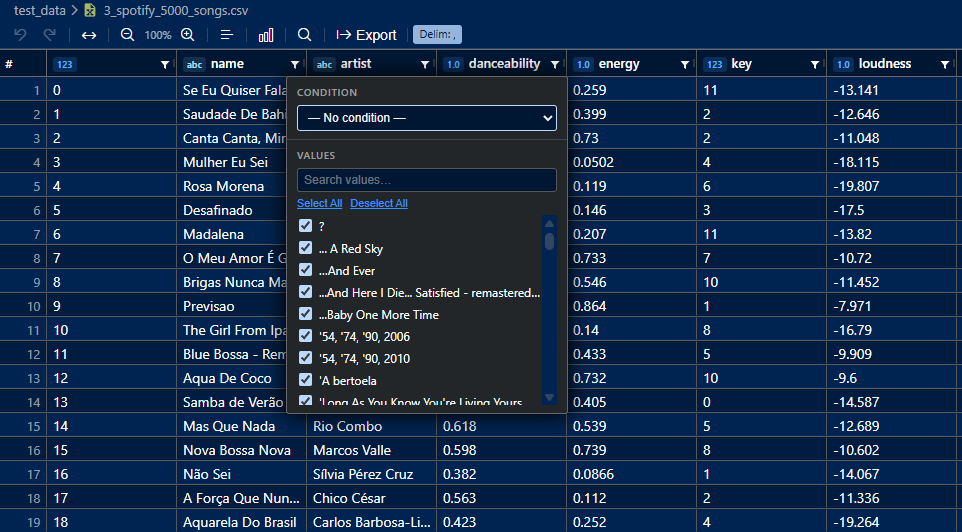
Click any column header to sort ascending or descending. Use the filter icon in the column header to open a per-column filter panel, where you can search the values and tick or untick them with a tri-state Select all checkbox that relabels to Select all matches under an active search. Active filters are shown in the toolbar, click the Filters badge to clear them all at once.
Column Profile
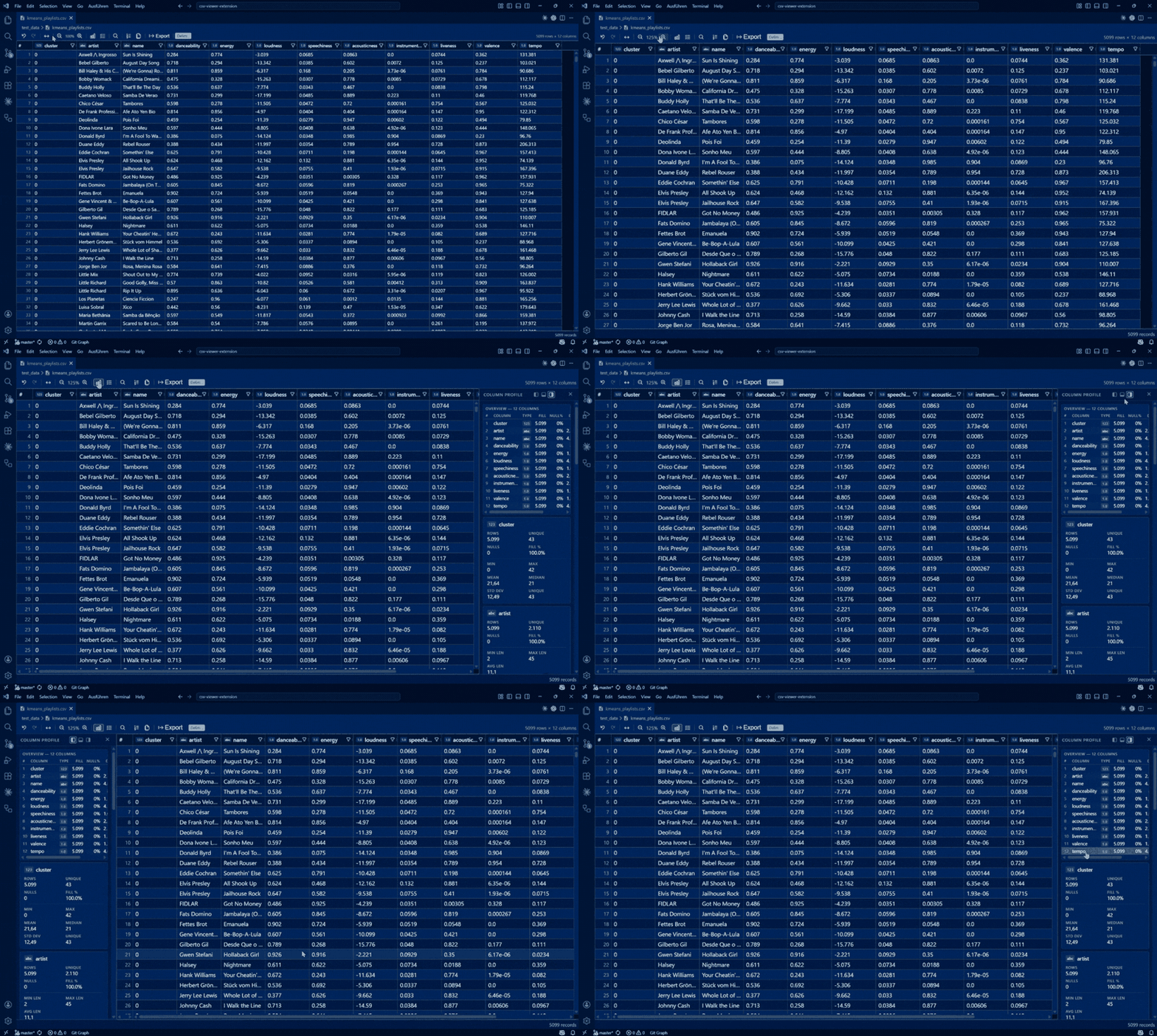
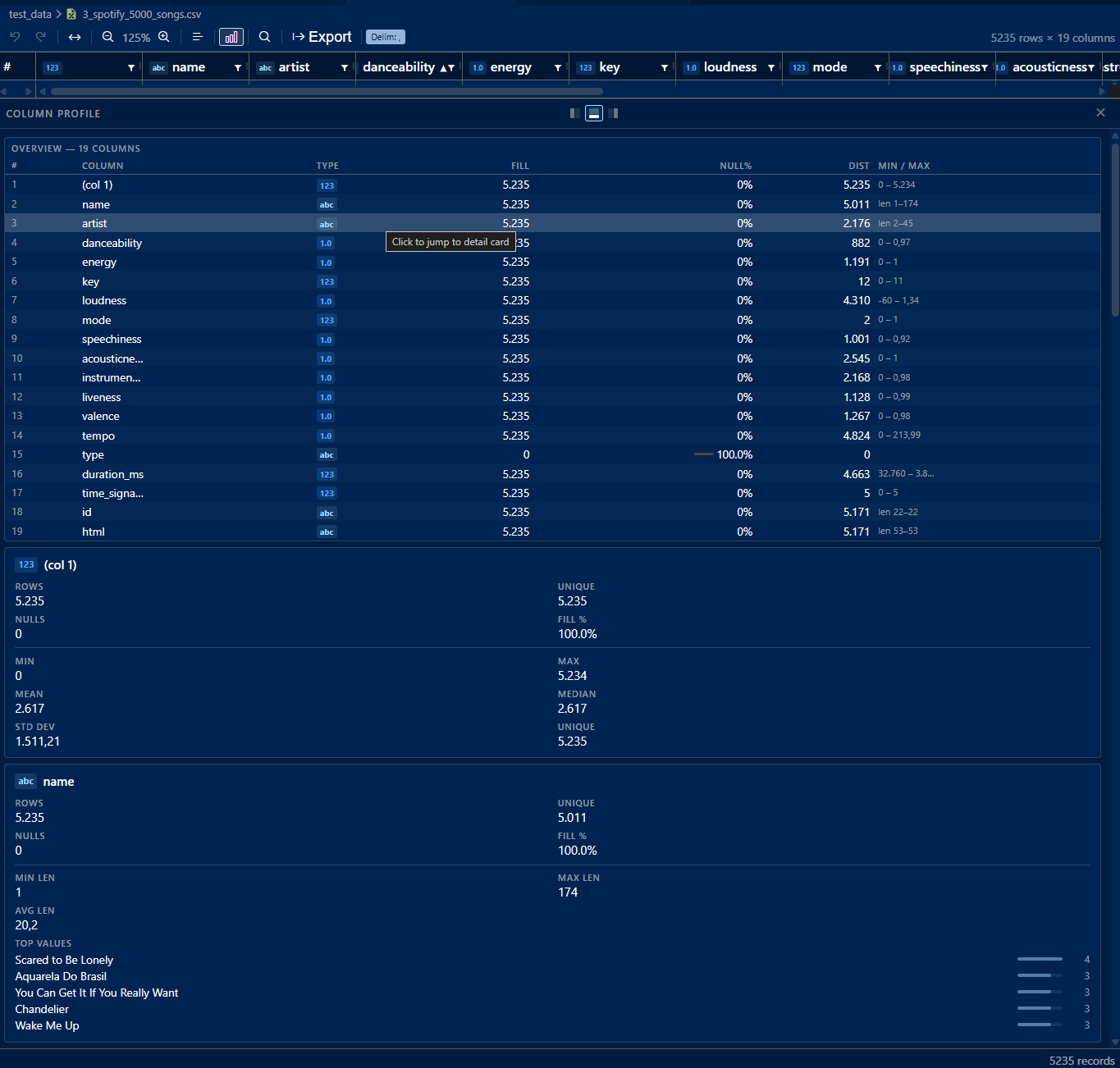
- Click the graph icon in the toolbar to open the Column Profile panel
- Shows an overview table across all columns: type, fill rate, null %, distinct value count, a thumbnail of the value distribution and a min/max summary
- Click any row in the overview table to jump to its detail card
- Filter by column name - Type in the search box next to the overview title to narrow both the table and the cards below it to matching columns. The title counts what is left,
Escape clears the filter
- Each column gets a detail card with statistics based on its detected type:
- Integer / Float - min, max, mean, median, standard deviation, unique count and a distribution histogram
- String - min, max and average length, top 5 most frequent values with frequency bars
- Boolean - true/false count and percentage, with a visual bar chart
- Date / DateTime - earliest date, latest date, range in days and a distribution histogram over time
- All types show total rows, unique count, null count and fill %
- Distribution - Numeric and date columns are binned and drawn as a histogram, so you see the shape of the data and not only its range. Hover a bar for its interval, row count and share. Bin widths come from the data itself, which keeps skewed columns readable instead of flattening them into a single spike. Columns without a numeric axis show frequency bars for their most common values instead.
- Dockable - Dock the panel to the right (default), left or bottom of the grid
- Resizable - Drag the panel border to adjust its size. The dock side and the size are remembered across files and sessions, with the side docks and the bottom dock keeping their own size
- Zoom-aware - Panel text and spacing scale with the grid's zoom level (60 to 200%)
- Live Updates - The panel re-renders automatically as the data changes, including cell edits, inserts, deletes, paste and undo
Theme Integration
The extension automatically adapts to your VS Code color theme, no configuration required.
| Dark Theme |
Light Theme |
|
 |
Large File Support
Opening a file larger than 10 MB shows a Quick Pick with these options:
| Option |
Description |
| Open Full File |
Load all data into the grid (may be slow for very large files) |
| Show Head |
Preview the first 1,000 rows |
| Show Tail |
Preview the last 1,000 rows |
| Open as Plain Text |
Fast read-only raw text view |
| Paged View |
Browse in 500-row pages (only shown for files > 50 MB) |
- All three preview modes read records, not lines. A cell holding a line break spans several lines in the file, so cutting on line breaks would tear it into pieces and throw off every count. Head, tail and each page therefore show exactly the rows Open Full File would show, and the totals match it.
- Head / Tail previews show a banner with the total row count and how many rows are displayed
- Paged View - A pagination bar (first / previous / next / last) lets you navigate pages efficiently without loading the entire file into memory. The banner says which page you are on and how many rows the file holds. Editing is disabled in this mode.
- Plain Text View - Displays the raw file content in a monospace editor-style view without any grid features
Auto-Reload
When a file is open in full (non-preview) mode, the editor watches the file on disk and automatically reloads the grid when the file is modified externally. This covers a plain rewrite as well as a script that replaces the file, for example one that deletes the output folder and regenerates the CSVs into it. Unsaved edits in the grid are never replaced: if the file changes while you have some, they stay and a warning offers Reload from Disk or Overwrite. Until you pick one, no save writes over the change, auto-save included. A value you are still typing in a cell counts as an unsaved edit.
If you ever need to pull in the file on disk by hand, run CSV Grid: Reload from Disk from the Command Palette. Use that rather than File: Revert File, which VS Code only forwards to an editor when the document has unsaved changes and which therefore does nothing on a file you only changed on disk.
Supported File Types
| Extension |
Default Delimiter |
.csv |
Auto-detected (, ; \t) |
.tsv |
Tab |
Keyboard Shortcuts
| Shortcut |
Action |
Ctrl+Z |
Undo |
Ctrl+Y |
Redo |
Ctrl+Shift+Z |
Redo (alternative) |
Ctrl+C |
Copy focused cell or selected range (TSV) |
Ctrl+A |
Select all cells |
Shift+arrows |
Extend the selection |
Delete / Backspace |
Clear the selected cells |
Ctrl++ / Ctrl+= |
Zoom in |
Ctrl+- |
Zoom out |
Ctrl+0 |
Reset zoom to 100% |
Ctrl+F / Ctrl+H |
Open Find & Replace bar |
Alt+Enter / Shift+Enter |
Insert a line break (while editing a cell) |
Ctrl+Enter |
Insert a row below the current one |
Ctrl+Shift+Enter |
Insert a row above the current one |
Ctrl+Shift+K |
Delete the current row (or the selected rows) |
Enter |
Next match (in Find bar) |
Shift+Enter |
Previous match (in Find bar) |
Esc |
Close the open menu, dropdown, popup or Find bar |
On macOS, Ctrl is replaced by ⌘.
How it compares
A quick honest look at the common ways people open CSV files in VS Code.
| Capability |
Plain text view |
Rainbow CSV |
Edit csv |
CSV Grid Editor |
| Opens as an interactive grid |
no |
no |
yes |
yes |
| Edit cells inline and save back |
no |
no |
yes |
yes |
| Sort and filter from the column header |
no |
query only |
sort only |
yes |
| Column profiling (median, null %, distinct) |
no |
no |
basic stats |
yes |
| Freeze rows and columns |
no |
header only |
yes |
yes |
| Large files (head, tail, paged 50 MB+) |
raw text |
workaround |
no |
yes |
| Excel-style range copy as TSV |
no |
no |
not documented |
yes |
Checked June 2026 from each extension's Marketplace page, README and changelog. Rainbow CSV and Edit csv are both excellent tools, this table just shows where CSV Grid Editor puts its focus.
FAQ
How do I open a CSV file in VS Code?
Install CSV Grid Editor and open any .csv or .tsv file. It opens straight into the grid, no command or setup needed. If another editor is set as the default, right-click the file and choose Open With then CSV Grid Editor.
How do I edit a CSV file in VS Code without Excel?
Double-click any cell to edit it inline, then save with Ctrl+S. Changes are written back to the file and you can undo with Ctrl+Z. You never have to leave the editor or open a spreadsheet app.
Can I copy and paste between this grid and Excel or Google Sheets?
Yes. Select a range with click and drag, press Ctrl+C, and the cells are copied as tab-separated values that paste cleanly into Excel or Google Sheets. Right-click then Copy with header to include the column names, or Copy as CSV if you need the selection comma-separated instead.
Does it work with semicolon, tab or pipe delimited files?
Yes. The delimiter is auto-detected on open (comma, semicolon, tab), and .tsv files always use tab. You can also switch the delimiter by hand from the toolbar to comma, semicolon, tab or pipe.
Will it handle large CSV files?
Yes. Files over 10 MB show a quick menu to open the full file, preview just the head or tail, browse in pages or open as plain text. Paged view lets you move through very large files without loading everything into memory. Every mode reads whole records, so a cell containing a line break stays in one piece.
❤️ Support This Project
If CSV Grid Editor saves you time, you can support its continued development, completely optional and always appreciated:


Robin Reiche


License
MIT
| |

