





PyNET Viewer brings federated BIM models into VS Code and connects your AI assistant to
Autodesk Navisworks, Revit and Civil 3D — so it can explore, explain and operate the model
in natural language, without leaving the editor.
📥 Request your 30-day Trial here:
Contact: info@raendt.com to request access.
🧊 What this extension does
|
|
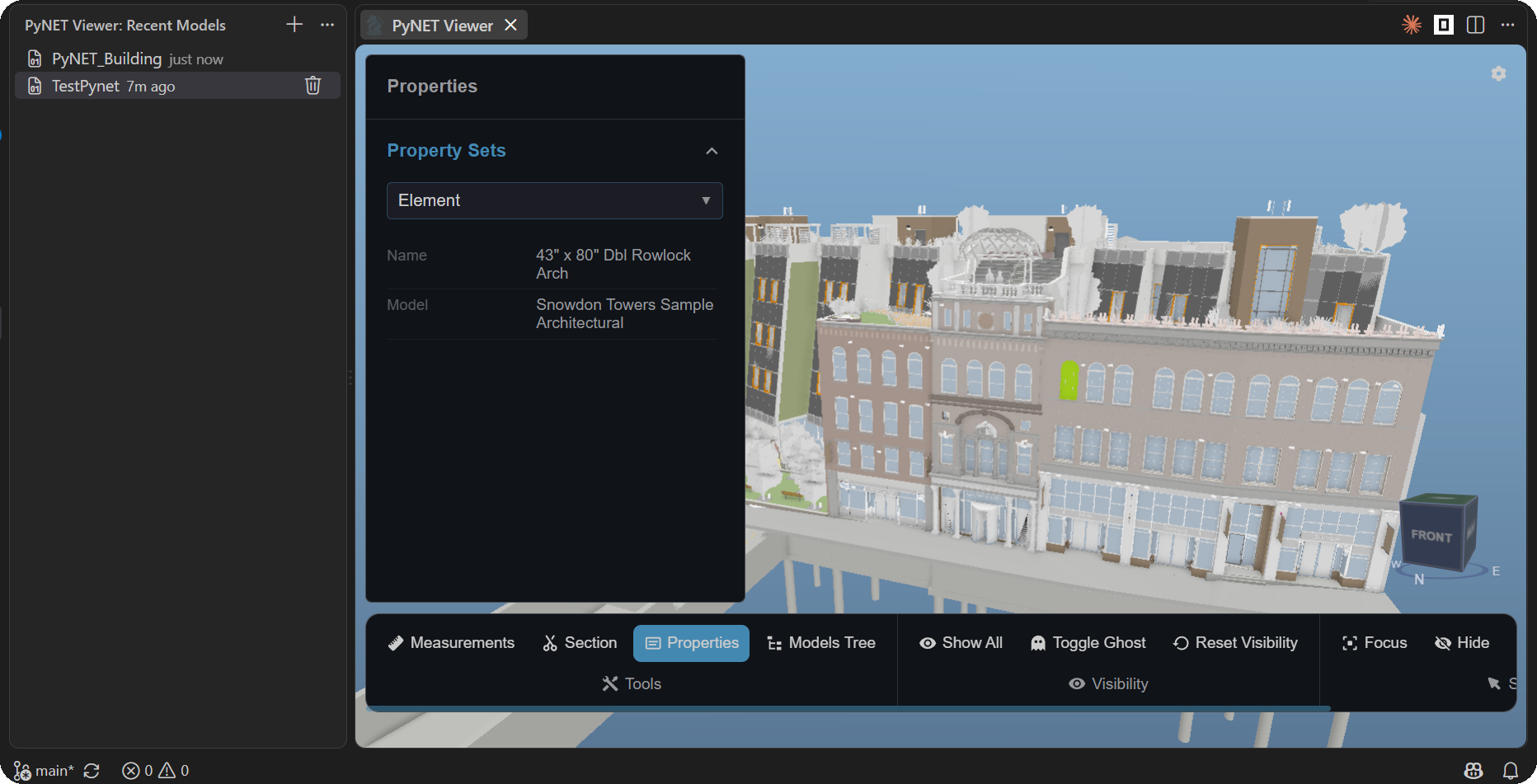
| 3D BIM Viewer |
Open a .pnt package and navigate the federated model — spatial tree, element properties, sections, measurements and clash results. Free, and works on its own. |
| MCP Bridge setup |
One click installs pynet-mcp-bridge and configures every AI client it finds: Claude Desktop, Claude Code, Codex, Cline, Roo Code and GitHub Copilot. |
| Reference docs |
Installs the routing guides for each Autodesk host locally, so your assistant knows which API to reach for before it writes a line. |
💬 What you can ask
Once the bridge is wired, the assistant talks to the model and to the viewer at the same time —
so it can point at what it is describing:
"Which clashes involve the HVAC model? Show me the worst one."
"Isolate the structural discipline and hide everything else."
"List every duct type on level 2 with its element id."
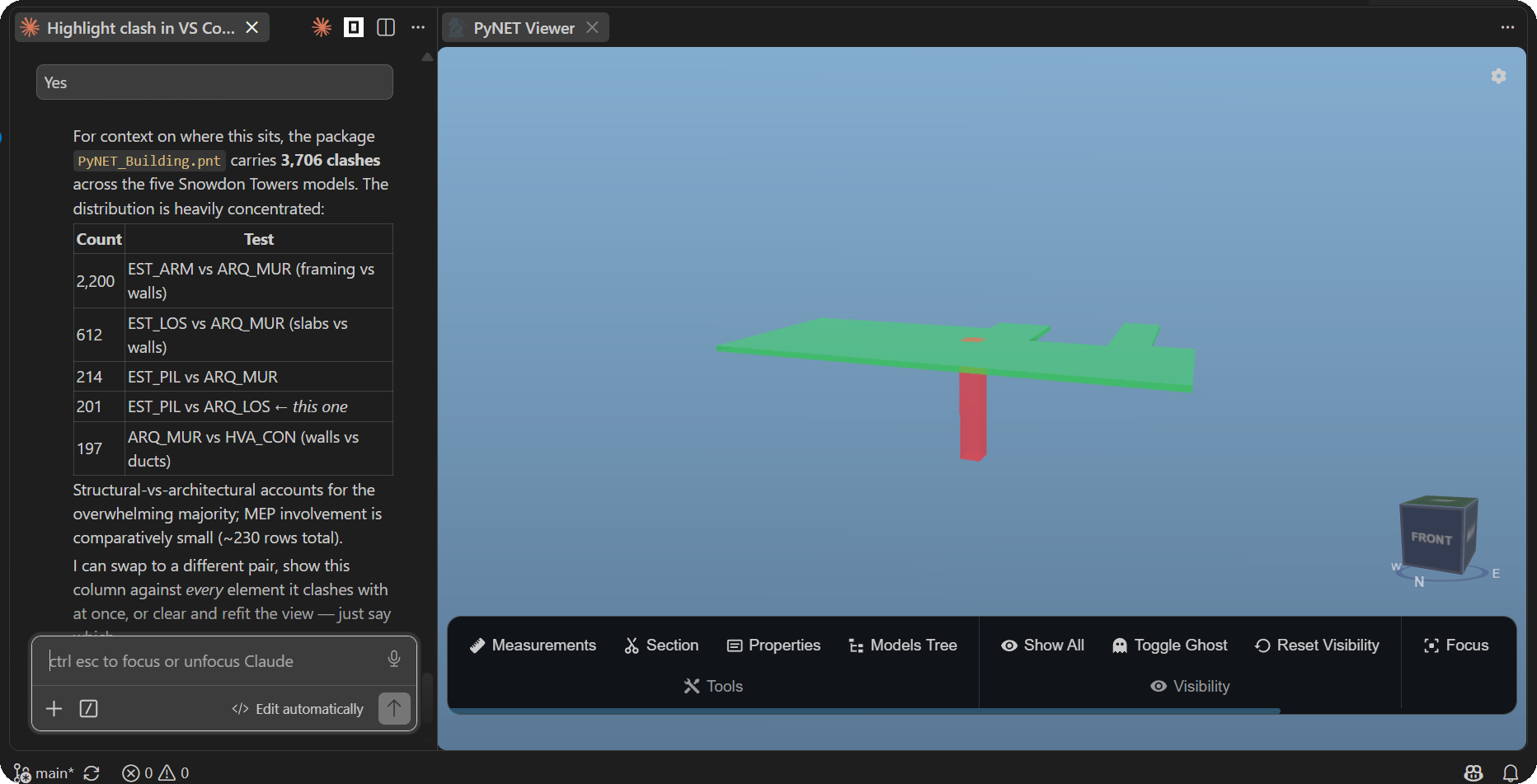
The assistant reads the package, explains what it found, and highlights the
pair it is talking about — column in red, slab in green, everything else hidden.
📋 Requirements
| Requirement |
Detail |
| Windows |
The Autodesk hosts are Windows-only. |
| Python 3.10+ |
Mandatory — both the bridge and the viewer server run on it. Auto-detected on PATH, or set pynet.pythonPath. |
| PyNet plugin |
Only needed to drive Autodesk from your AI client. The viewer works without it. |
🚀 Getting started
- Install the extension. On first activation it installs the bridge and configures every AI
client it detects — no action needed. (Turn it off with
pynet.autoInstallBridgeOnStartup.)
- Restart your AI clients so they pick up the new MCP server.
- Open a model. Click the PyNET icon in the activity bar → Open BIM Model, and pick a
.pnt package. Everything you open is kept in a recent list.
If a client was closed during setup, run PyNET: Install / Repair MCP Bridge from the command
palette at any time — it is safe to re-run and re-detects everything.
📚 The reference library
Writing a script for Navisworks, Revit or Civil 3D means knowing which API applies, which imports
are allowed, and how the host expects to be addressed. The extension installs those routing guides
to %APPDATA%\Pynet\Library and offers to open them the first time.
Open that folder as a workspace and your assistant picks the routing up automatically — that is
what turns "write me a clash report" into a script that runs first time. Reopen it whenever you
like with PyNET: Open Reference Library.
⌨️ Commands
Everything the extension does is reachable from the command palette (Ctrl+Shift+P), so you never
have to hunt through menus. Day to day you will only need the first one — the rest are there for
setup and housekeeping.
| Command |
Action |
| PyNET: Open BIM Model |
Opens a .pnt package in the embedded 3D viewer. |
| PyNET: Install / Repair MCP Bridge |
Installs or upgrades the bridge and reconfigures every detected AI client. |
| PyNET: Open Reference Library |
Opens the installed reference docs as a folder. |
| PyNET: Clear Recent Models |
Empties the recent models list. |
⚙️ Settings
The defaults are meant to work untouched: the extension finds your Python, picks a free port and
wires the bridge on first run. Reach for these only when your setup is unusual — several Python
installations on the machine, a port already taken, or a managed environment where you would rather
install the bridge yourself.
| Setting |
Default |
Description |
pynet.pythonPath |
"" |
Python 3.10+ executable. Empty = auto-detect (python, py -3). |
pynet.viewerPort |
0 |
Local viewer server port. 0 = pick a free one. |
pynet.autoInstallBridgeOnStartup |
true |
Install the bridge and configure clients on first run. |
🤖 How it works
The viewer is a That Open engine build served by a bundled local server
and embedded in a VS Code webview. A control channel lets the MCP bridge drive the scene — select,
isolate, fit, highlight clashes, read properties — so your assistant can point at what it is
talking about while it talks about it.
Important note on AI providers: PyNET is the integration layer between AI models and Autodesk
tools. Access to AI models (Claude, OpenAI, etc.) is not included — you bring your own client
and subscription.
🔒 Privacy & Security
- Local execution. The viewer server binds to localhost; the model never leaves your machine.
- Nothing uploaded. No BIM data is transmitted externally at runtime.
- Validated scripts. Anything the AI sends to an Autodesk host passes a static validator first.
- AI-generated code may be processed by the AI provider you choose to use.
🧩 The PyNET Ecosystem
| Component |
Repository |
Purpose |
| PyNet Platform |
PyNet |
Navisworks/Revit/Civil 3D plugin hosting the Python.NET engine |
| PyNet Bridge (MCP) |
PyNetBridge |
MCP server connecting AI models to PyNET, with secure script validation |
| PyNet Library |
PyNetLibrary |
Reference scripts and AI context for the three hosts |
| PyNet for VS Code |
PyNetVSCode |
This extension — embedded viewer + one-click bridge setup |
❓ FAQs & Support
Questions about installation, configuration or usage? See the
PyNET FAQs, or
report an issue.
⚠️ Disclaimer
PyNET Platform is intended for professional use in BIM automation. Users are responsible for
reviewing, validating and ensuring the correctness of AI-generated scripts before applying them in
production environments.
📄 License
MIT © RAEN Digital Tools
© 2026 RAEN Digital Tools · Todos los derechos reservados.
Obra inscrita en el Registro de la Propiedad Intelectual de la Comunidad de Madrid.

