R3BL Themes


A pair of carefully crafted dark themes for VS Code—R3BL Theme and R3BL 2026
Theme—optimized for Rust and Markdown development with enhanced readability and visual
appeal.
Features
- Rust-Optimized Colors: Specially designed syntax highlighting for Rust code with
distinct colors for keywords, types, functions, and macros
- Dark Theme Excellence: Professional dark color scheme that reduces eye strain during
long coding sessions
- Rich Markdown Support: Beautiful rendering of documentation comments and markdown
tables
- Semantic Highlighting: Automatically installs
R3BL Semantic Configuration
for enhanced Rust highlighting
- Consistent UI: Carefully selected colors for sidebar, tabs, status bar, and
terminals
- Bracket Pair Colorization: Clear visual distinction for nested code blocks
- Selection & Search: High-contrast selection and search highlighting
Screenshots
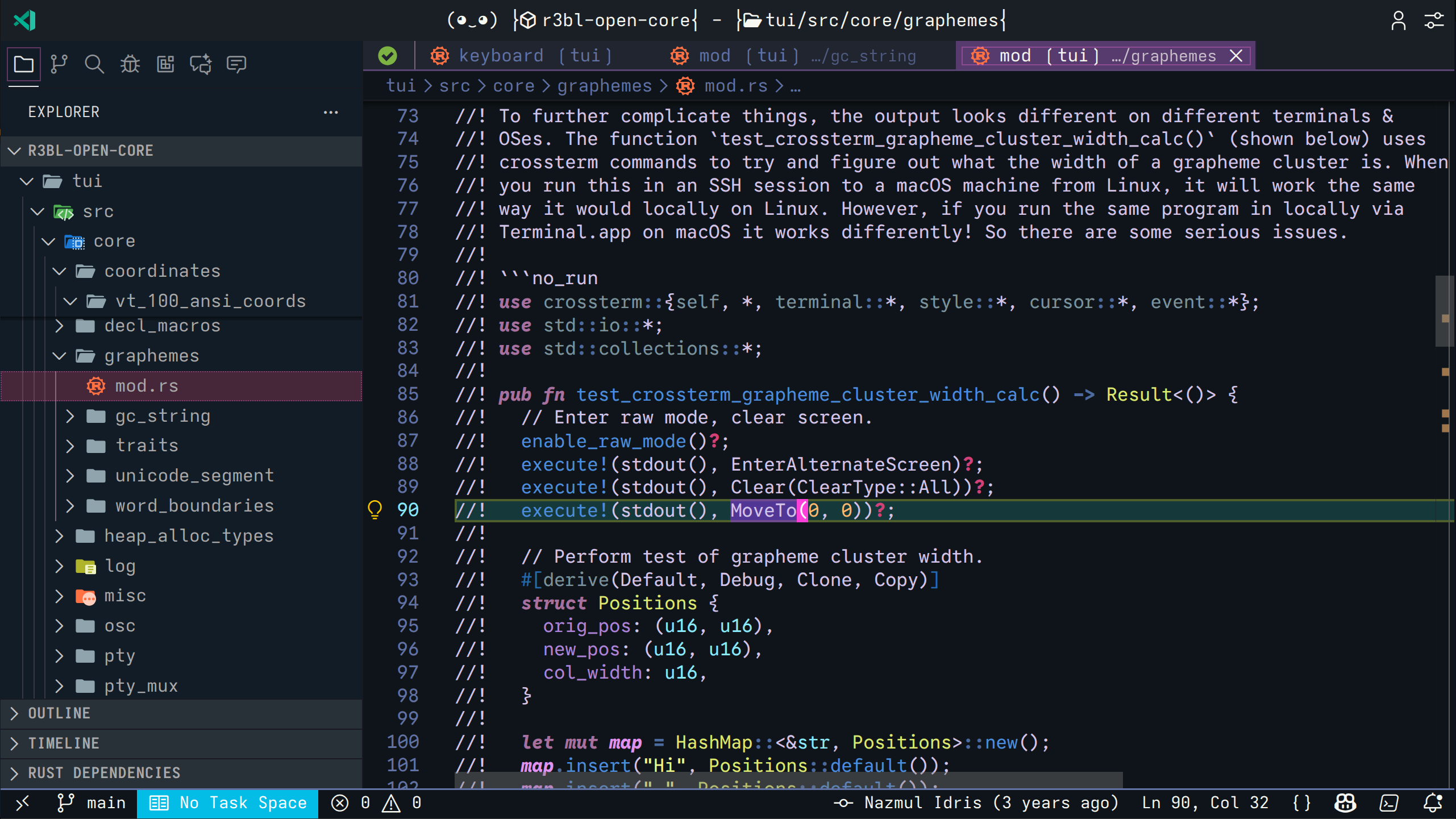 Full editor view with sidebar, tabs, and Rust code highlighting
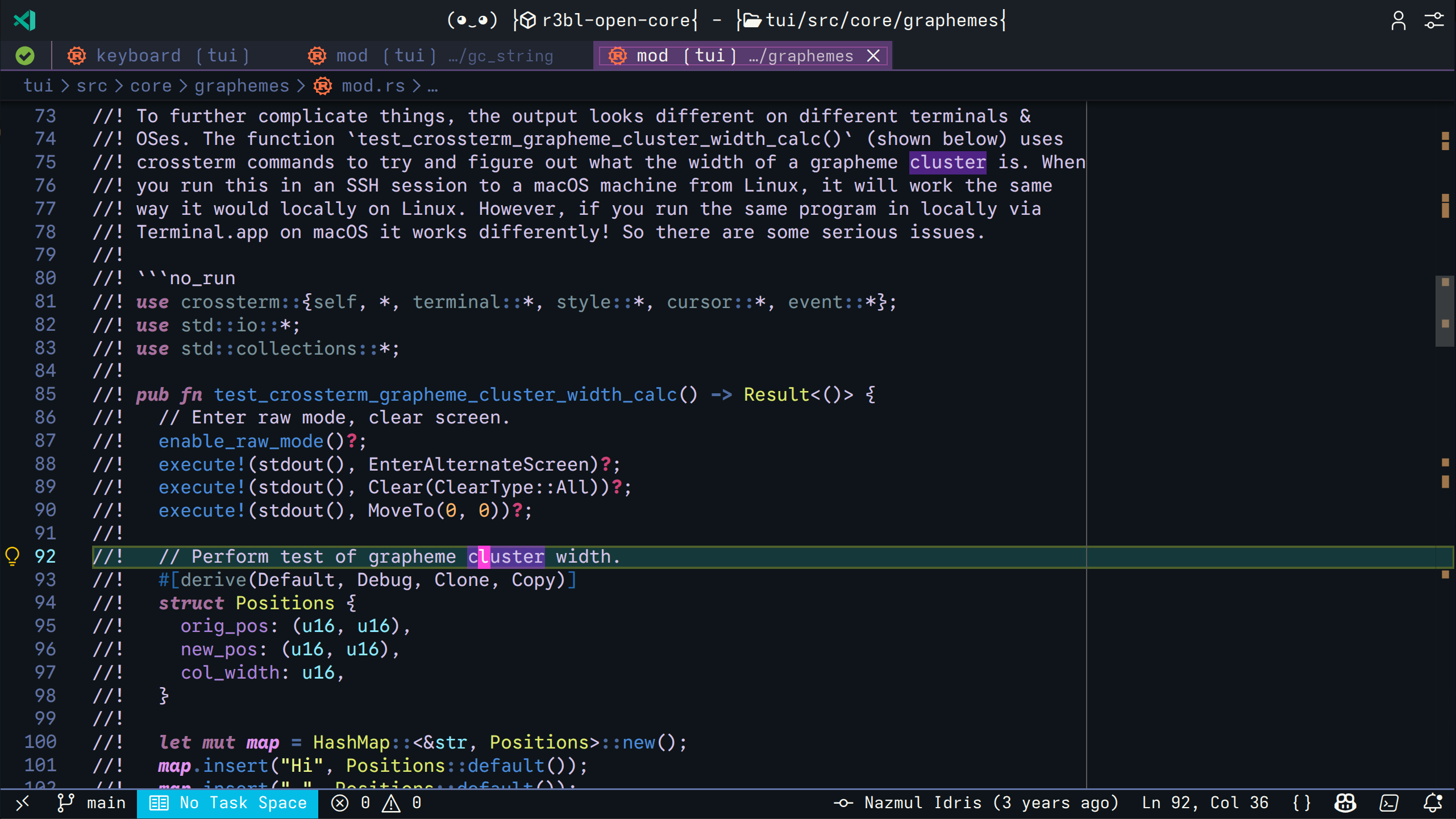 Rust-specific syntax highlighting with distinct keyword, type, and function colors
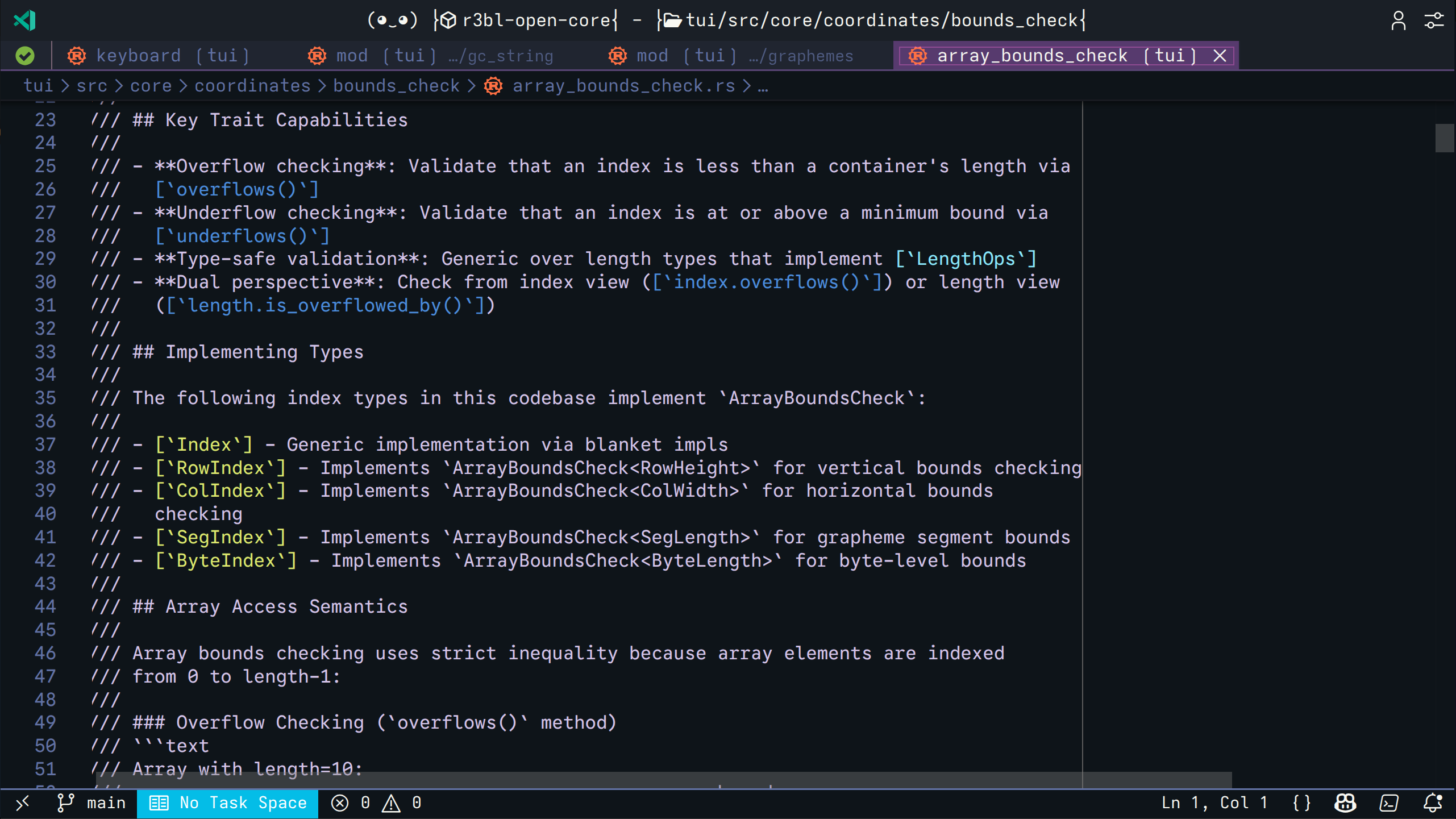 Beautiful rendering of documentation comments with code examples
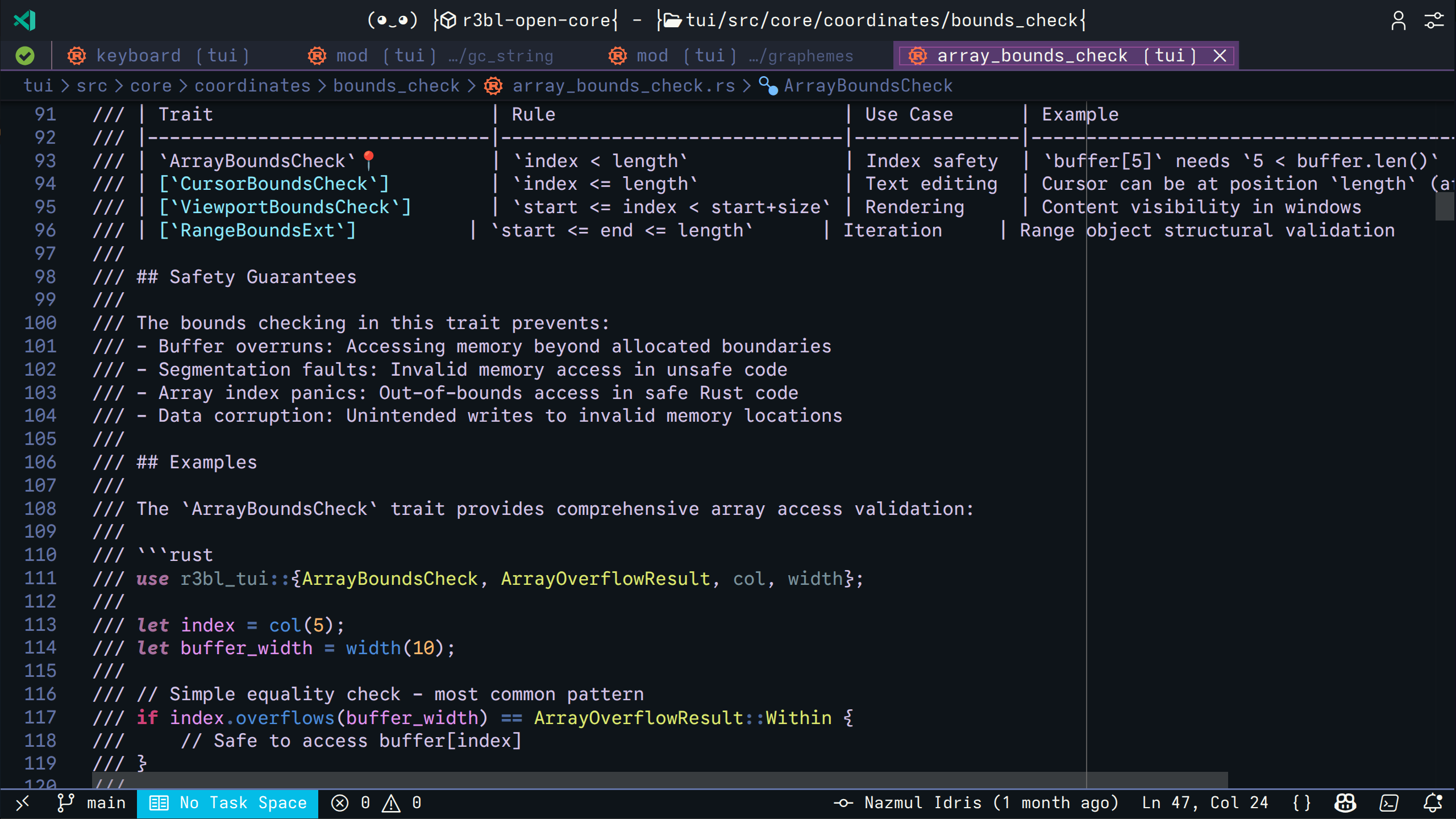 Markdown-style tables in comments with clear formatting
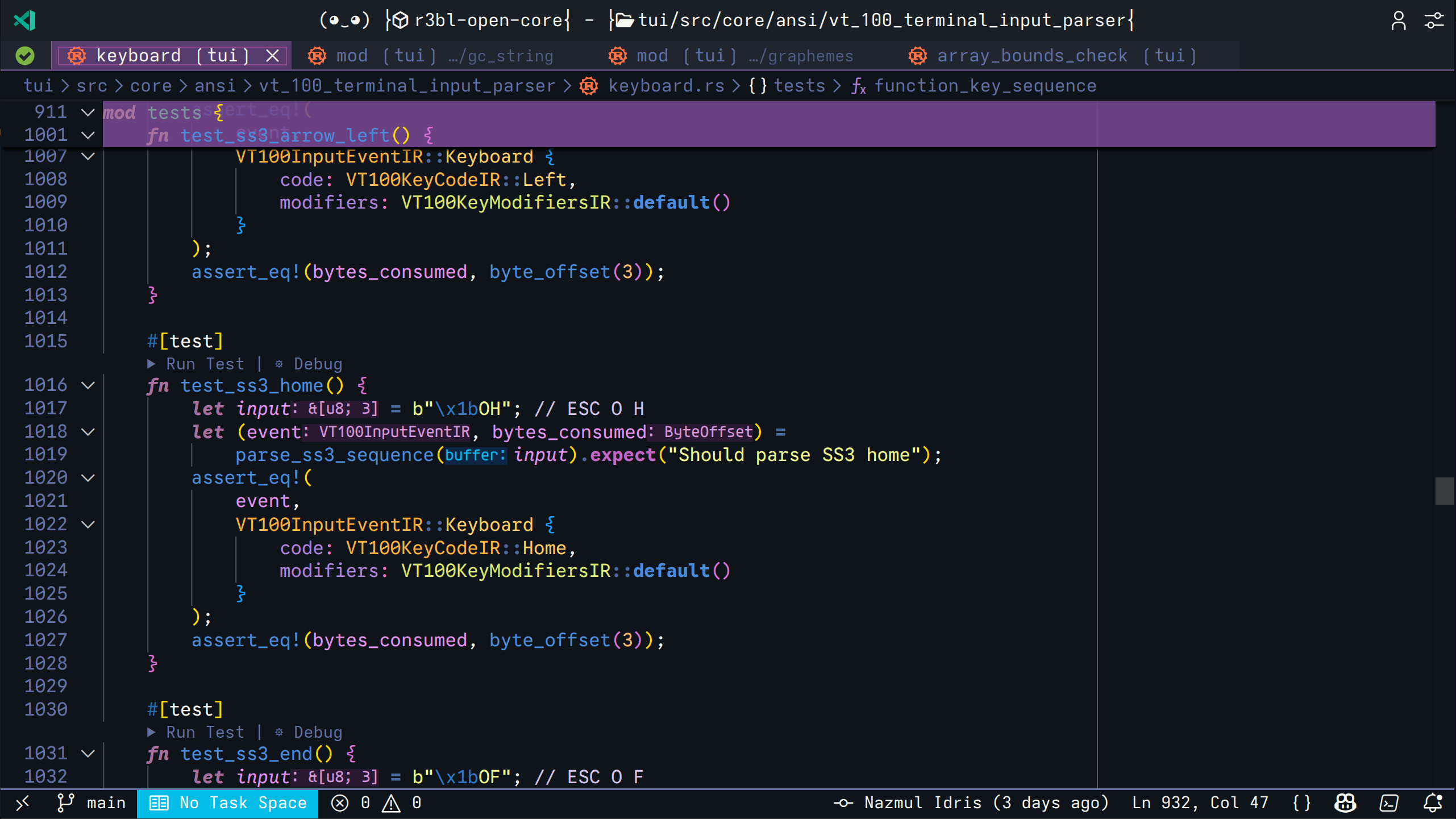 Rust-specific syntax highlighting with distinct keyword, type, and function colors
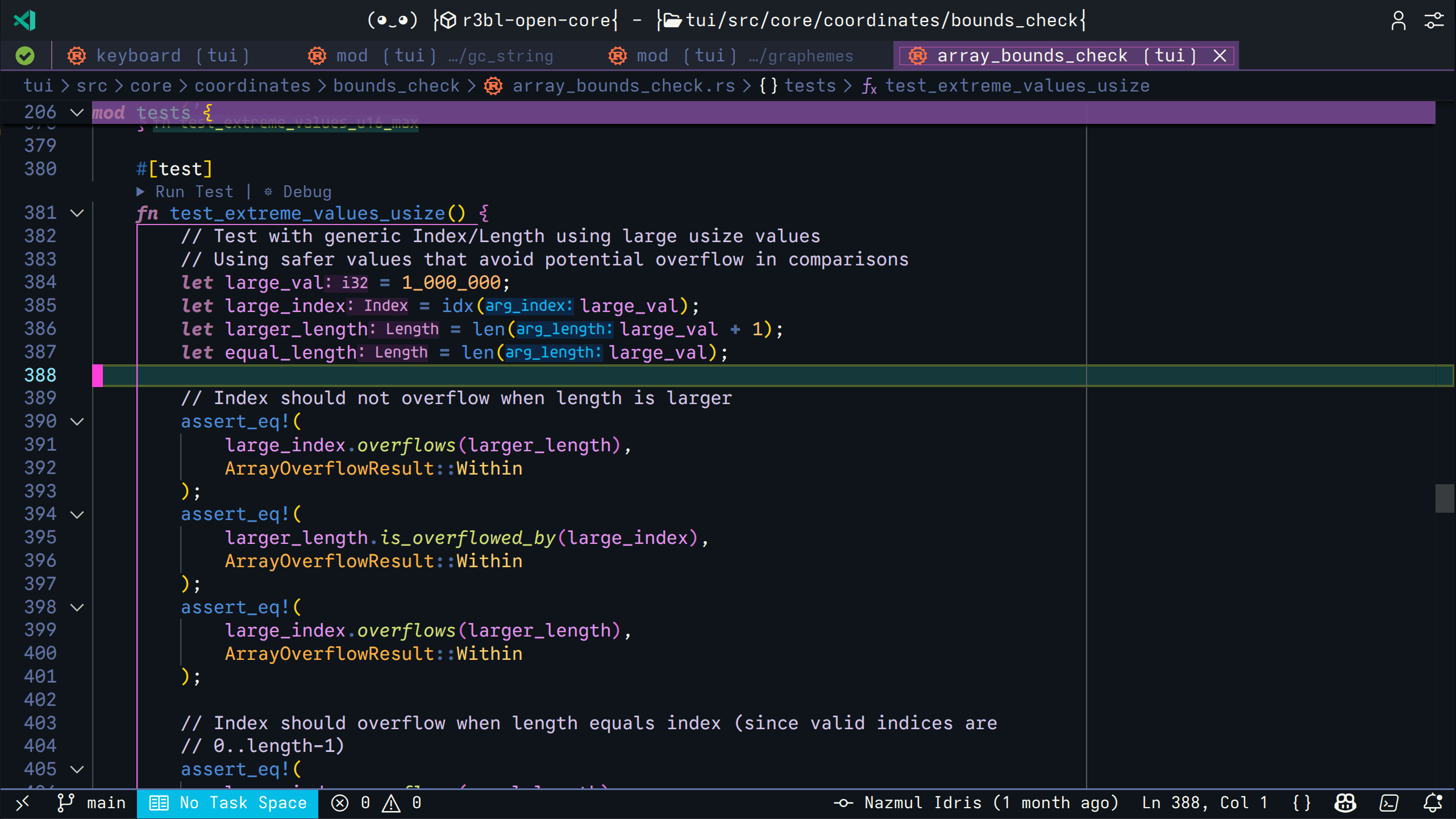 Clear variable and parameter highlighting
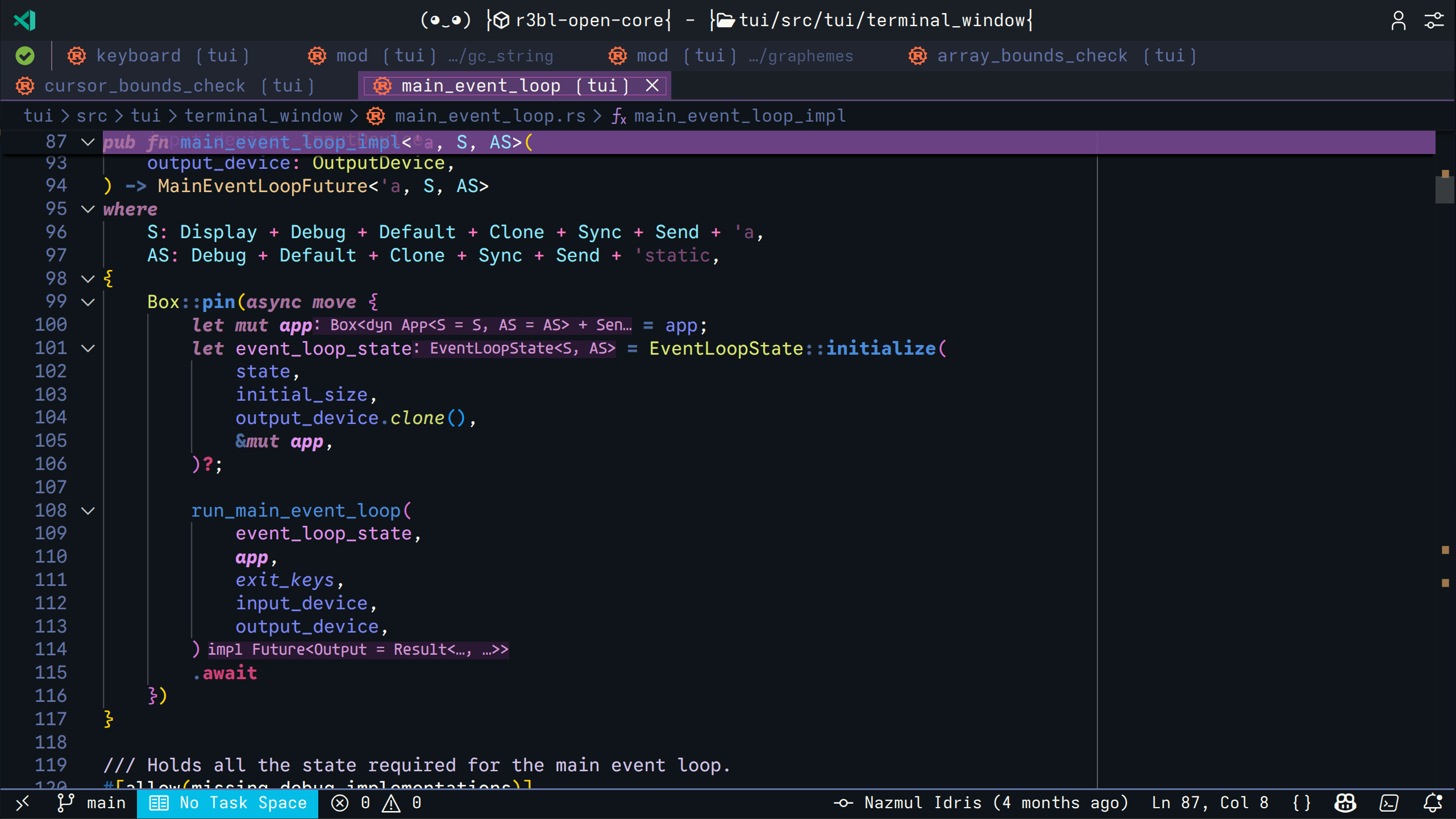 Async function highlighting with type parameters and trait bounds
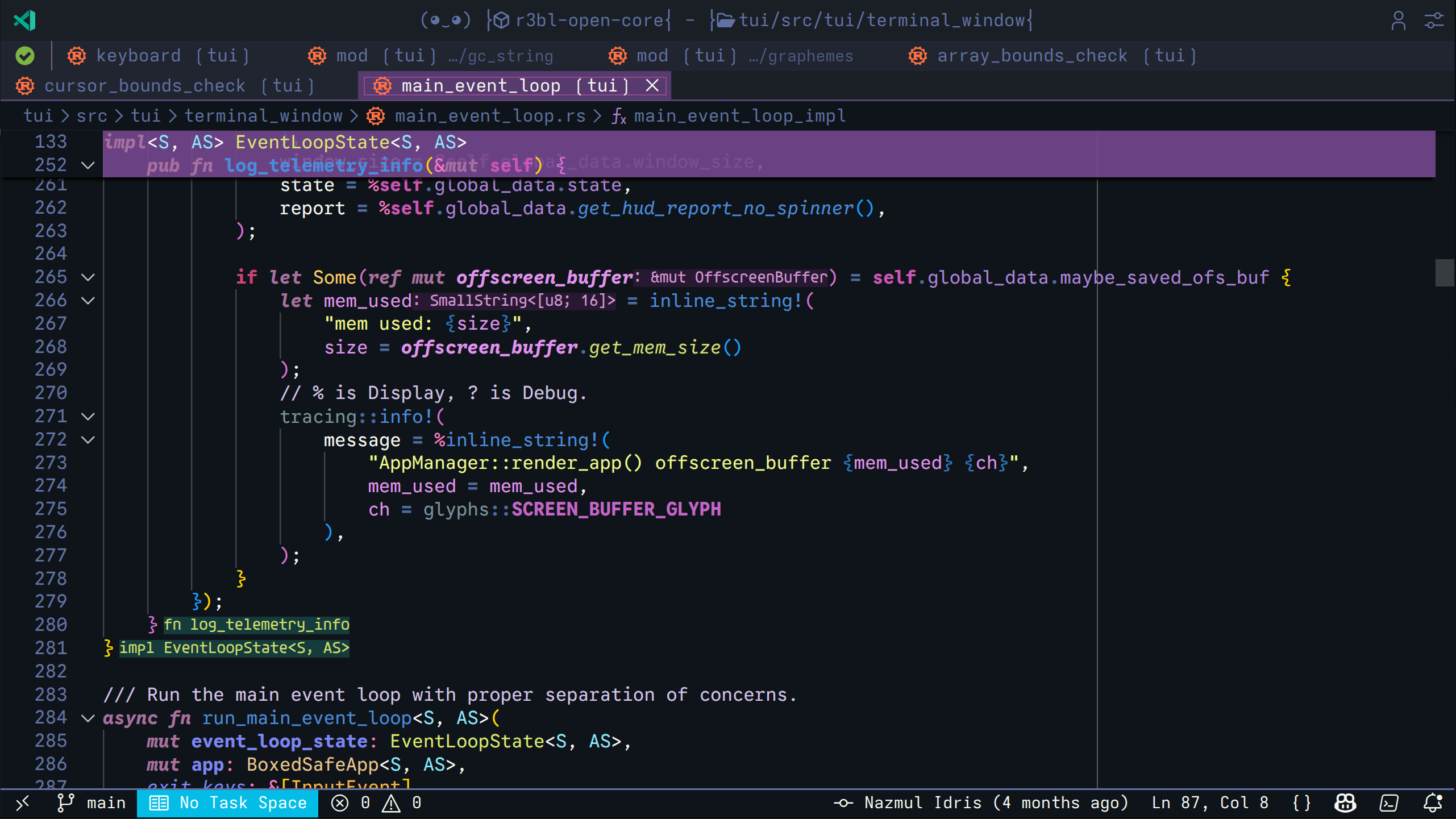 Complex type annotations with clear visual hierarchy
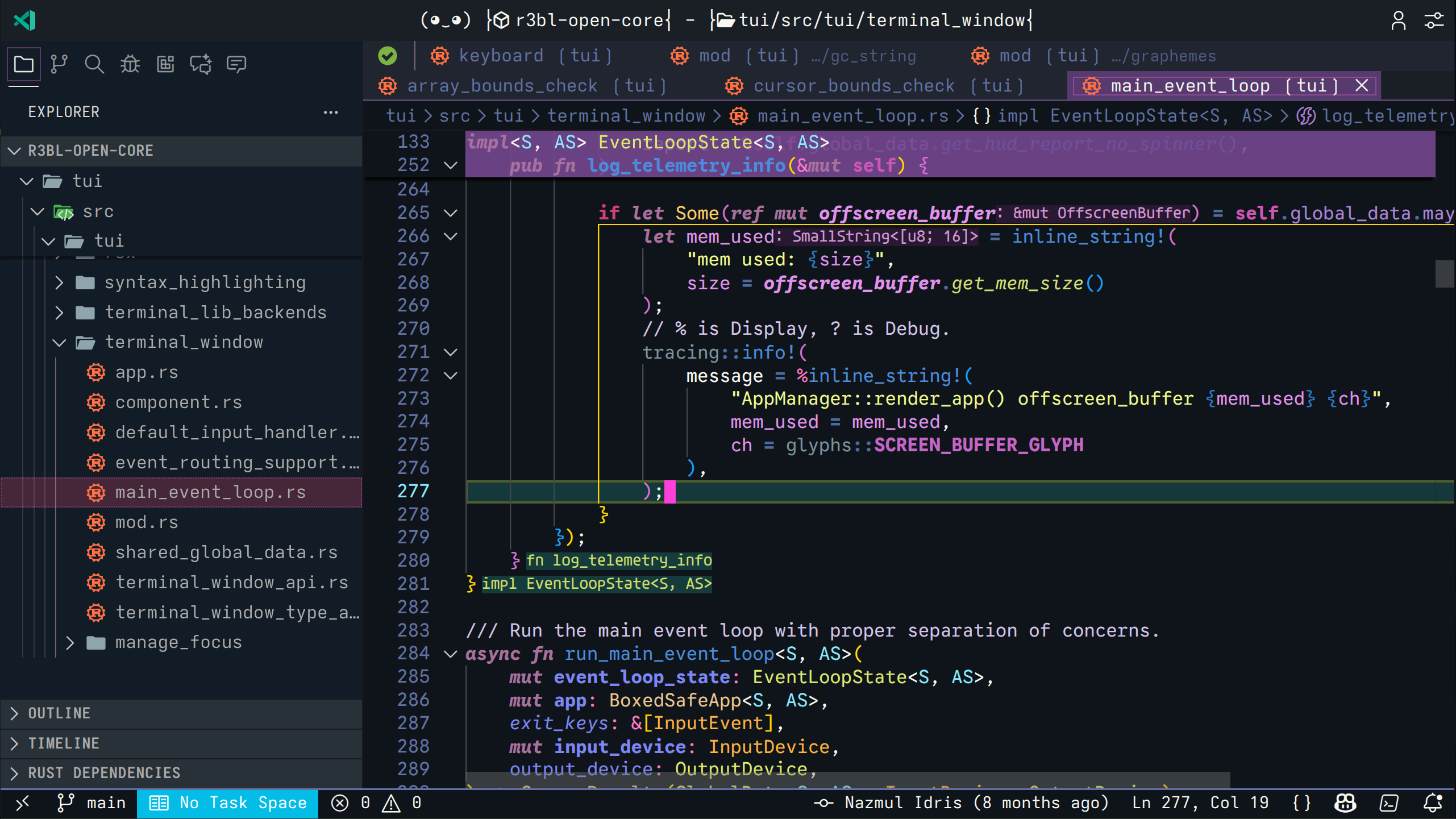 Selection highlighting with bracket pair colorization
Installation
From Extension Pack (Recommended)
Install the
R3BL Extension Pack
which includes this theme along with other R3BL tools.
Standalone Installation
- Open VS Code
- Press
Ctrl+P (or Cmd+P on macOS)
- Type:
ext install R3BL.r3bl-theme
- Press Enter
From VSIX File
code --install-extension r3bl-theme-x.x.x.vsix
Usage
Activate the Theme
- Open Command Palette (
Ctrl+Shift+P or Cmd+Shift+P)
- Type "Color Theme"
- Select "Preferences: Color Theme"
- Choose "R3BL Theme" or "R3BL 2026 Theme"
Or use the keyboard shortcut:
- Press
Ctrl+K Ctrl+T (or Cmd+K Cmd+T on macOS)
- Select "R3BL Theme" or "R3BL 2026 Theme"
Enhanced Semantic Highlighting
This theme automatically installs the R3BL Semantic Configuration extension, which
provides enhanced semantic highlighting specifically designed to complement this theme's
color palette.
The semantic configuration extension:
- Automatically detects when either "R3BL Theme" or "R3BL 2026 Theme" is active
- Applies optimized semantic highlighting for Rust (functions, methods, structs, enums,
etc.)
- Can be enabled/disabled via commands:
R3BL: Enable/Disable Semantic Highlighting
No additional setup required - just activate either of the R3BL themes and enjoy
enhanced syntax highlighting!
Color Palette
The themes use a carefully selected color palette:
| Element |
Color |
Usage |
| Keywords |
Purple (#c586c0) |
fn, let, mut, pub, etc. |
| Types |
Teal (#4ec9b0) |
Struct names, type parameters |
| Functions |
Yellow (#dcdcaa) |
Function names and calls |
| Strings |
Orange (#ce9178) |
String literals |
| Numbers |
Green (#b5cea8) |
Numeric literals |
| Comments |
Gray (#6a9955) |
Single and multi-line comments |
| Macros |
Cyan (#4fc1ff) |
Rust macros like println! |
Recommended Settings
For the best experience with these themes:
{
    "editor.semanticHighlighting.enabled": true,
    "editor.bracketPairColorization.enabled": true,
    "editor.guides.bracketPairs": "active",
    "workbench.colorTheme": "R3BL Theme"
}
Optimized For
Primary Languages
- Rust - Enhanced syntax highlighting for keywords, types, macros, and test functions
- Markdown - Beautiful rendering of documentation and README files
Also Works Great With
- TypeScript/JavaScript
- Python
- Go
- JSON/YAML
- Shell scripts
- And more!
What Makes It Different
Rust-First Design
Unlike generic themes, R3BL themes are built specifically for Rust developers:
- Distinct colors for
pub, fn, impl, trait, and other Rust keywords
- Clear visual distinction between owned types, references, and lifetimes
- Macro highlighting that stands out
- Test function backgrounds for easy test identification
Semantic Awareness
Works with VS Code's semantic highlighting to provide context-aware colors based on the
language server's understanding of your code, not just regex patterns.
Eye Comfort
- Carefully calibrated contrast ratios
- No harsh whites or overly bright colors
- Consistent darkness across all UI elements
- Reduced blue light in the color palette
Comparison with Other Themes
| Feature |
R3BL Theme |
Generic Dark Themes |
| Rust Optimization |
✅ Purpose-built |
❌ Generic patterns |
| Semantic Support |
✅ Full support |
⚠️ Varies |
| Markdown in Comments |
✅ Rendered |
⚠️ Basic |
| Eye Comfort |
✅ Optimized |
⚠️ Varies |
Customization
Want to tweak the themes? Add to your settings.json:
{
    "workbench.colorCustomizations": {
        "[R3BL Theme]": {
            "editor.background": "#1e1e1e",
            "editor.foreground": "#d4d4d4"
        },
        "[R3BL 2026 Theme]": {
            "editor.background": "#1e1e1e",
            "editor.foreground": "#d4d4d4"
        }
    },
    "editor.tokenColorCustomizations": {
        "[R3BL Theme]": {
            "textMateRules": [
                {
                    "scope": "keyword.control.rust",
                    "settings": {
                        "foreground": "#YOUR_COLOR"
                    }
                }
            ]
        },
        "[R3BL 2026 Theme]": {
            "textMateRules": [
                {
                    "scope": "keyword.control.rust",
                    "settings": {
                        "foreground": "#YOUR_COLOR"
                    }
                }
            ]
        }
    }
}
Release Notes
See
CHANGELOG.md
for detailed release notes and version history.
License
MIT
Contributing
Found a color that doesn't look quite right? Have a suggestion for improvement? Please
open an issue at: https://github.com/r3bl-org/r3bl-vscode-extensions/issues
Code in color, code in style!

