Pentesterra DevGuardPre-push security audit for your codebase — scan dependencies, secrets, misconfigs, AI toolchain risks and more. Installation Launch VS Code Quick Open ( Ctrl+P), paste the following command, and press enter.Copied to clipboard |

Pentesterra DevGuard — VS Code Security Extension
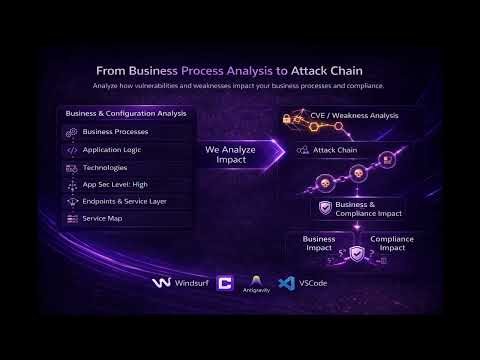
Pre-push security audit for your codebase. DevGuard analyzes dependencies, secrets metadata, misconfigurations, AI toolchain risks, crypto weaknesses, and other security signals directly from your IDE before code reaches production. Compatible with:
Video Demos
Key Features
What DevGuard CoversDevGuard is not only a dependency scanner. Current coverage includes 38+ risk modules:
Notable ModulesSupply Chain & Dependency AnalysisParses npm, PyPI, Go, Rust, Ruby, PHP, Java, .NET, Swift, and Dart lockfiles. Dependencies are mapped against CVE, KEV, exploit availability, and malicious-package intelligence. Secrets, Liveness & Blast RadiusDetects AWS keys, OAuth tokens, JWT secrets, private keys, database credentials, LLM keys, and other credentials. Secret values are never transmitted. When local verification is enabled for supported providers, DevGuard can tell whether a token is still active and what repositories, CI actions, webhooks, or services it may expose. Credential Flow AnalysisTraces how detected credentials are used in code and configuration. This catches dangerous patterns such as LLM SDK calls routed through attacker-controlled proxy URLs, credentials forwarded to unexpected domains, curl-based exfiltration, secrets passed to unverified GitHub Actions, and credential-bearing MCP server configs. AI Toolchain, MCP & Agent RiskDetects malicious MCP server configuration, risky AI IDE plugins, dangerous agent tools such as shell or Python REPL execution, unsafe prompt construction, insecure agentic loops, LLM output piped into execution paths, and vector database exposure. API, GraphQL & Business LogicBuilds route and auth maps for FastAPI, Flask, Django, Express, NestJS, Next.js, Rails, Spring, Gin, Echo, and Chi. Finds unprotected routes, auth regressions, BOLA/IDOR surface, unauthenticated GraphQL mutations, missing resolver authorization, and logic-risk classes such as missing authorization, bypassable workflow, unverified state transitions, race conditions, and mass assignment. Data Asset & Service MappingExtracts ORM model metadata across SQLAlchemy, Django, Prisma, TypeORM, Sequelize, Mongoose, GORM, and ActiveRecord. Classifies financial, identity, PII, health, and credential data, then maps external services such as databases, LLMs, queues, object storage, auth providers, monitoring, and automation platforms. Multi-VCS and SVN ProtectionDevGuard can protect non-git workflows too. It supports shell-level commit checks for SVN, Mercurial, Perforce, and other VCS commands, scans terminal history and commit messages, inspects SVN revision history for secrets that survived rotation, and provides an SVN-to-Git migration pre-check before old secrets become searchable in a public Git host. Supported IDEsDevGuard works with:
Supported Ecosystems (15 Parsers)
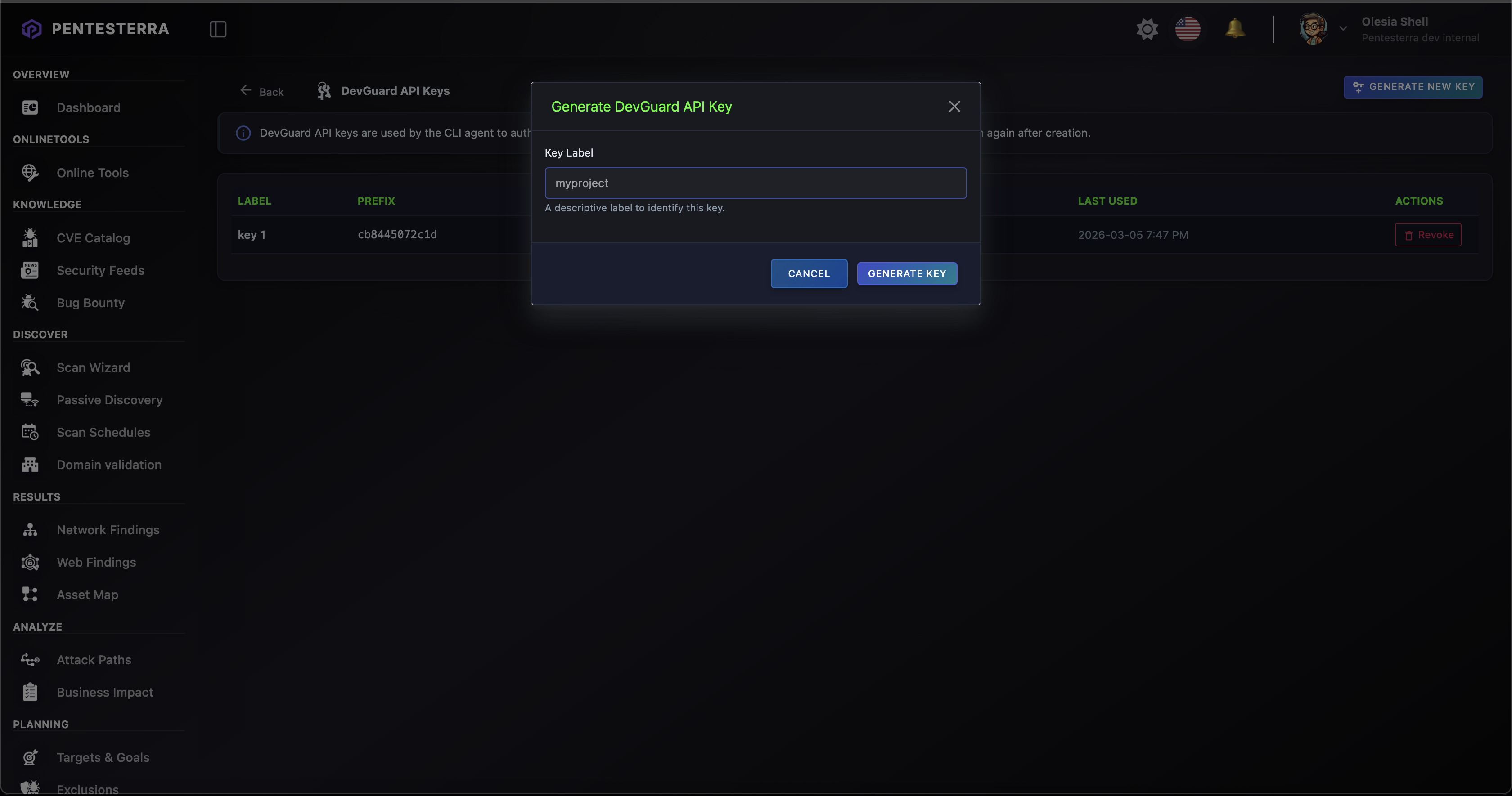
InstallationInstall from VS Code Marketplace: https://marketplace.visualstudio.com/items?itemName=pentesterra.pentesterra-devguard Or install locally: Cursor: Windsurf: Antigravity: PrerequisitesDevGuard CLIThe extension automatically installs and updates the CLI on first use. For terminal or CI/CD workflows, install the CLI collector manually: Update the CLI: API KeyGenerate an API key from: https://app.pentesterra.com → DevGuard → API Keys Quick Start
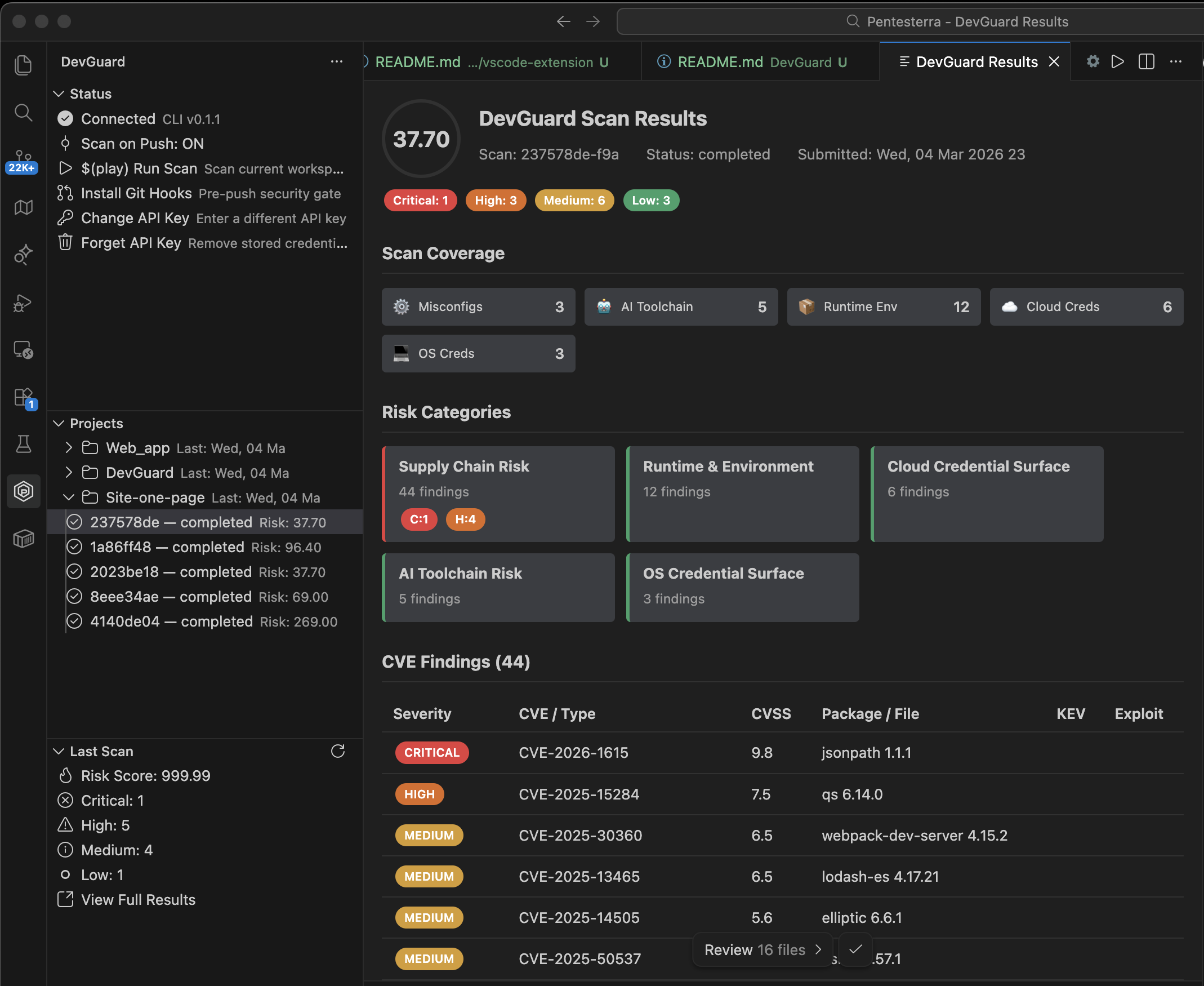
You can also trigger scans via the DevGuard sidebar. FeaturesScan WorkspaceCollects security signals from your project:
Data is analyzed via the Pentesterra API using a three-stage analysis pipeline:
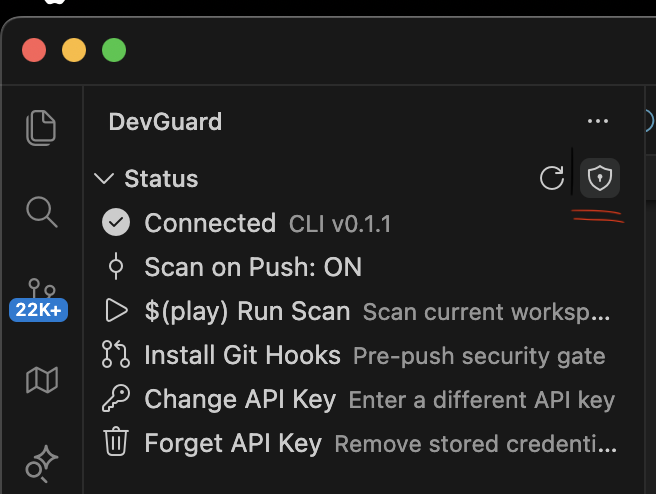
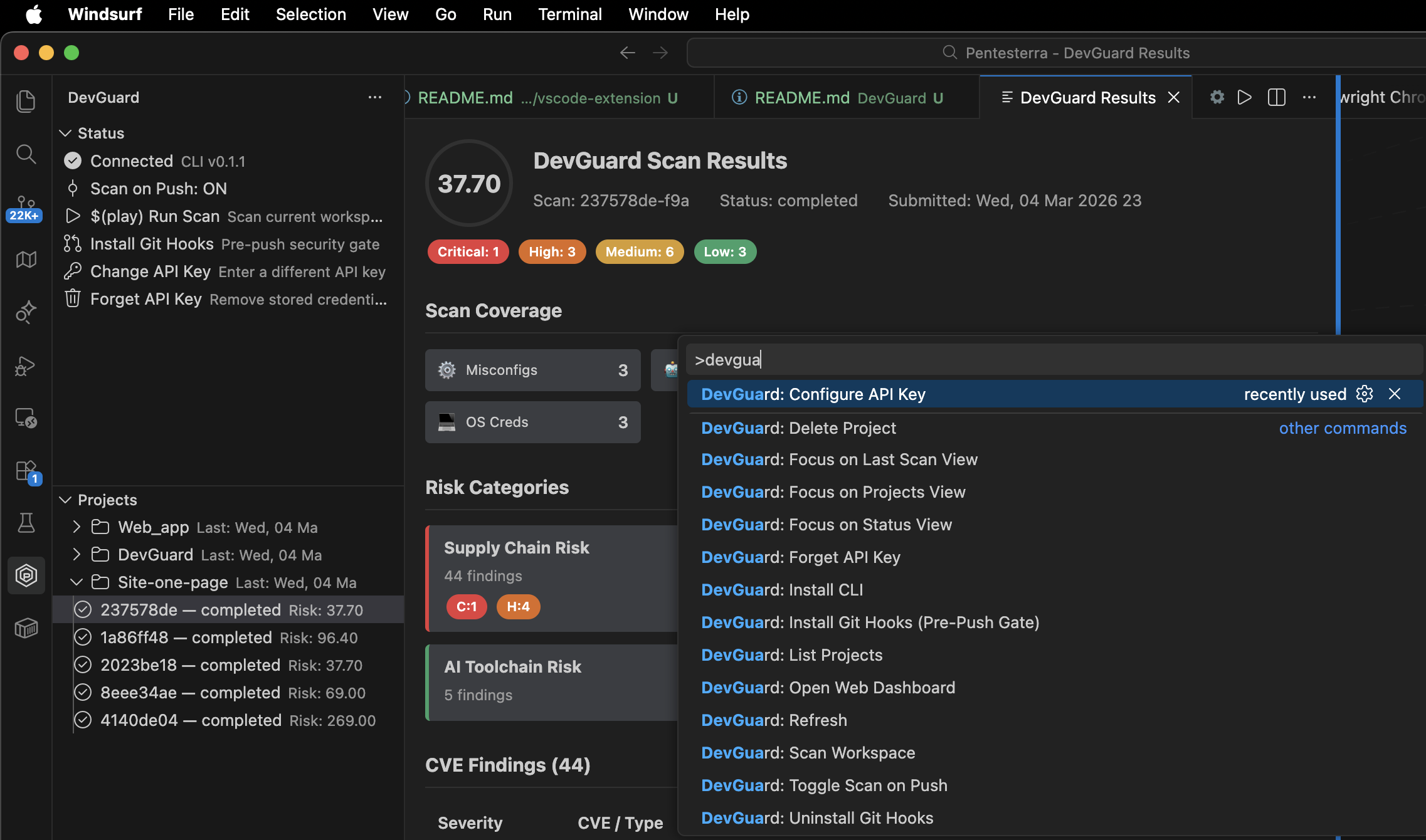
Pre-Push Security GateDevGuard can install a real git pre-push hook that blocks pushes when vulnerabilities exceed a defined severity threshold. Install from Command Palette: Available thresholds: Push can be bypassed with: Scan on Push (Telemetry Mode)DevGuard can automatically scan your workspace after every This mode does not block pushes and is useful for telemetry and continuous monitoring. Toggle via: DevGuard SidebarAccess DevGuard via the Activity Bar. Panels include: StatusConnection status, CLI version, scan configuration. ProjectsYour DevGuard projects with recent scan history. Last ScanRisk score and severity summary. Git HooksInstall or remove the pre-push security gate. CredentialsRemove stored API key. Results WebviewDevGuard provides a rich HTML results panel including:
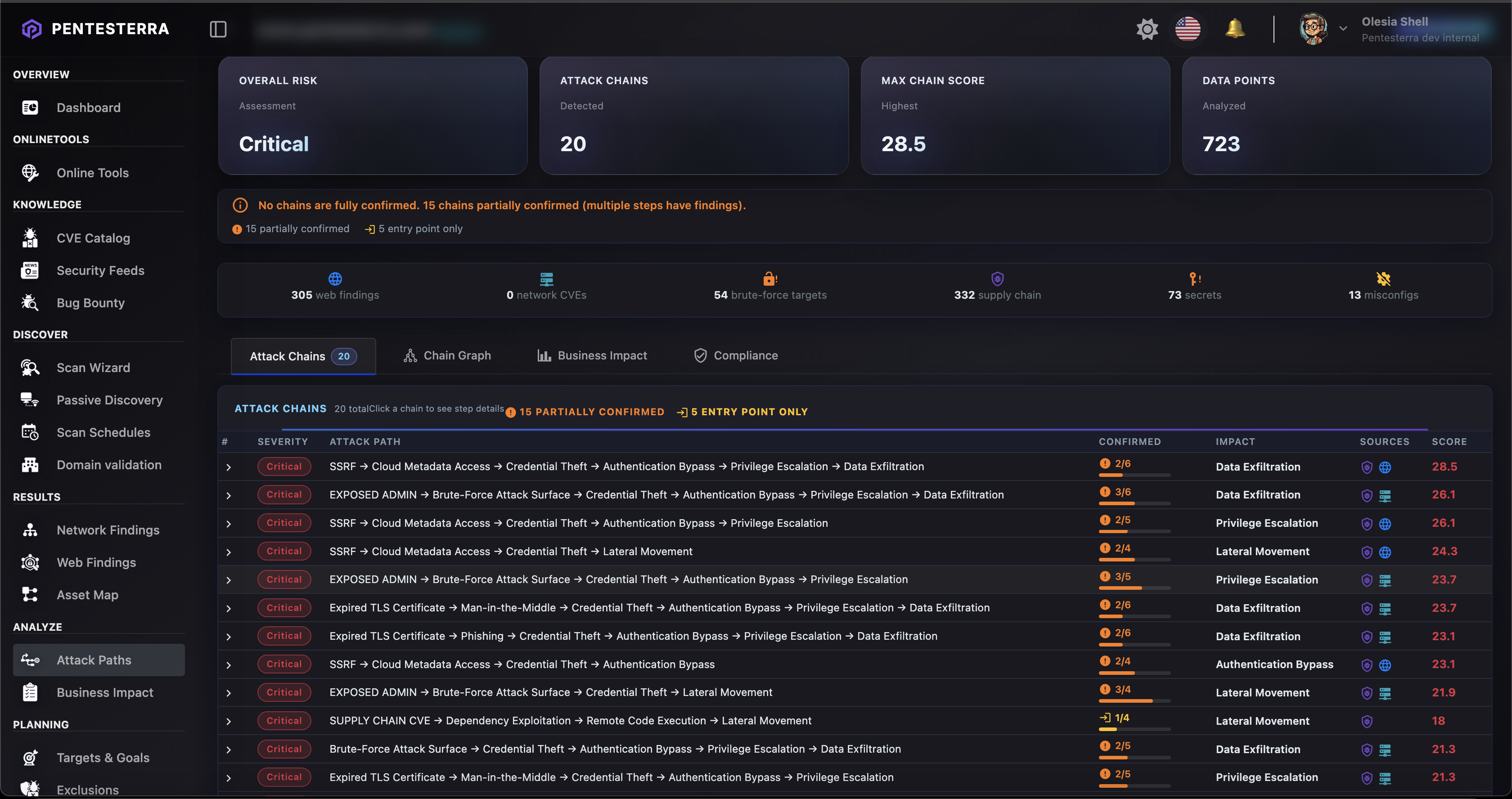
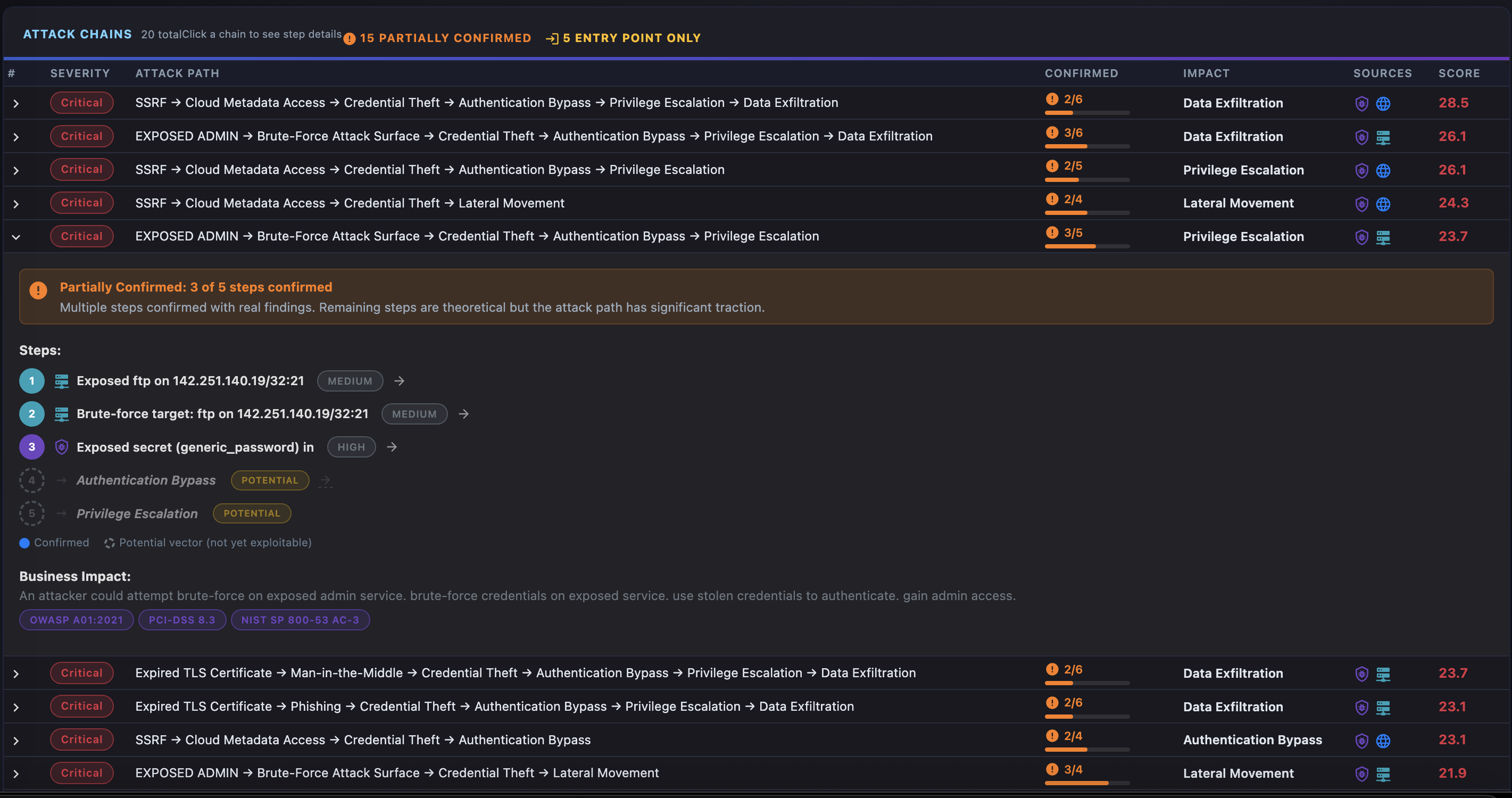
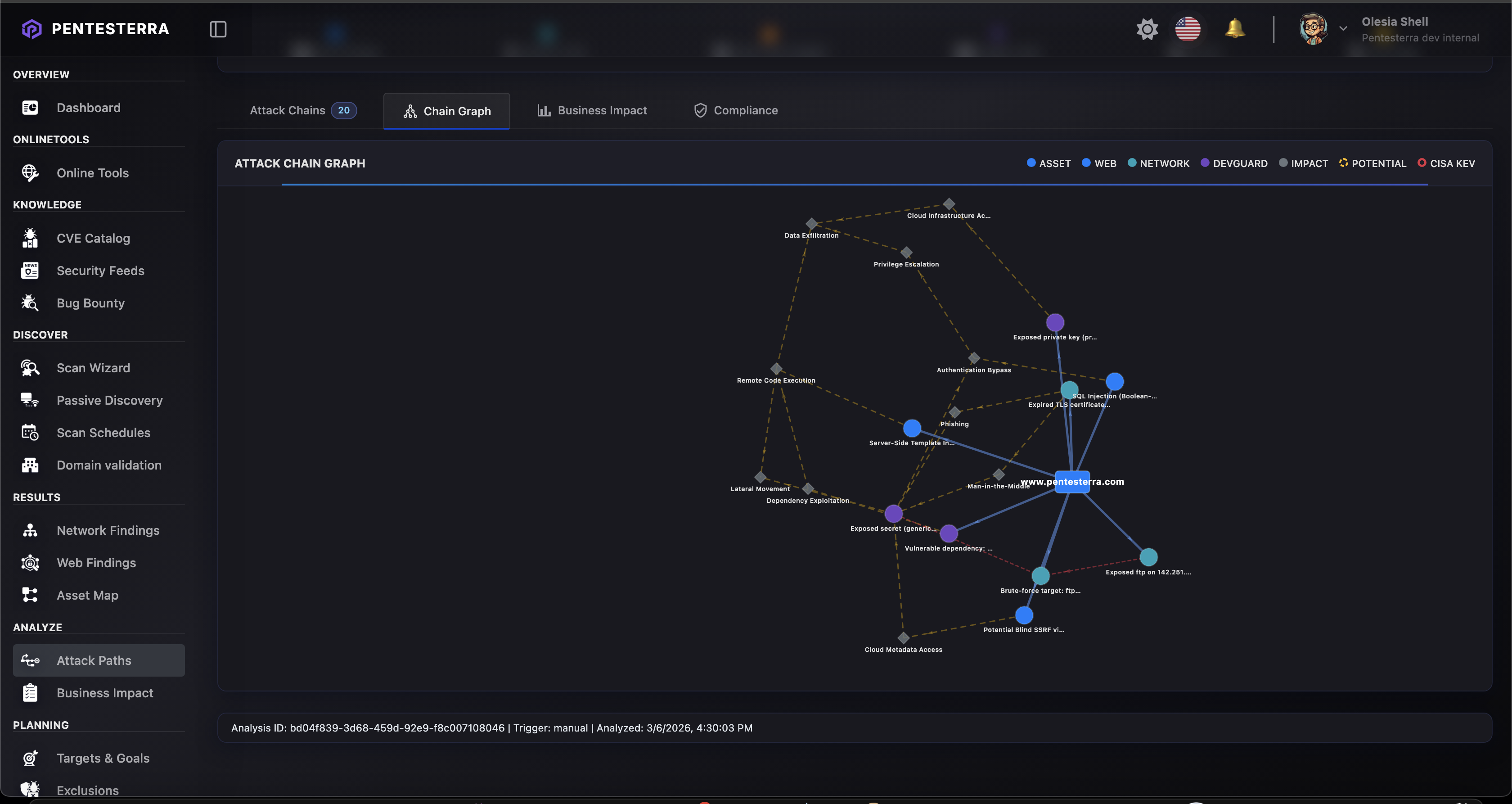
The interface automatically adapts to light and dark themes. Attack Vectors AnalysisDevGuard automatically generates Attack Vectors — code-to-impact paths based on your security findings. Attack Vectors show how vulnerabilities, secrets, and misconfigurations can chain together to create exploitable attack paths. What are Attack Vectors?Unlike traditional Attack Chains (which require offensive testing), DevGuard Attack Vectors are potential paths identified through static analysis:
Viewing Attack VectorsAttack Vectors appear in:
Triggering AnalysisYou can trigger Attack Vectors analysis directly from your IDE:
The analysis uses your latest DevGuard scan data to generate code-to-impact paths. Evidence LevelsEach attack vector has a confirmation level:
Example Attack VectorAttack Vectors help prioritize remediation by showing real-world impact of individual findings. ScreenshotsDevGuard Sidebar(screenshot placeholder)
Scan Results(screenshot placeholder)
Api Key Configuration(screenshot placeholder)
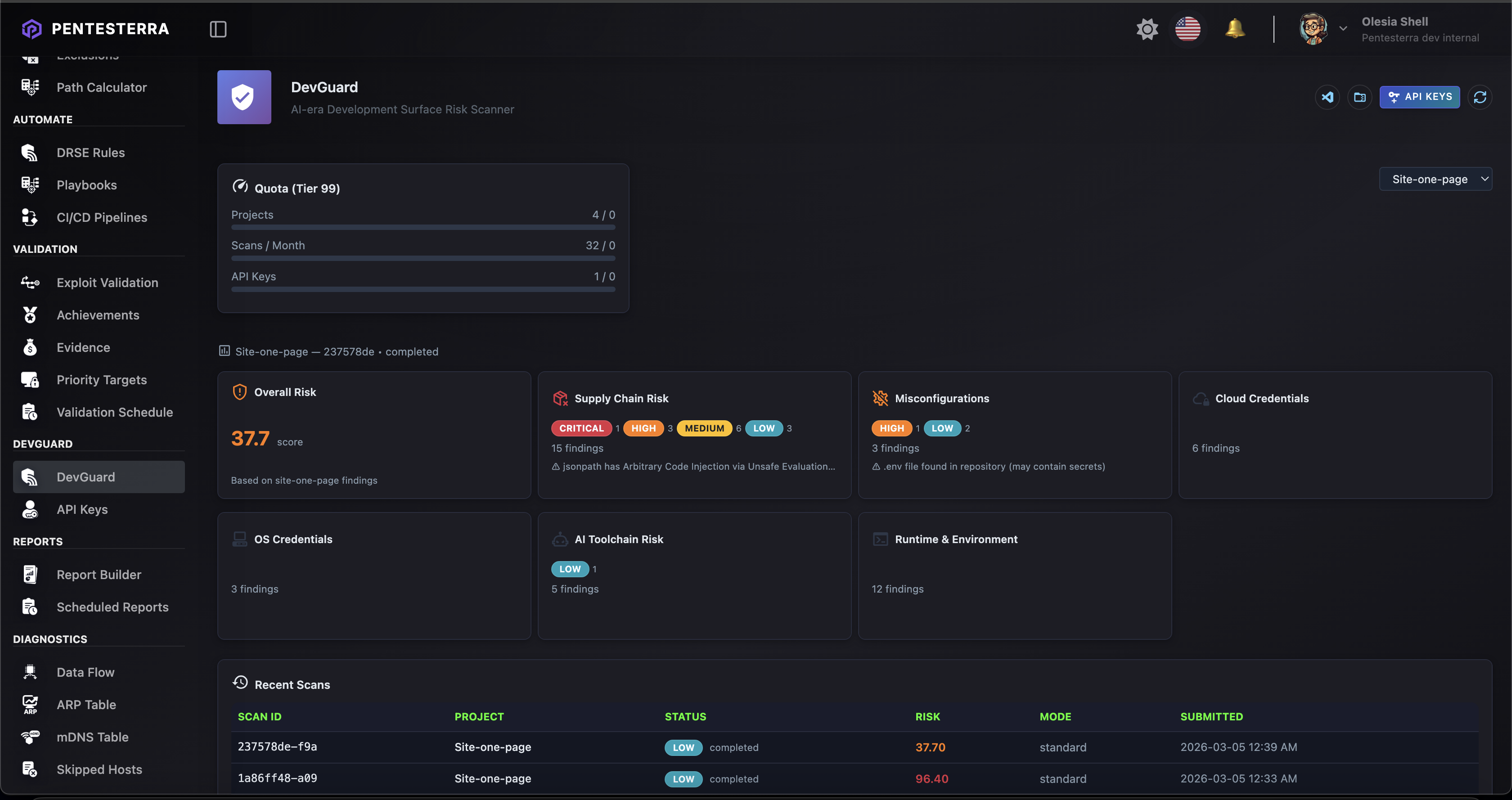
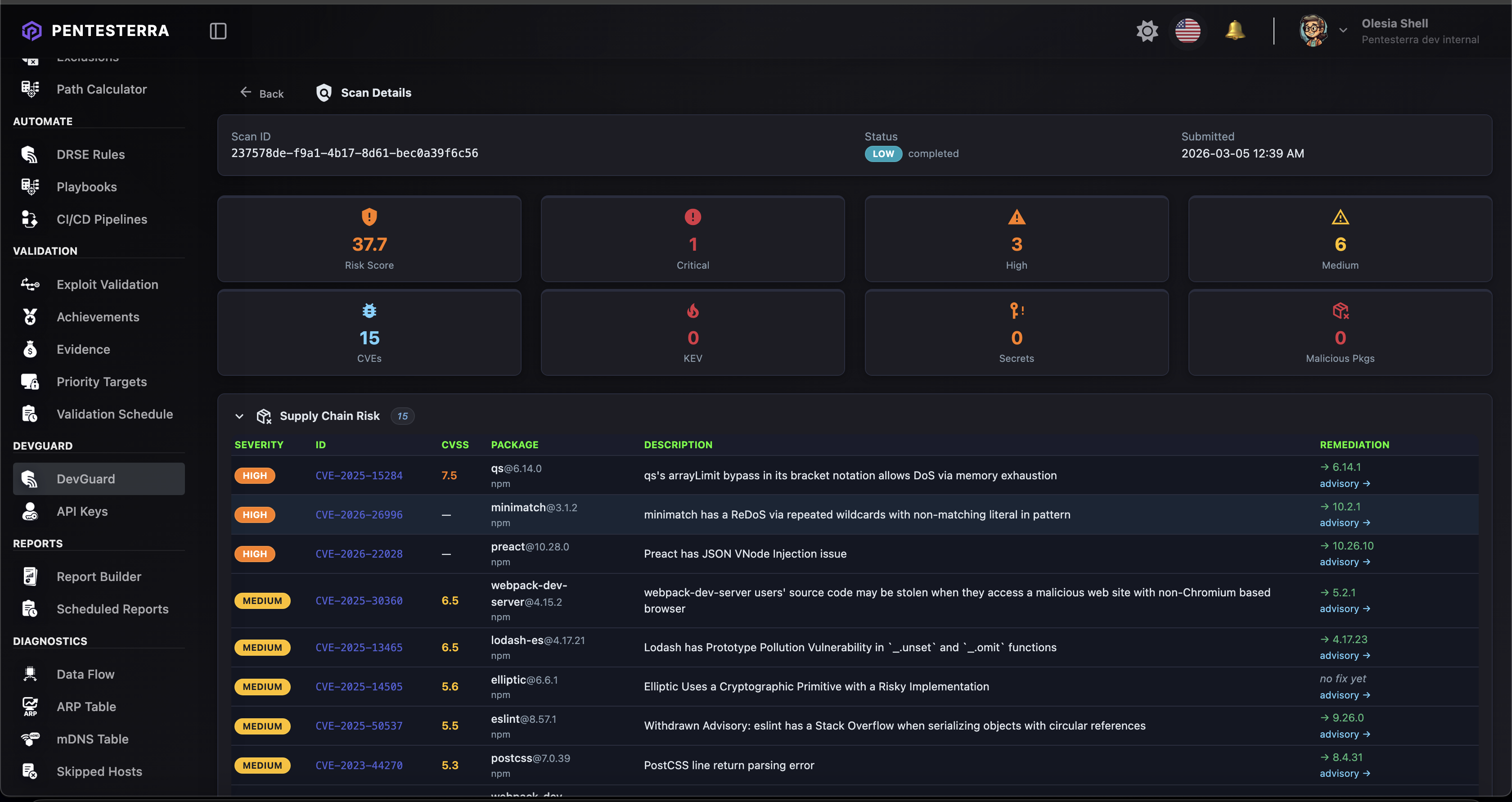
Scan Results on Web App(screenshot placeholder)
Attack Chain Analysis(screenshot placeholder)
Graceful Degradation
Usage Tiers & QuotasDevGuard capabilities depend on your Pentesterra account tier and available quotas.
Full plan comparison and current limits: Commands
Settings
Security ModelDevGuard never uploads source code. Only metadata may be transmitted:
Secrets and credentials are never transmitted. All analysis runs inside the Pentesterra knowledge base and advisory engine. ArchitectureThe extension acts as an orchestration layer. All heavy analysis runs in the CLI and Pentesterra backend. Build from SourceProduces: TroubleshootingScan stuck on "Server analyzing..."If the scan progress notification shows "Server analyzing..." for a long time:
Common causes:
The Output channel auto-opens after 60 seconds of waiting. No output in Output channelMake sure CLI is installed and working: If not found, install: Scan completes but no results shownCheck the Output channel for JSON parsing errors. The CLI should output a JSON envelope with LicenseCopyright © 2024–2026 Pentesterra. This software is proprietary and confidential. |