GDS Inspector — GDS/GDSII Layout Viewer for VS Code and Cursor
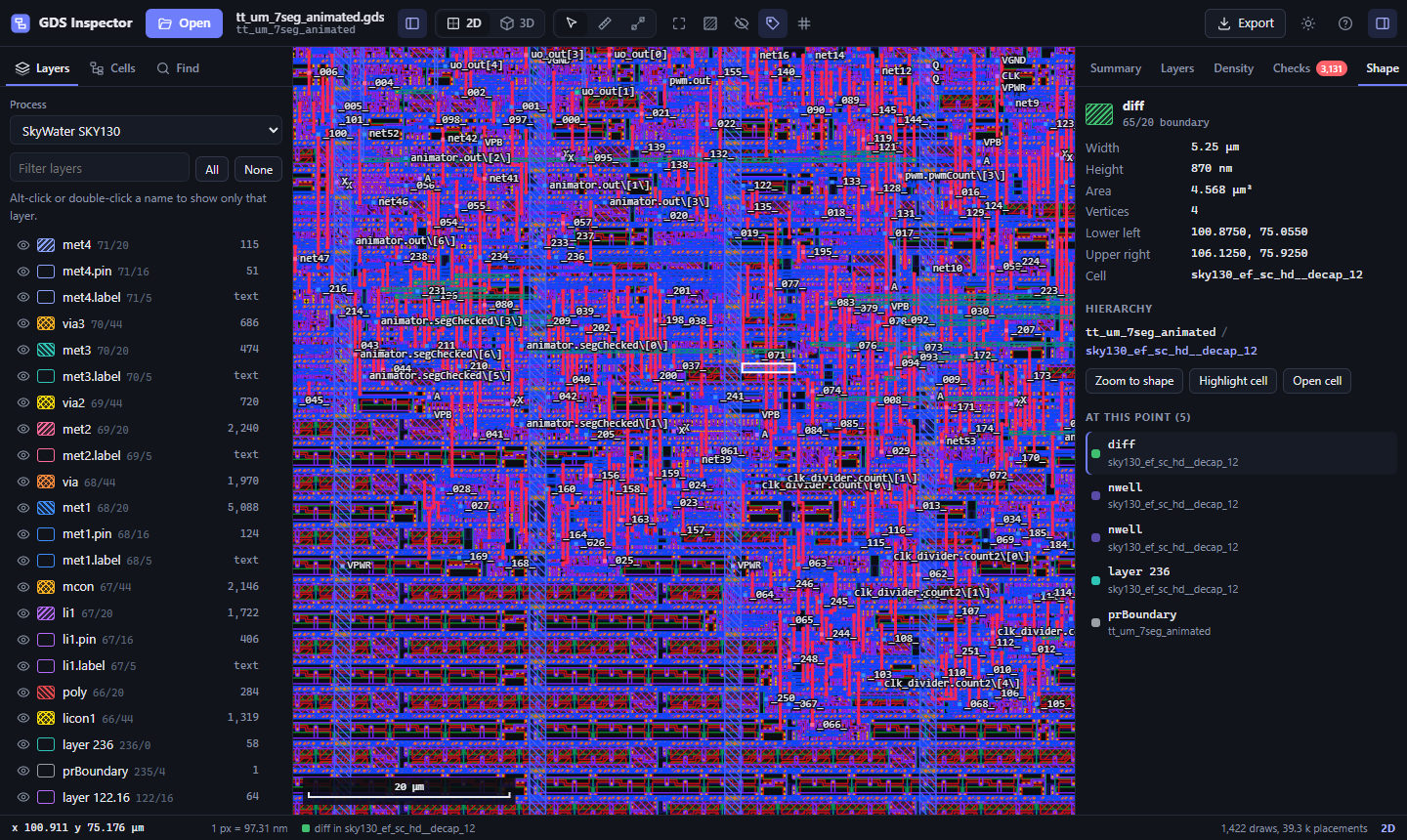
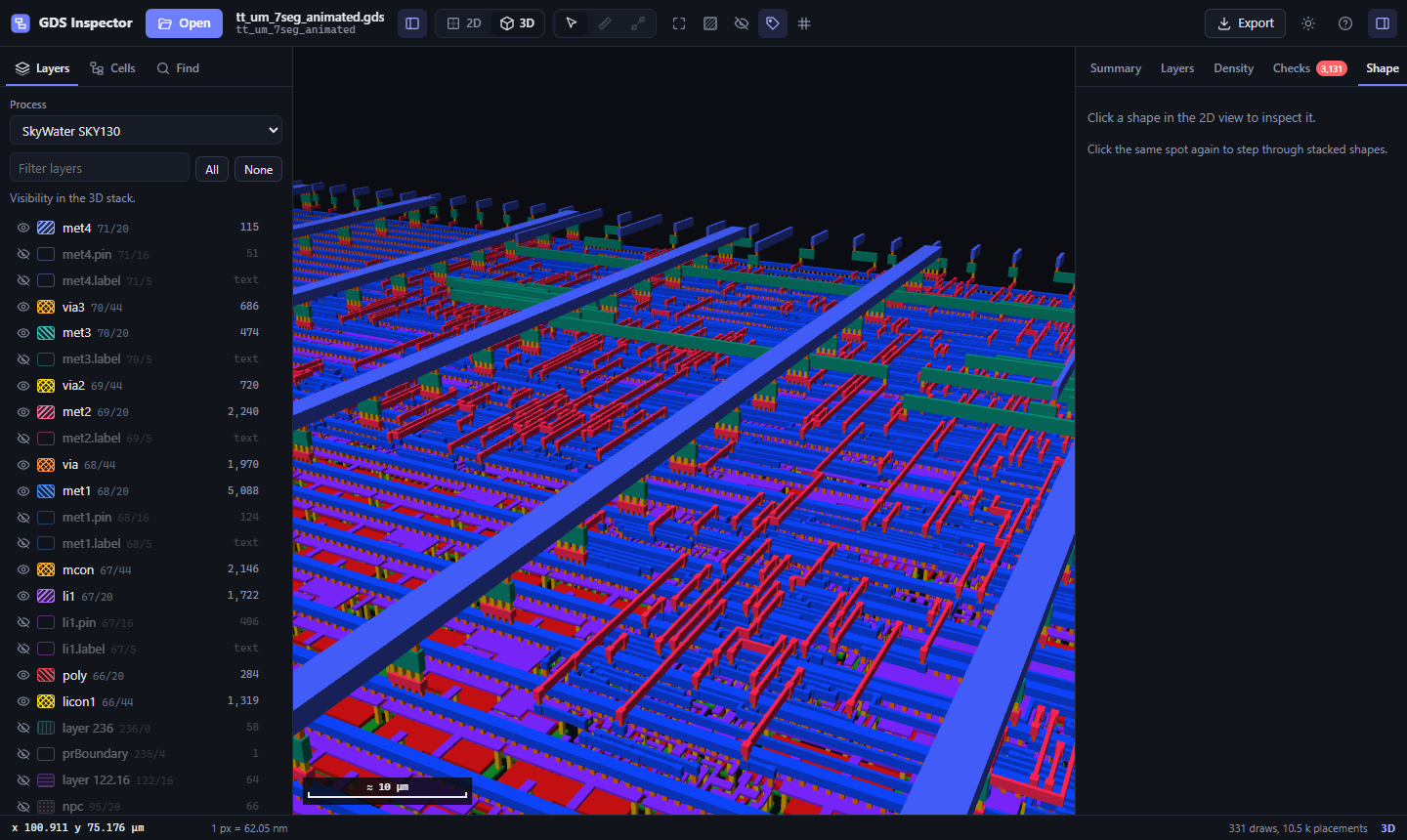
Open GDSII chip and nanofabrication layouts right in the editor. Click a .gds file and it opens in a layout view with the whole design hierarchy, a 3D metal stack and the analysis tools of GDS Inspector. Everything runs locally; the layout never leaves your machine.
Works in VS Code, Cursor, Windsurf, VSCodium, Trae and other editors built on VS Code, including remote, WSL and container workspaces.
Installation
Install from the VS Code Marketplace, or search for GDS Inspector (extension ID OutBlade.gds-inspector) in VS Code. Cursor uses Open VSX through its own marketplace review; its registry listing is pending.
Install immediately from the GitHub extension releases: download the .vsix, open Extensions → … → Install from VSIX, then select the file. This also works in Windsurf and VSCodium.
code --install-extension gds-inspector-0.1.2.vsix
# Cursor: cursor --install-extension gds-inspector-0.1.2.vsix
Features
- Layout view: hatched layers in KLayout style, full hierarchy with instancing, labels, grid, and level of detail that keeps chips with hundreds of thousands of cells smooth.
- 3D view: extruded metal stack with adjustable height, exploded layers and a section cut.
- Process aware: SKY130, GF180MCU and IHP SG13G2 layer names, colors and stack heights out of the box.
- Inspect: click a shape for its size, area and hierarchy path; cell tree with highlight, hide and open as top; search over labels and cell names; a gallery of all cells for standard cell libraries.
- Measure: snapping ruler and cross-section profiles along any line.
- Analyse: per-layer area, pattern density maps, minimum widths, rule checks with markers, EBL beam-on time.
- Live reload: rerun your flow and the view updates in place, keeping zoom and layer settings.
- Export: PNG, SVG, a JSON report and a layer CSV.
Layer colors from KLayout
If a .lyp file sits next to the layout (same name, or the only .lyp in the folder), its layer names and colors are applied. To use a specific one, set:
"gdsInspector.layerProperties": "tech/sky130A.lyp"
Relative paths are resolved against the workspace folder.
Commands
- GDS Inspector: Open Layout picks a file and opens it.
- Open With GDS Inspector in the explorer context menu.
Keyboard in the layout view: T switches 2D and 3D, F fits, R ruler, X cross-section, 1 hides fill and decap cells, ? lists all shortcuts.
Also in the browser
The same viewer runs at outblade.github.io/gds-inspector, no install needed.
Scope and privacy
The extension is a read-only GDSII viewer. Layouts are processed locally in the editor webview. WebGL2 is required. Inspection rule checks do not replace foundry sign-off DRC or LVS. OASIS is not supported.
Report an issue · MIT license and source

