Nuon LSP Extension
Language Server Protocol support for Nuon TOML configuration files in Visual Studio Code.
Features in Action
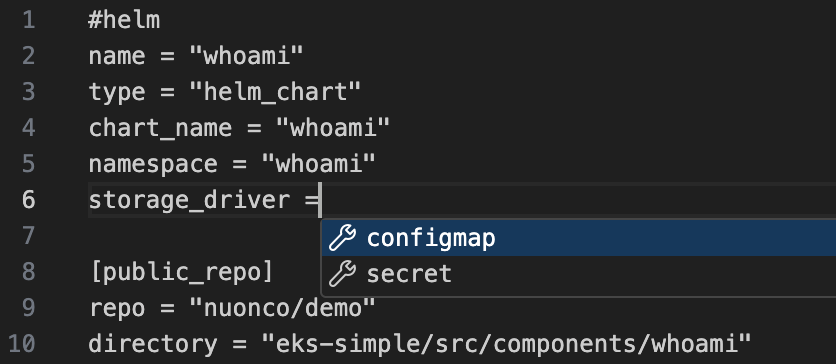
Auto-completion for Nuon configuration:
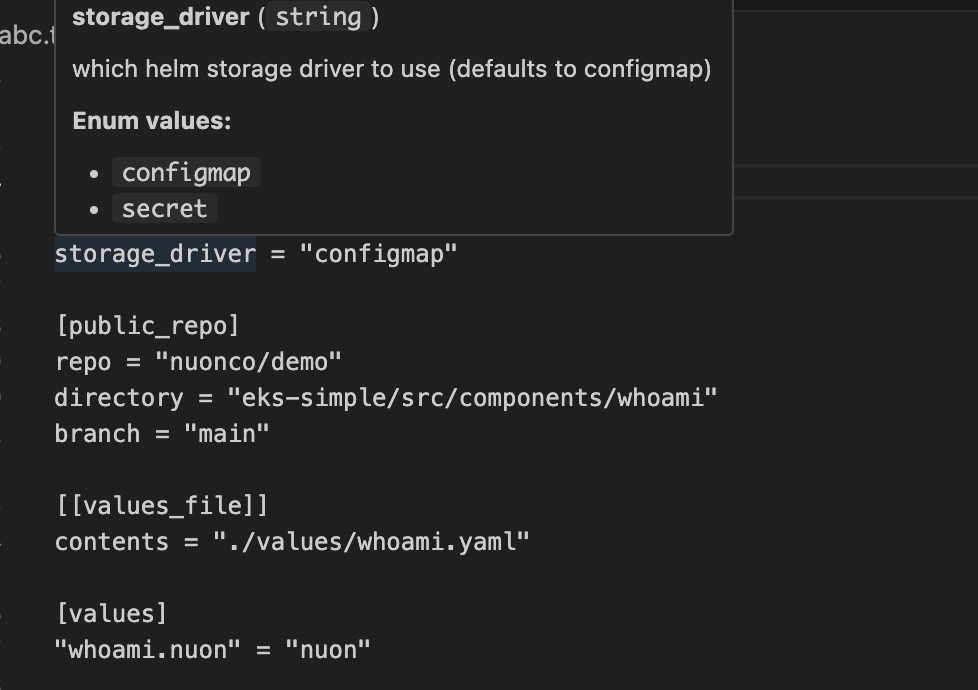
Hover documentation and type information:
Quick Start
Install the Nuon CLI (includes the LSP server):
brew install nuonco/tap/nuon
Or use the install script: curl -sSL install.nuon.co | bash
Install the Nuon LSP extension from the marketplace.
Open a Nuon TOML configuration file (.toml) and the extension will activate automatically.
Note: The Nuon CLI must be installed for the extension to work. See the CLI installation guide for detailed instructions.
Features
- Syntax Validation - Real-time validation of Nuon TOML configuration files
- Auto-completion - Intelligent suggestions for Nuon configuration options
- Hover Documentation - View documentation for configuration keys on hover
- Go to Definition - Navigate to configuration definitions
- Error Diagnostics - Clear error messages and warnings for configuration issues
Settings
The extension works out of the box with no configuration required. It automatically detects the nuon-lsp binary from your Nuon CLI installation.
Optional settings:
nuonLsp.serverPath - Custom path to the nuon-lsp binary (leave empty to auto-detect)
Troubleshooting
If the extension is not working:
- Verify the Nuon CLI is installed:
nuon-lsp --version
- Check the "Nuon LSP" output channel in VS Code for error details
- Ensure
nuon-lsp is in your PATH: which nuon-lsp
- Try reloading VS Code: Cmd/Ctrl+Shift+P → "Reload Window"
Resources
| |

