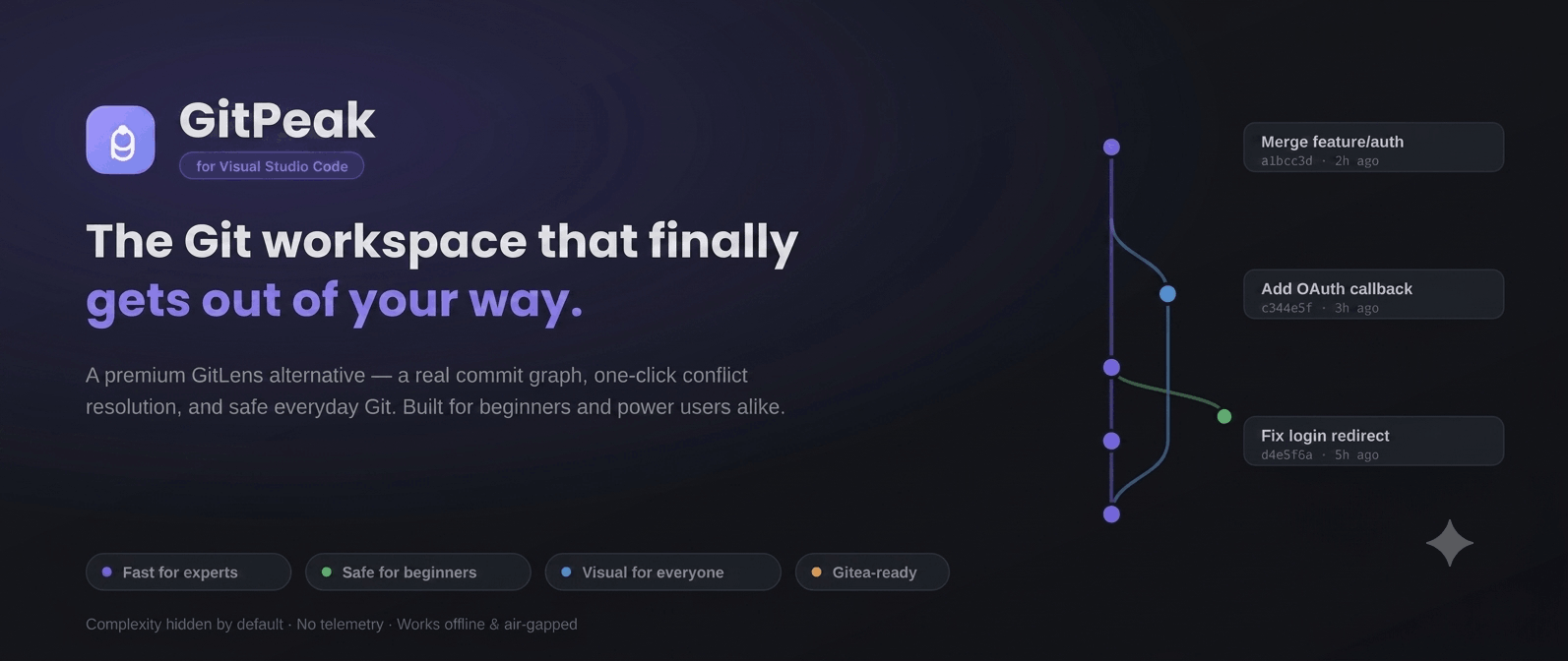
The premium Git experience for VS Code.
A real commit graph, one-click conflict resolution, and safe everyday Git —
beautiful enough to enjoy, simple enough for day one.
What’s new in 4.1.0
·
Marketplace Changelog
✨ Features at a glance
|
|
| 🌳 Real commit graph |
Multi-lane branches and merges you can actually read — not a flat list |
| 🧩 One-click conflicts |
Three-pane resolver, per-hunk accept, one-click AI resolution |
| 🛡️ Smart Checkout |
Auto-stash, switch, restore — never blocked by a dirty tree |
| 🔀 Interactive rebase GUI |
Drag to reorder, squash, reword — with one-click undo |
| 🍒 Cherry-pick preview |
See touched files and predicted conflicts before you commit to it |
| 🤖 Optional AI |
Commit messages & explanations — OpenAI-compatible, Anthropic, Ollama, LM Studio, MiniMax |
| 🌐 Multi-remote & Gitea |
Push/fetch all remotes at once, with first-class self-hosted Gitea support |
| 🔒 Zero telemetry |
Fully offline-capable, air-gapped ready — your code never leaves your machine |
⚙️ How it works
- Install GitPeak and open any folder with a Git repository.
- Click the GitPeak icon in the Activity Bar — your commit graph, changes, and branches load instantly.
- Stage and commit with one click, or drop into the Conflict Center / Interactive Rebase GUI when things get hard.
Beginner-friendly defaults are on from the first launch. Flip the Pro toggle anytime to reveal the full power set — nothing to configure, nothing to learn up front.
Why GitPeak
Most Git tools make you choose: powerful or approachable. GitPeak refuses the tradeoff. Every surface follows one principle —
Fast for experts. Safe for beginners. Visual for everyone.
Advanced power is there the moment you want it, and completely out of the way until then. Nothing to learn before your first commit; nothing missing when you're rebasing five branches before lunch.
- It actually shows your history. A true multi-lane commit graph — real branches, real merges — not a flat list pretending to be one.
- Conflicts stop being scary. A three-pane resolver with per-hunk accept and one-click AI resolution.
- You never lose work. Smart Checkout stashes, switches, and restores for you. Safe Push warns before force. No silent surprises.
- It respects you. Zero telemetry. Works fully offline. Runs in air-gapped and government environments — including first-class Gitea support.
See it
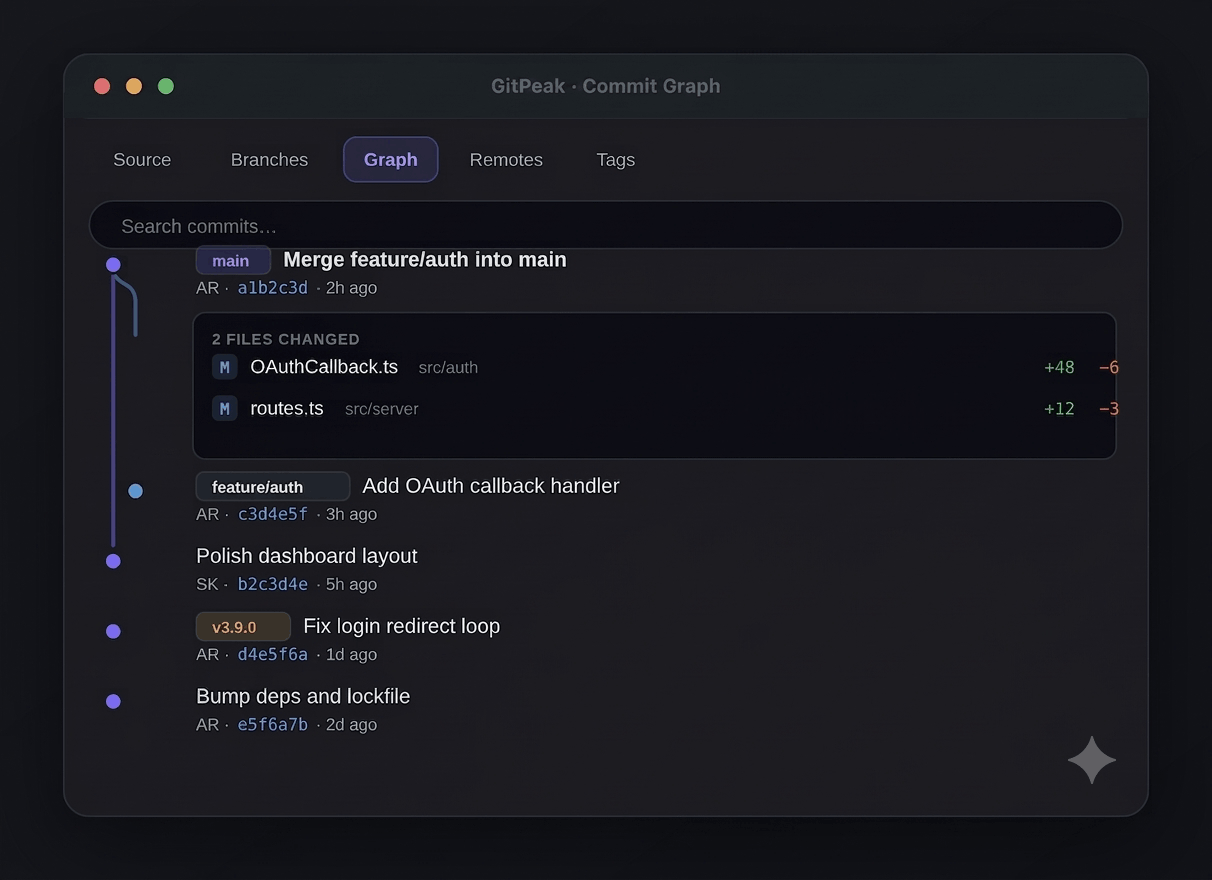
A commit graph you can read at a glance
Branches and merges render as real lanes with color. Click any commit to expand its files inline, then click a file to open a side-by-side diff. History becomes something you explore, not squint at.
Commit with confidence
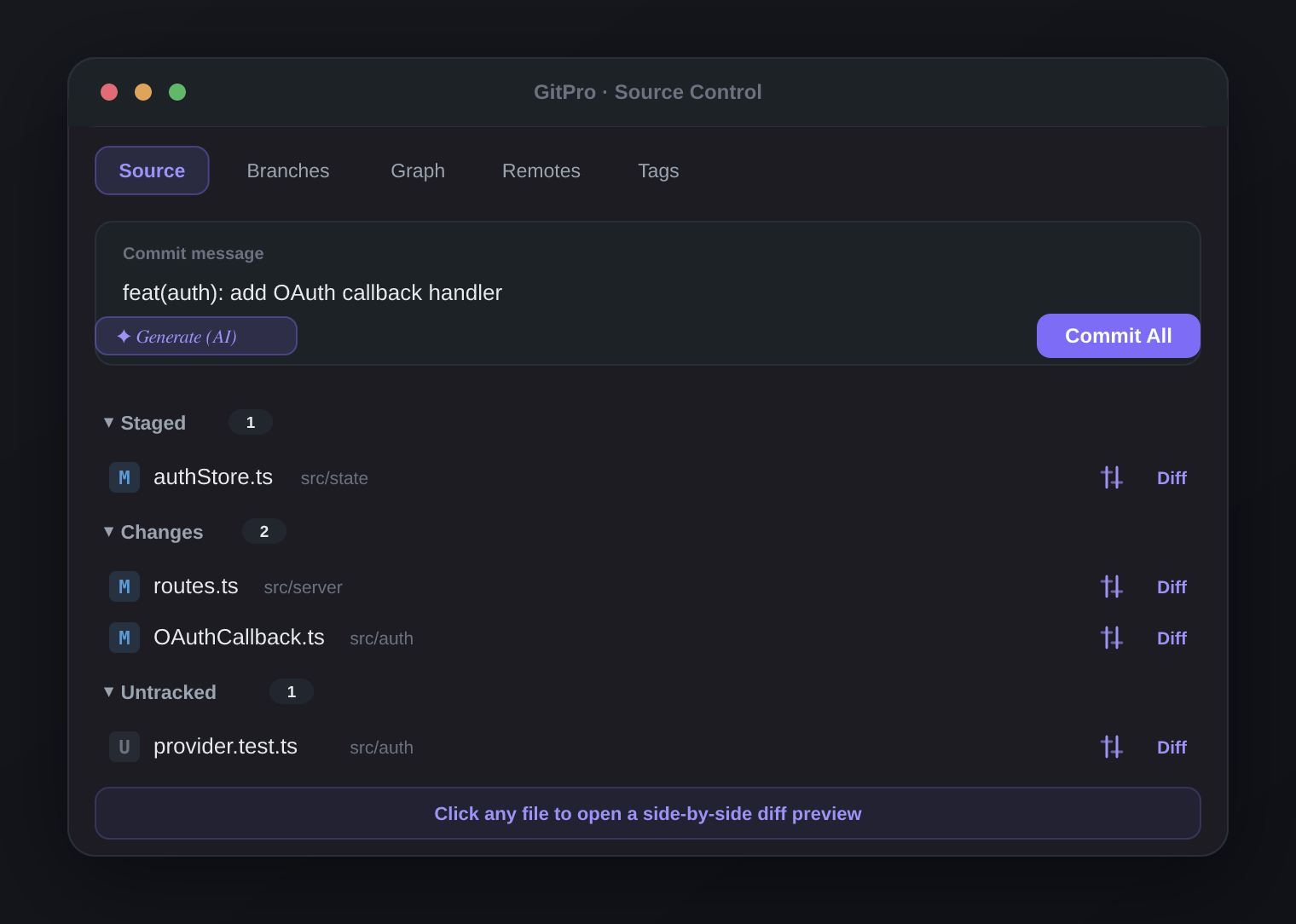
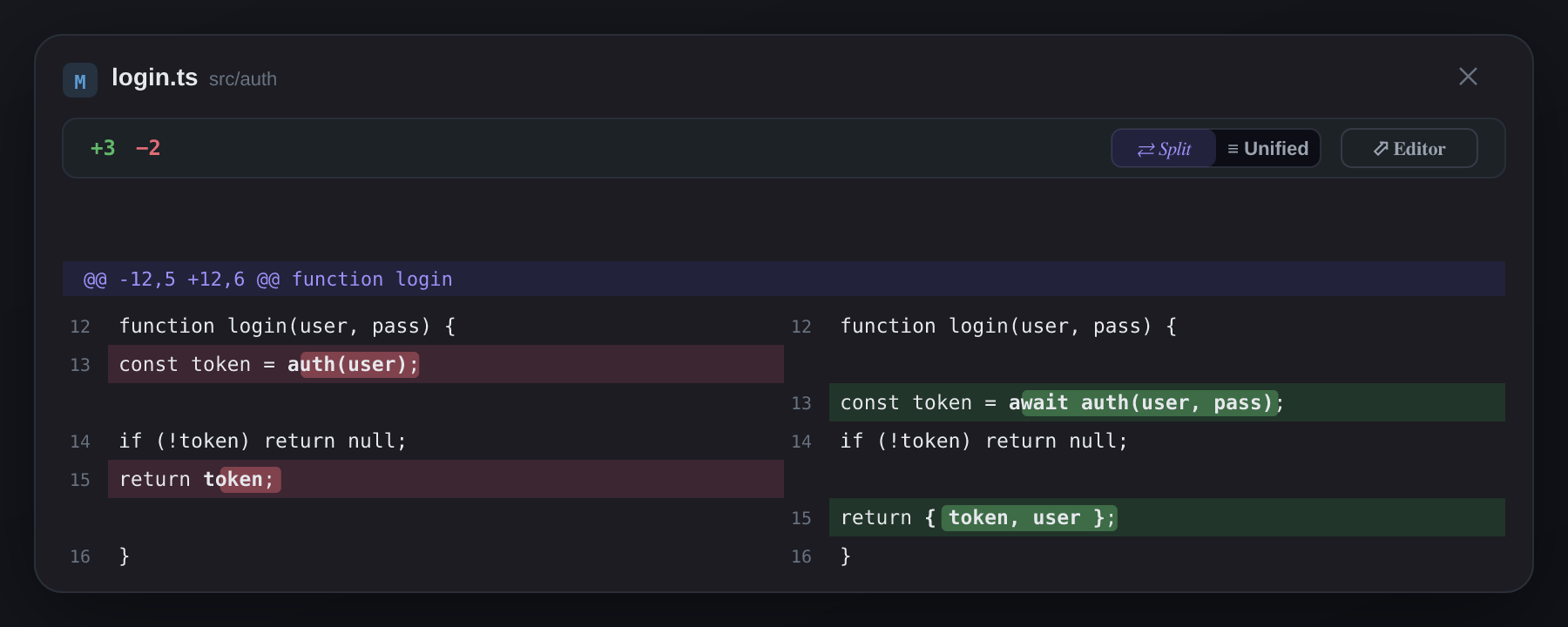
A clean message box and one Commit All button by default — every advanced tool tucked behind an opt-in. Generate a conventional-commit message with AI, or just type and ship. Click any changed file to preview the diff before you stage it.
Branches and remotes, minus the clutter
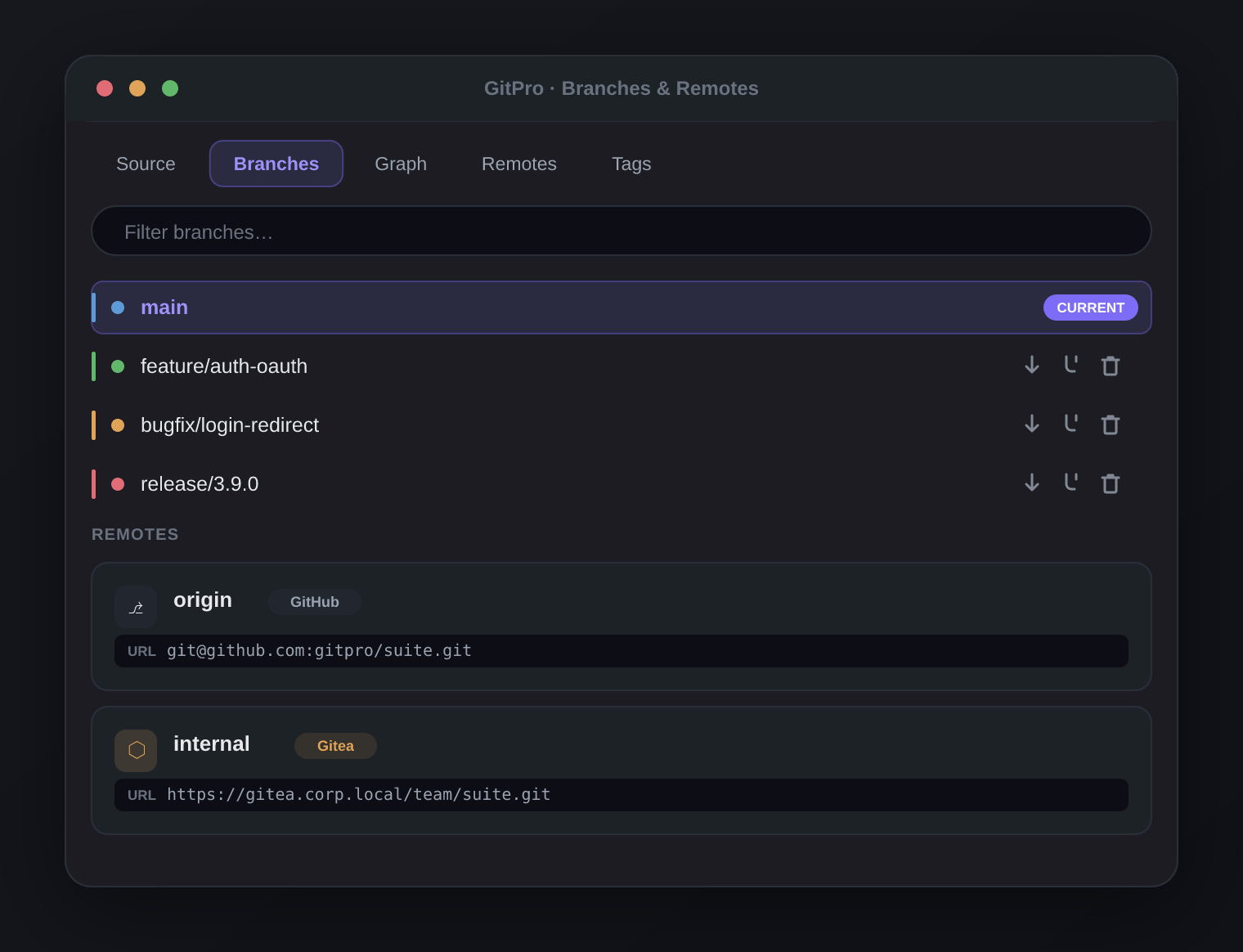
Slim, single-line branches with type-aware accents and actions that appear only on hover. Manage multiple remotes — push or fetch them all at once — with provider auto-detection for GitHub, GitLab, Bitbucket, and Gitea.
Everything inside
Visualize
- Multi-lane commit graph with merge curves, refs, and tags
- Commit detail on click — changed files with +/− counts, each opening a real diff
- Inline blame and file history
Do the everyday safely
- One-click stage, Commit All, push & pull with Safe Push (force-with-lease, pre-push checks)
- Smart Checkout — auto-stash, switch, restore; never blocked by a dirty tree
- Side-by-side diff preview for staged, unstaged, and untracked files
Master the hard parts
- Three-pane Conflict Center — Yours · Result · Theirs, per-hunk accept, AI resolve, with Simple and Advanced modes
- Interactive Rebase GUI — drag to reorder, squash, reword, with safety guards and one-click undo
- Cherry-pick with a preview of touched files, line counts, and conflict prediction
Work like a team
- Multi-remote management with one-click Fetch all / Push to all
- Tags, stash manager, and worktree support
- Optional AI commit messages and commit explanations (bring your own provider — OpenAI-compatible, Anthropic, Ollama, LM Studio, MiniMax)
- Repository Health dashboard
Built for the enterprise
- No telemetry, ever. Your code and history never leave your machine.
- Fully offline / air-gapped capable
- First-class Gitea support — the gap most Git tools leave wide open
GitPeak vs. the field
|
GitPeak |
GitLens |
Git Graph |
VS Code built-in |
| Real multi-lane commit graph |
✅ free |
Pro-gated on private repos |
✅ free |
Basic only |
| Visual conflict resolution |
✅ 3-pane + AI |
❌ |
❌ |
Text accept-current/incoming only |
| Interactive rebase GUI (drag, squash, reword) |
✅ |
List-based, Pro-gated |
Basic branch action only |
❌ |
| Smart Checkout (auto-stash/restore) |
✅ |
❌ |
❌ |
❌ |
| First-class Gitea support |
✅ |
Autolinks only |
Generic (CLI-based) |
Generic (CLI-based) |
| Zero telemetry, fully offline |
✅ |
Sends analytics/license calls |
✅ |
✅ (unless VS Code telemetry on) |
| Free tier ceiling |
Everything, always |
Graph/worktrees/AI need Pro on private repos |
Full feature set |
No conflict UI, no rebase |
Comparison based on public documentation as of mid-2026; verify current pricing/feature gates before publishing, as vendors change these frequently.
Get started in 30 seconds
- Install GitPeak from the Marketplace (or
code --install-extension).
- Open any folder with a Git repository.
- Click the GitPeak icon in the Activity Bar.
That's it. Beginner-friendly defaults are on from the first launch — flip the Pro toggle anytime for the full power set.
Optional — turn on AI: add any OpenAI-compatible, Anthropic, Ollama, LM Studio, or MiniMax provider in Settings to unlock AI commit messages and commit explanations. Everything else works without it.
Git that feels premium — and gets out of your way.
Install GitPeak and make peace with your history.
| |

