Skip to content
| Marketplace
Sign in
Visual Studio Code>Programming Languages>Markdown Kotlin Code BlocksNew to Visual Studio Code? Get it now.
Markdown Kotlin Code Blocks

Markdown Kotlin Code Blocks

Nikolai Fedorov

|
2 installs
| (0) | Free
Syntax highlighting for Kotlin code blocks in Markdown (```kotlin``` and ```kt```)
Installation
Launch VS Code Quick Open (Ctrl+P), paste the following command, and press enter.
Copied to clipboard
More Info

Markdown Kotlin Code Blocks

VS Code Marketplace Installs

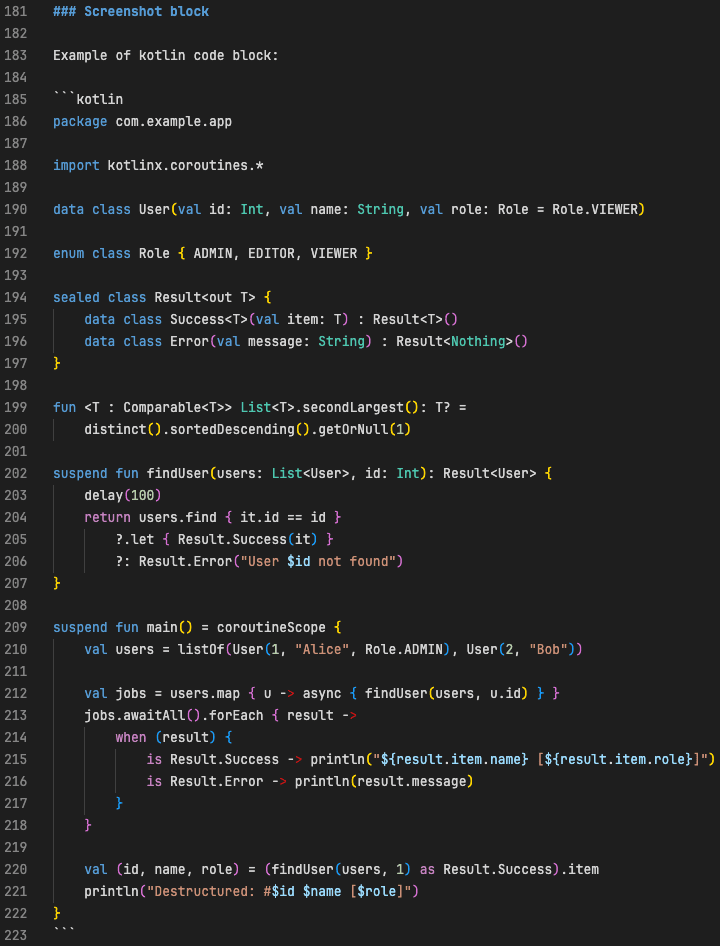
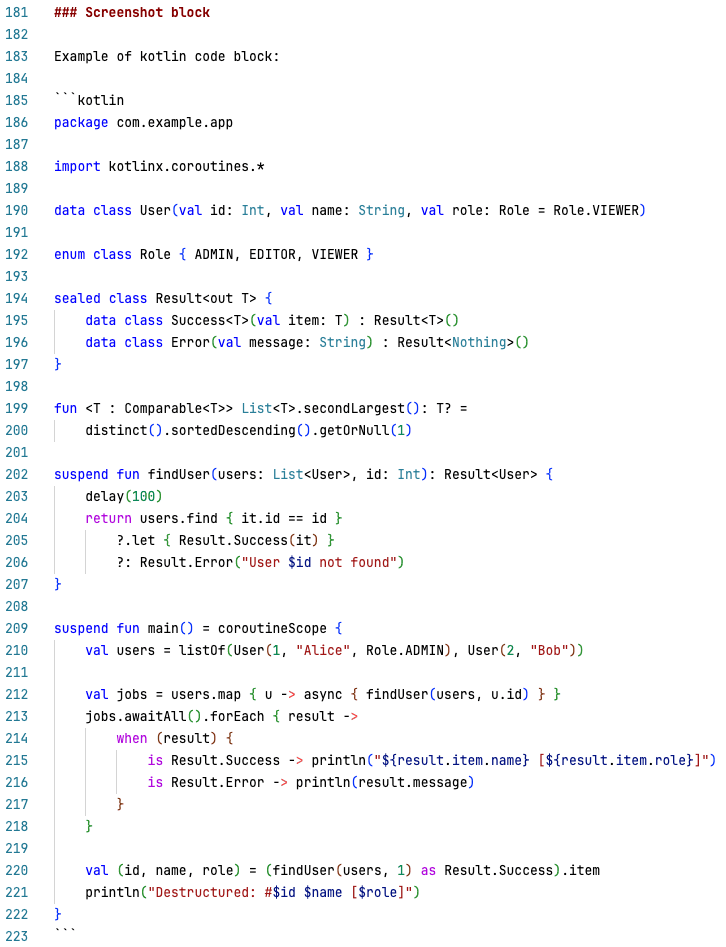
Kotlin syntax highlighting for fenced code blocks inside Markdown.

Supports ```kotlin and ```kt info strings.

Dark theme:

Dark theme

Light theme:

Light theme

Features

  • Kotlin highlighting in Markdown code fences
  • Works with the standard Markdown editor
  • Zero configuration
  • Bracket matching, comments, and snippets work inside the block

Example

```kotlin
fun main() {
    println("Hello Kotlin")
}
```

Installation

Install from the VS Code Marketplace or Open VSX.

Or search for "Markdown Kotlin Code Blocks" in the Extensions view.

Requirements

A Kotlin extension that provides the source.kotlin TextMate grammar must be installed, for example Kotlin Language (fwcd) or Kotlin LSP.

Without it the fenced block will be recognized but not highlighted.

Extension Settings

This extension has no settings.

Known Issues

None yet. Please report bugs in the issue tracker.

Release Notes

0.0.3

  • Marketplace metadata improvements (keywords, description, categories)
  • Open VSX and Kotlin LSP links

0.0.2

  • Extension icon and gallery banner
  • README rewritten for Marketplace

0.0.1

Initial release.

Contributing

Pull requests are welcome. Repository: github.com/Unril/markdown-kotlin

License

MIT

  • Contact us
  • Jobs
  • Privacy
  • Manage cookies
  • Terms of use
  • Trademarks
© 2026 Microsoft