
Nic Hyper Flow - Alpha 2.0Run AI agents locally with your own API keys Installation Launch VS Code Quick Open ( Ctrl+P), paste the following command, and press enter.Copied to clipboard |

Nic Hyper FlowA VS Code extension that runs AI agents directly in your editor. The agent can read and edit files, run commands, search the web, manage terminals, and more — all from a chat interface inside the sidebar. Available on the VS Code Marketplace · 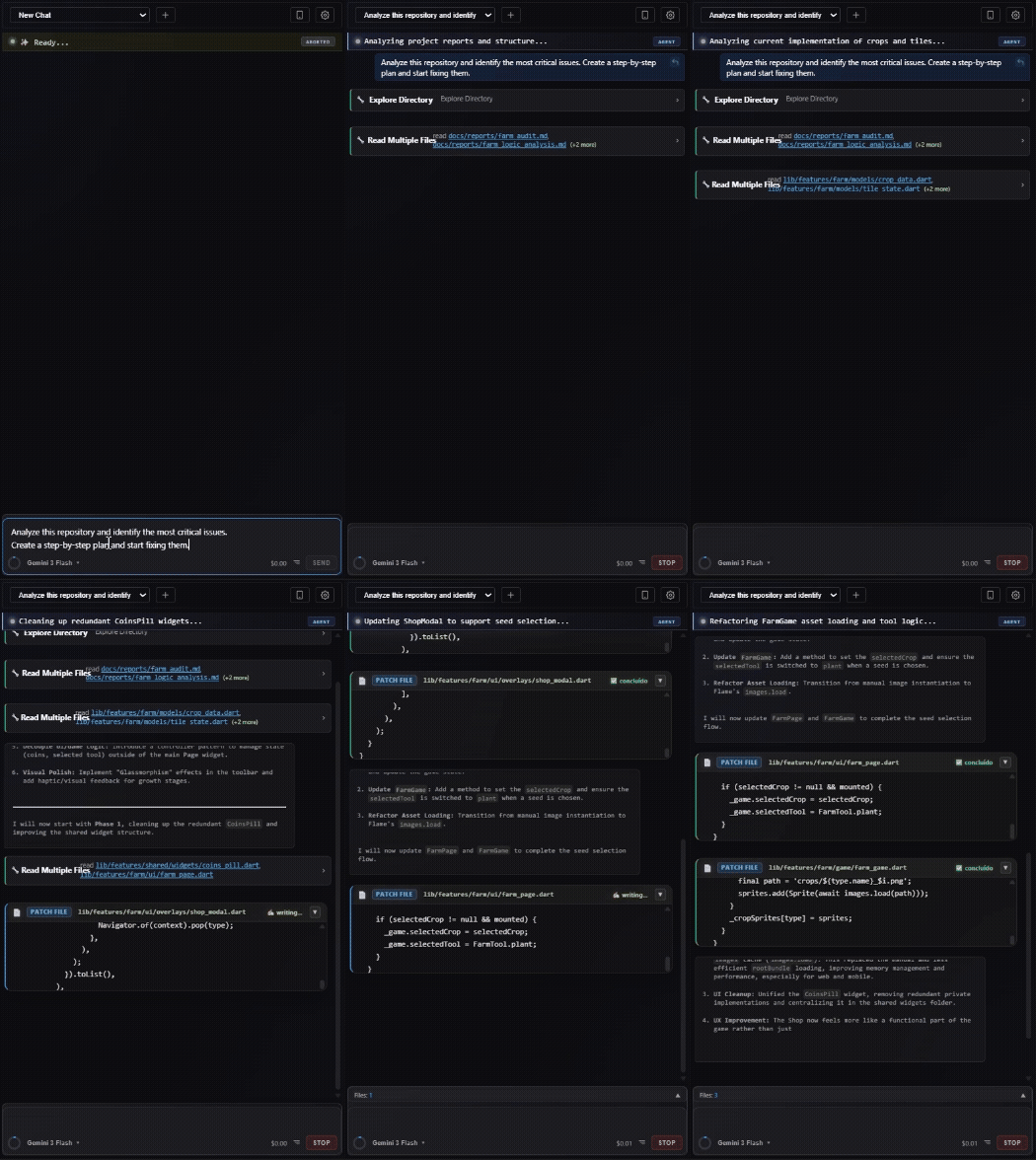
What it doesModel SupportThe extension connects directly to the following AI providers. You bring your own API keys:
Model and reasoning effort are selectable from the composer UI where supported by the provider. Tools (60+)File operations: read, write, delete, copy, move, rename, patch (unified diff), list directory recursively Code: format, replace text, parse lint errors Terminal: start/stop shell sessions, send input, read output — full interactive terminal control Web: search (Brave + Wikipedia fallback), read URL, crawl site, download assets, extract links System: run command (up to 30k chars output), take screenshot, ADB screenshot and input for Android devices Documents: read PDF, read/write DOCX, generate images (GPT Image), compress images (TinyPNG) Data: query Firestore, list Firebase projects and storage buckets HTTP: arbitrary HTTP requests Knowledge base: search PKB, commit and update entries Time Travel (Undo Turns)You can edit any previous message in the conversation. When you do, the extension:
This lets you undo agent actions and try a different approach without manually reverting files. Checkpoints are stored in the local SQLite database and backed by git-aware file diffing. Project Knowledge Base (PKB)Each project has a persistent knowledge base stored at
This gives the agent a place to remember project-specific facts across sessions without depending on context window size. Debug VisibilityTool Cards — In the chat UI, each tool call renders as a live card showing name, arguments, status, and stdout/stderr output as it streams. Thinking Bubbles — When a model returns chain-of-thought or reasoning tokens, they appear in a collapsible section above the response. Remote Control AppA companion mobile app lets you send messages and stop agent runs from your phone. It uses Firebase/Firestore for pairing, presence, tunnel discovery and coordination, while live communication flows through a WebSocket exposed by Cloudflare Tunnel. The app is functional and available. Instant Asset Transfer — The mobile app acts as a direct bridge to your VS Code workspace. Any image or file you send in the mobile chat is instantly transferred via WebSocket and saved locally into your project's 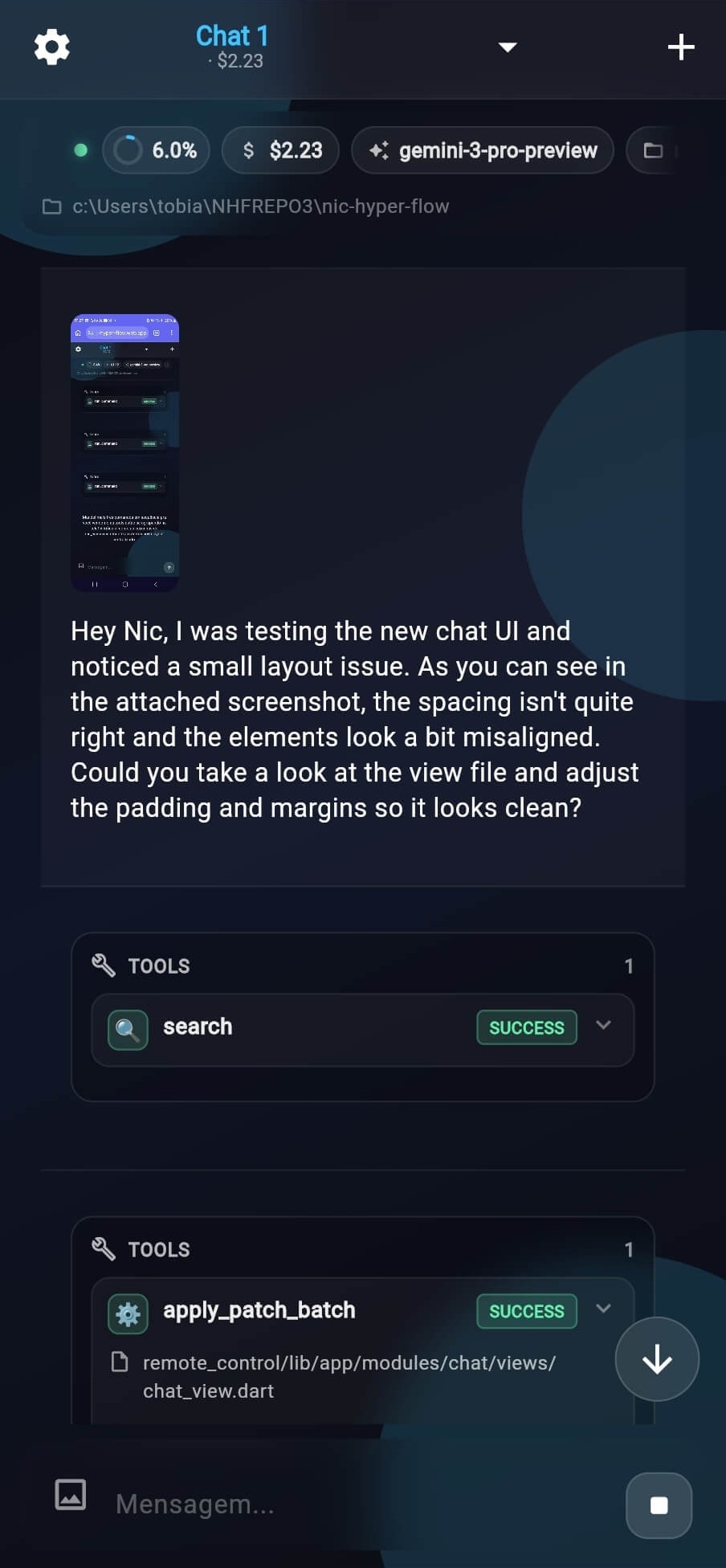
Diff VisualizationFile changes made by the agent are highlighted inline in the editor — green for additions, red for removals — using VS Code decorations. Each chat tracks which files were touched, and you can see a before/after diff per file. Context Window IndicatorA progress widget in the UI shows real-time token usage against the active model's context limit, so you know when a conversation is getting long. PricingThe extension is available as an $18 USD/month subscription through the VS Code Marketplace. Why a subscription + BYOK (Bring Your Own Keys)? By paying a flat fee for the tool itself and bringing your own API keys, you get unrestricted access to premium agent features while paying only for the exact AI compute you use, directly to the providers at cost. No arbitrary limits, no hidden token markups. Local Data & PrivacyEverything runs locally. The extension stores:
Privacy Notice: Your data does not pass through our backend. In Remote Control mode, the connection uses Cloudflare Tunnel infrastructure for routing—similar to how a VPN routes traffic without storing it. We only collect your email address (during authentication) for access control and occasional email marketing, and basic tool usage statistics to improve the extension. Everything else is strict Bring Your Own Keys (BYOK) — all AI requests are made directly from your PC to the respective API providers. Remote Control & SetupTo use the Remote Control PWA app on your phone:
Bring Your Own KeysPress Tech Stack
Legal Information© 2026. NewWatt All rights reserved. |