Laravel API Generator - VS Code Extension



Generate complete REST APIs for Laravel without touching the terminal. Visual interface for the nameless/laravel-api-generator package.
13 production-ready files per entity -- Model, Controller, Service, DTO, Store and Update requests, Resource, Policy, Migration, Factory, Seeder, Feature Test, Unit Test -- plus route & seeder registration. All in one click.
Demo
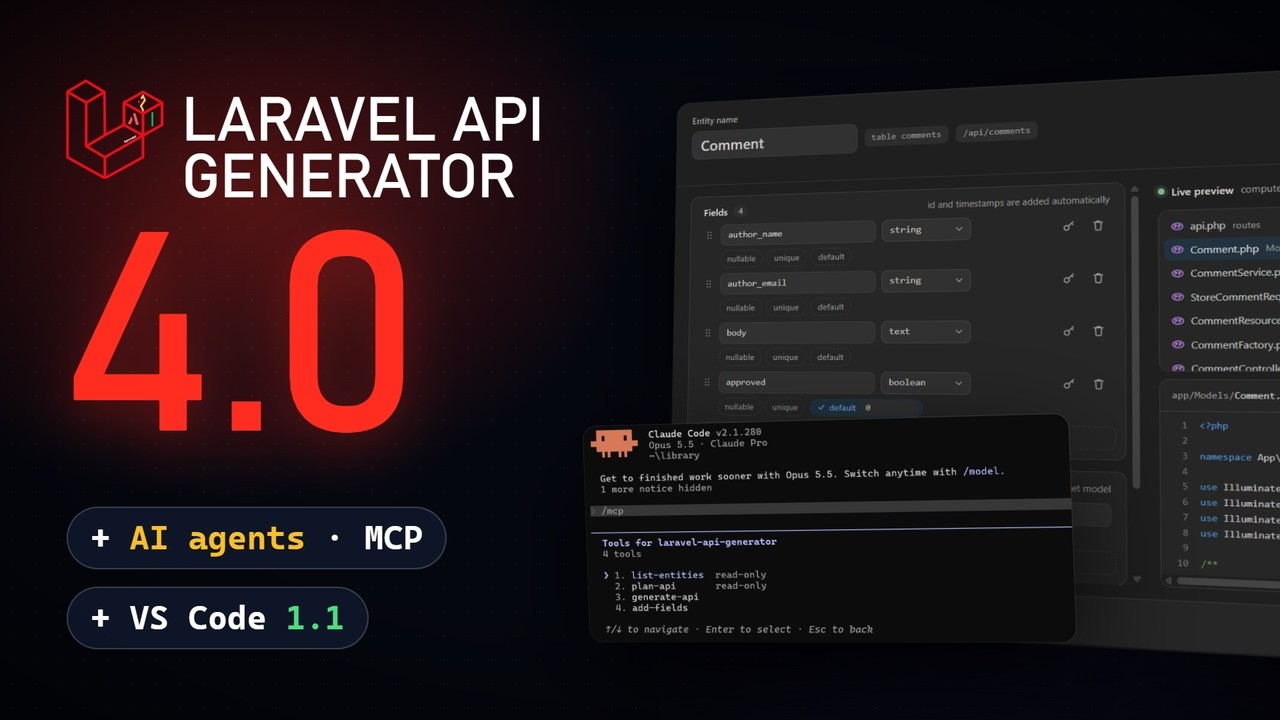
Two minutes, recorded for real: the MCP server for AI agents, the generated code, then the extension 1.1.
Build an entity, the preview follows

The files on the right come from the package installed in your project, rendered as you edit the form.
One click, then the next steps in place

The API ready screen runs the migrations, the tests, the seeding and the API docs, each with its result.
Review before anything is written

A description, the database, a schema file, a Mermaid diagram or an OpenAPI spec: every source opens the package's dry run first.
The entity diagram

Features
Visual Entity Builder
Create API entities through a form instead of CLI flags:
- Entity name input with PascalCase validation and reserved name detection
- Examples menu: fills the form with a blog post, a product, a task, a comment, a profile or an article
- Nullable, unique and default on each field, sent to the package in the schema file format (package >= 3.9)
- Drag-and-drop fields -- reorder fields with a hamburger handle, the live preview updates on drop
- Dynamic fields -- add/remove fields with name and type selector (string, integer, text, float, boolean, json, date, datetime, uuid, etc.)
- Relationships section -- add
belongsTo / hasMany / hasOne / belongsToMany relations directly in the UI; generation hands the form to the package in the schema file format, so you get full FK support, foreign-keyed factories and tests
- Options toggles -- Auth (Sanctum), Postman collection export, Soft Deletes, Spatie QueryBuilder, Pest tests
- Enum fields -- pick the
enum type, type the values (draft,published) and get a backed PHP enum class, model cast, Rule::enum() validation and factory fake (package >= 3.6)
- Primary key designation -- check
PK on a field to replace the default id; the model, migration and every incoming relation follow (package >= 3.6)
- Model autocomplete -- relationship targets suggest the models already in
app/Models
- Cancellable operations -- click a spinning button to kill the running artisan process
- File preview -- see what files will be generated before running
- Sail and Docker -- point
laravelApiGenerator.phpCommand at ["./vendor/bin/sail", "php"] or ["docker", "compose", "exec", "-T", "app", "php"] and every action runs inside the container
- Real-time code preview -- rendered by the package installed in your project, so it is exactly the code that will be written: every generated file, routes and seeder included, your published stubs, badges for new, modified and unchanged files, and a diff for modified ones
- Copilot skill -- in Laravel projects, GitHub Copilot (VS Code 1.109+) gets the package's
laravel-api-generator skill, so it generates APIs with make:fullapi instead of writing the files by hand
- MCP server for agents -- with package 3.12 or later and
laravel/mcp in the project, Copilot's agent mode (VS Code 1.101+) lists a Laravel API Generator server: the agent lists your entities, previews a generation, then generates the API or adds fields itself, and never overwrites a file you edited. It runs with your PHP command, Sail and Docker included
- Schema file autocompletion --
api-schema.yaml, .yml and .json are checked against the package's JSON Schema: completion for keys and types, typos flagged before you generate (YAML needs the Red Hat YAML extension)
- Your edits are safe -- with package 3.11 or later, regenerating keeps the files you edited by hand; a modal names them and lets you overwrite them or keep your changes (older packages: a modal lists every file that will be overwritten)
- Auto-open generated files -- after a successful generation, the new Model and Controller open in the editor
Generate APIs from Database (one shot)
The killer feature for legacy projects (requires package >= 3.5): generate complete REST APIs for every table at once, straight from the existing schema.
- Run Laravel API Generator: Generate APIs from Database (command palette or sidebar
... menu)
- Multi-select the tables (all preselected;
users is unchecked so app/Models/User.php is never overwritten)
- Pick options: Spatie QueryBuilder filtering, and whether to also generate migration files
- Foreign keys become
belongsTo/hasMany, pivot tables become belongsToMany, deleted_at enables Soft Deletes: all automatically
Generate from a Schema File (api-schema.yaml)
Describe the whole API in a declarative, versionable YAML/JSON file and regenerate everything in one command (requires package >= 3.5):
- Run Laravel API Generator: Generate APIs from Schema File
- The extension auto-detects
api-schema.yaml / .yml / .json at the project root, or lets you browse for one
- Entities are generated parents-first with foreign-key-safe migration ordering and automatic pivot migrations
Generate from a Mermaid Diagram
Paste a Mermaid erDiagram or classDiagram (hand-written or produced by an AI assistant) and turn it into a working API (requires package >= 3.5):
- Run Laravel API Generator: Generate APIs from Mermaid Diagram
- Uses the active
.mmd file, or lets you browse for one
- Cardinalities (
||--o{, "1" --> "*") become the right Eloquent relations on both sides
Prefer to review one table before generating?
- Open the builder's Import menu and pick A database table
- The extension lists every user table (system tables like
migrations, sessions, personal_access_tokens are filtered out)
- Pick a table; columns are read and mapped to the generator's vocabulary (
string, integer, boolean, json, ...)
- The form is auto-filled with the entity name (singularized + PascalCased), the field list, and the Soft Deletes flag (when
deleted_at is present)
- Review and click Generate API
Describe an API with Copilot
Start from a sentence: a library that lends books to members, a loan has a due date.

- Open A description in the sidebar, or run Describe an API with Copilot, and write your API or start from an example
- Pick the chat model (GitHub Copilot first, VS Code 1.90+); it drafts an
api-schema.yaml that relates to the entities your project already has
- The proposed entities show up as cards; click one to adjust it in the YAML draft, the cards follow your edits
- Review the plan runs the package's dry run: entities, files to create or update, options, then Generate. Save as api-schema.yaml keeps the draft as the source of your API
- When the model cannot answer, the panel says why and offers the provider's own fix, such as setting its API key
Generate from an OpenAPI Spec
Hand an OpenAPI 3.0, 3.1 or Swagger 2.0 spec, JSON or YAML, to the package from the command palette, the sidebar or the builder's Import menu:
- A dry run first names the entities, counts the files to create and update, and lists the schemas left aside (
NewPet, ErrorResponse...) with the reason
- References become
belongsTo, lists of references hasMany or belongsToMany, postId next to a Post schema a relation, string enums PHP enums, deletedAt soft deletes
- A spec outside the project goes through stdin, so Sail and Docker work too
- With a package older than 3.13, the button keeps the previous JSON-only importer
JSON Bulk Import
Import a class_data.json file to generate multiple entities at once:
- Visual preview of all entities with their fields and relationships
- One-click generation for the entire schema
- Supports relationships (oneToMany, manyToOne, manyToMany, compositions, aggregations)
- Download a sample class_data.json to try it out (Blog with Author, Category, Article, Tag)
Add Fields to an Existing Entity
Day-30 problem solved: evolve a generated API without wiping your manual changes (package >= 3.6).
- Right-click an entity in the sidebar tree -> Add Fields to Entity... (or run it from the command palette)
- Type the new fields:
excerpt:text,status:enum(draft,published)
- The package creates an incremental
Schema::table() migration and patches the fillable columns, the casts, the model PHPDoc, the validation rules, the factory and the resource in place
- One click to run the migration when it's done
Regenerate Single File(s)
Modified your migration and want fresh tests without retyping the schema?
- Right-click an entity in the sidebar tree -> Regenerate File(s)...
- The extension parses the existing migration to recover the field list and Soft Deletes flag
- Multi-select the artifacts to rebuild (Model, Controller, Service, DTO, Requests, Resource, Factory, Seeder, Policy, Feature Test, Unit Test)
- Underlying call is
make:fullapi --only=Type,Type so the migration, the API route and seeder registration are left untouched
The activity bar view opens on a home panel: the project with its Laravel and PHP versions and the package state (with the Composer command that fixes it when needed), a New API button, the sources to generate from (a description, the database, a schema file, a Mermaid diagram, an OpenAPI spec) and the project tools (entity diagram, migrations and tests, snippets, documentation). Right below, the entity tree tracks everything the generator created:

- Each entity expands into three groups: Files, Fields, Relations
- Files list what the package recorded in
.api-generator/manifest.json (Store and Update requests, enums and --add-fields migrations included), with a green check / red slash each and a click to open
- Fields are read from the model's
$fillable, or its #[Fillable] attribute on Laravel 13
- Relations are extracted from the model's
belongsTo / hasMany / hasOne / belongsToMany methods, with a belongsTo -> Author style description
- Files you edited by hand since the generation are flagged, and the entity shows how many (package >= 3.11)
- Inline actions on each entity: Regenerate File(s) and Delete
Entity Diagram (infinite canvas)
Visualize every generated entity and its relationships on an Obsidian-style canvas:
- Infinite dotted grid that follows pan and zoom, with a hand cursor to drag the view
- Scroll pans, Shift+scroll pans horizontally, Ctrl+wheel (or a trackpad pinch) zooms toward the cursor
- Each card lists the columns with their type, read from the migrations, foreign keys included
- Inverse declarations are merged into one link with cardinality pills; cards stay draggable at any zoom
- Search an entity or a field (Ctrl+F), a minimap, Show all, Arrange, and an export to SVG or Mermaid
- Select a card to inspect its fields, relations and files (up to date, edited or missing), then add fields, regenerate, open the model or delete the API
API Ready and Project Actions
After a generation, the panel shows the files written and the routes registered, then runs the next steps in place, each with its own progress and result:
| Step |
What it runs |
| Run the migrations |
php artisan migrate, after offering to create .env from .env.example when it is missing |
| Run the tests |
php artisan test, with a Stop button |
| Fill the database |
php artisan migrate:fresh --seed, after a second click to confirm |
| Open the API documentation |
Finds or starts the dev server, then opens the Scramble docs; offers to install Scramble when missing |
| Customize the generated code |
Publishes the package's stubs, then opens their folder |
Project Actions, in the sidebar and the entities view menu, opens the same steps at any time with the API routes of the project.
Stub Validation Guard
When you customize stubs (stubs/vendor/laravel-api-generator/...), the extension calls api-generator:validate-stubs before each generation. If a customized stub is missing a required {{placeholder}}, you get a modal listing the offending stubs and three actions: Open Stubs Folder, Generate Anyway, or close.
Smart Dependency Detection
The extension never lets a missing package silently break the flow:
- Open a Laravel project where
nameless/laravel-api-generator is missing -> a notification offers Install via Composer
- Open the API documentation without
dedoc/scramble -> the step offers to install it
- Check the Auth (Sanctum) option without
laravel/sanctum -> prompted to install or generate without auth
Smart Server Management
The API documentation step handles the development server:
- Scans common ports (8000-8003, 8080) to find a running server
- If none found, starts
php artisan serve automatically
- Detects the actual port and opens the correct URL
- Server process stops when the panel is closed
French / English UI (i18n)
The whole UI -- panel labels, popups, QuickPick prompts, error messages -- is available in English and French. Language follows VS Code's display language by default; can be forced via the laravelApiGenerator.locale setting (auto / en / fr).
Quick Start
1. Install the package
composer require --dev nameless/laravel-api-generator
It is a dev dependency with zero lock-in: nothing from the generator ships to production, and the generated code does not depend on it; you can even remove the package once your API is generated.
2. Install the extension
Search "Laravel API Generator" in VS Code Extensions (Ctrl+Shift+X), or install from Marketplace.
3. Generate your first API
- Open your Laravel project in VS Code
- Click the Laravel API Generator icon in the activity bar
- Click New API, then pick an example, import from your database, an OpenAPI spec or a JSON file, or fill the form
- Click Generate the API
4. Customize the generated code
Want a different controller layout, different test asserts, more fields in the resource? Run Customize the generated code from Project Actions (or Customize the stubs in the builder's menu), edit the files in stubs/vendor/laravel-api-generator/, and regenerate. Your stubs are validated before every generation.
What Gets Generated
app/Models/Product.php                          -- Eloquent model with fillable, casts(), relationships
app/Http/Controllers/ProductController.php      -- CRUD controller with route model binding and policy checks
app/Services/ProductService.php                 -- Paginated, filtered and sorted index
app/DTO/ProductDTO.php                          -- Data transfer object that keeps PATCH partial
app/Http/Requests/StoreProductRequest.php       -- Validation for creation
app/Http/Requests/UpdateProductRequest.php      -- Validation for partial updates
app/Http/Resources/ProductResource.php          -- API resource transformer
app/Policies/ProductPolicy.php                  -- Authorization policy
database/migrations/xxxx_create_products_table.php
database/factories/ProductFactory.php           -- Faker-based factory
database/seeders/ProductSeeder.php              -- Seeds 10 records
tests/Feature/ProductControllerTest.php         -- Full CRUD endpoint tests (with actingAs when --auth)
tests/Unit/ProductServiceTest.php               -- Service layer tests
routes/api.php                                  -- Route::apiResource auto-registered
database/seeders/DatabaseSeeder.php             -- Seeder auto-registered
Requirements
- VS Code 1.82+
- PHP 8.2+ on your PATH (or configure
laravelApiGenerator.phpPath, or laravelApiGenerator.phpCommand for Sail and Docker)
- A Laravel 10 to 13 project
- The package:
composer require --dev nameless/laravel-api-generator. Its 4.x line needs Laravel 12, so Laravel 10 and 11 projects use the 3.x line, which the extension installs for them.
Extension Settings
| Setting |
Default |
Description |
laravelApiGenerator.phpPath |
php |
Path to the PHP executable |
laravelApiGenerator.phpCommand |
[] |
Full command that runs PHP, one argument per item (Sail, Docker). Wins over phpPath when set. |
laravelApiGenerator.mcp.enabled |
true |
Offer the package's MCP server to Copilot's agent mode (needs laravel/mcp and package 3.12+) |
laravelApiGenerator.locale |
auto |
UI language: auto (follow VS Code), en, or fr |
Contributing
- Fork the repo
- Create a feature branch (
git checkout -b feature/my-feature)
- Commit your changes
- Push and open a Pull Request
Support the project
This extension is free and MIT-licensed, and will stay that way. If it saves you time, you can support its development through GitHub Sponsors or Buy Me a Coffee.
License
MIT
| |

