
BusyBee - AI Productivity AssistantAdaptive AI productivity assistant for developers in VS Code. Track coding habits, focus time, TODOs, errors, fixes, commits, and workflow insights from an in-editor dashboard. Installation Launch VS Code Quick Open ( Ctrl+P), paste the following command, and press enter.Copied to clipboard |


Busy BeeAI-powered productivity insights for developers in Visual Studio Code Understand your focus time, coding activity, file switching, diagnostics, edit sessions, commits, and workflow patterns directly inside VS Code.
See Busy Bee in action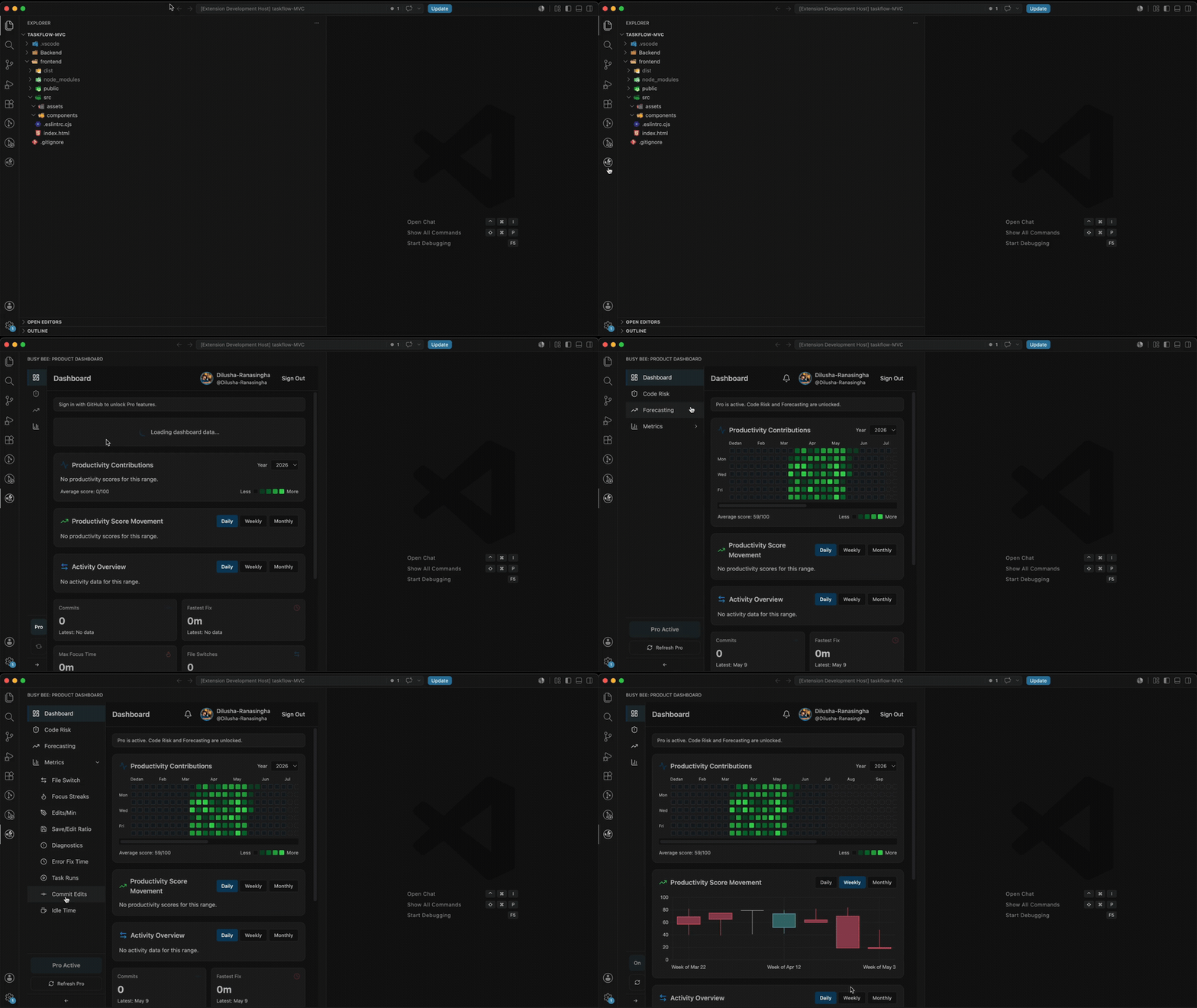
What is Busy Bee?Busy Bee is a Visual Studio Code extension that helps developers understand how they work. It tracks coding activity, focus time, file switching, edit sessions, diagnostics, task activity, and commit-related workflow data, then shows those insights inside an in-editor dashboard. Busy Bee helps you see your development patterns without leaving VS Code. Why use Busy Bee?Busy Bee is useful if you want to understand your daily coding workflow more clearly. It helps answer questions like:
Busy Bee is designed for developers who want better focus, cleaner workflows, and more visibility into their coding habits. How do I start?Getting started is simple:
Busy Bee starts automatically after VS Code startup and begins tracking supported productivity metrics after authentication. Is my data safe?Busy Bee is designed with developer privacy in mind.
Busy Bee is built to help you understand your workflow, not to collect your source code. Main featuresProductivity dashboardBusy Bee includes an in-editor dashboard that gives you a clear view of your development activity. You can use the dashboard to review focus time, coding activity, diagnostics, file switching, editing behaviour, task activity, and workflow trends. 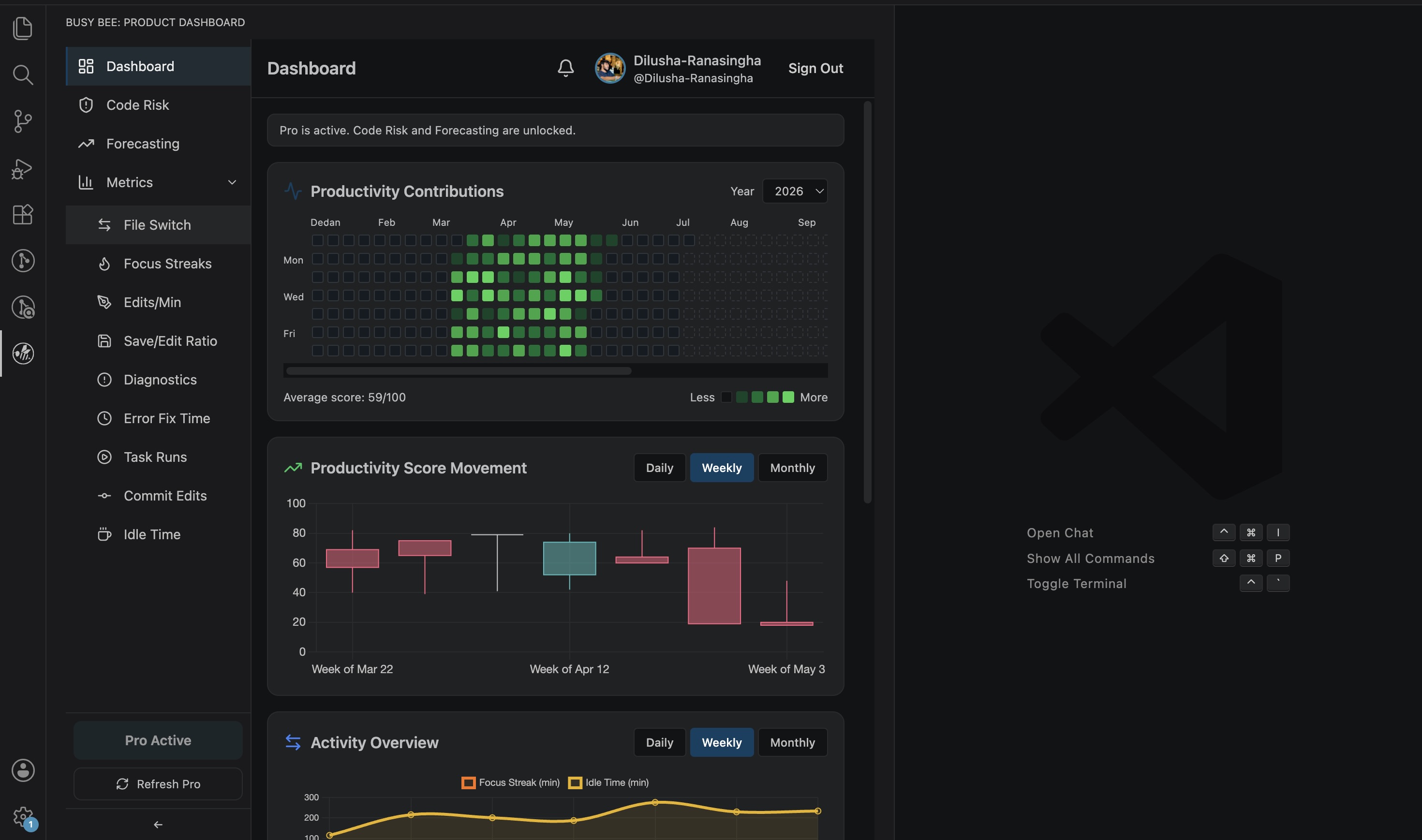
Focus and activity trackingBusy Bee tracks active coding sessions, idle time, and focus streaks. This helps you understand when you are deeply focused and when your workflow becomes interrupted. Useful insights include:
File switching insightsBusy Bee monitors how often you switch between files during a workspace session. Frequent switching can show debugging activity, context switching, or fragmented focus. These insights help you understand how your attention moves across a project. 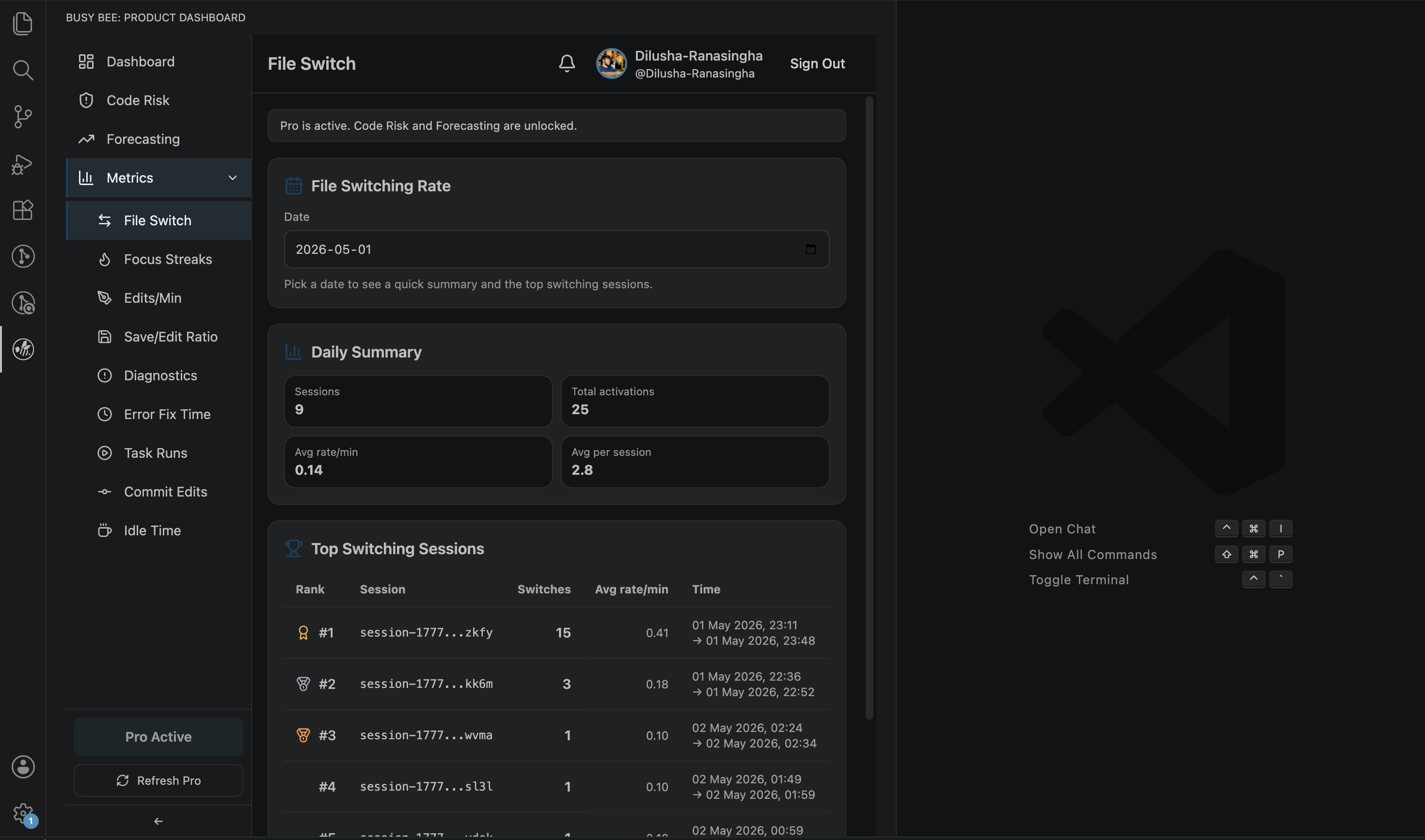
Edit session trackingBusy Bee tracks when editing starts, when it pauses, and how long active editing sessions last. This helps separate real coding activity from simply having VS Code open. Busy Bee can track patterns such as:
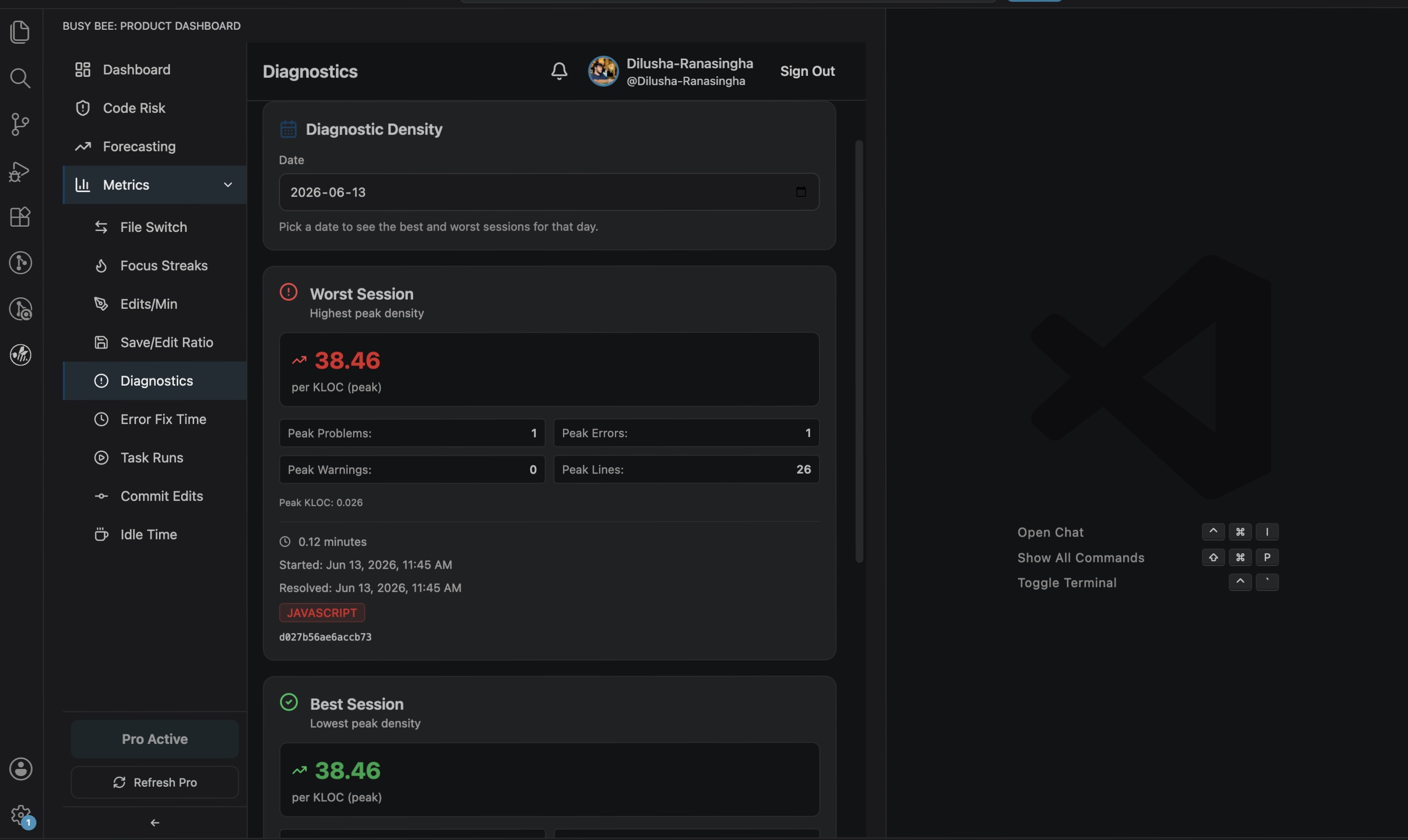
Diagnostics and fix-time insightsBusy Bee monitors workspace diagnostics such as errors and warnings. It helps you understand which files create the most issues and how long it takes to resolve them. This can help identify:
Task and workflow trackingBusy Bee can track task runs inside the workspace. This helps show how often you run development tasks such as builds, tests, scripts, or other workflow commands. These insights can help you understand your build-test-debug cycle. Commit activity insightsBusy Bee connects coding activity with Git commit behaviour. This helps show how editing sessions relate to commits and how much work goes into each commit. GitHub authenticationBusy Bee uses GitHub sign-in to connect your extension activity with your personal productivity dashboard. Available authentication commands: After signing in, Busy Bee starts supported tracking automatically. Getting started1. Install the extensionSearch for Busy Bee in the VS Code Extensions panel, or install it from the Marketplace: Busy Bee on VS Code Marketplace 2. Open the dashboardClick the Busy Bee icon in the VS Code Activity Bar. 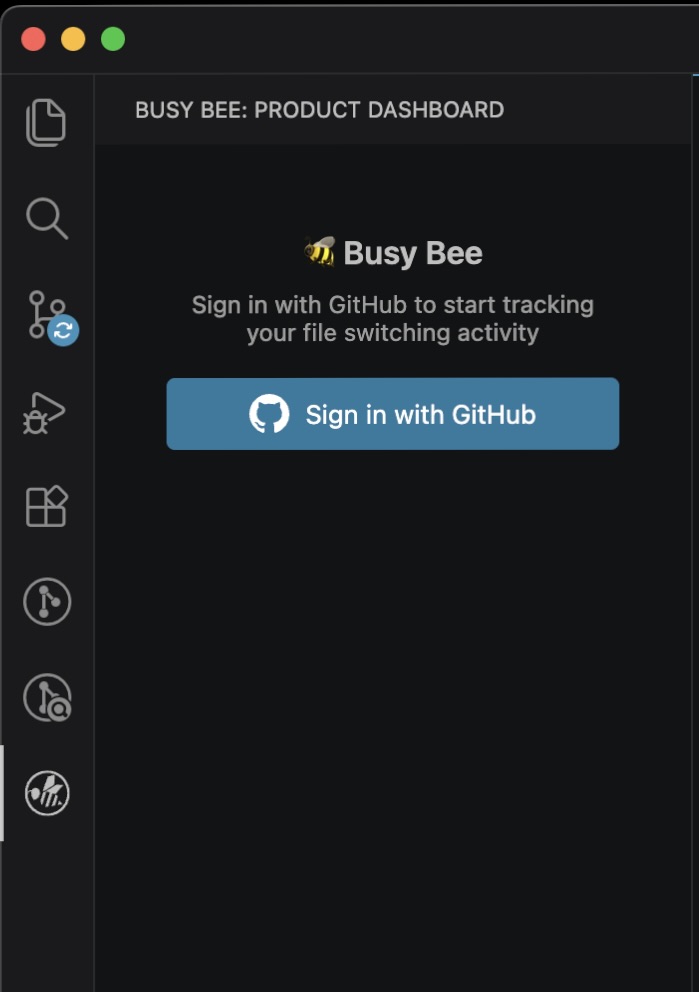
3. Sign in with GitHubRun the command: After sign-in, Busy Bee starts collecting supported productivity metrics. 4. Code normallyContinue working in VS Code as usual. Busy Bee runs in the background and updates your dashboard with productivity and workflow insights. Requirements
Feedback and supportFound a bug, have a feature request, or want to share feedback? Please use the feedback form below: You can also contact the author directly: Author: NDRanasinghe Support: dilushar10@gmail.com When reporting a bug, please include your VS Code version, Busy Bee extension version, operating system, and a short description of the issue. LicenseThis project is licensed under the MIT License. Made with focus by NDRanasinghe |



