Nodalis IDE provides a complete development experience for MTI’s Dragonfly platform and IEC-61131-3-based automation projects.
It includes full support for Structured Text, IEC 61131-10 XML Exchange Projects, and MTI Skipper Sheets, with custom editors and productivity tools designed specifically for industrial control development.

✨ Features
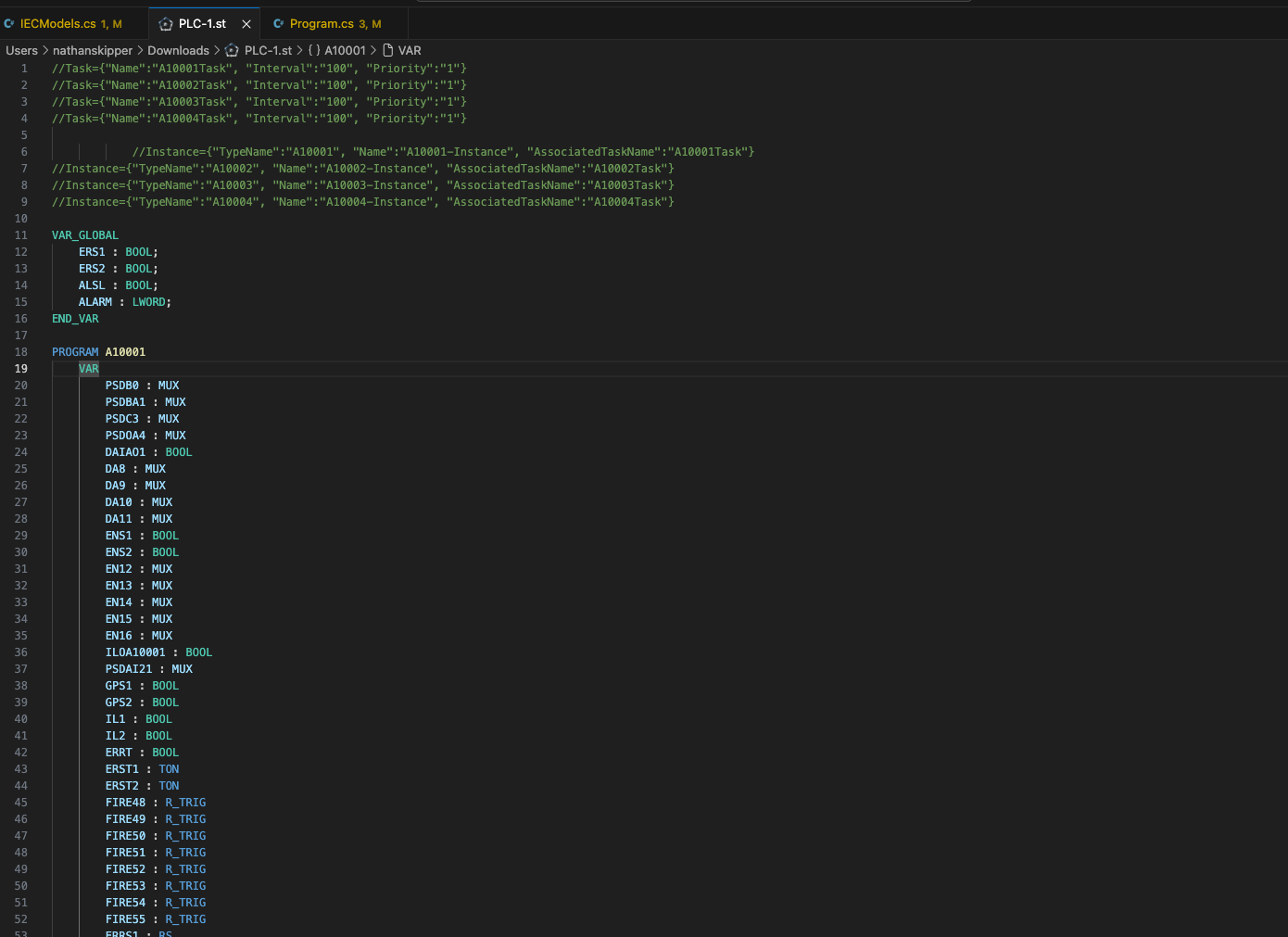
📝 Structured Text Language Support (.st)
- Syntax highlighting
- Language configuration (comments, brackets, auto-indent)
- Future-proof foundation for additional ST tooling (linting, completion, transpilation)
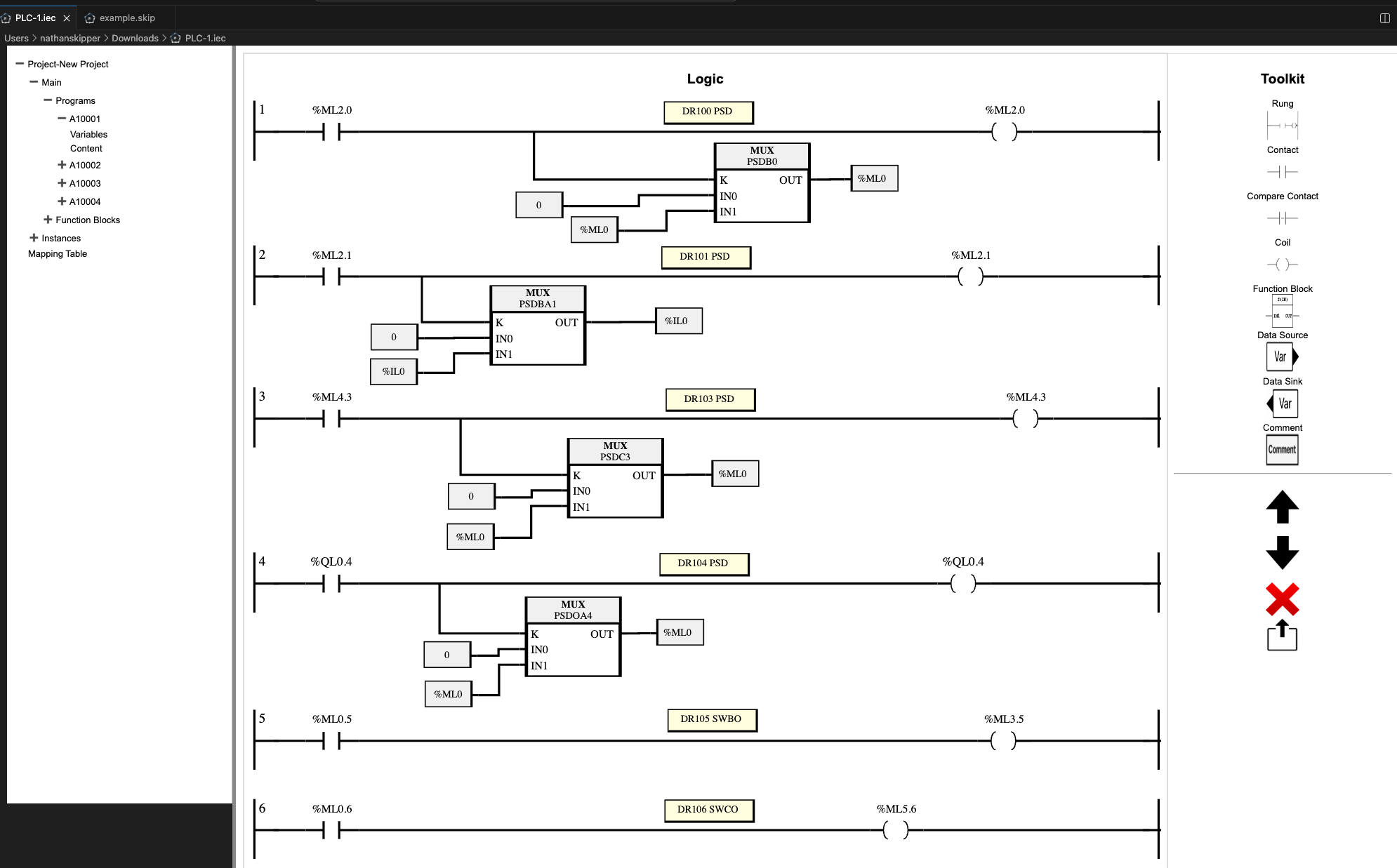
📘 IEC XML Exchange Project Editor (.iec)
- Custom webview-based editor
- Visual representation of IEC 61131-10 project structures
- Support for Ladder Logic visualization and editing
- Print/Export command for IEC content (
nodalis.printEditorContent)
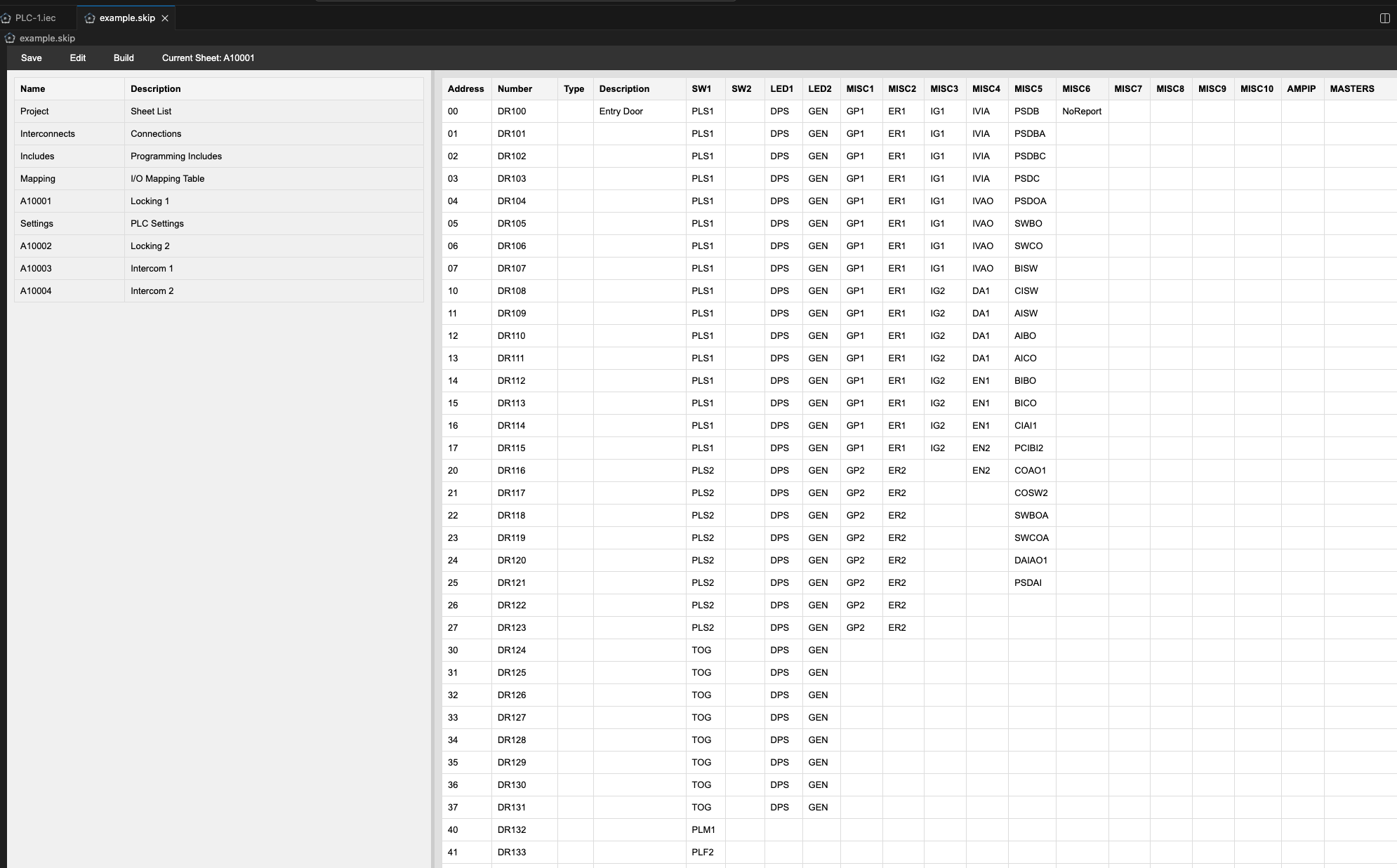
📗 MTI Skipper Sheet Editor (.skip)
- Dedicated custom editor for MTI’s SKIP configuration files
- Clean UI for editing sheet-based logic
- Integrated with file creation commands
Use the Command Palette or Explorer context menu to create new files:
- Nodalis: Create File (ST) → creates a
.st file
- Nodalis: Create File (SKIP) → creates a
.skip file
- Nodalis: Create File (IEC) → creates a
.iec project file
These are available when right-clicking any folder in the Explorer.
🚀 Getting Started
Install
The extension can be installed from the VS Code Marketplace or by sideloading the VSIX.
(https://marketplace.visualstudio.com/items?itemName=MontgomeryTech.nodaliside)
Open Files
Nodalis IDE automatically opens the correct editor based on file extension:
| File Type |
Editor |
.st |
Structured Text Language Mode |
.iec |
IEC Project Custom Editor |
.skip |
Skipper Sheet Custom Editor |
Create a New Project File
Using the Command Palette (Ctrl+Shift+P / ⌘⇧P):
- Nodalis: Create File (ST)
- Nodalis: Create File (SKIP)
- Nodalis: Create File (IEC)
Or right-click any folder in the Explorer to use the context menu shortcuts.
🧭 Extension Commands
| Command |
Title |
Description |
nodalis.About |
Nodalis: About |
Show extension information |
nodalis.CreateST |
Nodalis: Create File (ST) |
Create a new Structured Text file |
nodalis.CreateSkip |
Nodalis: Create File (SKIP) |
Create a new Skipper Sheet file |
nodalis.CreateIEC |
Nodalis: Create File (IEC) |
Create a new IEC XML project |
⚙️ Extension Settings
At present, Nodalis IDE does not expose user-configurable settings.
Future versions may include:
- Syntax customization
- Parser/validator configuration
- Code generation options
- Theme overrides
📚 File Types Explained
Structured Text (.st)
A high-level language defined in IEC 61131-3 used for PLC programs.
Nodalis provides syntax support and a foundation for deeper tooling.
IEC 61131-10 XML Projects (.iec)
Machine-readable representations of PLC automation projects.
The custom editor parses and visualizes the structure for easy navigation and editing.
MTI Skipper Sheets (.skip)
MTI’s internal logic-sheet notation for designing control flows and interlocks.
Nodalis IDE provides a custom editor tailored to this workflow.
📸 Screenshots
Structured Text Syntax Highlighting

IEC Project Editor

Skipper Sheet Editor

🛠️ Development & Architecture
Nodalis IDE is built entirely in TypeScript and leverages:
- VS Code Custom Editor API for
.skip and .iec
- VS Code Language Configuration for
.st
- TextMate grammar for ST syntax highlighting
- A modular extension architecture (
extension.ts as activation point)
- A future path toward transpilers/compilers and improved editing UX
🧪 Known Issues
- Remaining work to do for compiling and programming various PLCs.
📦 Release Notes
1.0.0
Initial release of Nodalis IDE with:
- ST language support
- IEC custom editor
- SKIP custom editor
- File creation commands
- Basic print/export support
📝 License
This project is licensed under the Apache License 2.0.
🙌 Contributing
Contributions from the MTI and open-source community are welcome.