Bug Zoo for VS Code

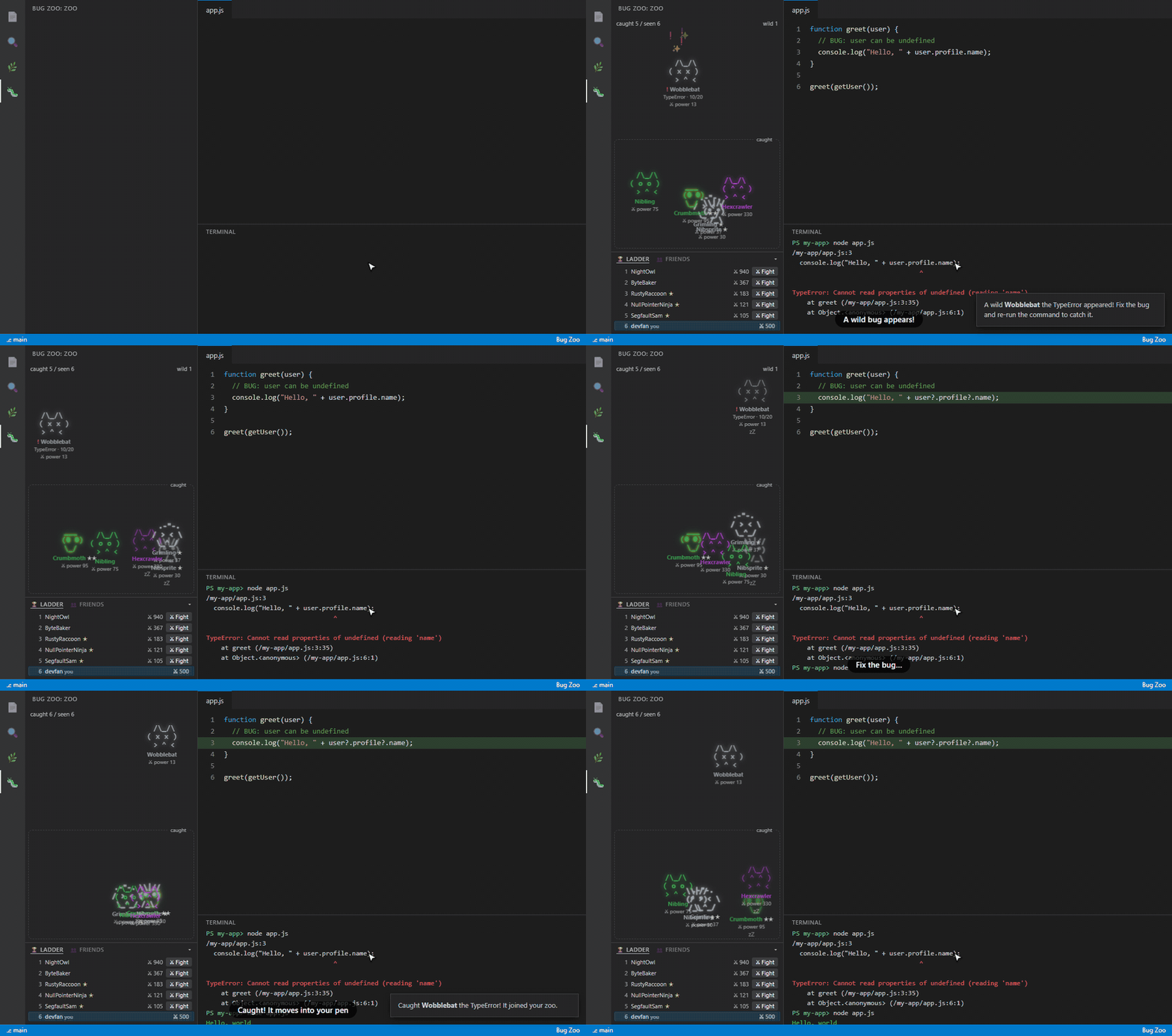
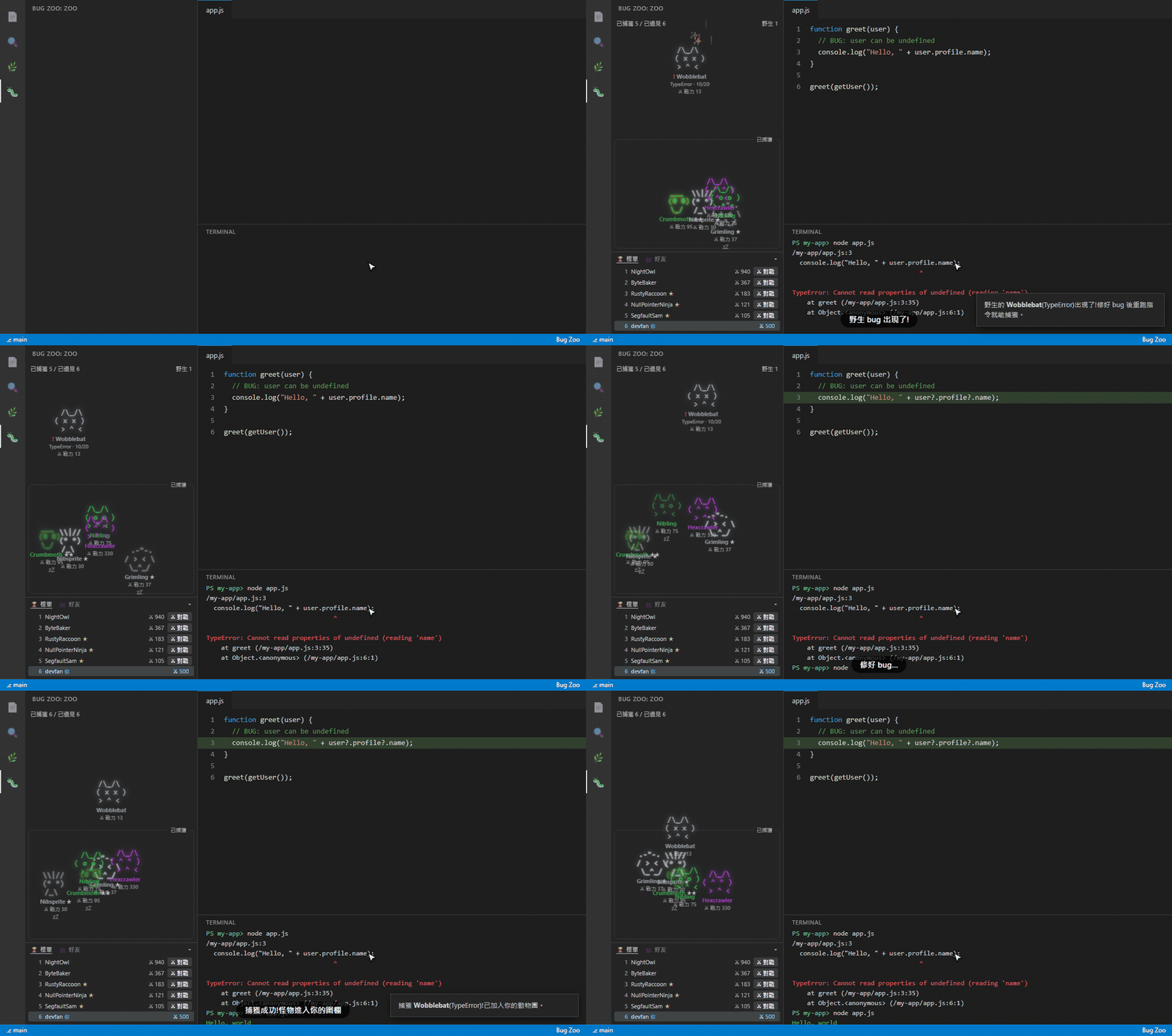
Your failing terminal commands become little monsters that wander around the side bar. Fix the bug, run the same command again, and the monster is caught and moves into your pen.
It uses the same engine as the bug-zoo CLI, so monsters, rarity, power, evolution and achievements are identical, and both share ~/.bugzoo/dex.json.
See it in action
The GIFs use demo data and a made-up ladder; the zoo, fights and replays are the real extension.
Click to watch the 36-second promo video. 中文版影片:點這裡
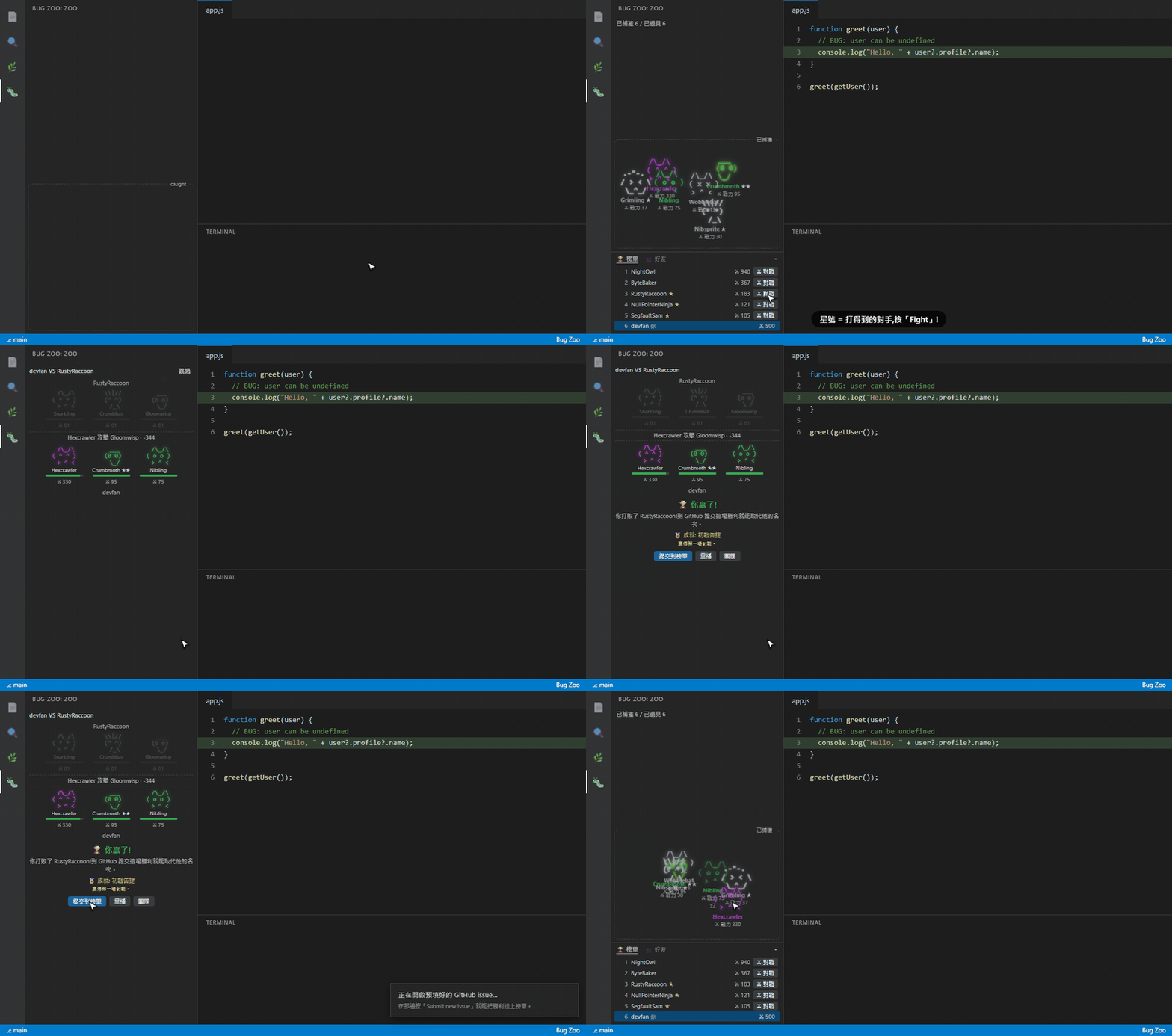
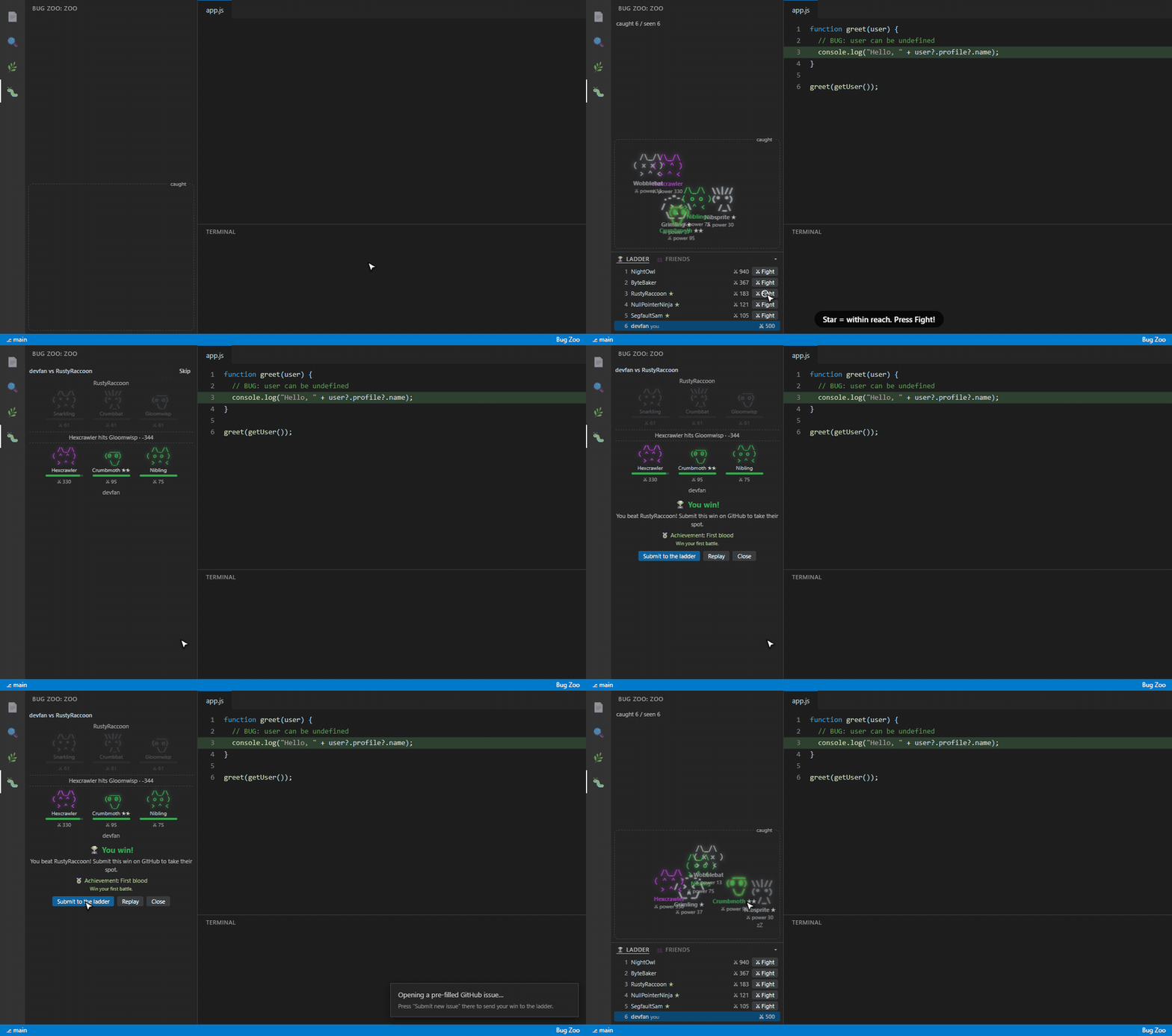
Climb the ladder with a turn-by-turn battle replay.
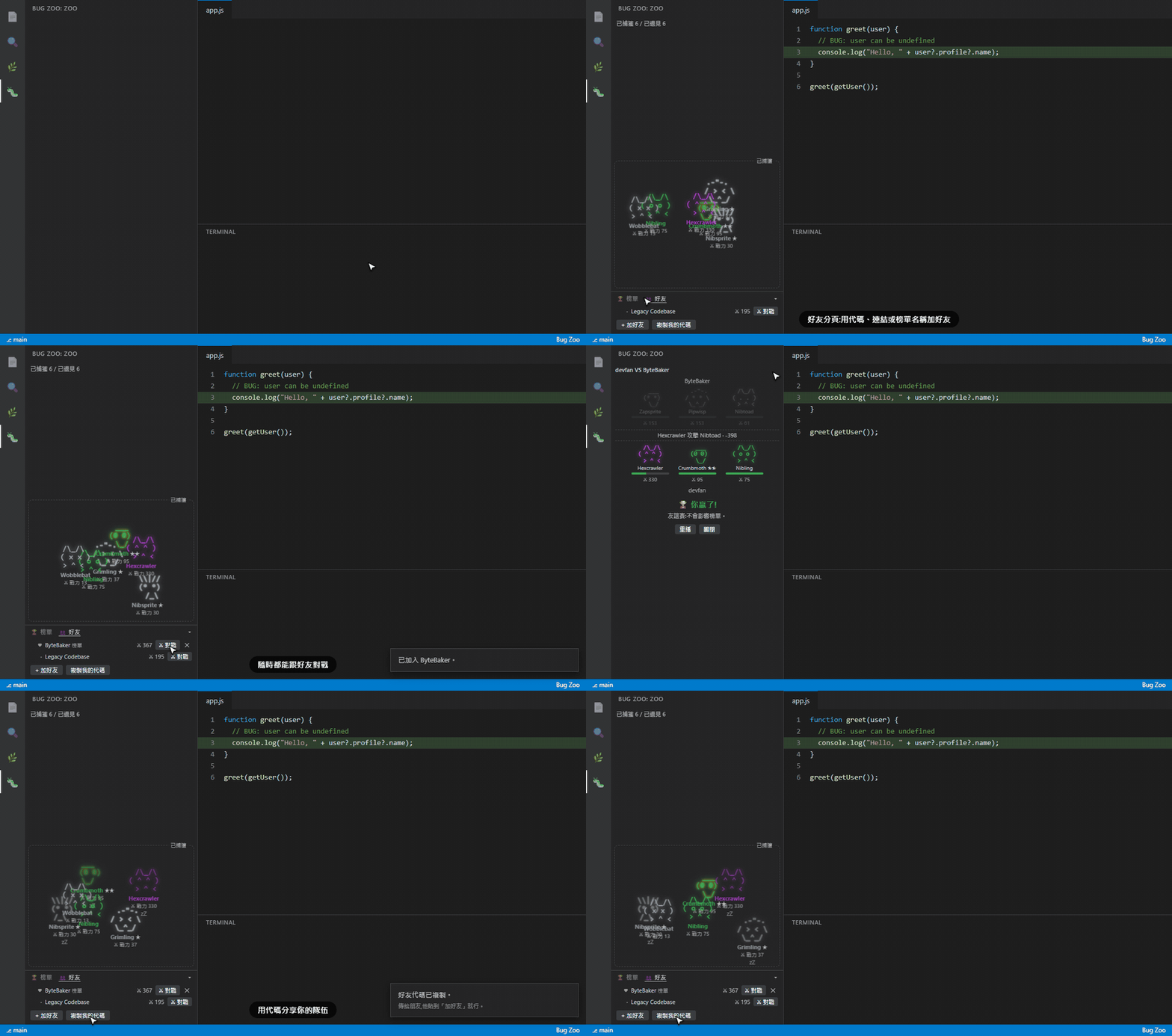
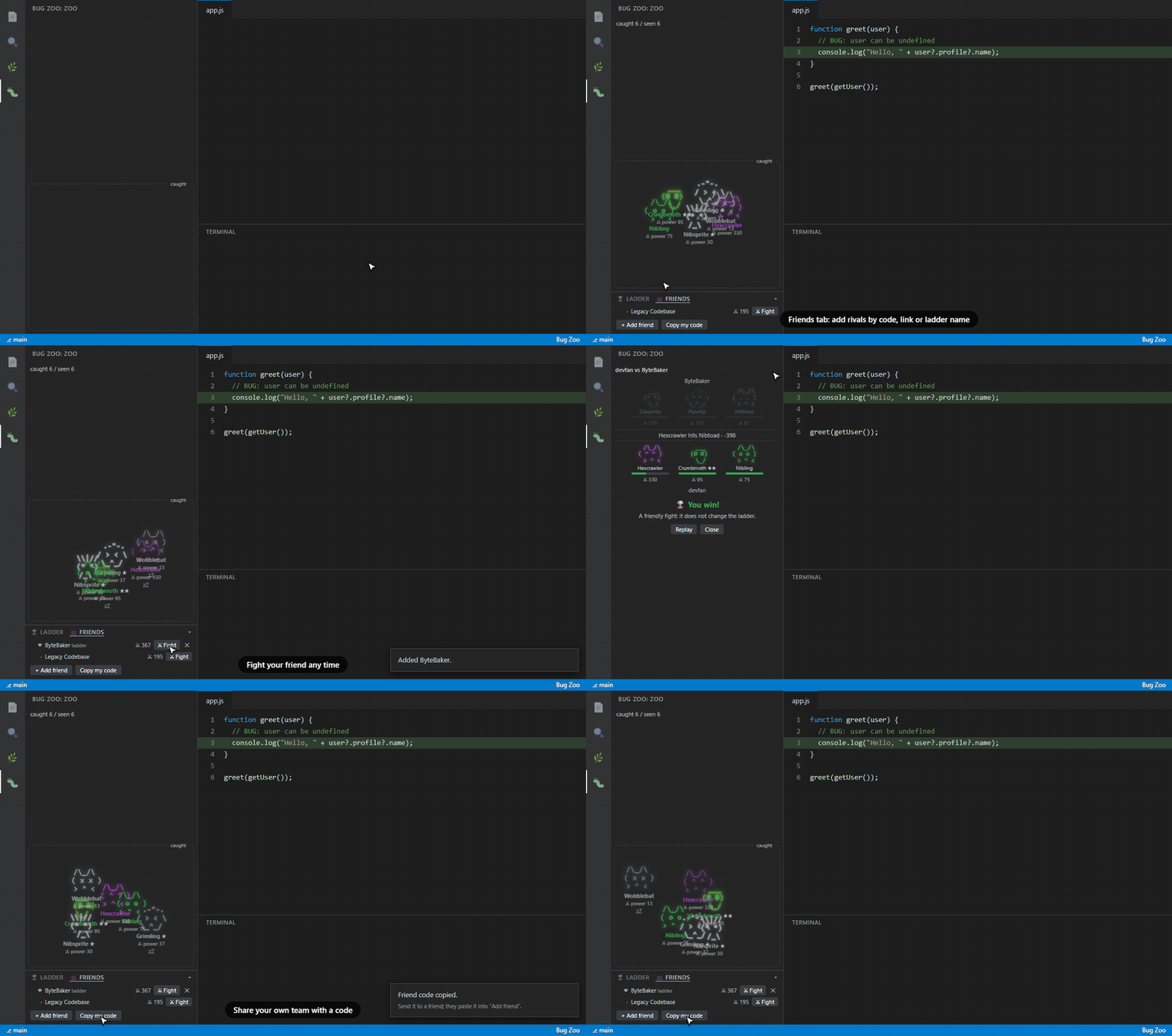
Add friends, fight them any time, share your team with a code.
How it works
- Run a command in the integrated terminal (
node app.js, pytest, npm test, ...).
- If it fails, a wild monster drops into the Bug Zoo panel and starts running around.
- Fix the code and run the same command again. A clean run catches it.
- Caught monsters wander calmly in the pen, glow when they evolve, and nap now and then. Click one to pet it.
Wild bugs show their type, the date they first appeared and their battle power. Only bugs from the project folders you have open are shown.
Fight
The bottom of the panel has two tabs.
- Ladder: the public ladder. Players marked with a star are within reach (up to 3 ranks above you). Press Fight to watch a turn-by-turn replay of your top three monsters against theirs. A win over someone in reach, or any ladder fight when you are not on the ladder yet, offers Submit to the ladder, which opens a pre-filled GitHub issue for you to send.
- Friends: add a friend by code (
BZ1...), link, file or ladder name, fight them any time, or fight the practice dummy Legacy Codebase. Copy my code gives you a code to send to a friend.
Fights use the same rules as bugzoo battle: results are deterministic and replayable, and your wins and losses count toward the same achievements.
Open the zoo from the Bug Zoo icon in the activity bar, or run Bug Zoo: Open the zoo in an editor tab to give it more room.
Requirements
- VS Code 1.93 or newer with terminal shell integration (on by default for bash, zsh, fish and PowerShell).
- No
bugzoo install needed. If you also use the CLI, they share the same data.
Settings
| Setting |
Default |
What it does |
bugzoo.captureTerminal |
true |
Turn failing terminal commands into monsters. Switch it off if you already ran bugzoo setup --auto on, or runs count twice. |
bugzoo.notifications |
true |
Notify when a monster appears or is caught. |
Privacy
Your errors and terminal output stay on your machine. The extension reads the output of terminal commands only to find error types, and stores the same small data file as the CLI. The only network request is the same one the CLI makes: reading the public ladder from the MilkteaTW1/bug-zoo GitHub repo every 10 minutes. Your errors and data are never sent anywhere.
Development
cd vscode
npm test            # engine and capture tests
npm run package     # vendors ../src and builds a .vsix
Press F5 in VS Code with this folder open to try it in an Extension Development Host.
Languages
The zoo, the ladder panel and the notifications use the same language files as the CLI: src/locales/<code>.js in this repo (keys starting with vs.). Add a language once with npm run lang -- <code> <name> at the repo root and it works in both. The command names in the manifest come from package.nls.<locale>.json (add one, e.g. package.nls.ja.json, copying package.nls.json). The language is the one saved by bugzoo lang or bugzoo setup, otherwise VS Code's display language. The globe button in the Bug Zoo view header (or the command Bug Zoo: Change language) switches it for the extension and the CLI at once.
繁體中文
語言可以隨時切換:按 Bug Zoo 面板標題列的地球按鈕(或指令「Bug Zoo:切換語言」),擴充套件與 CLI 會一起換成同一個語言;清單會自動列出專案裡現有的所有語言。
把終端機裡失敗的指令變成在側邊欄跑來跑去的怪物。修好 bug、重跑同一條指令,就能捕獲牠。內建天梯、好友對戰和逐回合的戰鬥重播,和 bug-zoo CLI 共用 ~/.bugzoo/dex.json。錯誤內容只留在你的電腦,唯一的網路請求是每 10 分鐘讀取公開天梯。