Paper TrailPreviewExplore, search and clean up local AI session data, starting with Claude Code's sessions Installation Launch VS Code Quick Open ( Ctrl+P), paste the following command, and press enter.Copied to clipboard |

Paper TrailExplore, search and clean up local AI session data. Paper Trail reads the sessions Claude Code keeps in
Paper Trail is a preview: it works on real folders, and its features may still change.
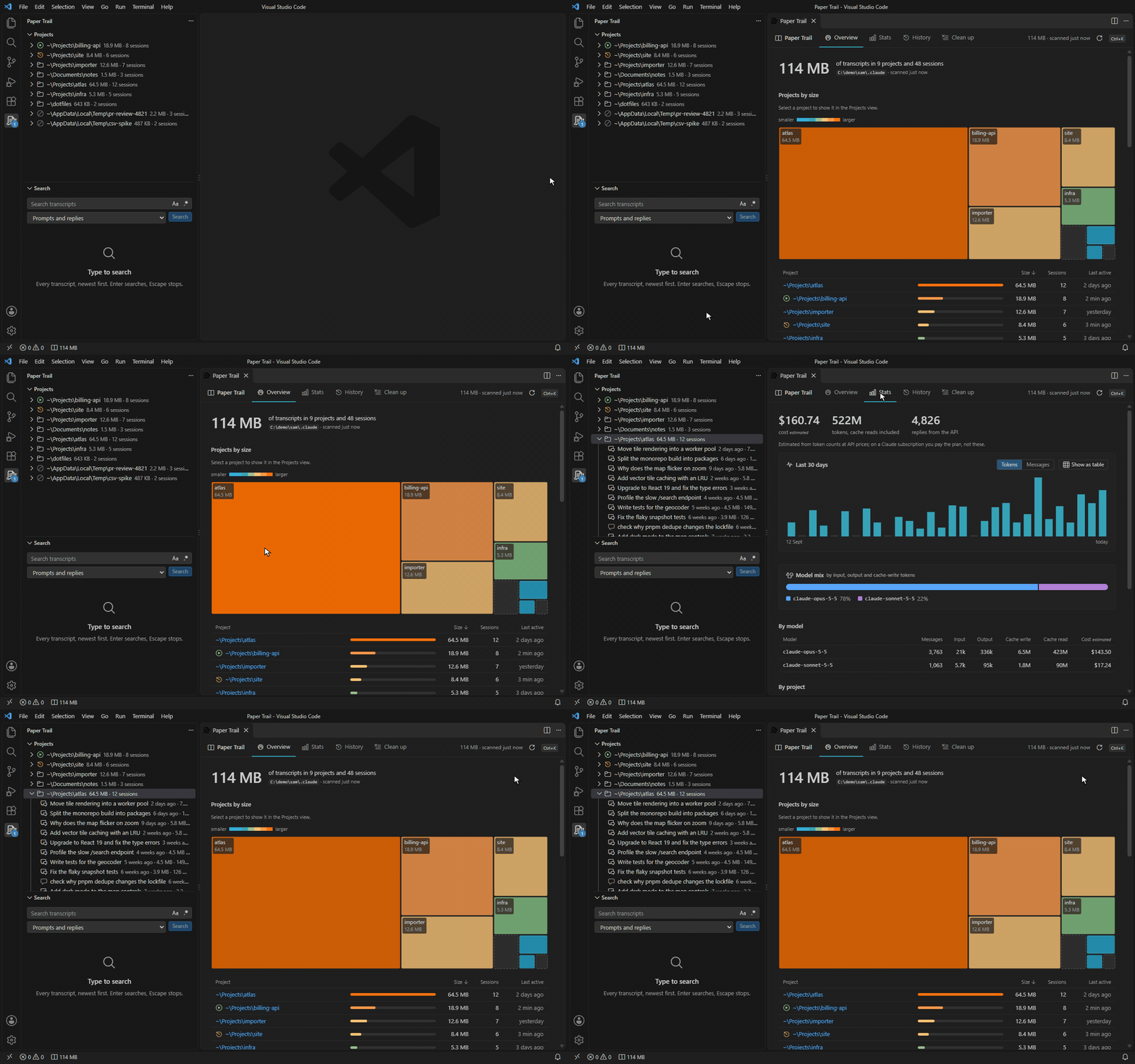
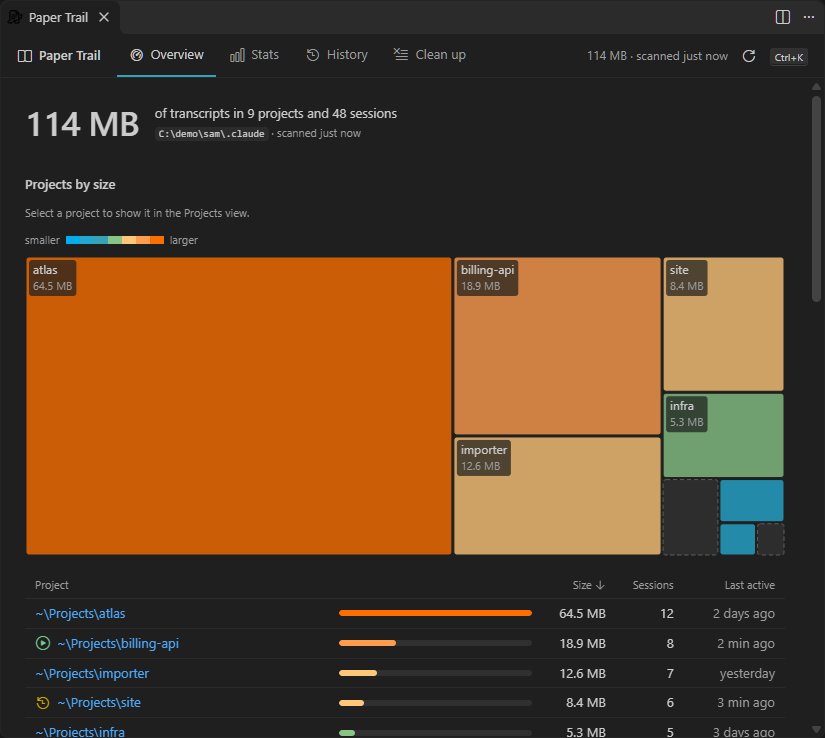
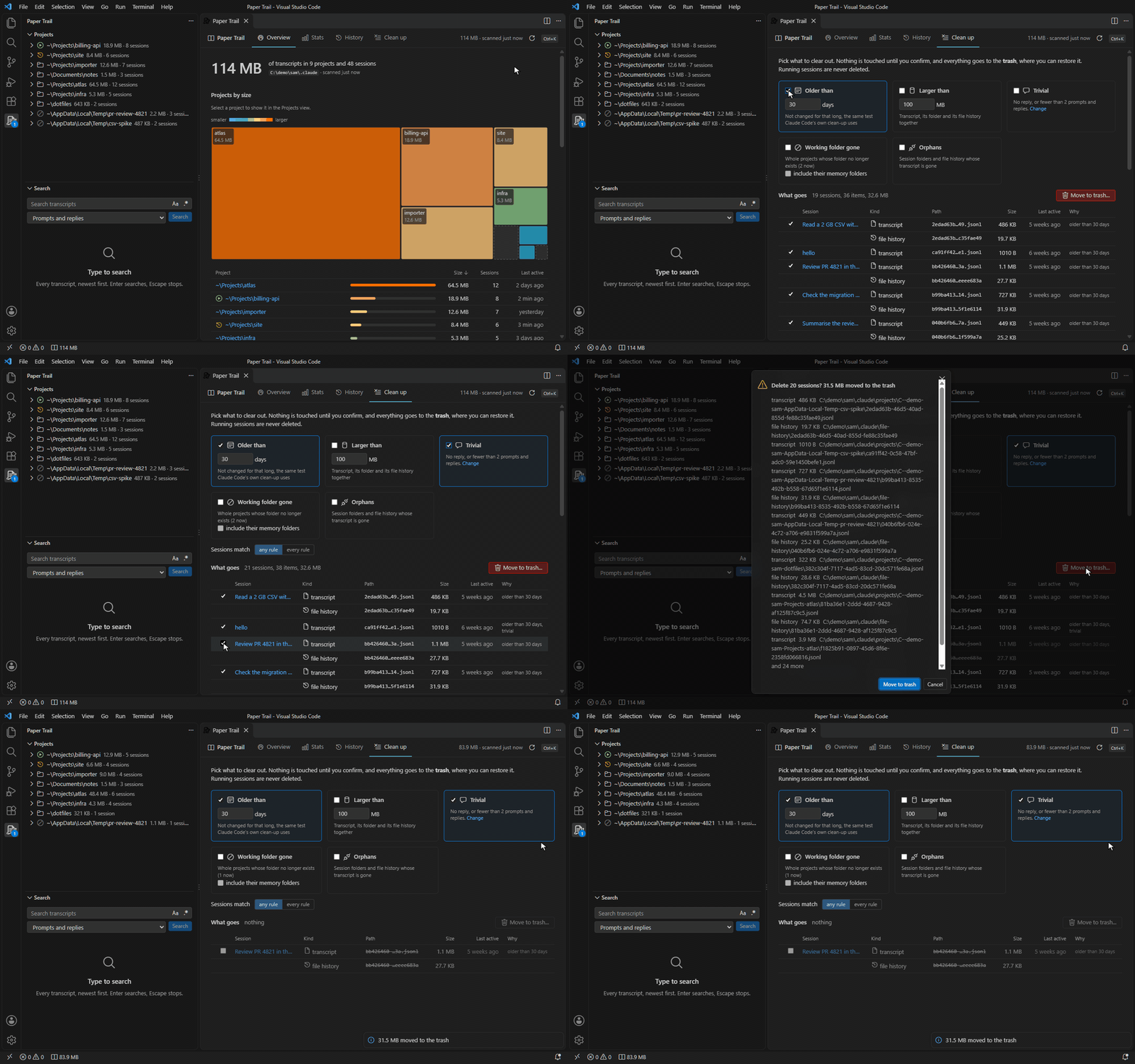
FeaturesSee where the space goesThe Overview shows the total, a treemap and a sortable list of projects by size, the biggest and oldest sessions, and
everything else in Claude Code's folder (plugins, file history, shell snapshots and the rest) with their sizes. It also
shows Claude Code's own
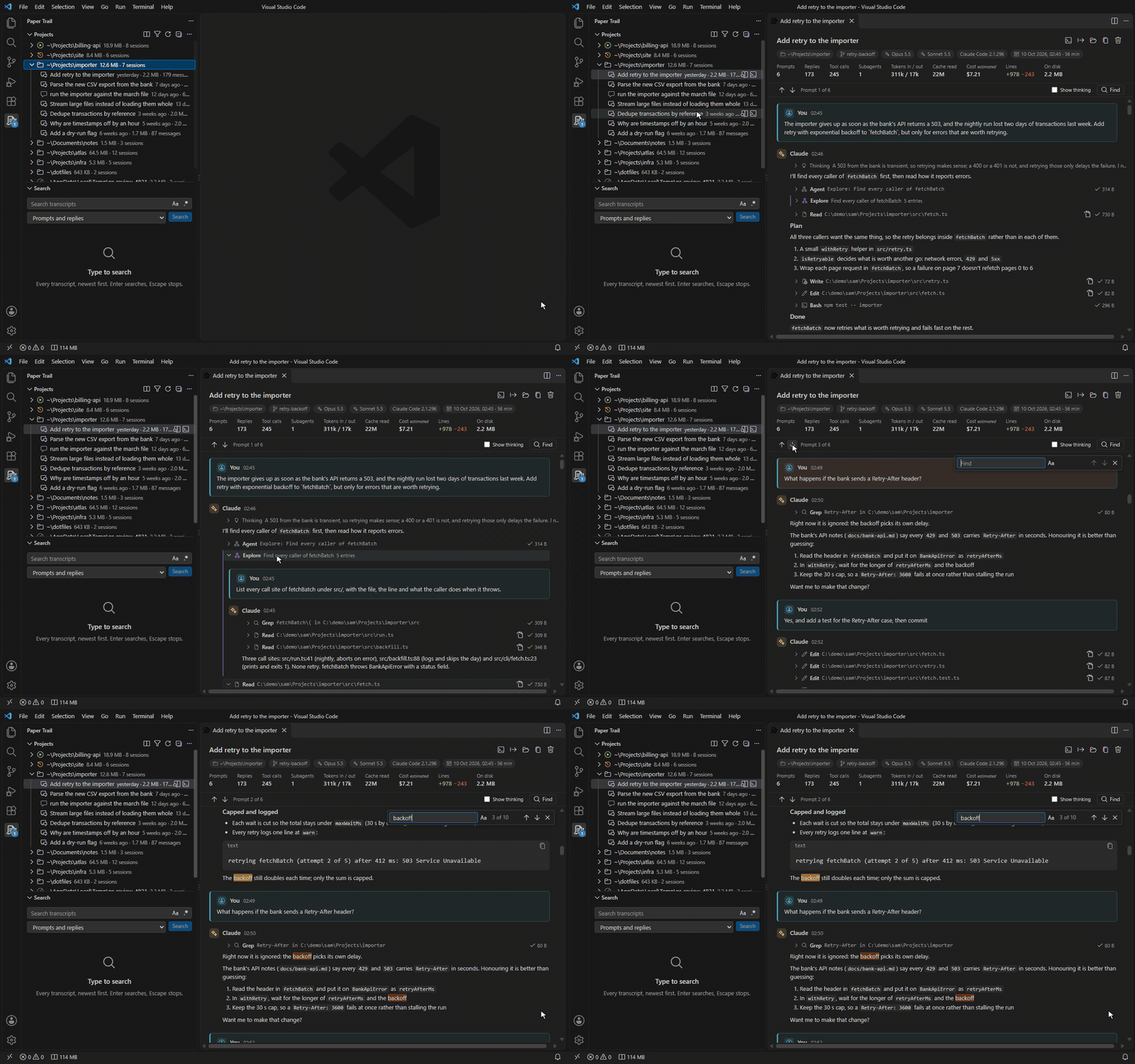
Read any session like a conversationOpen a session to read it like a chat: your prompts, Claude's replies as Markdown, thinking folded away, each tool call as a compact row you can open to see its input and result, images inline, and subagents nested under the call that started them. The header has the folder, branch, models, dates, token counts and an estimated cost. Jump between your prompts with Alt+Up and Alt+Down, and find in the session with Ctrl+F. Sessions of hundreds of megabytes open quickly, and a running session follows along as it grows.
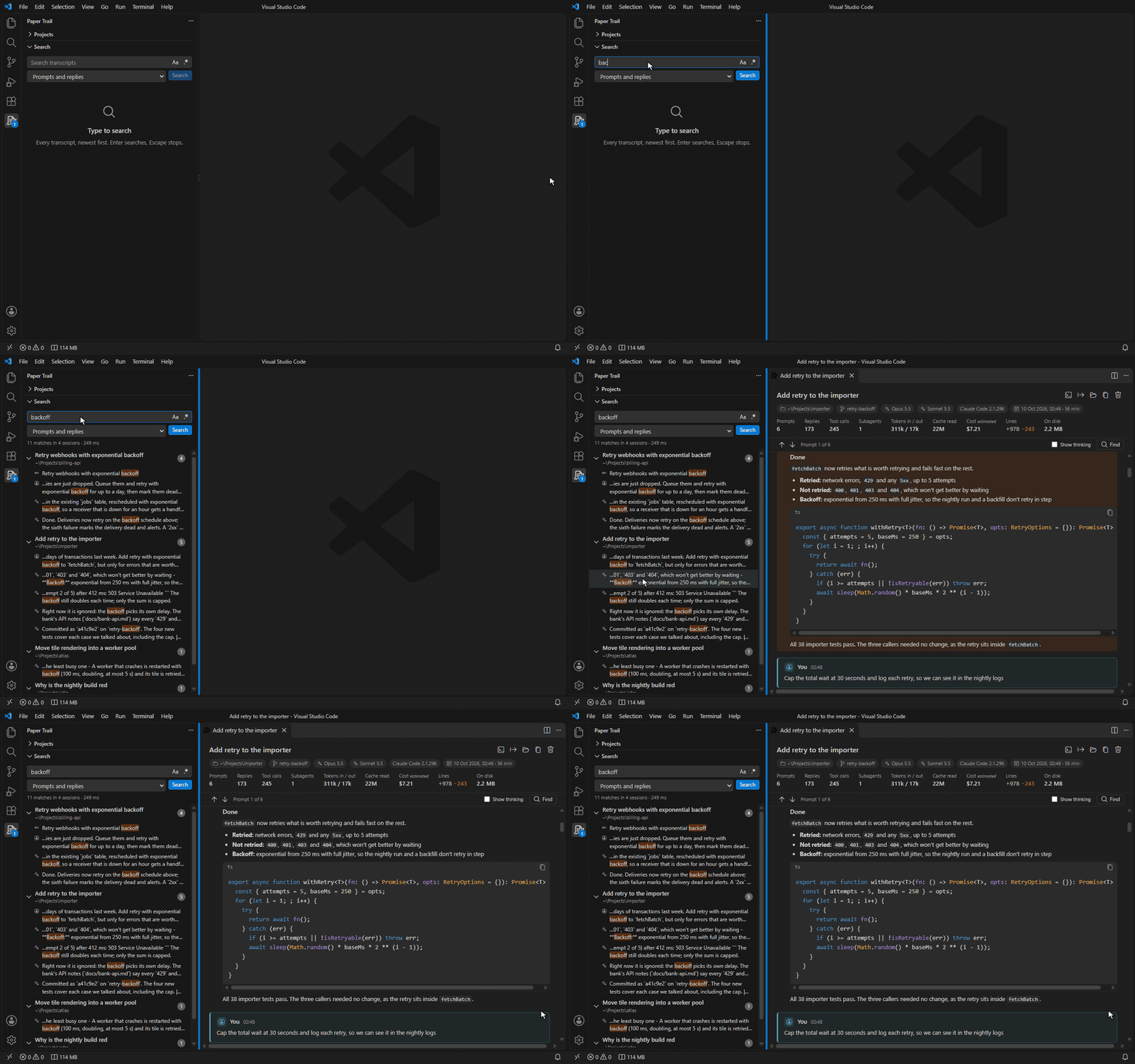
Search everything you ever saidSearch all transcripts from the sidebar: your prompts, Claude's replies, or everything including tool calls and their results, with match case and regular expressions. Results stream in grouped by session; pick one to open the session at that point. Stop a search with Escape.
Clean up with a previewDelete a session or a project from the Projects view, or clear out in bulk from the Clean up tab: sessions older than some days, larger than some size, or with no reply; projects whose folder no longer exists; and folders left behind by deleted sessions. The preview lists every file and folder that would go and the space it frees, and you can keep any of them. Everything goes to the trash by default. Running sessions are never deleted, and sessions changed in the last few minutes are asked about again.
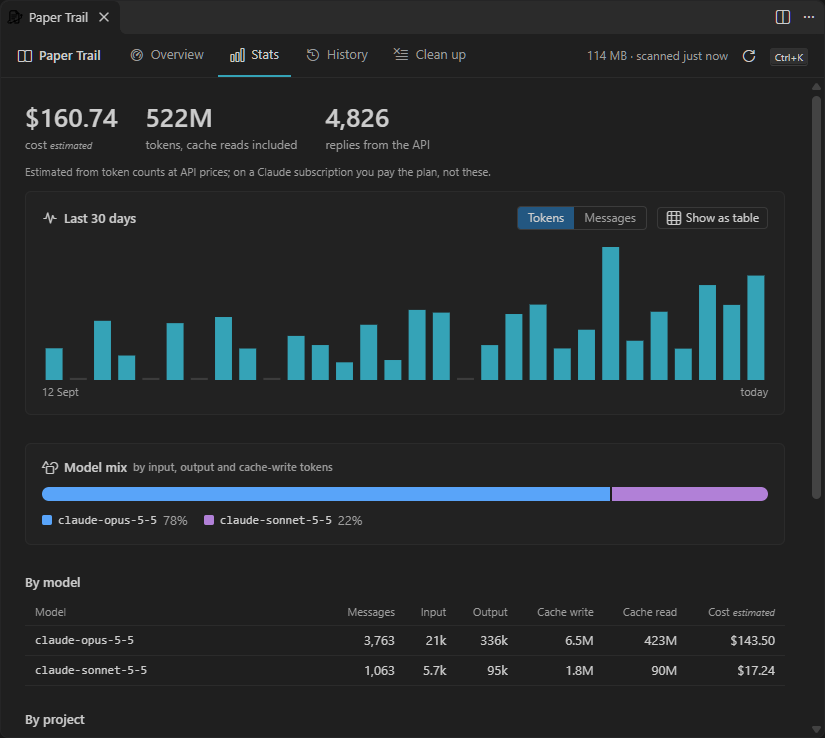
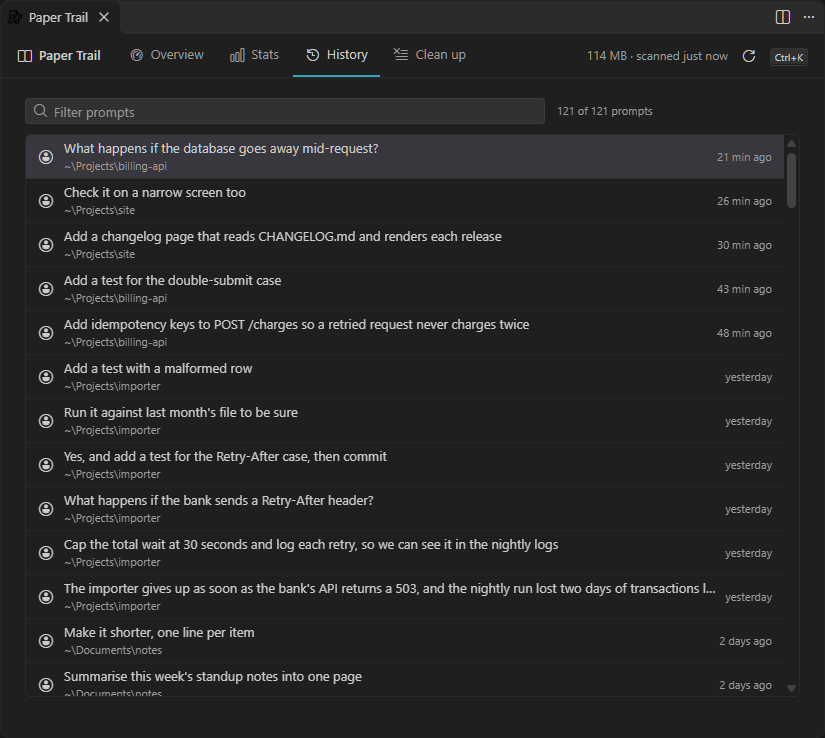
Stats and historyTokens and estimated cost by project and by model, activity for the last 30 days, and every prompt you have typed, searchable, each opening its session at that prompt.
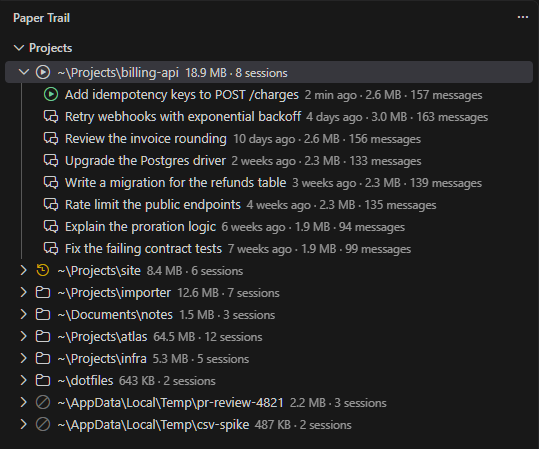
Projects at a glanceThe Projects view lists each project by its real folder, with its size and session count, and each session by its
title, date, size and message count. Sort by date, size or name, and filter by title, folder or session id. Running and
recently active sessions are marked, and so are projects whose folder is gone. From a session you can resume it in a
terminal with
Requirements
InstallInstall from the Visual Studio Marketplace,
or from Open VSX in VSCodium and other editors that use it.
In the editor, search the Extensions view for Paper Trail, or run Quick start
Settings
ColoursPaper Trail's four accent colours can be changed in
PrivacyPaper Trail makes no network requests and sends no telemetry. It reads Claude Code's folder on your machine, keeps a small index of session details in VS Code's storage for this extension, and deletes only what you confirm. Its webviews have a content security policy that blocks every network request. Costs are estimated from token counts with a built-in price table, not fetched. SupportQuestions and bug reports go to the Q&A tab of the extension's Marketplace page. LicencePaper Trail is proprietary software, free to use; the terms are in the LICENSE file that comes with the extension. Third-party components and their licences are listed in its ThirdPartyNotices.txt. |