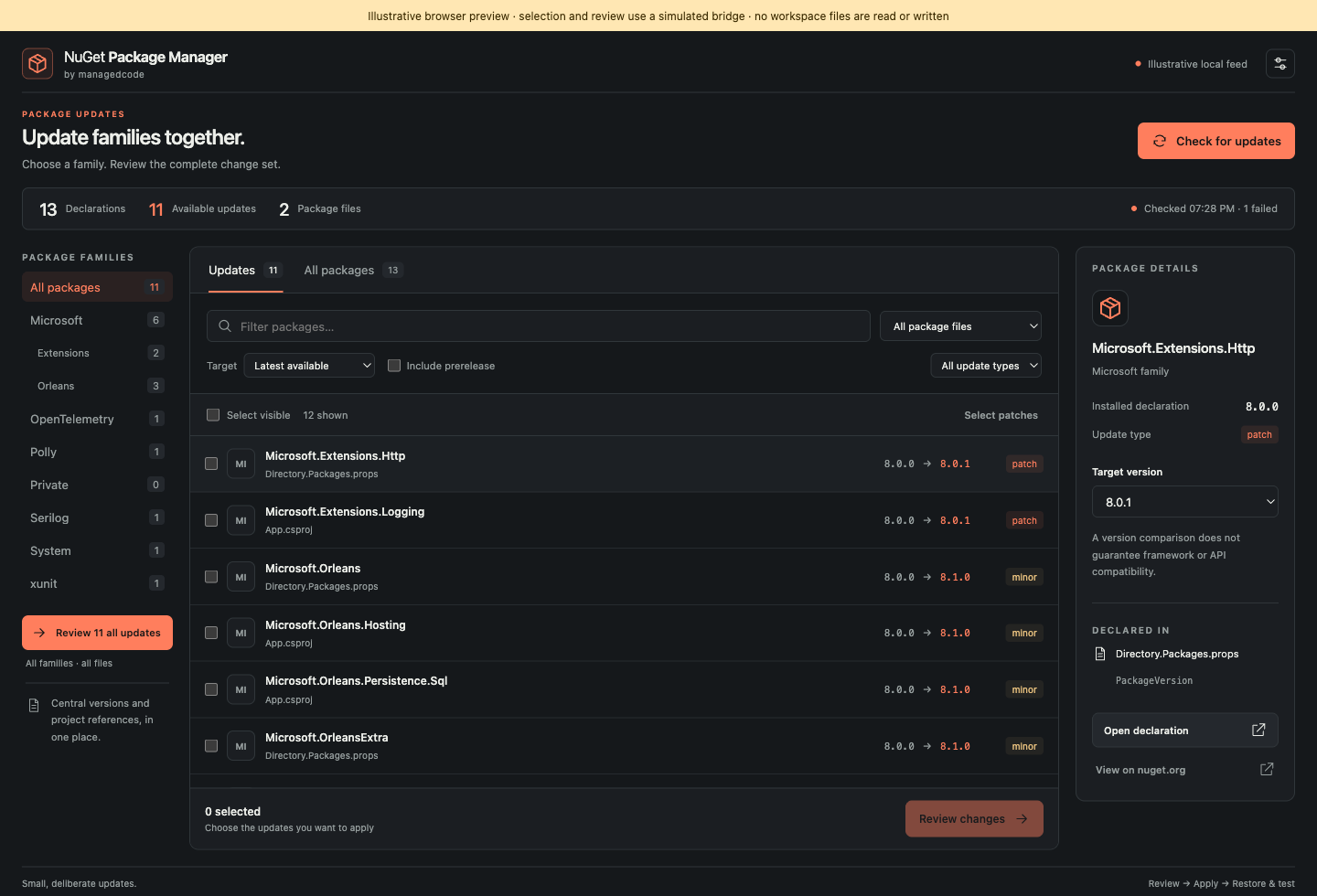
NuGet Package Manager by ManagedCodeReview and update NuGet dependencies by package family, version scope, and declaration file. Installation Launch VS Code Quick Open ( Ctrl+P), paste the following command, and press enter.Copied to clipboard |

NuGet Package Manager
Review NuGet updates across a .NET workspace before changing declarations. Select a package family, inspect every proposed version, and review the complete change set before applying it. The same .NET 10 engine powers the VS Code workbench and the
VS CodeOpen NuGet: Open Package Workbench from the Command Palette, or use the context menu on a Families use the first package ID segment by default. You can select a narrower dotted prefix, such as Choose the The VS Code display name is NuGet Package Manager by ManagedCode and the extension ID is The extension supports VS Code 1.100 or later and requires the .NET 10 runtime to run its bundled engine. Install the runtime using Microsoft's .NET download instructions. No Node.js installation is needed to use the extension. Command-line toolThe tool package and command are named Review and update the entire Orleans family in one operation: Use The CLI and extension share the same parsing, NuGet version, feed listing, family matching, and edit engine. The CLI reviews proposed file changes before writing; use its dry-run/JSON options for automation and its confirmation option only when you intend to apply the reviewed updates. See CLI usage for the agreed command syntax. Supported scope and limits
Property expressions, ranges, wildcards, and other unsupported versions are visible for manual handling. The tool does not add or remove package references, resolve the .NET dependency graph, automatically restore projects, apply Development and projectThe project follows the Managed Code Coding AI Framework (MCAF). See development setup, testing, and release operations. Public .NET skills are available in ManagedCode dotnet-skills. The extension and tool source are MIT licensed; imported MCAF skills carry CC BY 4.0 attribution in .codex/skills/MCAF-SOURCE.md. |