🚀 Live Server Speed Edition
Version : 1.2.9




A blazing-fast local HTTP server with live reload — built right into VS Code.
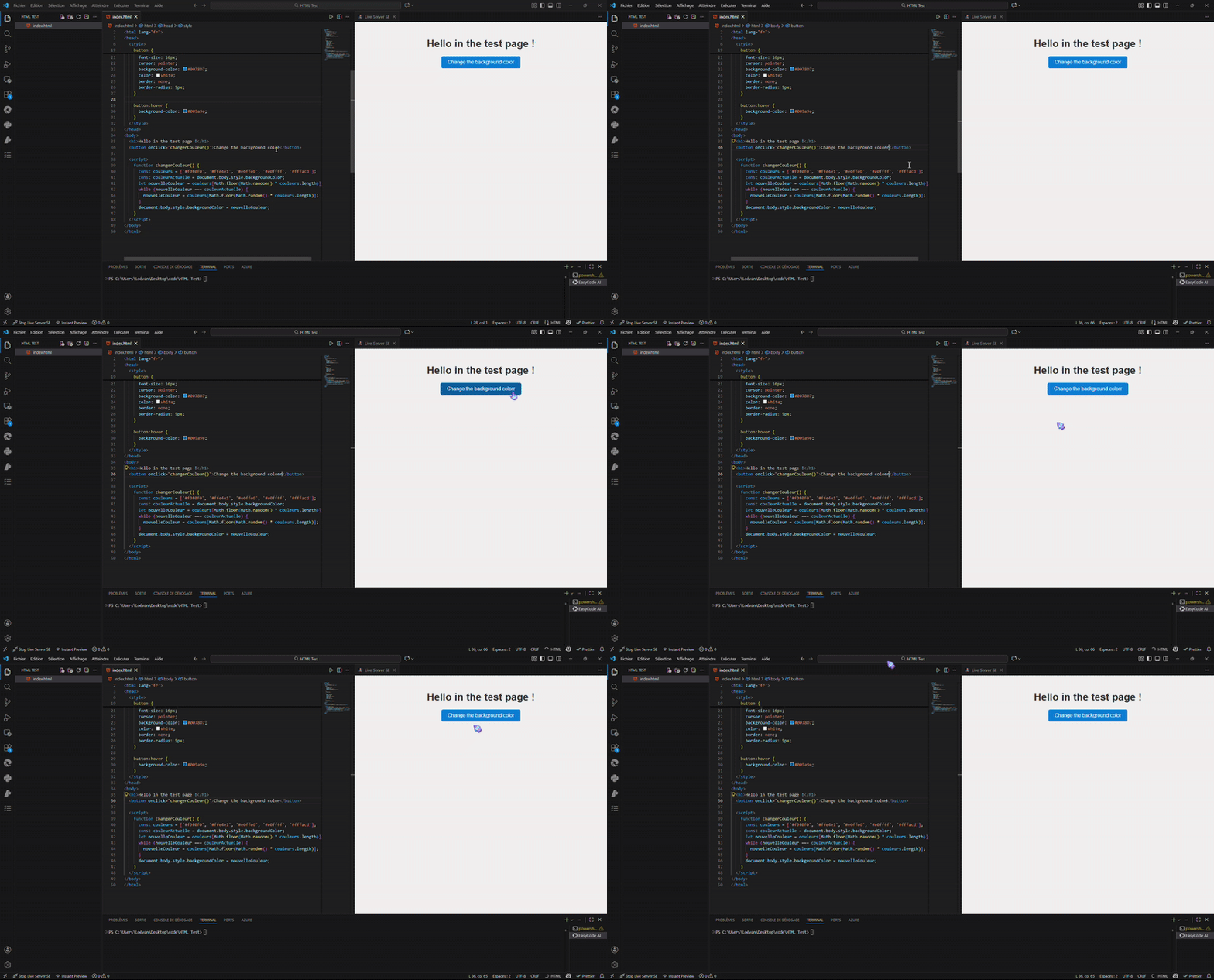
🔄 Live Reload in Action
⚡ Features
- One-click server launch from the status bar
- Instant live reload using WebSocket and Chokidar
- QR Code for mobile access: Display QR codes directly in WebView to quickly access your server from mobile devices on the local network
- Multiple preview modes:
- 🌐 Open in default browser
- 🧩 View directly inside VS Code via WebView
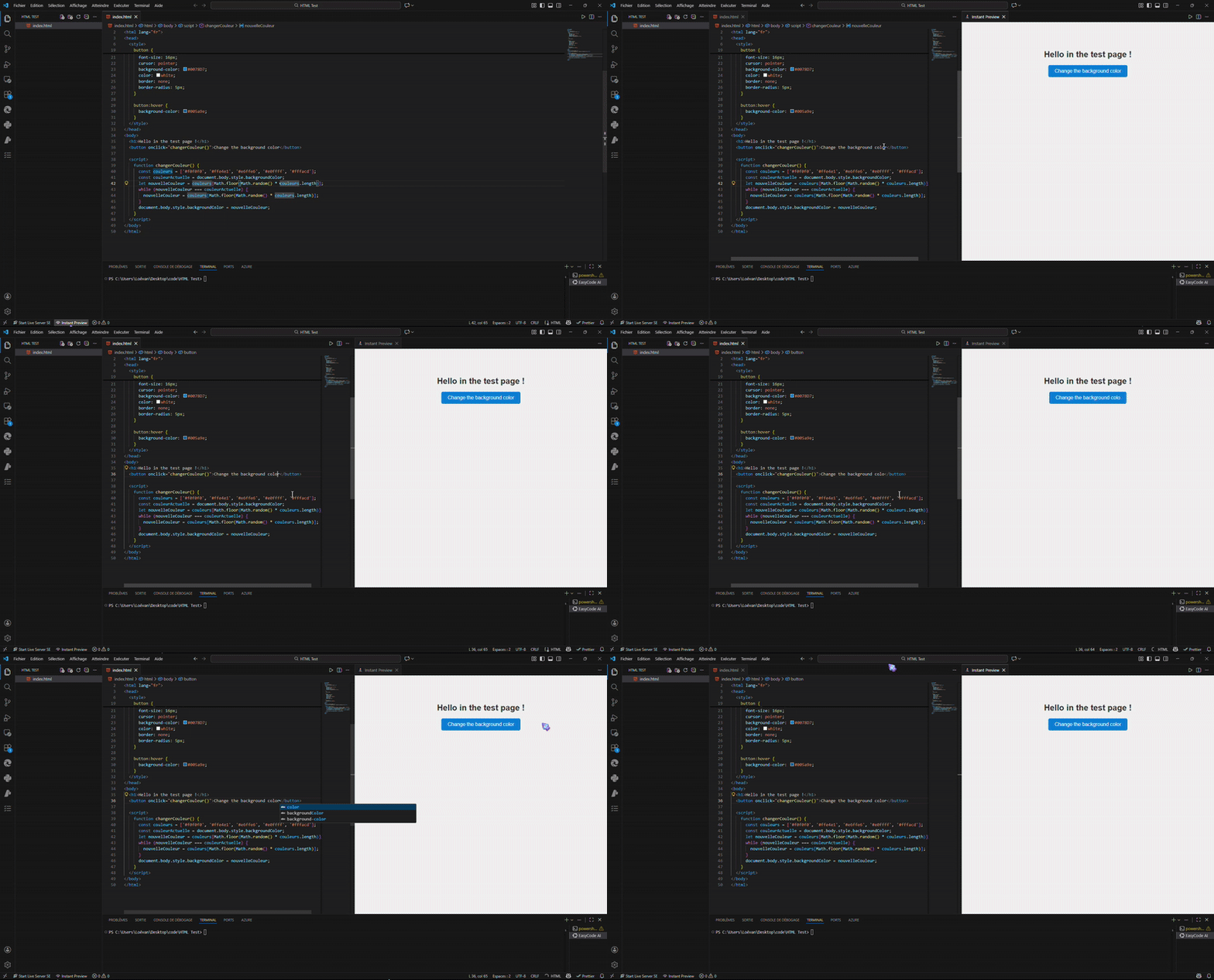
- ⚡ Instant Preview (without server)
- Context menu integration: Right-click any
.html file to open with Live Server SE using last parameters or choose new ones
- Protocol support: HTTP and HTTPS (with self-signed certificates support)
- HTTPS in WebView: No HTTPS support in VS Code WebView (no certificats)
- Zero configuration — just open a folder and go
- Default port: 5500
- Network accessible: Access your server from other devices on the same network (e.g., mobile testing) using your local IP address
- Multi-language UI: English, Français, Español, Deutsch
- Dynamic UI: Change language in settings, UI updates instantly (no restart needed)
🌍 Multi-language & Dynamic UI
You can select your preferred language for all extension UI elements:
- Go to VS Code Settings (
Ctrl+,)
- Search for
liveServerSpeed.language
- Choose:
en (English), fr (Français), es (Español), de (Deutsch)
Example in French:
- Status bar:
Démarrer Live Server SE
- Webview loading text:
Chargement du preview...
🖥️ How to Use
- Open a folder in VS Code
- (Optional) Set your language: Go to Settings > liveServerSpeed.language
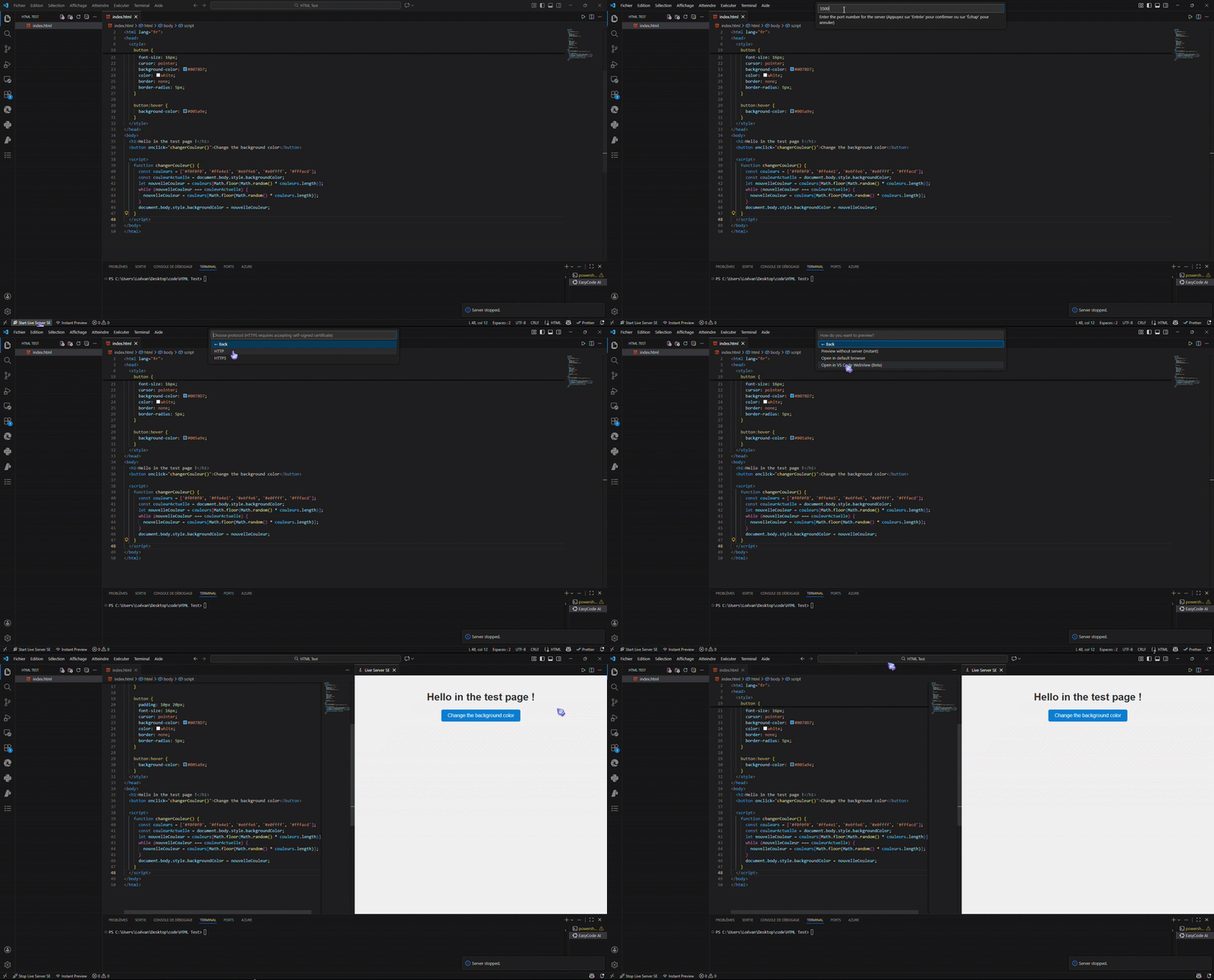
- Click Start Live Server SE in the status bar
- Choose your preferred view (browser or WebView)
- Edit your files — the page reloads automatically after one second 💨
- (Optional) Configure a keyboard shortcut to restart the server instantly
📦 Installation
Install from the Visual Studio Code Marketplace
Or via CLI:
bash :
code --install-extension Lololegeek.live-server-speed-edition
🛠️ Tech Stack
- Express
- WebSocket
- Chokidar
- VS Code API
✨ Why This Edition?
Because traditional live servers can be slow or bloated.
This edition focuses on speed, simplicity, native integration, and multi-language support.
No config files. No clutter. Just fast results.
This Live Server is faster and less bloated than traditional live servers. (Five Server, Live Server and more...)
Experimental:
📸 Demo
🎬 Setup & Configuration
🔄 Live Reload in Action
⚡ Instant Reload Feature
💡 Ideas & Roadmap
We are constantly working to improve Live Server Speed Edition! Here are some ideas and features we are considering for future releases:
- 🔧 CLI Mode: Run the server from command line without VS Code
- 📊 Server Logs Panel: View HTTP request logs directly in VS Code
- 🎨 Custom CSS/JS Injection: Automatically inject custom styles or scripts into all pages
- 🔄 Multiple Server Instances: Run multiple servers simultaneously on different ports
- 🌐 Proxy Configuration: Support for proxying requests to external APIs
- 📋 Custom Response Headers: Configure custom HTTP headers for all responses
- ⚡ Server-Side Rendering: Support for SSR frameworks
- 🔐 Better HTTPS Management: Certificate management UI and auto-renewal
- 📱 Device Sync: Synchronize scroll position and clicks between multiple devices
- 🎯 Selective Reload: Choose which file types trigger a reload
Have an idea? Open an issue or submit a PR!
👨💻 Author
Created with ❤️ by Lololegeek
Want to contribute or suggest a feature? https://github.com/Lololegeek/live-server-speed-edition/issues or submit a PR!
Thank you !
I'm a passioned developper, i'm the founder of ByteCode-Team, the fonder of ByteCode IDE, Todo In VS Code, Python HTTP Server and more... View other projects in my GitHub : https://github.com/Lololegeek

